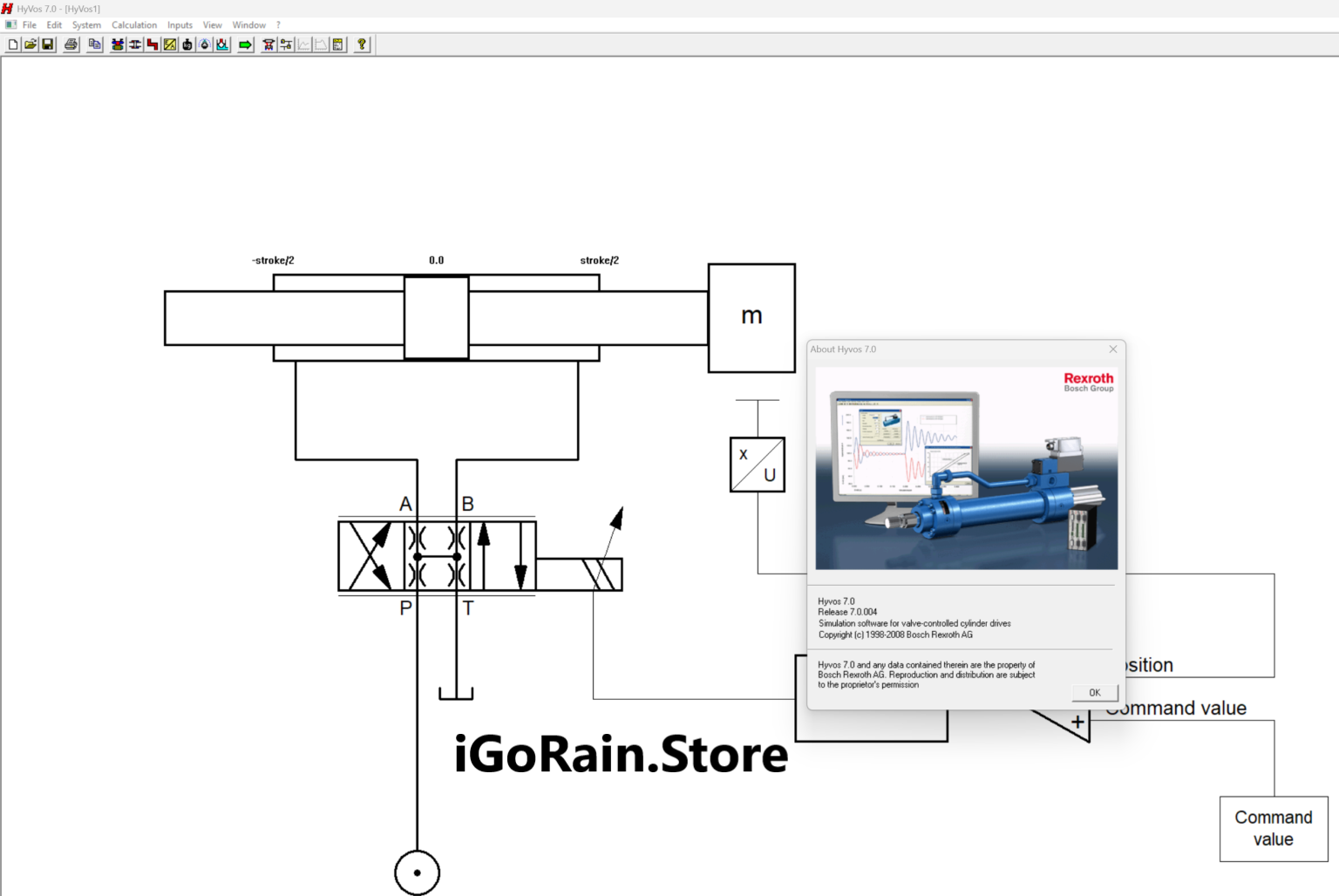
Description
HyVos 7.0 Software Review: Advanced Hydrographic Survey Processing for Modern Mapping Projects
Summary
HyVos 7.0 Software is a professional hydrographic data processing and survey management solution designed for surveyors, marine engineers, dredging contractors, and geospatial professionals. Built to streamline the collection, processing, validation, and analysis of hydrographic survey data, HyVos 7.0 helps organizations improve accuracy while reducing the time required to transform raw field measurements into actionable results.
Whether you are conducting harbor surveys, river mapping, dredging volume calculations, offshore infrastructure inspections, or coastal monitoring projects, HyVos 7.0 provides an integrated workflow that simplifies complex hydrographic operations. Its robust data management capabilities, powerful visualization tools, and compatibility with modern survey equipment make it a valuable asset for professionals who depend on reliable marine geospatial information.
In this comprehensive HyVos 7.0 Software review, we explore its key features, practical applications, performance, advantages, limitations, and overall value for hydrographic survey professionals.
Introduction to HyVos 7.0 Software
Hydrographic surveying plays a critical role in marine navigation, dredging projects, offshore construction, environmental monitoring, and waterway management. However, collecting data is only one part of the process. Survey teams must also process large datasets, perform quality control checks, generate reports, and deliver accurate models to clients.
This is where HyVos 7.0 Software becomes particularly useful.
Designed specifically for hydrographic and bathymetric applications, HyVos 7.0 provides a centralized platform for managing survey projects from start to finish. The software enables users to import data from multiple survey systems, apply corrections, analyze bathymetric information, and generate professional outputs for engineering and decision-making purposes.
Many hydrographic professionals appreciate the software because it combines technical depth with an efficient workflow, helping organizations meet tight project deadlines without compromising data quality.
Key Features of HyVos 7.0 Software
Comprehensive Hydrographic Data Processing
HyVos 7.0 supports the processing of various hydrographic datasets collected from:
- Single-beam echo sounders
- Multi-beam sonar systems
- GNSS positioning equipment
- Motion sensors
- Tide measurement devices
- Hydrographic survey instruments
This flexibility allows survey teams to integrate multiple data sources into a unified workflow.
Advanced Data Visualization
Visual interpretation is essential when working with bathymetric information. HyVos 7.0 offers powerful visualization capabilities including:
- 2D mapping views
- 3D terrain models
- Bathymetric surface displays
- Cross-sectional analysis
- Depth contour generation
These tools help users identify anomalies, validate data quality, and communicate findings more effectively.
Quality Control and Validation Tools
Accurate hydrographic results depend on rigorous quality assurance procedures.
HyVos 7.0 includes:
- Automated data validation
- Survey line inspection
- Error detection mechanisms
- Data consistency checks
- Quality reporting functions
These features help minimize human errors and improve confidence in final deliverables.
Efficient Data Management
Large-scale hydrographic projects often involve massive datasets collected over extended periods.
HyVos 7.0 helps organize information through:
- Centralized project management
- Structured data storage
- Survey session tracking
- Data filtering and classification
- Easy retrieval of historical datasets
This improves productivity and reduces the risk of data loss.
Surface Modeling and Terrain Analysis
One of the software’s strongest capabilities is its ability to generate accurate bathymetric surfaces.
Users can create:
- Digital terrain models (DTM)
- Bathymetric grids
- Surface comparisons
- Volume calculations
- Change detection analyses
These functions are particularly valuable for dredging and sediment monitoring projects.
Reporting and Deliverables
Professional reporting tools help surveyors deliver results efficiently.
Common outputs include:
- Survey reports
- Bathymetric maps
- Cross sections
- Contour charts
- Volume reports
- Engineering documentation
This simplifies communication between survey teams, clients, and regulatory agencies.
Practical Use Cases of HyVos 7.0 Software
Harbor and Port Surveys
Ports require regular hydrographic surveys to maintain safe navigation channels.
Using HyVos 7.0, surveyors can:
- Process sounding data
- Identify sediment accumulation
- Monitor channel depths
- Produce navigation support maps
Port authorities benefit from improved maintenance planning and operational safety.
Dredging Operations
Dredging contractors rely heavily on accurate bathymetric information.
HyVos 7.0 supports:
- Pre-dredge surveys
- Progress monitoring
- Volume calculations
- Post-dredge verification
By accurately calculating removed material volumes, contractors can improve project accountability and billing accuracy.
Coastal Zone Management
Environmental agencies frequently monitor coastal regions to assess erosion and sediment movement.
The software helps users:
- Compare historical surveys
- Detect shoreline changes
- Analyze seabed movement
- Support conservation initiatives
This information contributes to long-term coastal management strategies.
River and Inland Waterway Surveys
Navigation authorities managing rivers and canals require accurate depth information.
HyVos 7.0 enables teams to:
- Monitor navigable depths
- Identify obstructions
- Track sedimentation trends
- Generate maintenance planning reports
Reliable data supports safer transportation and infrastructure management.
Offshore Infrastructure Projects
Offshore energy and marine construction projects demand precise seabed mapping.
Survey professionals use HyVos 7.0 to:
- Evaluate seabed conditions
- Support pipeline route planning
- Assess cable installation corridors
- Conduct offshore site investigations
These capabilities contribute to safer and more efficient project execution.
Real-World User Experience
Imagine a dredging contractor tasked with maintaining a busy shipping channel.
Traditionally, the team might spend days processing raw survey files, manually checking data quality, and calculating dredging volumes. Delays in data processing can impact project schedules and increase operational costs.
With HyVos 7.0 Software, the workflow becomes more streamlined:
- Survey data is imported from multiple instruments.
- Automatic quality control checks identify inconsistencies.
- Bathymetric surfaces are generated quickly.
- Volume calculations are completed efficiently.
- Professional reports are delivered to stakeholders.
As a result, project managers gain faster access to accurate information, helping them make informed decisions and keep operations on schedule.
This practical efficiency is one reason many hydrographic professionals view HyVos 7.0 as a valuable tool in their workflow.
Performance Analysis
Processing Speed
HyVos 7.0 is designed to handle substantial hydrographic datasets efficiently. While performance depends on hardware specifications and project complexity, the software generally performs well when processing large survey files.
Key strengths include:
- Fast data import routines
- Efficient filtering tools
- Responsive visualization performance
- Streamlined project workflows
Accuracy and Reliability
Accuracy is essential in hydrographic surveying.
HyVos 7.0 supports reliable results through:
- Precision correction workflows
- Data validation procedures
- Advanced terrain modeling
- Consistent quality control mechanisms
These capabilities help maintain confidence in engineering and navigation-related deliverables.
Scalability
The software is suitable for:
- Small survey firms
- Government agencies
- Port authorities
- Dredging contractors
- Large marine engineering organizations
Its ability to handle projects of varying sizes makes it adaptable to different operational requirements.
User Interface and Workflow
Although hydrographic software can often be technically complex, HyVos 7.0 offers a structured workflow that helps users navigate projects efficiently.
Benefits include:
- Organized project management
- Logical processing steps
- Clear visualization options
- Professional reporting tools
Experienced surveyors can typically integrate the software into their existing operations with minimal disruption.
Pros and Cons of HyVos 7.0 Software
Pros
Specialized Hydrographic Capabilities
Designed specifically for hydrographic and bathymetric survey processing.
Strong Data Visualization
Provides detailed 2D and 3D representations of survey data.
Quality Control Tools
Helps improve data reliability through validation and error-checking functions.
Efficient Workflow Management
Reduces manual processing effort and increases productivity.
Professional Reporting Features
Generates industry-standard outputs suitable for clients and regulatory requirements.
Supports Multiple Survey Data Sources
Compatible with a wide range of hydrographic survey equipment.
Cons
Learning Curve for Beginners
New users without hydrographic surveying experience may require training.
Hardware Requirements
Large projects and high-density datasets may perform best on modern, high-performance workstations.
Professional-Oriented Design
The software is optimized for industry professionals rather than casual users.
Licensing Costs
Depending on deployment requirements, licensing costs may represent a significant investment for smaller organizations.
Pricing and Plans
HyVos 7.0 Software pricing may vary depending on:
- License type
- Number of users
- Organizational requirements
- Optional modules
- Maintenance agreements
- Technical support packages
Because pricing structures can change over time and may be customized for enterprise customers, interested buyers should contact authorized distributors or software providers for the most current information.
When evaluating cost, organizations should also consider the software’s potential return on investment through:
- Improved efficiency
- Reduced processing time
- Enhanced data quality
- Better project management
- Increased reporting accuracy
For many hydrographic professionals, these operational benefits can justify the software investment over the long term.
Why Hydrographic Professionals Choose HyVos 7.0
Several factors contribute to the software’s continued popularity among marine survey teams:
- Reliable hydrographic data processing
- Advanced bathymetric modeling capabilities
- Strong project management functionality
- Efficient volume calculation tools
- Professional-grade reporting outputs
- Support for complex survey environments
As marine infrastructure projects become increasingly data-driven, tools like HyVos 7.0 help organizations maintain competitiveness and operational efficiency.
Final Verdict
HyVos 7.0 Software stands out as a capable and professional hydrographic survey processing solution designed for organizations that require accurate bathymetric analysis, efficient data management, and dependable reporting tools. Its combination of advanced hydrographic processing features, visualization capabilities, quality control functions, and terrain modeling tools makes it well-suited for ports, dredging contractors, offshore engineering firms, government agencies, and marine survey professionals.
While beginners may face a learning curve, experienced users will appreciate the software’s depth, reliability, and productivity-focused workflow. For organizations involved in hydrographic surveying, bathymetric mapping, dredging analysis, coastal monitoring, or marine infrastructure development, HyVos 7.0 offers a robust platform capable of supporting demanding project requirements.
If your team is looking for a professional hydrographic survey software solution that can streamline data processing, improve accuracy, and deliver high-quality marine mapping results, HyVos 7.0 Software is certainly worth exploring as part of your geospatial technology toolkit.



Reviews
There are no reviews yet.