Description
eFilm Workstation Review: Advanced Medical Imaging Software for Precision Diagnosis and Clinical Efficiency
Summary
eFilm Workstation is a professional-grade medical imaging and DICOM viewing software widely used in hospitals, radiology departments, and diagnostic centers. It enables healthcare professionals to view, analyze, and manage medical images such as CT scans, MRIs, PET scans, and X-rays with high precision and speed. Designed with clinical workflows in mind, eFilm Workstation improves diagnostic accuracy, supports multi-modality imaging, and streamlines radiology reporting.
In this in-depth review, we explore how eFilm Workstation supports radiologists and clinicians in real-world environments, its core features, performance strengths, limitations, and overall value in modern healthcare imaging systems.
Introduction
Medical imaging plays a critical role in modern diagnostics, and the demand for reliable imaging software has never been higher. eFilm Workstation has emerged as a trusted solution in this space, offering a comprehensive platform for viewing, manipulating, and interpreting DICOM medical images.
Unlike basic image viewers, eFilm Workstation is built specifically for clinical professionals who require advanced tools for accurate diagnosis. It integrates seamlessly into hospital PACS (Picture Archiving and Communication System) environments, making it a valuable asset for radiology departments.
Whether used in emergency care, oncology, orthopedics, or routine diagnostics, eFilm Workstation provides the speed and precision required in high-pressure medical environments.
Key Features of eFilm Workstation
eFilm Workstation stands out due to its robust imaging tools and clinical workflow capabilities. Below are its most important features:
1. Advanced DICOM Image Viewing
- Full support for DICOM standard images
- High-resolution image rendering
- Multi-series and multi-study comparison
- Smooth zooming, panning, and rotation tools
2. Multi-Modality Support
- CT (Computed Tomography)
- MRI (Magnetic Resonance Imaging)
- PET and SPECT scans
- Ultrasound and X-ray imaging
This allows clinicians to analyze different imaging types within a unified platform.
3. Measurement and Annotation Tools
- Distance and angle measurements
- Region of interest (ROI) analysis
- Image annotation for clinical notes
- Calibration tools for precise diagnostics
4. Multi-Planar Reconstruction (MPR)
- Axial, sagittal, and coronal views
- 3D reconstruction support
- Slice-by-slice navigation for deeper analysis
5. PACS Integration
- Seamless connection with hospital PACS systems
- Fast image retrieval from centralized databases
- Secure patient data handling
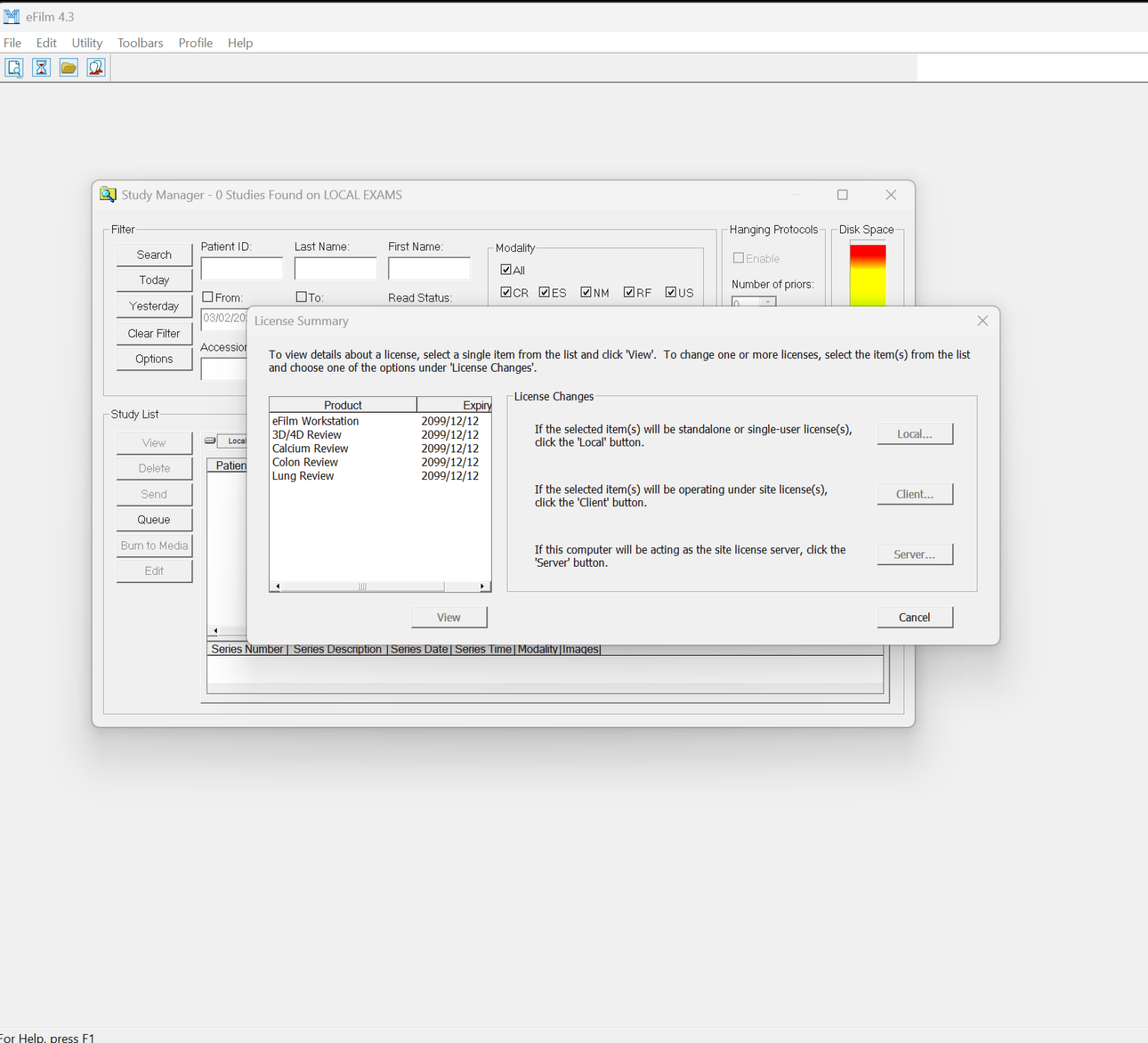
6. Study Management Tools
- Organized patient study lists
- Search and filter options
- Quick access to prior examinations for comparison
7. Customizable Interface
- Adjustable layout for radiologists
- Shortcut keys for faster workflow
- User-specific configurations for efficiency
Practical Use Cases
eFilm Workstation is used in a wide range of clinical environments. Its flexibility makes it suitable for both routine diagnostics and complex medical cases.
1. Radiology Departments
Radiologists use eFilm Workstation to interpret imaging scans quickly and accurately. Its multi-series comparison helps detect subtle abnormalities in organs, tissues, and bones.
2. Emergency Medicine
In emergency rooms, time is critical. Doctors rely on eFilm Workstation to rapidly view trauma scans such as brain hemorrhages, fractures, or internal injuries.
3. Oncology Imaging
Cancer specialists use the software to monitor tumor progression through CT and PET scans, comparing historical and current imaging data.
4. Orthopedic Analysis
Orthopedic surgeons use measurement tools to evaluate bone alignment, fractures, and post-surgical recovery.
5. Teaching and Training
Medical universities and training hospitals use eFilm Workstation as a teaching tool for students learning radiology interpretation.
6. Telemedicine and Remote Diagnosis
With PACS connectivity, specialists can review patient scans remotely, enabling efficient tele-radiology workflows.
Performance Analysis
Performance is a critical factor in medical imaging software, and eFilm Workstation is designed with clinical speed and reliability in mind.
Speed and Responsiveness
The software is optimized for handling large DICOM files without lag. Even high-resolution CT scans load quickly, allowing professionals to navigate through image slices smoothly.
Image Quality
eFilm Workstation maintains high image fidelity, ensuring that diagnostic details remain clear and accurate. This is crucial for detecting subtle medical conditions.
System Stability
In clinical environments where downtime is not acceptable, the software demonstrates stable performance with minimal crashes or interruptions.
Workflow Efficiency
With customizable shortcuts and intuitive navigation, clinicians can reduce time spent on repetitive tasks, improving overall productivity.
Integration Capability
Its ability to integrate with hospital PACS systems ensures seamless data flow, reducing manual file handling and improving data security.
Pros and Cons
Pros
- Highly accurate DICOM image rendering
- Strong PACS integration support
- Fast performance with large imaging datasets
- Multi-modality imaging support
- Advanced measurement and diagnostic tools
- Suitable for professional clinical environments
- Supports multi-planar and 3D imaging views
Cons
- Requires technical knowledge for full utilization
- Interface may feel complex for beginners
- Primarily designed for professional use, not general users
- Limited accessibility outside healthcare environments
- May require institutional licensing for full deployment
Pricing and Licensing
eFilm Workstation is generally distributed through healthcare institutions and enterprise licensing models. Pricing can vary depending on:
- Number of users or workstations
- Hospital or clinic size
- PACS integration requirements
- Support and maintenance contracts
In many cases, pricing is not publicly listed and is provided directly through vendors or medical software distributors. Large hospitals often negotiate customized enterprise agreements based on their imaging workload and infrastructure needs.
eFilm Workstation 4.3 Download
Final Verdict
eFilm Work station 4.3 remains a dependable and widely respected solution in the medical imaging software landscape. Its combination of speed, accuracy, and professional-grade diagnostic tools makes it a strong choice for radiologists, clinicians, and healthcare institutions.
While it may not be designed for casual users or small-scale applications, its strengths lie in clinical precision and workflow efficiency. The software’s ability to handle complex imaging datasets, integrate with PACS systems, and support multi-modality diagnostics ensures it continues to be relevant in modern healthcare environments.
For institutions seeking a reliable DICOM viewer and advanced radiology workstation, eFilm Workstation offers a balanced mix of performance, usability, and diagnostic depth.
Actionable Conclusion
If your workflow depends on accurate medical imaging interpretation and fast diagnostic turnaround, eFilm Workstation is worth serious consideration. Its clinical tools, high-quality imaging engine, and hospital-ready integration make it a practical choice for healthcare professionals aiming to improve diagnostic precision and operational efficiency.
Exploring eFilm Workstation within a real clinical environment can help you better understand its full capabilities and how it can enhance radiology workflows, improve patient outcomes, and support data-driven medical decisions.


Reviews
There are no reviews yet.