Description
Arbutus Analyzer Review 2026: A Powerful Data Analytics and Audit Solution for Professionals
Organizations today collect more data than ever before, but extracting meaningful insights from large datasets remains a challenge. Whether you work in internal audit, fraud detection, compliance management, or financial analysis, manually reviewing millions of records is inefficient and prone to errors.
Arbutus Analyzer is designed to solve this problem. It provides auditors, accountants, investigators, and data analysts with advanced tools to analyze, validate, and monitor business data quickly and accurately. The software enables users to identify anomalies, detect duplicate transactions, test controls, and automate repetitive audit procedures.
In this comprehensive Arbutus Analyzer review, we’ll explore its features, practical applications, performance, advantages, limitations, and why it continues to be a preferred choice among professionals involved in risk management and data-driven auditing.
Introduction to Arbutus Analyzer
Arbutus Analyzer is a professional-grade data analytics platform developed specifically for audit, compliance, and financial investigation teams. The software allows users to import, process, analyze, and visualize data from multiple sources without affecting the original datasets.
Unlike traditional spreadsheet tools that struggle with very large files, Arbutus Analyzer is engineered to handle millions of records efficiently. It offers sophisticated analysis functions that help organizations improve transparency, strengthen internal controls, and reduce operational risks.
The platform is commonly used by:
- Internal auditors
- External audit firms
- Government agencies
- Compliance officers
- Financial investigators
- Fraud examiners
- Risk management professionals
- Data analysts
Its ability to automate routine audit testing and uncover hidden patterns makes it an essential solution for modern organizations.
Key Features of Arbutus Analyzer
Arbutus Analyzer offers a wide range of capabilities tailored toward audit and investigative workflows.
1. Advanced Data Import Capabilities
One of the strongest aspects of Arbutus Analyzer is its flexibility in handling data from various sources.
Supported sources typically include:
- Excel spreadsheets
- CSV files
- Text files
- SQL databases
- ERP systems
- Accounting software exports
- ODBC-compliant databases
- Enterprise data warehouses
Users can merge information from multiple systems into a unified environment for deeper analysis.
Benefits
- Eliminates manual data consolidation
- Reduces preparation time
- Simplifies cross-system auditing
- Supports large-volume datasets
2. Duplicate Detection
Duplicate payments and transactions represent a common source of financial losses.
Arbutus Analyzer includes sophisticated duplicate testing functions that can identify:
- Duplicate invoices
- Repeated vendor payments
- Similar transactions
- Near duplicates
- Potential fraudulent activities
This functionality can significantly improve recovery efforts and strengthen accounts payable controls.
3. Gap and Sequence Analysis
Organizations often need to verify whether transaction sequences are complete.
Examples include:
- Invoice numbers
- Purchase orders
- Checks
- Payroll records
- Inventory documents
Arbutus Analyzer quickly identifies:
- Missing records
- Unexpected gaps
- Out-of-sequence transactions
- Control weaknesses
These analyses are particularly useful for compliance testing.
4. Stratification and Aging Analysis
Financial professionals frequently categorize data to better understand trends.
Arbutus Analyzer allows users to:
- Group transactions by value
- Perform aging analyses
- Segment customers
- Analyze overdue accounts
- Assess spending patterns
Common examples include:
Accounts receivable aging
Vendor payment distributions
Expense classifications
Inventory valuation reviews
5. Automated Audit Scripts
One of the most valuable features is scripting and automation.
Users can build reusable procedures that automatically execute routine analyses.
Examples include:
Monthly expense reviews
Payroll testing
Compliance monitoring
Purchase card analysis
Vendor screening
Benefits include:
- Reduced manual effort
- Improved consistency
- Faster reporting
- Repeatable audit methodologies
Audit departments managing recurring engagements often save substantial time through automation.
6. Data Visualization Tools
Although primarily an analytics platform, Arbutus Analyzer also supports visual reporting capabilities.
Users can create:
- Trend charts
- Exception summaries
- Dashboards
- Analytical reports
Visualization makes it easier for management teams to understand findings.
Clear presentation often improves communication between auditors and executives.
7. Fraud Detection Capabilities
Fraud investigators frequently rely on Arbutus Analyzer to uncover suspicious activities.
Possible analyses include:
Benford’s Law testing
Round-dollar transactions
Weekend payments
Duplicate vendors
Employee-vendor matching
Unusual purchasing behavior
These tests help organizations proactively identify potential fraud risks.
Practical Use Cases of Arbutus Analyzer
Software becomes valuable when it solves real business problems.
Arbutus Analyzer excels in practical environments.
Internal Audit Departments
Many organizations conduct annual audits involving millions of records.
Instead of sampling small portions of transactions, auditors can analyze entire populations.
Examples:
Testing every payment made during a fiscal year.
Reviewing all procurement activities.
Verifying payroll calculations.
Examining travel reimbursements.
This provides stronger assurance and reduces the likelihood of overlooking critical issues.
External Audit Firms
Accounting firms often face tight deadlines.
Arbutus Analyzer enables auditors to quickly perform:
Substantive testing
Revenue analysis
Inventory validation
Journal entry reviews
Client risk assessments
The software improves productivity while maintaining audit quality.
Fraud Examinations
Imagine a company suspecting duplicate vendor payments.
Using Arbutus Analyzer, investigators can:
Import transaction histories.
Run duplicate tests.
Identify matching invoice amounts.
Compare vendor addresses.
Analyze approval patterns.
Potential losses can be identified within hours rather than days.
Compliance Monitoring
Regulated industries must continuously monitor controls.
Examples include:
Healthcare organizations
Banks
Insurance companies
Government agencies
Arbutus Analyzer helps compliance teams verify adherence to policies and regulations.
Continuous monitoring reduces exposure to penalties and operational risks.
Accounts Payable Reviews
Finance departments can routinely scan payments to identify:
Duplicate invoices
Overpayments
Inactive vendors
Unauthorized transactions
Potential savings identified through these reviews can often justify the software investment.
Performance Analysis
Performance is a major consideration when evaluating audit analytics software.
Arbutus Analyzer performs exceptionally well in environments involving substantial datasets.
Processing Speed
The software is optimized for handling millions of records efficiently.
Users typically report:
Fast sorting operations.
Quick filtering.
Rapid duplicate searches.
Efficient script execution.
Large analyses that might overwhelm spreadsheets can often be completed within minutes.
Scalability
Arbutus Analyzer scales effectively across organizations of different sizes.
Suitable users include:
Small audit teams
Regional firms
Multinational enterprises
Public sector agencies
Scalability ensures long-term usability as data volumes continue to increase.
Accuracy
Data integrity is critical during audits.
Arbutus Analyzer maintains read-only access to source files, which reduces risks associated with accidental modifications.
Advantages include:
Reliable testing
Repeatable results
Improved audit documentation
Enhanced confidence in findings
Learning Curve
The software is powerful, but beginners may require some training.
Professionals familiar with auditing concepts generally adapt quickly.
As users gain experience, advanced scripting and automation become significant productivity boosters.
User Experience and Workflow Efficiency
One reason many audit professionals continue using Arbutus Analyzer is its practical workflow design.
Users can:
Import data.
Clean datasets.
Run analytics.
Identify exceptions.
Document findings.
Generate reports.
All within a relatively streamlined environment.
Many experienced auditors appreciate having a centralized workspace dedicated specifically to audit analytics rather than relying on multiple disconnected tools.
For organizations adopting continuous auditing strategies, this efficiency can lead to substantial time savings over the course of a year.
Pros and Cons
Pros
Excellent for audit analytics
Purpose-built for auditors and compliance professionals.
Handles large datasets efficiently
Processes millions of records more effectively than traditional spreadsheets.
Powerful fraud detection capabilities
Supports sophisticated tests for identifying anomalies.
Automation features save time
Reusable scripts reduce repetitive work.
Supports multiple data sources
Flexible import options simplify data integration.
Improves audit coverage
Allows testing of complete populations rather than limited samples.
Cons
Initial learning period
Advanced functions may require training.
Primarily designed for audit professionals
General business users may not utilize all available capabilities.
Pricing transparency may vary
Organizations may need to contact sales representatives for customized licensing information.
Pricing and Plans
Arbutus Analyzer licensing structures can differ depending on organizational requirements.
Pricing considerations may include:
Number of users
Deployment model
Support packages
Training services
Enterprise requirements
Because licensing options may evolve over time, prospective buyers should consult authorized sales channels to obtain the most accurate pricing details.
Organizations evaluating analytics software often consider the potential return on investment generated through:
- Reduced audit hours
- Improved fraud detection
- Recovery of duplicate payments
- Better compliance monitoring
- Increased operational efficiency
For many businesses, these benefits can outweigh the initial software costs.
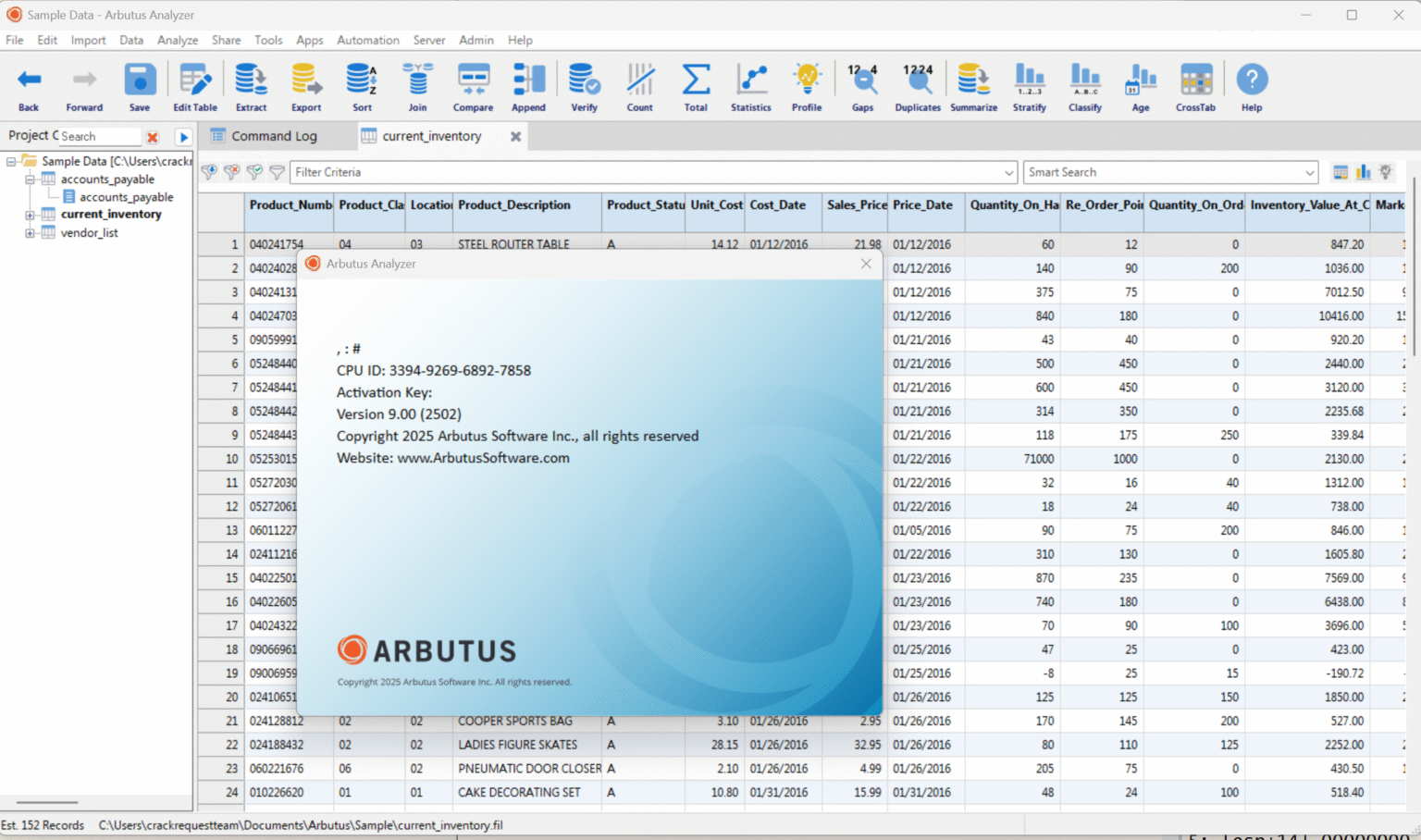
Arbutus Analyzer 9.00 Build 202
Final Verdict
Arbutus Analyzer remains one of the most capable data analytics solutions available for auditors, investigators, and compliance professionals. Its ability to process massive datasets, automate repetitive procedures, identify anomalies, and support fraud detection initiatives makes it a valuable asset for organizations seeking stronger oversight and better decision-making.
While new users may need time to master its advanced features, the long-term productivity gains are substantial. Teams responsible for internal audits, financial reviews, risk assessments, or regulatory compliance will likely appreciate its specialized functionality and dependable analytical capabilities.
If your organization needs a robust audit analytics platform that goes beyond spreadsheet limitations and enables comprehensive examination of business data, Arbutus Analyzer is well worth exploring. Evaluating its capabilities through a demonstration or trial can help determine how effectively it aligns with your audit, compliance, and investigative objectives.




Reviews
There are no reviews yet.