Description
One Touch Laser Photo Software Review: A Complete Solution for Precision Laser Photo Design and Engraving Workflows
Strong Summary
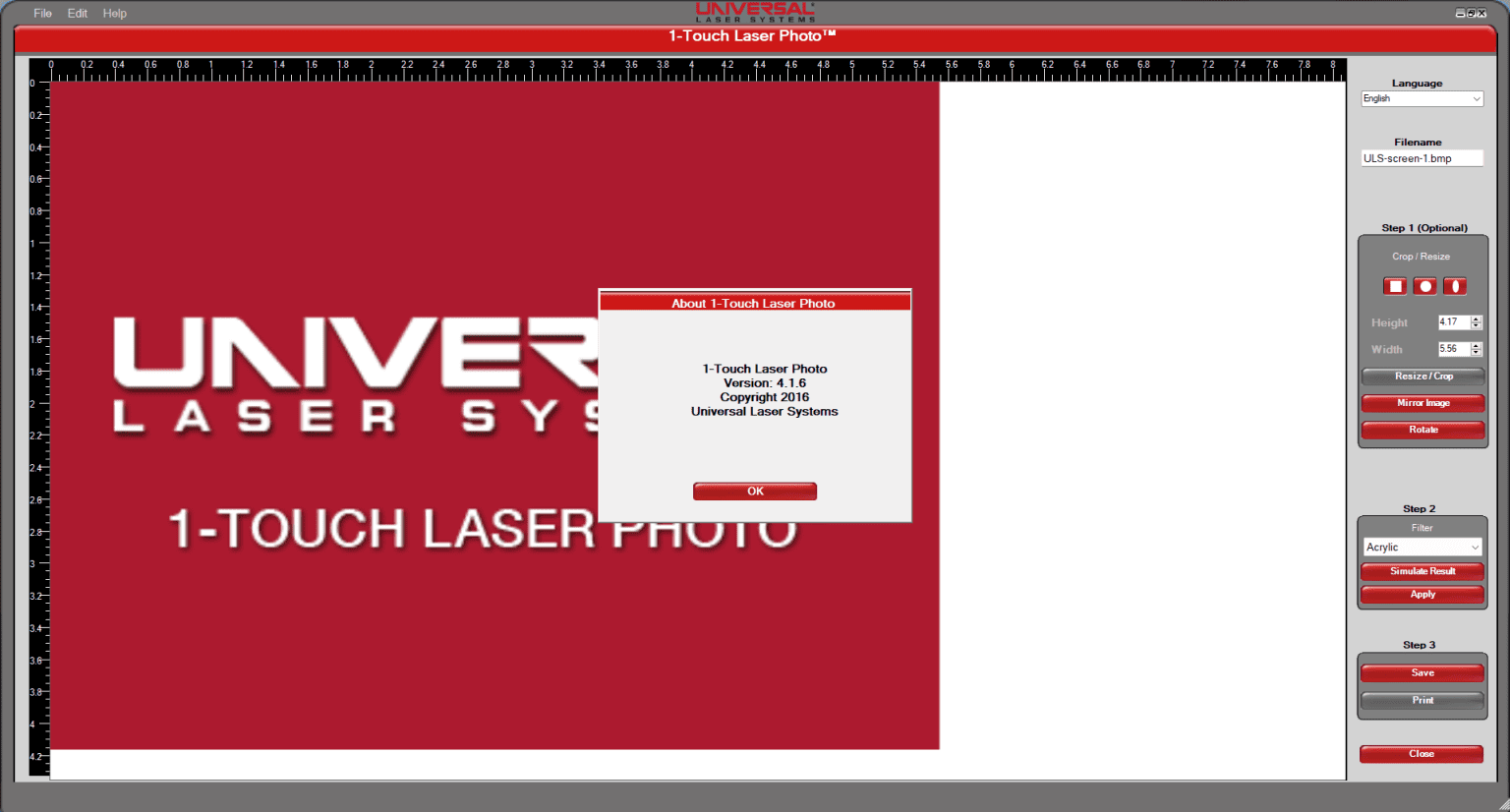
One Touch Laser Photo is a specialized software solution designed for users who need fast, accurate, and high-quality laser photo processing for engraving and design purposes. It streamlines the transformation of digital images into laser-ready formats, making it useful for engraving professionals, print shops, personalized gift businesses, and manufacturing units that rely on precision image reproduction.
What sets this software apart is its focus on simplicity combined with technical accuracy. Instead of requiring advanced graphic design skills, it enables users to convert photos into laser-compatible outputs with minimal steps. This makes it suitable for both beginners and experienced technicians working in laser engraving environments.
With increasing demand for personalized products such as engraved wood art, metal portraits, acrylic gifts, and custom industrial markings, One Touch Laser Photo positions itself as a practical tool that bridges creative design and production efficiency.
Introduction
In modern engraving and customization industries, accuracy and speed are essential. Businesses that deal with laser engraving must convert images into precise grayscale or vector formats that machines can interpret correctly. This process is often technical and time-consuming when handled manually using traditional graphic design software.
One Touch Laser Photo simplifies this entire workflow by offering an intuitive environment where users can prepare laser-ready images in just a few steps. Whether the goal is to create a detailed portrait engraving or a simple logo marking, the software ensures that image clarity, contrast balance, and depth mapping are optimized for laser output.
The demand for laser photo engraving software has increased significantly due to the growth of personalized gifting, industrial marking systems, and creative manufacturing services. One Touch Laser Photo addresses these needs by focusing on automation, accuracy, and usability.
Key Features
One Touch Laser Photo includes a variety of features tailored specifically for laser engraving workflows and image processing tasks.
1. One Click Image Conversion
The core feature of the software is its ability to convert standard images into laser-ready formats with a single action. It automatically adjusts contrast, brightness, and grayscale levels to ensure compatibility with laser engraving machines.
2. High Precision Image Optimization
The software uses built-in algorithms to enhance image clarity, especially for portraits and detailed graphics. This helps preserve facial features, edges, and fine details when engraving.
3. Multiple Output Format Support
It supports various output formats commonly used in laser machines, including bitmap and vector-based formats depending on configuration requirements.
4. Adjustable Engraving Parameters
Users can manually control engraving depth simulation, contrast levels, dot density, and resolution settings to achieve customized results based on material type.
5. Material-Specific Optimization
Different surfaces such as wood, acrylic, glass, leather, and metal react differently to laser engraving. The software provides presets that adjust image processing according to material characteristics.
6. Real-Time Preview Mode
A preview feature allows users to see how the final engraved output will appear before sending it to the machine. This reduces material waste and improves production accuracy.
7. Batch Processing Capability
For businesses handling multiple orders, batch processing allows multiple images to be converted simultaneously, saving time and improving productivity.
8. Lightweight and Fast Performance
The software is designed to run efficiently on standard systems without requiring high-end hardware, making it accessible for small workshops and startups.
Practical Use Cases
One Touch Laser Photo is widely applicable across several industries that rely on laser engraving and customized production.
Personalized Gift Industry
Businesses creating customized gifts such as photo frames, engraved keychains, and memory plaques use the software to convert customer images into engraving-ready designs quickly.
Wood and Acrylic Engraving Shops
Workshops that specialize in decorative wooden items or acrylic signage rely on the software for precise image reproduction with smooth gradients and clear detailing.
Industrial Marking and Labeling
Manufacturing units use laser engraving for product branding, serial numbers, and compliance markings. The software ensures that logos and text-based images remain sharp and readable after engraving.
Jewelry and Metal Crafting
For engraving fine details on metal surfaces such as rings, bracelets, and pendants, the software optimizes image clarity and ensures consistent depth mapping.
Photography-Based Businesses
Professional photographers offering engraved portraits use the software to convert high-resolution images into laser-compatible formats while maintaining facial accuracy and tonal balance.
Performance Analysis
One Touch Laser Photo is built with a focus on efficiency and reliability in production environments. Its performance can be evaluated based on speed, output quality, and usability.
Speed and Efficiency
The software processes image conversions quickly, even for high-resolution files. This is particularly useful in commercial settings where multiple orders need to be handled within short deadlines.
Output Accuracy
One of the strongest aspects is its ability to preserve important image details during conversion. Skin tones, shadows, and textures are mapped effectively to ensure realistic engraving results.
Ease of Use
The interface is designed to reduce complexity. Users do not need advanced knowledge of design software to operate it, making it accessible for technicians and small business owners.
Stability in Production Environments
The software performs consistently during long sessions and batch processing tasks, reducing the risk of crashes or delays during production.
Learning Curve
Most users can become comfortable with the basic features within a short time. Advanced features may require some experimentation, but overall learning time is minimal compared to traditional design tools.
Pros and Cons
Pros
- Simple one-click conversion process
- Optimized for laser engraving workflows
- Supports multiple materials and output types
- High-quality image preservation for portraits and detailed graphics
- Batch processing improves productivity
- Lightweight and system-friendly
- Suitable for beginners and professionals
Cons
- Limited advanced graphic design tools compared to full design suites
- Requires basic understanding of laser machine settings for best results
- Output quality still depends on original image resolution
- May require calibration for different laser machine models
Pricing and Plans
One Touch Laser Photo is typically offered in a structured licensing model depending on usage requirements.
Standard License
Designed for individual users and small workshops. It includes core features such as image conversion, preview mode, and basic optimization tools.
Professional License
Targeted at commercial engraving businesses, this plan includes batch processing, advanced customization options, and material-specific presets.
Enterprise License
Suitable for large production facilities, this version may include multi-system support, priority updates, and expanded technical configuration tools.
Pricing may vary depending on distributor and region, but the software is generally positioned as a cost-effective solution compared to complex industrial design suites.
One Touch Laser Photo 1-Touch Laser Photo Developer
One Touch Laser Photo 1-Touch Laser Photo 2026
Final Verdict
One Touch Laser Photo stands out as a practical and focused solution for anyone involved in laser engraving and photo conversion workflows. Instead of overwhelming users with unnecessary design complexity, it focuses on delivering precise, production-ready outputs with minimal effort.
For small businesses, engraving workshops, and creative professionals, the software provides a reliable balance between simplicity and technical capability. It reduces manual design work, improves production speed, and ensures consistent engraving quality across different materials.
While it may not replace advanced graphic design tools for highly complex editing tasks, it excels in its core purpose: converting images into accurate, laser-ready outputs efficiently.
Businesses looking to improve workflow efficiency in laser engraving operations will find One Touch Laser Photo a valuable addition to their toolkit. It supports faster production cycles, better output consistency, and improved customer satisfaction.
For those entering the laser engraving industry or scaling an existing operation, exploring this software can be a practical step toward more streamlined and professional production results.


Reviews
There are no reviews yet.