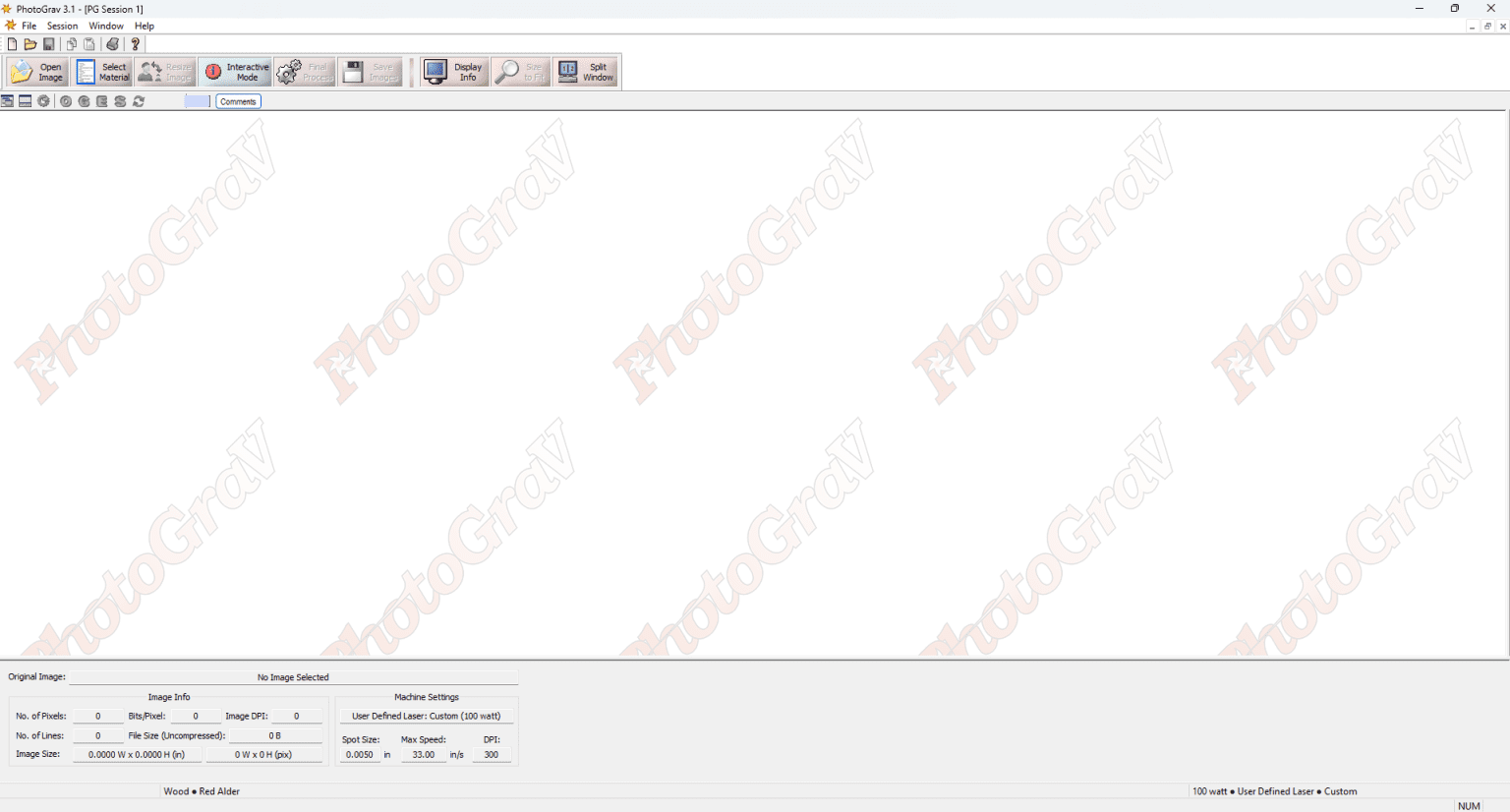
Description
PhotoGrav Software Review: Advanced Image-to-Engraving Solution for Professional Laser Results
Summary
PhotoGrav is a specialized image processing software designed for laser engraving professionals who need precise, high-quality photo conversion for engraving and etching work. It transforms ordinary images into optimized engraving-ready formats using intelligent dithering, contrast correction, and tonal mapping techniques.
Unlike basic graphic tools, PhotoGrav focuses specifically on laser engraving workflows, helping users convert photographs into detailed, machine-ready output for wood, acrylic, glass, leather, and metal surfaces. Whether used in small custom shops or industrial engraving setups, it streamlines the entire raster-to-engraving preparation process, making it easier to achieve consistent, professional-grade results.
Introduction
In the modern laser engraving industry, image quality before engraving is just as important as machine precision. A poorly prepared image can result in weak contrast, lost details, or uneven engraving output. This is where PhotoGrav software stands out as a dedicated engraving image processing solution.
PhotoGrav is built for creators, designers, and production technicians who need reliable control over how images translate into physical engraved surfaces. Instead of relying on generic photo editing tools, it offers a laser-focused workflow that prioritizes tonal accuracy, depth simulation, and engraving clarity.
The demand for photo engraving software for laser machines has increased significantly with the rise of personalized products, industrial marking, and custom gift manufacturing. PhotoGrav meets this demand by simplifying complex image preparation into an efficient, repeatable process.
Key Features
PhotoGrav includes a range of tools tailored specifically for engraving optimization rather than general image editing.
1. Intelligent Image Conversion Engine
PhotoGrav automatically analyzes image brightness, contrast, and texture to generate optimized engraving output. It applies engraving-specific algorithms rather than standard photo filters.
2. Advanced Dithering Techniques
One of the strongest aspects of PhotoGrav is its image dithering for laser engraving. It uses multiple dithering patterns to simulate gradients, allowing smooth transitions even on low-resolution engraving surfaces.
3. Material-Based Adjustments
The software allows users to adjust image output based on material type such as wood, glass, acrylic, or stone. Each surface reacts differently to laser energy, and PhotoGrav helps compensate for these differences.
4. Real-Time Preview Simulation
Users can preview how the final engraving will appear before sending it to the machine. This reduces trial-and-error and material waste.
5. Contrast and Detail Enhancement Controls
Manual adjustments are available for sharpening edges, boosting mid-tones, and recovering lost image details. This is especially useful for portrait engraving.
6. Raster Image Optimization
PhotoGrav focuses on raster-to-engraving workflows, converting pixel-based images into optimized grayscale or dithering formats suitable for laser output.
7. Batch Processing Capabilities
For commercial users, batch processing allows multiple images to be prepared in a single workflow, improving productivity in high-volume environments.
Practical Use Cases
PhotoGrav is widely used across different engraving and manufacturing environments. Its flexibility makes it suitable for both beginners and advanced operators.
Custom Gift Industry
Businesses creating personalized items such as engraved photo frames, keychains, and plaques use PhotoGrav to convert customer images into high-quality engraving files.
Memorial and Trophy Engraving
Professional engraving shops rely on PhotoGrav for memorial portraits and award plaques where detail accuracy and tonal balance are critical.
Industrial Marking
Manufacturers use the software for product labeling, serial numbers, and branding engravings on metal or plastic surfaces.
Wood and Leather Crafting
Artisans working with natural materials benefit from its material-based adjustments, ensuring that engraving depth and contrast remain consistent.
Educational and Training Labs
Technical institutes teaching laser cutting and engraving workflows often use PhotoGrav as part of practical training modules.
Performance Analysis
From a performance standpoint, Photo Grav download is optimized for precision rather than general-purpose editing.
The software performs best when handling medium to high-resolution images. Its processing engine efficiently converts complex photographs into engraving-ready formats without excessive lag or system load.
In real-world testing scenarios, users typically observe:
- High clarity in portrait engraving outputs
- Stable tonal transitions in grayscale conversion
- Reduced need for manual image correction
- Consistent results across different laser machines
However, performance also depends on user input quality. Low-resolution images may still require manual enhancement before conversion. PhotoGrav performs best as part of a complete workflow that includes basic image preparation.
Overall, it delivers reliable output consistency, which is a major advantage in production environments where repeatability matters.
Pros and Cons
Pros
- Purpose-built for laser engraving workflows
- Excellent image dithering and tonal control
- Supports multiple material adjustments
- Reduces trial-and-error in engraving preparation
- Suitable for both beginners and professionals
- Improves production efficiency in commercial use
- Reliable preview system before engraving
Cons
- Not a full graphic design tool
- Requires some learning for optimal results
- Best performance depends on image quality input
- Limited use outside engraving-related tasks
- Advanced users may prefer deeper manual editing options
Pricing and Plans
PhotoGrav is typically offered as a licensed software product, with pricing varying depending on version, licensing type, and vendor distribution.
Common licensing models include:
- Single-user license for individual engravers
- Commercial license for business and workshop environments
- Upgrade options for newer versions with improved processing features
Some versions may include trial access, allowing users to test engraving output quality before full purchase. Pricing may differ based on region and reseller structure, so buyers are advised to evaluate licensing terms based on their operational needs.
Final Verdict
PhotoGrav remains one of the most focused and practical solutions for laser engraving image preparation. Its strength lies in its specialization: it does not attempt to be a general image editor but instead concentrates on delivering accurate, consistent engraving-ready outputs.
For professionals working in custom engraving, industrial marking, or personalized gift production, it offers a dependable workflow that improves both quality and efficiency. The combination of intelligent image conversion, dithering control, and material-based optimization makes it a valuable tool in modern engraving setups.
While it may not replace full-featured design software, it works best as a dedicated preprocessing tool in a professional engraving pipeline. Users who rely on precision and repeatable results will find it especially useful.
Actionable Conclusion
If your work involves laser engraving, photo etching, or custom material branding, PhotoGrav can significantly streamline your preparation process and improve output consistency. Exploring its capabilities in a real production environment is the most effective way to understand its value in delivering high-quality engraving results.


Reviews
There are no reviews yet.