Description
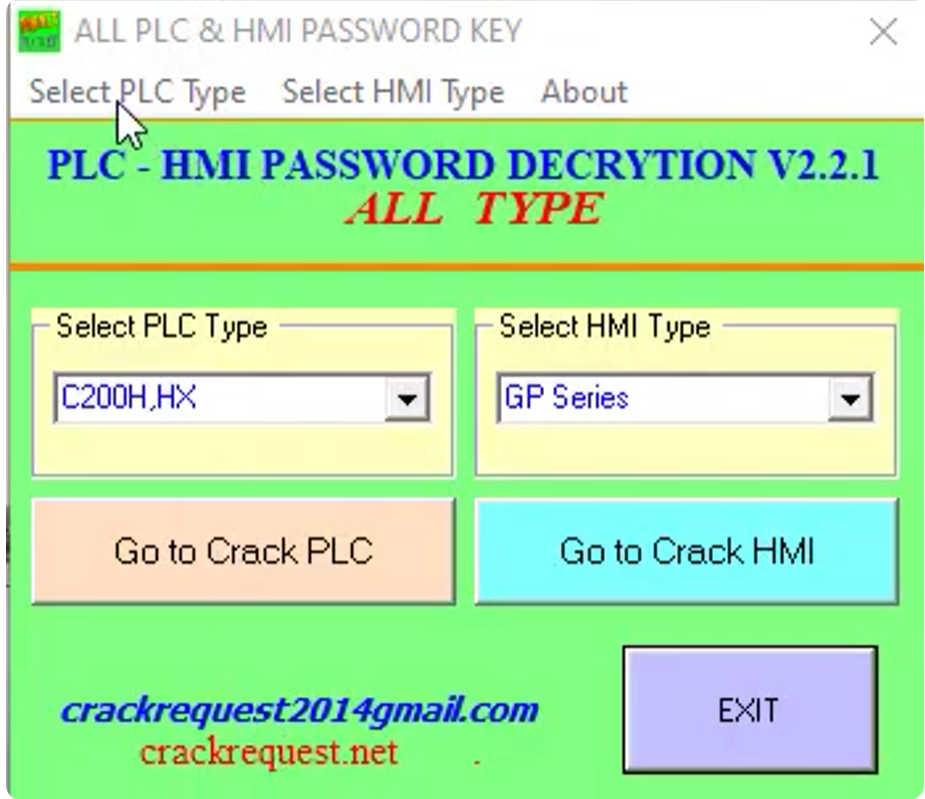
ALL PLC HMI Review A Complete Industrial Automation Software Solution for PLC Programming and HMI Development
Industrial automation has evolved rapidly over the last decade, making reliable PLC programming and HMI configuration software essential for engineers, technicians, system integrators, and manufacturing facilities. ALL PLC HMI is designed as a comprehensive solution that supports multiple PLC and Human Machine Interface (HMI) development workflows, helping professionals simplify automation projects while improving productivity and reducing downtime.
Whether you’re configuring industrial control systems, designing machine interfaces, troubleshooting PLC programs, or maintaining factory automation equipment, ALL PLC HMI provides an efficient environment for managing complex automation tasks. Its compatibility with various PLC platforms, user-friendly workflow, and practical engineering tools make it valuable for both experienced automation professionals and newcomers.
In this review, we’ll explore its features, practical applications, advantages, limitations, and why it has become a useful tool in modern industrial automation.
Introduction
Industrial plants depend on programmable logic controllers (PLCs) to automate machines, monitor processes, and maintain operational efficiency. Human Machine Interfaces (HMIs) provide operators with real-time visualization and control over these systems.
Managing different PLC brands and HMI projects often requires multiple software packages, making engineering work more complicated. ALL PLC HMI aims to simplify this challenge by offering an integrated environment that supports PLC programming, HMI development, diagnostics, communication, and industrial automation management.
Whether you’re working in manufacturing, packaging, food processing, energy production, water treatment, pharmaceuticals, or automotive industries, this software helps streamline automation development from design to deployment.
Key Features of ALL PLC HMI
Multi-Platform PLC Programming Support
One of the biggest strengths of ALL PLC HMI is its ability to assist with projects involving multiple industrial automation systems.
Engineers can efficiently work with:
- PLC programming
- Industrial controllers
- Automation logic
- Process control systems
- Factory automation projects
- Machine control applications
This flexibility makes it easier to handle projects involving diverse industrial equipment.
Intuitive HMI Design Environment
Creating operator interfaces becomes much easier with visual HMI development tools.
Users can build:
- Control dashboards
- Machine monitoring screens
- Alarm displays
- Trend charts
- Process visualization pages
- Equipment status panels
The drag-and-drop interface helps reduce development time while maintaining professional-quality designs.
Real-Time Monitoring
Modern industrial automation requires constant monitoring.
ALL PLC HMI provides tools for:
- Live variable monitoring
- PLC status checking
- Input/output diagnostics
- Data visualization
- Process monitoring
- Runtime debugging
This allows maintenance teams to quickly identify abnormal operating conditions.
Communication Support
Industrial environments often include devices from different manufacturers.
The software supports communication with numerous automation components using common industrial communication protocols, making integration significantly easier for system designers.
Data Logging
Historical production data is valuable for improving manufacturing performance.
Users can record:
- Production values
- Sensor information
- Machine status
- Process variables
- Alarm history
- Operator activities
These logs help improve maintenance planning and production analysis.
Alarm Management
The built-in alarm management system helps operators react faster to production issues.
Features include:
- Alarm notifications
- Event history
- Fault recording
- Warning messages
- System diagnostics
- Error tracking
This improves plant safety and operational reliability.
Security Features
Industrial systems require secure access control.
ALL PLC HMI offers user permission management that allows administrators to restrict access based on operator roles, protecting sensitive automation settings.
Practical Use Cases
Manufacturing Plants
Manufacturing facilities use ALL PLC HMI to automate production lines while giving operators complete visibility into machine performance.
Operators can:
- Monitor equipment
- Adjust production parameters
- Track machine efficiency
- View alarm conditions
- Reduce downtime
Packaging Industry
Packaging systems require synchronized operation between conveyors, filling stations, labeling machines, and robotic equipment.
ALL PLC HMI simplifies monitoring and coordination across these systems, helping improve production speed and consistency.
Water Treatment Facilities
Water treatment plants rely heavily on PLC automation.
Engineers can monitor:
- Water levels
- Pump status
- Flow rates
- Pressure systems
- Valve operations
- Chemical dosing
Real-time visualization improves system reliability and operational safety.
Food Processing
Food production demands consistent automation with strict process control.
Using ALL PLC HMI, operators can supervise:
- Temperature control
- Mixing systems
- Conveyor operations
- Packaging equipment
- Cleaning cycles
This helps maintain product quality while reducing production interruptions.
Automotive Manufacturing
Automotive production lines often involve robots, conveyors, inspection stations, and assembly systems.
ALL PLC HMI enables engineers to monitor every stage of production while quickly diagnosing faults when they occur.
Educational Institutions
Technical colleges and industrial training centers use PLC and HMI software for teaching automation concepts.
Students gain practical experience in:
- PLC programming
- Industrial control
- HMI design
- Automation troubleshooting
- Process visualization
Performance Analysis
Performance is one of the areas where ALL PLC HMI performs well.
The software is designed for industrial environments where reliability matters more than flashy interfaces.
Stable Operation
Projects remain responsive even when handling numerous PLC variables, alarms, and graphical objects.
Efficient Development Workflow
The visual interface reduces programming time, allowing engineers to complete HMI projects more efficiently than traditional manual configuration methods.
Responsive Communication
Communication with industrial controllers is generally stable, helping reduce delays during monitoring and troubleshooting tasks.
Easy Learning Curve
Although industrial automation can be complex, ALL PLC HMI provides an interface that most technicians can learn relatively quickly with basic PLC knowledge.
Scalable for Different Projects
Whether developing a small machine interface or managing larger industrial automation systems, the software scales effectively according to project requirements.
User Experience
Many automation engineers appreciate software that saves time during installation, commissioning, and maintenance.
Users often highlight benefits such as:
- Faster HMI screen development
- Simplified PLC communication
- Easy troubleshooting
- Improved production monitoring
- Reduced engineering workload
- Better visualization of industrial processes
Maintenance technicians especially value the ability to identify equipment issues before they become costly production failures.
Benefits of Using ALL PLC HMI
Businesses implementing ALL PLC HMI often experience several operational improvements.
Improved Productivity
Better monitoring allows operators to respond quickly to production changes, minimizing delays.
Reduced Downtime
Real-time diagnostics help maintenance teams locate faults faster.
Better Decision Making
Historical production data supports informed maintenance scheduling and process optimization.
Simplified Automation Projects
Instead of relying on multiple disconnected tools, engineers can manage much of their workflow within one software environment.
Enhanced Operator Confidence
Clear graphical interfaces reduce operator confusion during daily production activities.
Pros & Cons
Pros
- User-friendly HMI development environment
- Supports industrial automation workflows
- Real-time PLC monitoring
- Flexible communication capabilities
- Reliable alarm management
- Useful data logging features
- Suitable for beginners and professionals
- Improves troubleshooting efficiency
- Scalable for various project sizes
- Helps reduce machine downtime
Cons
- Advanced features may require automation experience
- Hardware compatibility depends on supported PLC models and communication protocols
- Large enterprise deployments may require additional planning and configuration
Pricing & Plans
Pricing for ALL PLC HMI can vary depending on the edition, licensing model, supported features, and deployment requirements. Some vendors may offer perpetual licenses, while others provide subscription-based options or enterprise packages.
Before purchasing, consider:
- Number of engineering workstations
- PLC compatibility requirements
- HMI project size
- Technical support availability
- Software updates
- Licensing flexibility
Requesting a tailored quote is often the best approach for organizations with specific industrial automation needs.
Who Should Use ALL PLC HMI?
ALL PLC HMI is well suited for:
- Industrial automation engineers
- PLC programmers
- Electrical engineers
- Control system integrators
- Manufacturing companies
- Machine builders
- Factory maintenance teams
- Technical training institutes
- Process engineers
- Industrial automation consultants
Its combination of PLC programming support, HMI design capabilities, monitoring tools, and diagnostics makes it valuable across many industrial sectors.
Final Verdict
ALL PLC HMI is a practical and capable industrial automation solution that combines PLC programming support, HMI development, process monitoring, diagnostics, and communication tools into a streamlined workflow. It helps engineers reduce development time, improve system visibility, and maintain reliable machine operation across a wide range of industrial applications.
Its intuitive interface, strong monitoring capabilities, and focus on real-world automation tasks make it suitable for manufacturing facilities, system integrators, machine builders, and maintenance professionals. While advanced projects may require automation expertise, the software offers enough flexibility to support both small-scale systems and complex industrial environments.
For organizations seeking to enhance productivity, minimize downtime, and simplify industrial control projects, ALL PLC HMI is a dependable solution that deserves serious consideration.
By evaluating its compatibility with your existing PLC hardware and automation requirements, you can determine whether ALL PLC HMI is the right platform to support your current operations and future automation goals.



Reviews
There are no reviews yet.