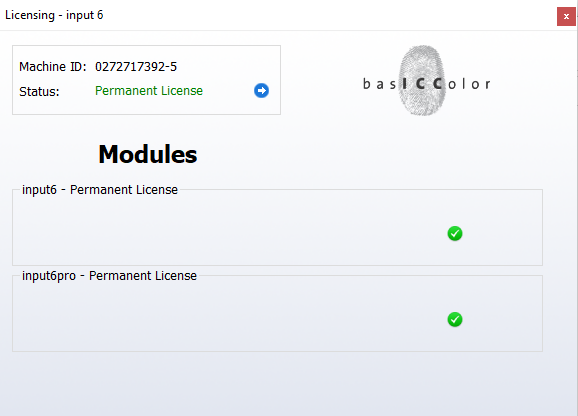
Description
basICColor input Review: A Practical Color Management Tool for Accurate Measurement and Professional Display Workflows
basICColor input is a specialized color management solution designed for professionals who need reliable, repeatable color measurement and profiling workflows. Instead of treating color calibration as a one-time setup task, the software helps users build a more controlled color environment where input devices, displays, and color data can be handled with greater consistency.
For photographers, graphic designers, prepress specialists, print professionals, and color-conscious creative teams, this can make a noticeable difference. A workflow that begins with accurate color input is easier to manage throughout the entire production process. When colors are captured, measured, or transferred incorrectly at the beginning, problems can continue through editing, proofing, and final output.
That is where basICColor input becomes valuable. It focuses on helping users create a more dependable foundation for color-managed workflows, making it easier to achieve consistent results across professional applications and devices.
Introduction
Color management is often one of the most misunderstood parts of digital imaging. Many users invest in high-quality cameras, scanners, monitors, and printers but still experience inconsistent colors between devices. A photograph may look different on two displays, a scanned image may require extensive correction, or a print may fail to match the original creative work.
The issue is often not the hardware itself. The problem may be inaccurate or incomplete color profiling.
basICColor input is designed for users who need to manage color input more professionally. By supporting controlled measurement and profiling workflows, the software helps users establish accurate color characteristics for input devices and integrate that information into a broader color management system.
In practical terms, this means fewer surprises. Instead of repeatedly guessing why colors appear different, users can work from a more controlled and measurable color foundation.
What Is basICColor input?
basICColor input is a professional color management software solution focused on the profiling and characterization of input devices. Depending on the workflow and supported hardware, this can include devices such as scanners, cameras, and other equipment used to bring color information into a digital production environment.
The primary objective is to create a reliable color profile that describes how an input device captures or interprets color. Color-managed applications can then use that profile to interpret the captured data more accurately.
This is especially important in workflows where color accuracy matters. A professional photographer, for example, may want captured images to maintain a predictable appearance during editing. A studio handling artwork reproduction may need to preserve the original color characteristics as closely as possible.
The software is therefore best understood as a specialist tool for building a more accurate color workflow at the input stage.
Key Features of basICColor input
Professional Input Device Profiling
One of the most important capabilities of basICColor input is its focus on input profiling. By characterizing the behavior of an input device, the software can help users compensate for variations in color capture.
This is particularly useful when working with:
- Professional scanners
- Digital imaging workflows
- Photography production
- Artwork reproduction
- Prepress environments
- Color-critical archiving projects
A properly created profile can provide a more reliable starting point for further editing and output.
Improved Color Accuracy
The biggest practical benefit of color management software is improved predictability. When an input device is profiled correctly, the captured colors can be interpreted more consistently by compatible color-managed applications.
For users, this may mean:
- More accurate color reproduction
- Reduced manual correction
- Better consistency between devices
- More predictable editing results
- Improved control over professional workflows
The result is not necessarily that every device produces identical colors. Instead, the software helps establish a more accurate understanding of how each device handles color.
Support for Professional Color Workflows
basICColor input is designed for users who need more than basic operating-system color settings. Professional color workflows often involve multiple devices, applications, and output targets.
A typical workflow may include:
- Capturing or scanning an original.
- Creating or applying an appropriate input profile.
- Editing the image in a color-managed application.
- Soft-proofing for a target output.
- Preparing the final file for print or digital delivery.
The better the color information is managed at the beginning, the more reliable the later stages can become.
Greater Workflow Consistency
One of the most frustrating experiences for creative professionals is repeatedly correcting the same color problems. If an input device consistently produces inaccurate results, users may waste time compensating manually.
A properly managed input workflow can reduce this repetitive work. Once the device has been characterized, users can work with a more consistent baseline instead of starting from an unknown color condition each time.
Professional Color Management Approach
The software is aimed at users who take color accuracy seriously. Rather than relying entirely on visual judgment, a color management solution provides a more systematic approach.
This matters because human vision is influenced by:
- Ambient lighting
- Surrounding colors
- Display brightness
- Viewer fatigue
- Perception differences
Measurement-based profiling helps reduce reliance on visual guesswork.
Practical Use Cases
Photography Studios
Professional photographers often work with images that require accurate color reproduction from capture through final delivery.
A studio may use basICColor input to help create a more controlled workflow when working with color-critical photography. This can be particularly useful for product photography, artwork reproduction, fashion, commercial imagery, and archival projects.
For example, a photographer capturing a product with subtle color variations needs the digital file to represent the original as accurately as possible. A controlled input profile can help create a more dependable starting point for editing.
Scanning and Artwork Reproduction
Artists, museums, archives, and reproduction studios often need to digitize physical artwork.
In this situation, color accuracy is extremely important. The goal is not simply to create an attractive digital image. The goal is to preserve the visual characteristics of the original as faithfully as possible.
A professional input profiling workflow can help reduce unwanted color shifts during the scanning or capture process.
Prepress and Print Production
Print production requires careful color management because the final result may depend on multiple stages.
A file can look correct on one display but produce a different result during printing if the color workflow is not managed properly. By improving the input stage, basICColor input can contribute to a more predictable overall production process.
This is especially useful for:
- Commercial printing
- Packaging production
- Proofing workflows
- Catalog production
- Brand color management
Digital Asset Archiving
Organizations that digitize large collections of photographs, documents, or artwork may benefit from a consistent color workflow.
When thousands of assets are captured over time, variations in equipment and settings can create inconsistencies. A structured profiling process helps organizations establish repeatable standards.
Creative Agencies and Design Teams
Design teams frequently work across multiple computers and displays. Even when everyone is using professional hardware, differences in color behavior can create confusion.
A stronger color management workflow helps teams make more informed decisions and reduce the risk of approving colors that look different during final output.
Performance Analysis
The performance of basICColor input is best evaluated by how effectively it fits into a professional color management workflow rather than simply by speed.
Color profiling is a specialized process. The most important performance factors are accuracy, repeatability, compatibility, and ease of use.
Accuracy
For color-critical work, accuracy is the central consideration. The software is designed to support a measurement-based approach, helping users create profiles based on device characteristics rather than assumptions.
This can be especially valuable when visual consistency is essential.
Workflow Efficiency
The real productivity benefit comes from reducing repeated color correction. A properly managed input device can help users spend less time compensating for unexpected color shifts.
For professionals working with large volumes of images or scanned materials, this can create meaningful time savings.
Repeatability
A strong professional workflow should produce consistent results over time. When users follow the same profiling process and maintain their equipment properly, they can create a more repeatable production environment.
This is one of the key reasons specialized color management software remains valuable for professional users.
Ease of Use
Because color management can be technically complex, the learning curve may be higher than that of ordinary image-editing software. Beginners may need time to understand concepts such as profiles, measurement data, color spaces, and device characterization.
However, users who regularly work with color-critical projects can find the investment worthwhile.
Real-World User Experience
A common situation in creative work is that an image looks perfect on screen but produces an unexpected result elsewhere. A photographer may spend considerable time adjusting an image, only to discover that the colors shift when viewed on another system.
A controlled input workflow changes the way users approach this problem.
Instead of asking, “Why does this image look different?” after every stage, professionals can begin with a better understanding of how their equipment captures color.
This does not eliminate every color-management challenge. Lighting, display calibration, application settings, output profiles, and printing conditions still matter. However, accurate input profiling removes one major source of uncertainty.
For experienced users, this can make the workflow feel more predictable. For organizations, it can also make color standards easier to communicate across teams.
Pros and Cons
Pros
- Designed for professional color management workflows
- Helps improve input device characterization
- Supports more predictable color reproduction
- Useful for photography, scanning, prepress, and artwork reproduction
- Can reduce repetitive manual color correction
- Suitable for color-critical professional environments
- Encourages a measurement-based approach to color accuracy
Cons
- May have a learning curve for users new to color management
- Professional profiling hardware may be required depending on the workflow
- Not necessary for casual photography or basic image editing
- Results depend on proper device setup and workflow discipline
- Pricing and licensing options may vary by edition or commercial availability
Pricing and Plans
Pricing for basICColor input can depend on the specific edition, licensing model, supported hardware, and vendor availability. Professional color management products are often offered through specialized channels rather than simple consumer-style subscriptions.
Potential buyers should verify the current licensing terms and compatibility requirements before purchasing.
The most important consideration is not simply the software cost. Users should also consider the broader investment in:
- Compatible measurement hardware
- Properly maintained input devices
- Calibrated displays
- Color-managed applications
- Professional workflow training
For businesses that depend on reliable color reproduction, these costs can be justified by reduced rework and more predictable results.
Who Should Use basICColor input?
basICColor input is a strong choice for users who regularly work with color-critical content.
It may be particularly suitable for:
- Professional photographers
- Scanning specialists
- Prepress professionals
- Print production teams
- Graphic design studios
- Artwork reproduction businesses
- Digital archives
- Color management specialists
Casual users who only edit personal photographs may not need a specialized profiling solution. However, professionals who repeatedly encounter color inconsistencies can benefit significantly from a more structured approach.
Final Verdict
basICColor input is a specialized solution for professionals who want greater control over the way color enters their digital workflow. Its main strength is its focus on accurate input characterization and a more disciplined approach to color management.
The software is not intended to replace image-editing applications, creative design tools, or printing systems. Instead, it addresses an important technical stage that is often overlooked: making sure color data begins with a reliable foundation.
For photographers, scanning professionals, prepress teams, and organizations handling color-critical assets, this can translate into improved consistency, fewer surprises, and a more efficient production process.
If your workflow depends on accurate color reproduction and you are tired of constantly correcting unexpected color shifts, basICColor input is worth exploring. By combining appropriate profiling practices with properly maintained hardware and color-managed applications, users can build a more predictable and professional color workflow from the very beginning.




Reviews
There are no reviews yet.