Description
Landscape Design Automation for Revit: Streamlining Smarter Site and Landscape Workflows
Summary
Landscape Design Automation for Revit is designed to make landscape planning and documentation more efficient by reducing repetitive modeling tasks and helping designers work more systematically inside a BIM environment. Instead of spending hours manually creating, placing, editing, and documenting landscape elements, professionals can use automation-focused workflows to speed up common tasks while maintaining greater consistency across a project.
For architects, landscape designers, BIM coordinators, and multidisciplinary design teams, the real value of landscape design automation is not simply faster modeling. It is the ability to create organized landscape information, coordinate site elements with building models, and make design changes without rebuilding large portions of a project.
In practical projects, this can be especially useful when working with planting layouts, hardscape elements, site components, repetitive landscape objects, and detailed Revit documentation. By combining automation with Revit-based BIM workflows, teams can spend less time on repetitive production work and more time on design decisions, coordination, and project quality.
Introduction
Landscape design can appear straightforward when viewed from a finished drawing, but the production process behind that drawing can become surprisingly complex.
A typical project may require hundreds or even thousands of landscape objects. Plants need to be positioned, paths and hardscape areas need to be coordinated, site elements must work around buildings and infrastructure, and documentation needs to remain consistent as the design develops.
When these tasks are performed manually, even a relatively small design change can create a chain of additional work.
This is where Landscape Design Automation for Revit becomes valuable.
Rather than treating landscape modeling as an isolated drafting exercise, automation introduces a more structured approach. Repetitive operations can be handled more efficiently, while designers retain control over the overall design intent.
For teams already working with Autodesk Revit, this approach can also support better integration between architectural, structural, MEP, and landscape information.
What Is Landscape Design Automation for Revit?
Landscape Design Automation for Revit refers to workflows and tools intended to automate or simplify repetitive landscape-related tasks within the Revit environment.
The concept is particularly useful for BIM-based landscape design because Revit models contain both graphical geometry and project information. A landscape element is therefore not simply a drawing symbol. It can become part of a coordinated digital building and site model.
Depending on the workflow and available tools, landscape automation can help with tasks such as:
- Repetitive object placement
- Landscape component management
- Plant and site-element organization
- Pattern-based layouts
- Revit family workflows
- Model coordination
- Documentation consistency
- Updating repetitive elements
- Reducing manual modeling operations
The exact capabilities depend on the specific implementation, Revit version, project standards, and automation setup being used.
Key Features
Automated Landscape Workflows
One of the biggest advantages of automation is the ability to reduce repetitive manual operations.
Landscape projects often contain repeated elements such as trees, shrubs, planting components, site furniture, paving elements, and other objects. Automating placement or modification can significantly reduce production time.
Instead of repeatedly performing the same operation, designers can establish a consistent workflow and apply it across larger portions of a project.
Revit-Based BIM Integration
Working directly within a Revit environment allows landscape information to remain closer to the broader BIM model.
This can make coordination easier when landscape elements interact with:
- Buildings
- Walkways
- Parking areas
- Roads
- Outdoor structures
- Drainage considerations
- Site boundaries
- Architectural features
For multidisciplinary teams, keeping landscape information within a coordinated modeling environment can reduce unnecessary separation between design disciplines.
Consistent Object Placement
Consistency is another important benefit.
Manually placing hundreds of objects can result in uneven spacing, accidental overlaps, or inconsistent positioning. Automation-based workflows can help designers establish repeatable rules for object placement.
This does not eliminate the need for professional judgment. Instead, it gives designers a more controlled starting point that can then be refined manually.
Efficient Editing
Landscape designs rarely remain unchanged.
A client may request fewer plants, a different planting arrangement, a revised pathway, or a modified outdoor space. When repetitive elements have been created through an organized workflow, changes can often be managed more efficiently than manually rebuilding everything.
This is particularly valuable during design development, when revisions can happen frequently.
Improved Documentation
A well-organized BIM model can make documentation easier to maintain.
Landscape elements may need to appear in plans, schedules, views, presentations, and coordination drawings. When model information is structured properly, updates can be reflected more consistently throughout the project.
Practical Use Cases
Residential Landscape Projects
For residential developments, landscape automation can help designers manage gardens, pathways, planting areas, outdoor seating, boundary treatments, and other site features.
For example, imagine a housing project with dozens of similar garden areas. Manually creating each landscape arrangement could take considerable time. A structured automated workflow can help establish a repeatable design approach while still allowing individual gardens to be customized.
Commercial Developments
Commercial projects often involve larger sites with extensive landscaping.
Shopping centers, office developments, hotels, and mixed-use buildings may require significant quantities of trees, planting areas, pedestrian routes, and outdoor features.
Automation becomes increasingly valuable as project size increases because repetitive work can consume a substantial portion of production time.
Urban Design and Public Spaces
Landscape professionals working on parks, plazas, streetscapes, and public spaces can also benefit from automated modeling techniques.
Large numbers of repeated site components can be organized more efficiently, helping teams concentrate on spatial planning, accessibility, circulation, and visual quality rather than repetitive placement tasks.
BIM Coordination
One of the strongest use cases is multidisciplinary BIM coordination.
A landscape designer may need to work around building entrances, structural elements, underground services, parking layouts, and pedestrian circulation.
Having landscape information in a coordinated Revit environment can make it easier to identify potential conflicts before construction.
Design Development
Automation can also be useful during iterative design.
Suppose a client wants to increase planting density in one area and reduce it in another. A structured workflow makes it easier to revise the design without treating every element as an isolated object.
Performance Analysis
The performance benefits of Landscape Design Automation for Revit are most noticeable when projects contain a high volume of repetitive elements.
On a small project with only a few landscape objects, manual modeling may be perfectly reasonable. However, as the number of elements increases, repetitive operations become a productivity bottleneck.
Automation can help in three major areas.
Time efficiency: Repetitive tasks can be completed more quickly, allowing designers to focus on higher-value work.
Consistency: Standardized workflows can reduce variations caused by manual repetition.
Revision management: Organized modeling workflows can make changes easier to handle during design development.
However, performance is also influenced by the Revit model itself. Excessive numbers of detailed families, poorly optimized components, and unnecessarily complex geometry can affect model responsiveness.
For that reason, automation should be combined with sensible BIM practices. Lightweight families, appropriate levels of detail, organized project standards, and disciplined model management remain important.
User Experience
From a practical user perspective, the biggest adjustment is often moving from a purely manual workflow to a more systematic one.
At first, automation can require some learning. Users need to understand how their Revit families, project standards, parameters, and placement rules interact.
Once the workflow becomes familiar, the experience can become much more efficient.
A landscape designer who previously spent a large part of the day repeating the same placement and editing operations can instead spend more time evaluating the design itself.
That shift is important. Good automation does not attempt to replace the designer. It removes unnecessary repetitive work so the designer can concentrate on creativity, technical decisions, and project coordination.
Pros and Cons
Pros
- Reduces repetitive landscape modeling work
- Supports BIM-based landscape workflows
- Helps improve consistency
- Can accelerate large landscape projects
- Makes repetitive revisions easier to manage
- Supports multidisciplinary coordination
- Keeps landscape information closer to the Revit project environment
- Can improve overall production efficiency
Cons
- Requires familiarity with Revit workflows
- Initial setup may require planning
- Results depend on properly configured families and project standards
- Highly detailed models can still affect performance
- Automation does not replace professional landscape design judgment
- Capabilities may vary depending on the specific automation solution being used
Pricing & Plans
Pricing for Landscape Design Automation for Revit can vary depending on the specific software solution, licensing model, Revit compatibility, and whether the workflow is offered as a standalone product, add-in, service, or customized automation system.
Potential licensing structures may include individual licenses, professional subscriptions, commercial plans, or customized solutions for larger organizations.
Before purchasing, users should evaluate compatibility with their current Revit version, required features, licensing terms, update policy, and support options.
For businesses, the most important consideration should be total workflow value rather than simply the initial software cost. If automation saves substantial production time across multiple projects, the productivity gains can potentially justify the investment.
Who Should Consider Landscape Design Automation for Revit?
This type of workflow can be particularly useful for:
- Landscape architects
- Landscape designers
- Architectural firms
- BIM specialists
- Revit modelers
- Civil and site design teams
- Construction documentation teams
- Multidisciplinary design firms
- Large-scale development projects
It may be less necessary for users who only create very small landscape models with minimal repetitive content.
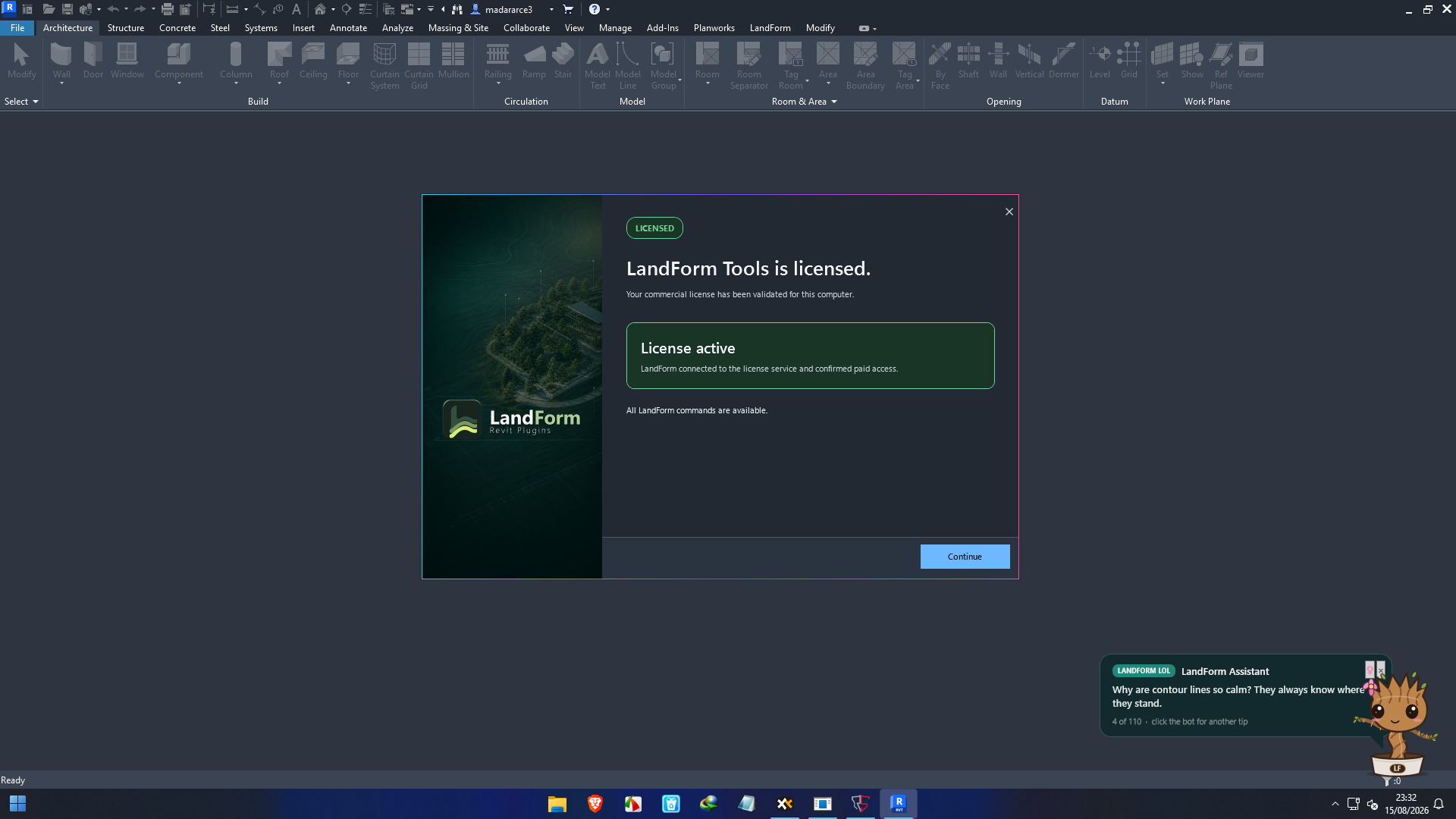
LandForm Landscape Design Automation for Revit Developer
Download LandForm Landscape Design Automation for Revit 1.0.1 Full Version 2027
Final Verdict
Landscape Design Automation for Revit represents a practical approach to one of the biggest challenges in modern BIM-based landscape production: managing repetitive work without sacrificing design control.
Its value becomes especially clear on projects containing large numbers of landscape elements, repeated planting arrangements, extensive site components, or frequent design revisions.
The strongest benefit is not simply the ability to create landscape objects faster. It is the broader improvement in workflow efficiency. By reducing repetitive operations, encouraging consistent modeling practices, and supporting coordination within Revit, automation can give landscape professionals more time to focus on design quality and project decisions.
For professionals already using Revit and looking for a more efficient landscape modeling workflow, exploring Landscape Design Automation for Revit can be a worthwhile step. The best results will come from combining automation with good BIM standards, optimized Revit families, and experienced design judgment.



Reviews
There are no reviews yet.