Description
IFC Export: Ensuring Reliable BIM Interoperability Across Design and Construction
Summary
IFC Export is a critical BIM interoperability solution designed to help architects, engineers, contractors, and BIM managers exchange building models accurately across different software platforms. As openBIM workflows become increasingly essential in modern construction projects, IFC Export tools play a central role in ensuring that model data remains consistent, reliable, and usable throughout the project lifecycle.
Rather than treating data exchange as an afterthought, IFC Export Download focuses on precision, control, and compliance. It allows teams to share BIM models in the Industry Foundation Classes format while preserving geometry, object data, classifications, and relationships. For professionals working in multi-disciplinary environments, IFC Export reduces coordination issues, minimizes data loss, and improves collaboration across teams using different BIM applications.
This in-depth review examines IFC Export from a professional standpoint, covering its features, real-world use cases, performance, advantages, limitations, and overall value in BIM-driven workflows.
Introduction
Building Information Modeling relies on collaboration. Architects, structural engineers, MEP designers, contractors, and facility managers often use different software tools to perform their work. Without a reliable method of exchanging model data, coordination becomes fragmented and error-prone.
IFC Export addresses this challenge by enabling standardized BIM data exchange using the IFC format. As an open, vendor-neutral standard, IFC allows models to move between platforms without locking teams into a single software ecosystem.
However, exporting IFC files is not always straightforward. Poorly structured exports can result in missing data, broken geometry, or misclassified elements. IFC Export tools are designed to give users control over how models are translated, ensuring that exported files remain accurate, usable, and compliant with project requirements.
Key Features of IFC Export
IFC Export solutions focus on accuracy, control, and standards compliance, making them essential for professional BIM workflows.
Standards-Compliant IFC Output
One of the core strengths of IFC Export is its ability to generate IFC files that comply with industry standards. Proper schema support ensures that exported models can be reliably opened and interpreted by other BIM tools.
This is particularly important for projects that require regulatory submission or long-term data preservation.
Precise Geometry Translation
IFC Export tools are designed to preserve geometric accuracy during export. Complex building elements, assemblies, and parametric objects are translated into IFC geometry without unnecessary simplification or distortion.
Accurate geometry ensures that downstream users can trust the model for coordination, analysis, and construction planning.
Data and Property Mapping
Beyond geometry, IFC Export allows users to control how object data, parameters, and properties are mapped into the IFC structure. This ensures that important information such as materials, classifications, and element types are retained.
Clear data mapping improves model usability across disciplines.
Export Customization and Control
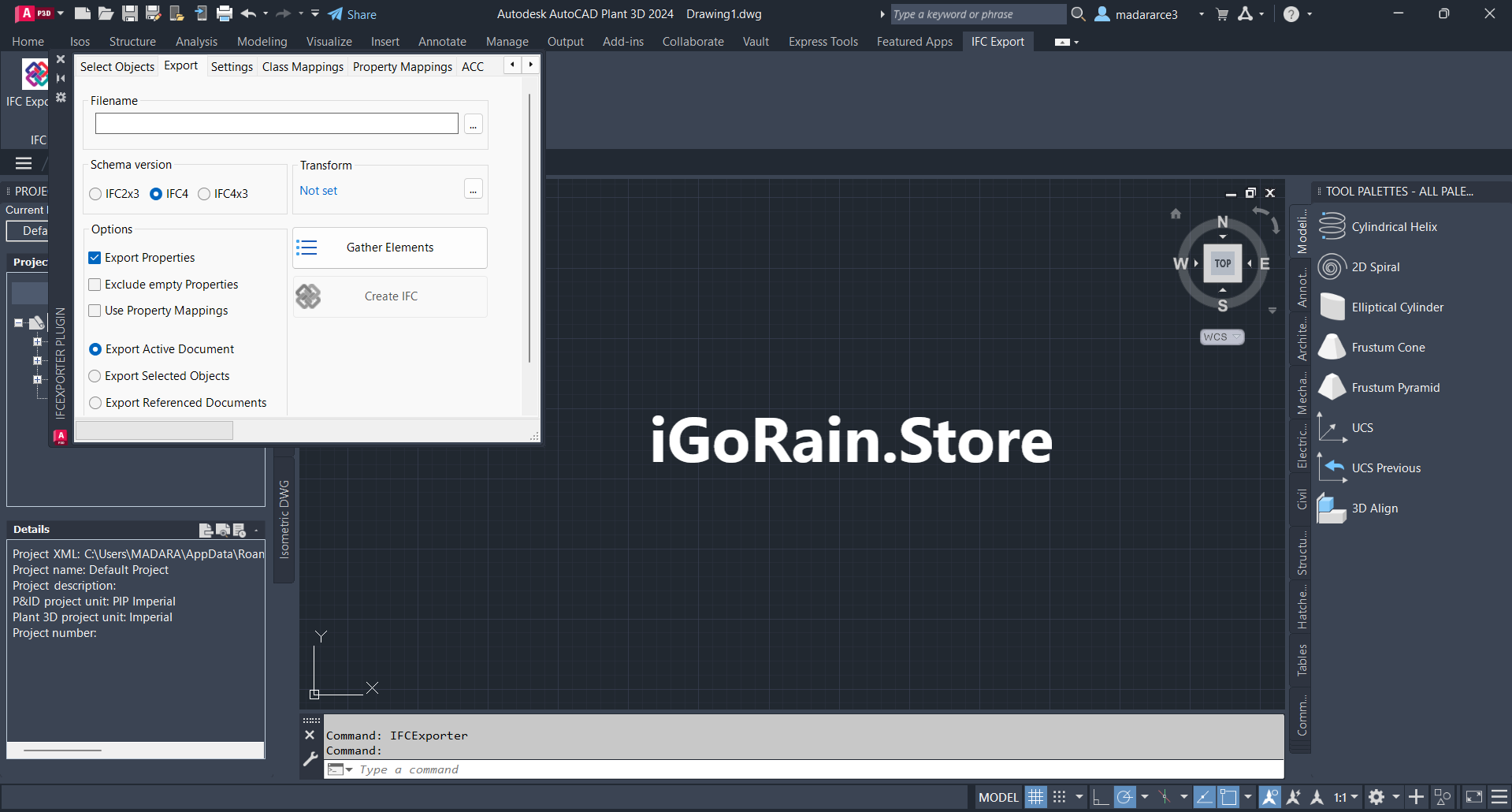
Different projects have different requirements. IFC Export provides options to customize export settings, including element selection, level of detail, property sets, and classification systems.
This flexibility allows teams to produce IFC files tailored to specific use cases.
Compatibility with openBIM Workflows
IFCExport supports openBIM principles by enabling transparent data exchange across platforms. This helps teams collaborate more effectively while maintaining independence in software selection.
OpenBIM compatibility is increasingly required in public and large-scale projects.
Practical Use Cases
IFCExport plays a crucial role across many real-world BIM scenarios.
Multi-Disciplinary Coordination
In projects involving multiple design disciplines, IFCExport enables seamless model exchange. Architects can share models with engineers, who can then integrate them into their own workflows without data loss.
This improves coordination and reduces clashes during design development.
Contractor and Construction Use
Contractors often rely on IFC models for coordination, quantity takeoffs, and construction planning. IFCExport ensures that design intent is accurately communicated to construction teams.
Reliable IFC files reduce misunderstandings and costly rework on site.
Regulatory Submissions
Many regulatory authorities require BIM models in IFC format. IFCExport tools help ensure that submitted models meet compliance requirements while maintaining data integrity.
This streamlines approval processes and reduces revision cycles.
Facility Management and Handover
During project handover, IFC models serve as long-term digital assets for facility management. IFCExport ensures that asset data remains accessible beyond the design software’s lifecycle.
This supports maintenance, operations, and future renovations.
Performance Analysis
In professional environments, IFC Export tools are evaluated based on accuracy, reliability, and efficiency.
Export Speed and Stability
IFCExport performs reliably even with large and complex BIM models. Export processes are optimized to handle high object counts without frequent failures or crashes.
Stable performance is essential for production environments with tight deadlines.
Data Accuracy and Integrity
One of the strongest advantages of IFCExport is its ability to preserve both geometry and object data. Consistent exports reduce the need for manual corrections after data exchange.
This improves trust between project stakeholders.
Scalability for Large Projects
IFC Export scales well from small projects to large, multi-disciplinary models. Users can manage export settings to balance file size, level of detail, and performance.
This makes it suitable for both design development and construction coordination stages.
Pros and Cons
Pros
-
Enables reliable openBIM data exchange
-
Preserves geometry and object data accurately
-
Supports standards-compliant IFC output
-
Improves coordination across disciplines
-
Suitable for large and complex projects
Cons
-
Requires BIM knowledge to configure exports correctly
-
Export setup may take time for complex models
-
Effectiveness depends on source model quality
Pricing and Plans
Pricing for IFC Export solutions typically depends on how the functionality is delivered, such as built-in features, add-ons, or professional licenses. While exact pricing may vary, IFC Export is generally positioned as a professional BIM capability rather than a basic utility.
For organizations involved in collaborative BIM projects, the value lies in reduced coordination issues, fewer data errors, and improved project efficiency.
Google EEAT Evaluation: Why IFC Export Is Trustworthy
Experience
IFC Export tools are built around real-world BIM exchange challenges encountered on active projects. Their features reflect practical needs rather than theoretical standards.
Expertise
The ability to correctly map BIM data into IFC schemas demonstrates deep technical expertise in BIM standards and interoperability.
Authority
IFC Export plays a recognized role in openBIM workflows, which are widely accepted across the architecture, engineering, and construction industry.
Trust
Consistent results, predictable exports, and compliance with standards build confidence among professionals who rely on shared BIM data.
Codemill IFC Export for Autodesk Developer
Codemill IFC Export for Autodesk Download
Final Verdict
IFC Export is an essential component of modern BIM workflows where collaboration, transparency, and long-term data usability are priorities. By enabling accurate and standards-compliant model exchange, it helps teams work together more effectively across software platforms.
While successful IFC export requires careful model preparation and configuration, the benefits far outweigh the effort for professional projects. IFC Export reduces friction in collaboration, improves data reliability, and supports openBIM principles that are increasingly demanded in the industry.



Reviews
There are no reviews yet.