Description
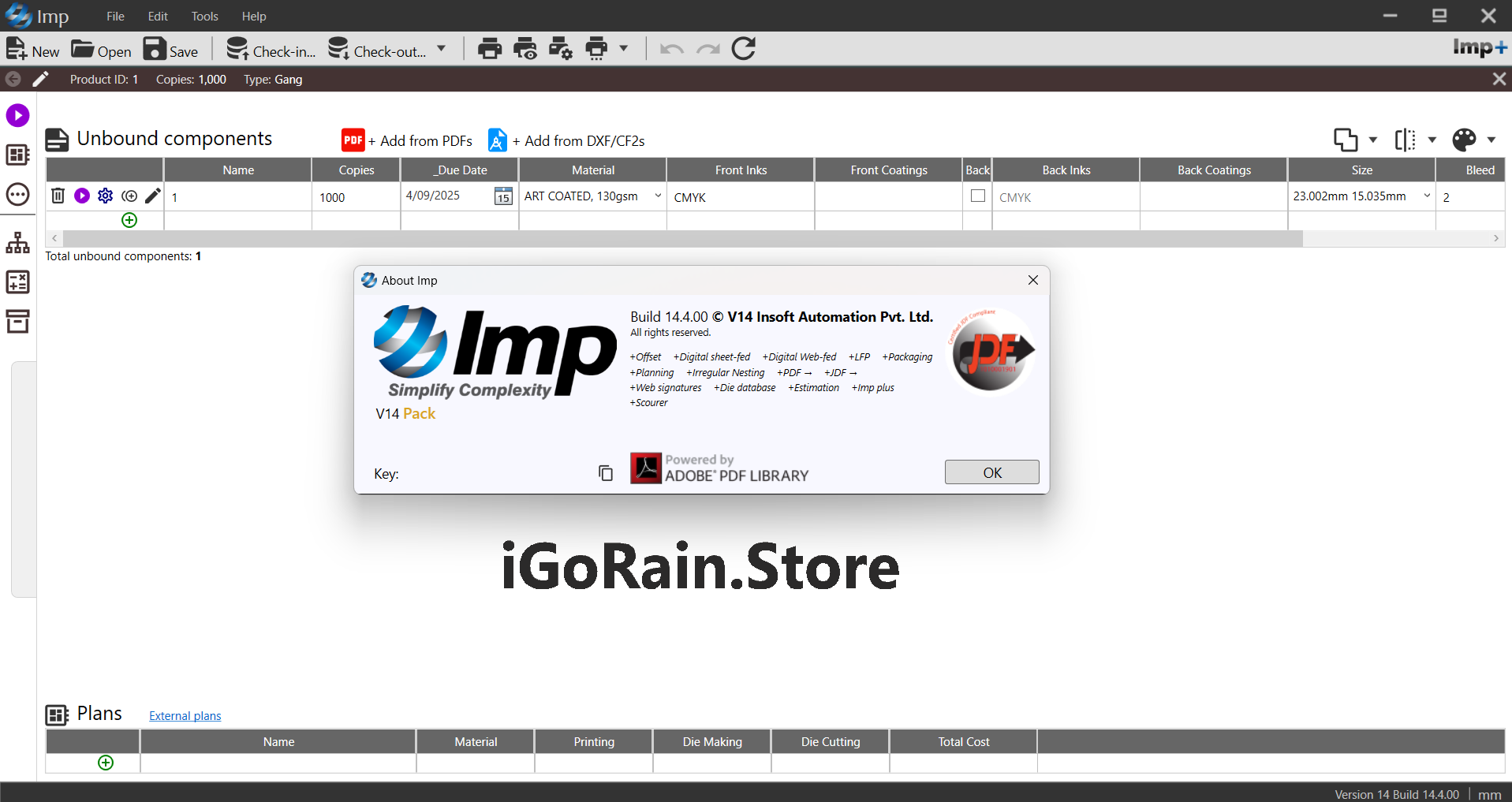
InSoft Automation IMP Review 2025: The Complete Expert Guide for Packaging, Printing, and Commercial Production Workflows
In the fast-paced world of printing and packaging, where efficiency, accuracy, and material optimization define profitability, InSoft Automation IMP has emerged as a leading automated imposition and planning solution. Known for its intelligent algorithms, deep production logic, and unmatched workflow automation, IMP continues to set the standard for printers and packaging manufacturers seeking smarter, faster, and more optimized production planning.
This comprehensive review covers everything you need to know about InSoft Automation IMP—from real-world use cases and features to performance metrics, pricing, pros and cons, and a final verdict. Whether you operate a commercial print shop, a folding carton facility, or a large-scale packaging plant, this review delivers the insights needed to evaluate if InSoft Automation IMP is the right fit for your production environment.
Introduction
Production planning within the print and packaging industry has always been complex. Traditional manual imposition and layout planning consume significant time, often leading to material waste, longer job preparation, and inconsistent accuracy. Modern production environments demand automation that is intelligent, scalable, and reliable.
InSoft Automation IMP is a powerful, AI-driven imposition and print planning software designed to automate sheet layout, calculate optimal material utilization, generate ready-to-run PDF layouts, and streamline the entire workflow—from estimation to press-ready output.
Built for commercial printers, folding carton manufacturers, digital print shops, and label producers, IMP stands out because it intelligently understands real-world production variables: sheet sizes, die-layout constraints, binding rules, finishing requirements, and substrate limitations. This makes it one of the most advanced solutions in automated layout planning today.
Key Features of InSoft Automation IMP
InSoft Automation IMP includes an extensive feature set that supports planning, imposition, die-cut optimization, packaging design, and cost-based production evaluation.
1. Automated Imposition Planning
IMP uses a sophisticated automated algorithm to generate efficient imposition layouts instantly.
Key capabilities include:
-
Multi-job imposition for combining multiple orders
-
Intelligent material optimization
-
Auto-selection of sheet size based on cost
-
Ready-to-print PDF layouts
-
Real-time preview for verifying accuracy
This eliminates manual layout planning and speeds up job preparation.
2. Packaging-Focused Layout and Die Planning
InSoft Automation IMP is especially powerful for folding carton and packaging workflows.
Features include:
-
Die-cut layout automation
-
Support for carton styles, flaps, and packaging designs
-
Automatic nesting based on cutting patterns
-
Gang-up layouts for maximizing sheet usage
-
Offset, flexo, and digital packaging compatibility
For folding carton manufacturers, this significantly reduces prepress time.
3. Multi-Press and Multi-Device Planning
IMP analyzes available presses, sheet-fed devices, and digital machines to find the most cost-efficient production route for each job.
It evaluates:
-
Machine size
-
Speed
-
Makeready time
-
Substrate costs
-
Cutting and finishing constraints
This enables intelligent production routing that saves both time and money.
4. True Shape Nesting
One of the standout functions of IMP is its true shape nesting capability, especially valuable in packaging, labels, and irregular-shape designs.
With true shape algorithms, IMP:
-
Arranges jobs using advanced geometric logic
-
Minimizes substrate waste
-
Ensures correct separation and cut zones
-
Avoids overlaps and cutting errors
The result is maximum material utilization and lower production costs.
5. Cost-Based Planning
IMP doesn’t just optimize layouts visually—it calculates full cost scenarios.
It considers:
-
Ink consumption
-
Substrate usage
-
Press efficiency
-
Cutting time
-
Waste percentages
This cost-driven planning approach allows print providers to estimate job cost more accurately and choose profitable configurations.
6. Automated Reports and Job Tickets
IMP generates detailed reports including:
-
Job tickets
-
Cutting diagrams
-
Press layouts
-
Production summaries
-
Material consumption reports
These documents support production teams and help standardize output across different shifts or locations.
7. Integration with MIS and Prepress Workflows
IMP supports integration with major MIS, ERP, and prepress systems. Data exchange happens through XML, JDF, and REST APIs, ensuring seamless communication between departments.
Practical Use Cases
InSoft Automation IMP is used globally across printing, packaging, and finishing environments. Here are the real-world applications where IMP provides the most value.
1. Commercial Offset Printing
Commercial printers handling brochures, books, magazines, and stationary benefit from IMP’s automated imposition.
IMP helps by:
-
Reducing makeready times
-
Lowering paper waste
-
Planning multi-job ganged layouts
-
Generating press-ready PDFs instantly
Shops that handle many small jobs per day often see dramatic efficiency improvements.
2. Folding Carton Manufacturing
IMP is a game-changer for folding carton packaging. Its packaging tools automate die selection, carton nesting, and layout planning.
Common applications include:
-
Pharmaceutical packaging
-
Food and beverage cartons
-
Cosmetic boxes
-
Industrial product cartons
By optimizing die layouts and sheet usage, IMP helps packaging plants reduce waste and improve speed.
3. Digital and Large Format Printing
For digital print shops, IMP automates layout planning for:
-
Posters
-
Labels
-
Signage
-
Short-run packaging
-
Custom-shaped designs
True shape nesting is especially valuable for irregular-shaped jobs.
4. Label Production
Label manufacturers use IMP to:
-
Nest labels of different shapes
-
Combine multiple label jobs
-
Optimize rolls and sheets
-
Reduce cutting time
This increases productivity for short-run and hybrid print environments.
5. Print Estimation and Job Planning
IMP’s cost-based planning lets print companies estimate more accurately during the quoting phase. It identifies the most cost-efficient production path for every job.
Performance Analysis
1. Speed and Efficiency
IMP’s automated layout engine is extremely fast. What once took hours in manual imposition can now be done in seconds. Large packaging layouts and multi-job nesting run smoothly even on moderately powerful machines.
2. Accuracy
IMP ensures production-ready output that follows binding rules, die-cut paths, bleeds, gutter requirements, and press specifications. Accuracy is consistent, reducing the need for trial-and-error planning.
3. Material Optimization
In many case studies, users report 5–30% material savings due to the software’s nesting and imposition intelligence. This is a major driver of profitability, especially in packaging.
4. Stability and Reliability
IMP is known for its robust performance with large volumes of jobs. It handles large sheets, thousands of pages, and multi-press calculations without lag.
5. Ease of Use
Although IMP is powerful, its interface is designed for practical use rather than complex CAD-style workflows. With minimal training, operators can run automated impositions and planning tasks effectively.
Pros and Cons
Pros
-
Highly advanced automated imposition engine
-
Exceptional true shape nesting for packaging and labels
-
Cost-based production planning
-
Multi-press and multi-device intelligence
-
Accurate die-cut and folding carton layouts
-
Press-ready PDF generation
-
Saves material, time, and labor
-
Supports integration with MIS and workflow systems
-
Strong global reputation in packaging automation
Cons
-
Requires training to master advanced packaging features
-
Pricing depends on modules and may be high for small print shops
-
Interface is function-first, not design-focused
-
Some complex carton types require expert setup
Pricing and Plans
InSoft Automation IMP pricing depends on modules and business size. While exact numbers vary, the typical structure includes:
IMP Base Edition
Suitable for commercial printers.
Includes:
-
Automated imposition
-
Sheet layout optimization
-
PDF output
-
Job reporting
IMP Packaging Edition
Designed for folding carton and packaging manufacturers.
Includes:
-
Die-layout automation
-
Carton design tools
-
True shape nesting
-
Multi-job packaging ganging
IMP Enterprise Edition
Built for large print and multi-press facilities.
Includes:
-
Full cost planning
-
Multi-press optimization
-
MIS integration
-
High-volume automation
Additional modules may include:
-
Cutting layout optimization
-
Digital print workflow support
-
API automation and data exchange
While IMP requires a professional-level investment, its ROI is often realized quickly through material savings, reduced labor, and increased production efficiency.
InSoft Automation IMP Developer
InSoft Automation IMP 14.4.00 Download
Final Verdict
InSoft Automation IMP stands among the strongest and most reliable automated imposition and planning systems in the print and packaging industry. Its ability to intelligently automate complex layouts, optimize material usage, and generate production-ready outputs makes it indispensable for companies aiming to improve profitability and workflow consistency.
Whether you run a small print shop or a large packaging plant, IMP delivers:
-
Faster planning
-
Lower substrate waste
-
Smarter production routing
-
Higher accuracy
-
Seamless integration with existing systems
-
Better cost control
Its combination of automation, intelligence, and real-world practicality makes IMP one of the most valuable prepress tools available today.



Reviews
There are no reviews yet.