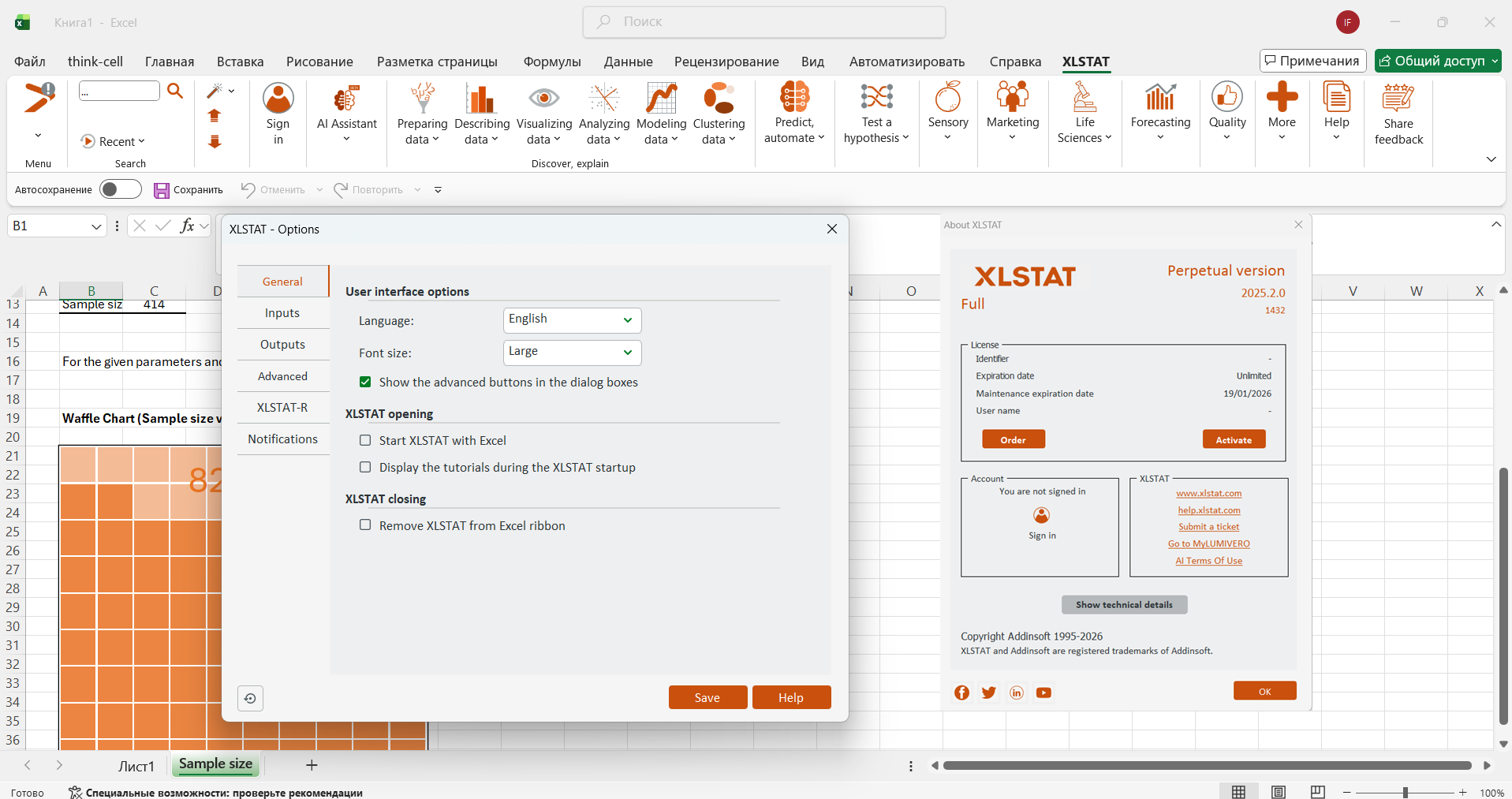
Description
Addinsoft XLSTAT 2026 – Powerful Statistical Analysis Tool for Excel Users
Summary
Addinsoft XLSTAT is a feature-rich statistical software designed to extend the capabilities of Microsoft Excel into a full-scale data analysis environment. Built for professionals, researchers, analysts, and students, it transforms Excel into a powerful analytics platform without requiring users to learn entirely new software.
What makes XLSTAT particularly appealing is its balance between advanced statistical functionality and ease of use. From simple descriptive statistics to complex machine learning models, it offers a wide range of tools within a familiar spreadsheet interface. Whether you’re working in business analytics, academic research, or quality control, XLSTAT provides reliable, accurate, and efficient solutions.
In this in-depth review, we’ll explore its features, real-world applications, performance, and overall value to help you decide if it’s the right statistical tool for your needs.
Introduction to Addinsoft XLSTAT
In today’s data-driven world, organizations and individuals rely heavily on statistical analysis to make informed decisions. However, traditional statistical software can often feel overwhelming, especially for users who are already comfortable working in Excel.
Addinsoft XLSTAT solves this problem by integrating directly into Excel, allowing users to perform advanced data analysis without leaving the familiar interface. This makes it an excellent choice for those who want powerful analytics without the steep learning curve of standalone statistical tools.
The software is widely used across industries such as finance, healthcare, marketing, engineering, and education. Its flexibility and scalability make it suitable for both beginners and advanced users.
Key Features of Addinsoft XLSTAT
XLSTAT offers an extensive set of tools designed to cover nearly every aspect of statistical analysis. Below are its standout features:
1. Comprehensive Statistical Tools
- Descriptive statistics and data exploration
- Hypothesis testing (t-tests, ANOVA, chi-square tests)
- Regression analysis (linear, logistic, nonlinear)
- Time series analysis and forecasting
2. Data Visualization Capabilities
- Advanced charts and graphs for data interpretation
- Customizable visual outputs
- Easy-to-understand dashboards for presentations
3. Machine Learning and Data Mining
- Clustering (k-means, hierarchical clustering)
- Principal component analysis (PCA)
- Decision trees and classification models
- Predictive analytics tools
4. Seamless Excel Integration
- Works directly within Excel’s interface
- No need for data import/export
- Maintains Excel’s usability while enhancing functionality
5. Automation and Productivity
- Batch processing for repetitive tasks
- Macro compatibility for advanced users
- Templates for common statistical workflows
6. Industry-Specific Modules
- Marketing analytics (conjoint analysis, segmentation)
- Quality control and Six Sigma tools
- Sensory analysis for product testing
- Finance and risk analysis models
Practical Use Cases of Addinsoft XLSTAT
One of XLSTAT’s strongest advantages is its real-world applicability. Let’s explore how different professionals use it in their daily work:
Business and Marketing Analytics
Marketing teams use XLSTAT to analyze customer data, identify trends, and segment audiences. For example:
- Conducting market segmentation using clustering techniques
- Running conjoint analysis to understand customer preferences
- Measuring campaign performance through regression models
Academic Research and Education
Researchers and students benefit from XLSTAT’s comprehensive statistical tools:
- Performing hypothesis testing for research studies
- Analyzing survey data with ease
- Creating publication-ready charts and reports
Financial Analysis
Financial analysts rely on XLSTAT for:
- Risk assessment and portfolio optimization
- Forecasting financial trends
- Modeling economic scenarios
Quality Control and Manufacturing
Engineers and quality managers use the software for:
- Statistical process control (SPC)
- Six Sigma analysis
- Identifying defects and improving production efficiency
Healthcare and Life Sciences
In medical research and healthcare analytics:
- Analyze clinical trial data
- Perform survival analysis
- Model patient outcomes and trends
Performance Analysis
Ease of Use
One of XLSTAT’s biggest strengths is its user-friendly interface. Since it operates within Excel, users don’t need to learn a completely new system. The menu-driven approach simplifies even complex statistical procedures.
Speed and Efficiency
The software handles large datasets efficiently, though performance may depend on system specifications and dataset size. For most standard use cases, it delivers fast and reliable results.
Accuracy and Reliability
XLSTAT is known for its statistical accuracy, making it a trusted tool for academic and professional use. Its algorithms are robust and regularly updated to meet industry standards.
Learning Curve
While basic features are easy to use, advanced statistical methods may require some learning. However, the structured interface and guided tools help users gradually build expertise.
Old Collection is also available
Addinsoft XLSTAT 2025.2.0
Pros and Cons
Pros
- Seamless integration with Excel
- Wide range of statistical and machine learning tools
- Suitable for beginners and advanced users
- Industry-specific modules for specialized needs
- Strong data visualization capabilities
- Regular updates and reliable performance
Cons
- Requires Excel to function
- Advanced features may take time to master
- Can be resource-intensive with very large datasets
- Pricing may be a consideration for individual users
Pricing and Plans
Addinsoft XLSTAT offers flexible pricing plans tailored to different user needs. These typically include:
- Basic plans for standard statistical analysis
- Advanced plans with machine learning and specialized modules
- Academic licenses for students and researchers
- Business and enterprise solutions for organizations
Pricing varies depending on the features included and the number of users. Subscription-based options are commonly available, making it easier to scale as your needs grow.
Why Addinsoft XLSTAT Stands Out
XLSTAT differentiates itself by combining the familiarity of Excel with the power of advanced statistical software. Unlike standalone tools, it reduces the friction of switching platforms, allowing users to stay productive.
Key highlights include:
- All-in-one statistical solution within Excel
- Extensive range of analytical methods
- Practical applications across multiple industries
- Strong balance between usability and advanced functionality
Final Verdict
Addinsoft XLSTAT is a highly capable statistical analysis tool that brings professional-grade analytics directly into Excel. It’s ideal for users who want advanced data analysis without abandoning their existing workflows.
Whether you’re a business analyst, researcher, or student, XLSTAT offers the tools you need to turn raw data into meaningful insights. Its versatility, accuracy, and ease of use make it a valuable addition to any data-driven environment.




Reviews
There are no reviews yet.