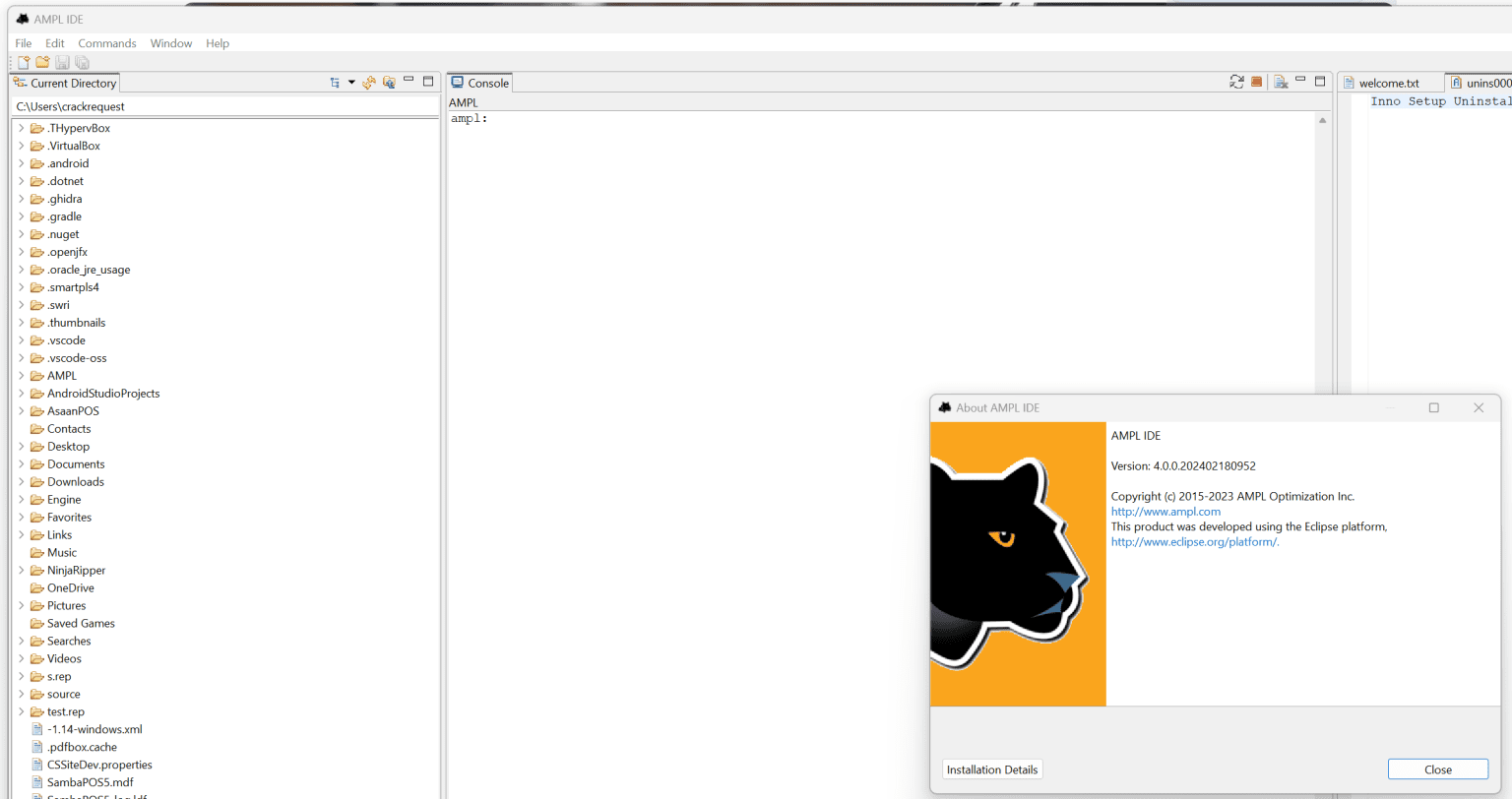
Description
AMPL IDE Review 2026: A Powerful Environment for Mathematical Optimization and Modeling
AMPL IDE Summary
AMPL IDE is a specialized development environment designed for professionals, researchers, engineers, and analysts who work with mathematical optimization models. Built around the renowned AMPL (A Mathematical Programming Language), the IDE provides an efficient workspace for writing, debugging, testing, and solving optimization problems.
Unlike general-purpose programming environments, AMPL IDE focuses specifically on operations research, linear programming, mixed-integer programming, nonlinear optimization, supply chain analysis, energy systems modeling, and scheduling applications. Its integrated tools simplify model creation and improve productivity for users handling complex optimization tasks.
For businesses aiming to reduce costs, improve resource utilization, or make data-driven decisions, AMPL IDE delivers a streamlined workflow that bridges mathematical theory with practical problem-solving. Whether you’re optimizing logistics networks or conducting academic research, the platform offers a robust environment capable of supporting sophisticated analytical projects.
Introduction
Optimization software has become essential for modern industries seeking better decision-making capabilities. Companies increasingly rely on advanced mathematical models to minimize costs, maximize profits, optimize supply chains, and efficiently allocate resources.
AMPL IDE stands out as one of the most respected environments for mathematical optimization modeling. Developed specifically for the AMPL language, it allows users to create optimization models using an expressive syntax while leveraging powerful commercial and open-source solvers.
Unlike spreadsheet-based optimization tools that often become difficult to maintain as projects grow, AMPL IDE enables scalable, reusable, and highly structured model development.
Researchers, operations managers, data scientists, industrial engineers, and academic institutions frequently adopt AMPL because it combines mathematical precision with practical implementation capabilities.
The software is particularly attractive for users who require transparency, flexibility, and high-performance optimization workflows.
Key Features of AMPL IDE
Dedicated Optimization Modeling Environment
AMPL IDE provides a workspace tailored specifically for optimization professionals.
Users can:
- Write mathematical models
- Create data files
- Define parameters
- Execute optimization runs
- Analyze results
- Modify scenarios
The interface keeps all project components organized, making large optimization studies easier to manage.
Syntax Highlighting and Code Assistance
Writing optimization models often involves numerous variables, constraints, and equations.
AMPL IDE improves productivity through:
- Syntax highlighting
- Error detection
- Automatic formatting
- Improved readability
- Easier debugging
These features help users identify mistakes early, reducing development time significantly.
Support for Multiple Solvers
One major advantage of AMPL IDE is compatibility with various optimization solvers.
Common solver integrations include:
- CPLEX
- Gurobi
- KNITRO
- IPOPT
- CBC
- HiGHS
This flexibility enables organizations to select solvers based on budget, performance requirements, or licensing preferences.
Project Management Capabilities
Complex optimization initiatives may contain dozens of files.
AMPL IDE allows users to organize:
- Models
- Scripts
- Datasets
- Scenario analyses
- Solver settings
- Output reports
This structure becomes invaluable when maintaining long-term analytical projects.
Integrated Execution Environment
Instead of relying on command-line tools, users can run optimization tasks directly from the IDE.
Features include:
- Solver execution
- Output monitoring
- Log inspection
- Iterative testing
- Rapid modifications
This workflow improves efficiency for analysts working with evolving datasets.
Data Separation
AMPL follows best practices by separating models from data.
Benefits include:
- Reusable models
- Faster scenario testing
- Reduced coding duplication
- Easier maintenance
- Better collaboration among teams
For consulting firms and research laboratories, this separation often saves substantial time.
Practical Use Cases
Supply Chain Optimization
A manufacturing company managing multiple warehouses often struggles with transportation costs.
Using AMPL IDE, analysts can model:
- Production facilities
- Transportation routes
- Inventory constraints
- Customer demand
The optimization process identifies the most cost-effective distribution strategy.
Organizations can potentially achieve:
- Lower shipping expenses
- Improved inventory turnover
- Reduced waste
- Better customer service levels
Energy System Planning
Energy companies increasingly rely on optimization technologies.
AMPL IDE can help model:
- Power generation units
- Renewable resources
- Demand forecasts
- Emission constraints
- Battery storage systems
Decision-makers gain insights into balancing operational costs with sustainability objectives.
Airline Scheduling
Airlines face enormous scheduling challenges.
Variables include:
- Aircraft availability
- Crew assignments
- Maintenance windows
- Passenger demand
AMPL IDE allows operations planners to build sophisticated scheduling models that improve utilization rates and minimize delays.
Financial Portfolio Optimization
Investment managers often seek the best balance between risk and return.
AMPL models can incorporate:
- Asset allocations
- Budget restrictions
- Market forecasts
- Risk measurements
Portfolio managers can test multiple scenarios quickly and efficiently.
Academic Research
Universities remain one of the largest user groups of AMPL.
Graduate students frequently employ the software for:
- Operations research studies
- Industrial engineering projects
- Transportation analysis
- Optimization coursework
- Thesis development
The software provides an excellent educational environment for learning mathematical programming concepts.
User Experience and Workflow
Many users transitioning from spreadsheets initially experience a learning curve.
However, after understanding the AMPL modeling language, productivity tends to improve considerably.
A common workflow involves:
Step 1: Creating the Model
Users define:
- Decision variables
- Constraints
- Objective functions
Step 2: Importing Data
Data can be stored separately in structured files.
This approach supports rapid experimentation.
Step 3: Selecting a Solver
Users choose the solver best suited for their optimization problem.
Different algorithms may be tested.
Step 4: Running Simulations
AMPL IDE executes the optimization process.
Logs provide useful diagnostic information.
Step 5: Reviewing Results
Users examine:
- Optimal solutions
- Sensitivity analysis
- Constraint violations
- Scenario comparisons
This iterative process encourages informed business decisions.
Performance Analysis
Performance is one of AMPL IDE’s strongest advantages.
For large-scale optimization models, efficiency becomes critical.
AMPL IDE benefits from:
Fast Model Processing
The modeling language is designed to handle substantial mathematical formulations without excessive complexity.
Solver Independence
Organizations avoid vendor lock-in.
They can benchmark different solvers and select the most effective option.
Scalability
AMPL IDE supports:
- Small classroom examples
- Medium-sized business models
- Enterprise-level optimization projects
Its architecture accommodates growth as analytical requirements become more sophisticated.
Reliable Optimization Capabilities
Industries dealing with mission-critical planning often require dependable results.
AMPL has established a long-standing reputation within the operations research community due to its accuracy and stability.
Advantages for Businesses
Businesses adopting optimization software frequently seek measurable improvements.
AMPL IDE can contribute to:
Cost Reduction
Optimization models help identify unnecessary expenses.
Examples include:
- Transportation costs
- Inventory holding costs
- Production inefficiencies
Improved Decision-Making
Executives gain access to mathematically validated recommendations rather than relying solely on intuition.
Increased Productivity
Analysts spend less time manually evaluating scenarios.
Automation accelerates planning activities.
Better Resource Allocation
Companies can maximize the utilization of:
- Labor
- Equipment
- Facilities
- Energy assets
Pros and Cons
Pros
Excellent Optimization Language
AMPL remains one of the most expressive mathematical modeling languages available.
Professional Development Environment
The IDE simplifies project organization and debugging.
Multiple Solver Compatibility
Users have flexibility when selecting optimization engines.
Suitable for Research and Industry
Both academic institutions and corporations benefit from the platform.
Scalable Architecture
The software handles projects ranging from simple exercises to enterprise optimization systems.
Cons
Learning Curve
New users unfamiliar with optimization concepts may require training.
Specialized Audience
AMPL IDE primarily targets analysts, engineers, and researchers rather than general business users.
Solver Licensing Costs
Some advanced commercial solvers may involve additional expenses.
Pricing and Plans
AMPL offers several licensing options depending on user requirements.
Available options may include:
Academic Licenses
Educational institutions and students often have access to discounted or special academic programs.
Commercial Licenses
Businesses can obtain licenses based on organizational needs and solver requirements.
Evaluation Access
Prospective users may be able to explore trial or limited-use options for testing purposes.
Because pricing structures can vary according to deployment scale, solver selection, and support arrangements, organizations should evaluate current licensing information before making purchasing decisions.
Who Should Use AMPL IDE?
AMPL IDE is particularly suitable for:
- Operations research professionals
- Supply chain analysts
- Industrial engineers
- Energy consultants
- Transportation planners
- Data scientists
- University researchers
- Graduate students
- Financial analysts
- Optimization consultants
Organizations looking for spreadsheet alternatives in complex planning environments may also find substantial value in adopting AMPL IDE.
Final Verdict
AMPL IDE continues to be one of the most capable environments available for mathematical optimization modeling. Its dedicated feature set, support for multiple solvers, organized project management capabilities, and powerful modeling language make it an excellent choice for professionals who require accurate, scalable optimization solutions.
Although beginners may encounter an initial learning curve, the long-term benefits often outweigh the effort invested in mastering the platform. Users working in supply chain optimization, energy planning, scheduling, portfolio management, and academic research can leverage AMPL IDE to solve challenging problems with greater confidence and efficiency.
For organizations seeking a professional optimization modeling environment that combines flexibility, precision, and proven analytical capabilities, AMPL IDE deserves serious consideration. Exploring its features through an evaluation version or academic access can be an effective first step toward improving decision-making processes and unlocking more efficient operations.




Reviews
There are no reviews yet.