Description
CAMBO CAD for AutoCAD Review 2026: Powerful CAD Productivity Tool for Faster and Smarter Drafting
Quick Summary
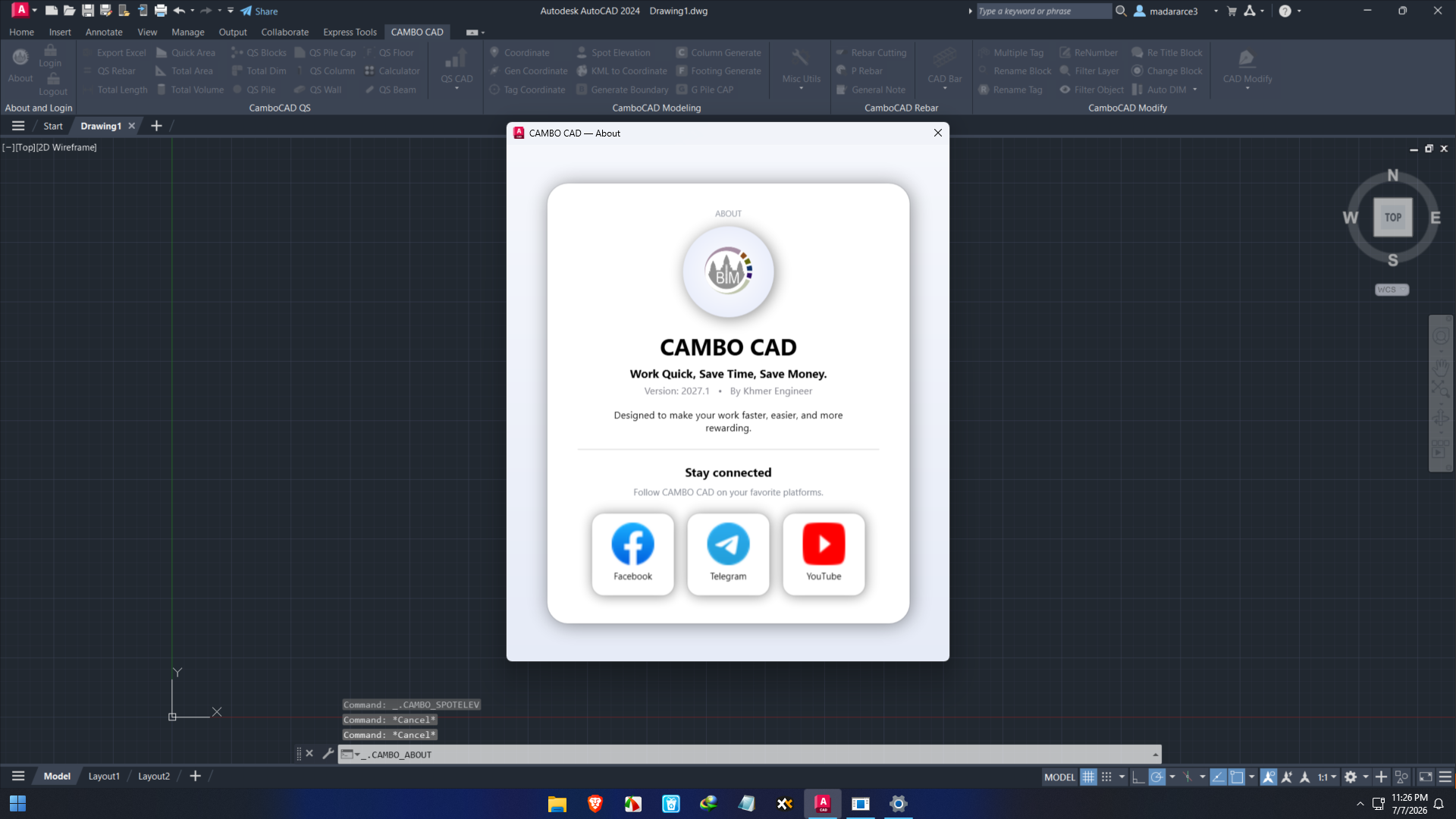
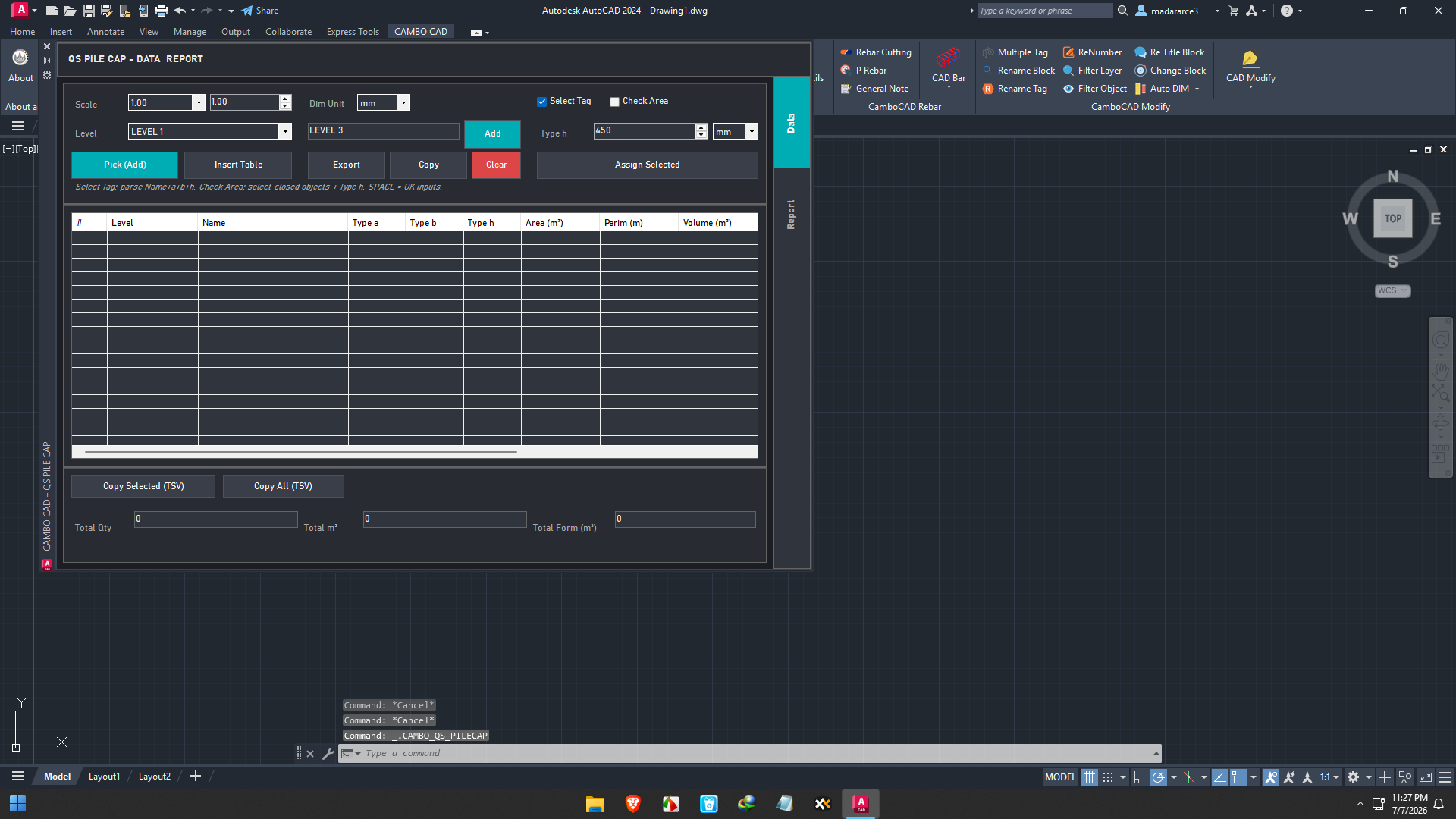
CAMBO CAD for AutoCAD is a professional CAD productivity add-on designed to improve the drafting experience for architects, engineers, surveyors, construction professionals, and CAD designers. Instead of replacing AutoCAD, it extends its capabilities by providing advanced drafting tools, automation features, intelligent object management, and workflow enhancements that help users complete projects more efficiently.
Whether you’re handling architectural floor plans, civil engineering drawings, mechanical layouts, or infrastructure projects, CAMBO CAD for AutoCAD offers practical tools that reduce repetitive work, improve drawing accuracy, and increase overall productivity. For professionals managing large drawing files or complex technical documentation, it serves as a valuable extension that can significantly streamline daily CAD operations.
Introduction
AutoCAD remains one of the world’s leading CAD platforms, but many professionals eventually discover that standard tools may not always meet specialized workflow requirements. Repetitive drafting tasks, manual editing, and project management can consume valuable hours during every project.
That’s where CAMBO CAD for AutoCAD comes into the picture.
Developed to enhance AutoCAD workflows, CAMBO CAD provides additional drafting commands, automation utilities, layer management improvements, object editing tools, and productivity enhancements designed specifically for professionals working on technical drawings every day.
Instead of spending countless hours performing repetitive editing tasks, users can automate much of the process while maintaining drawing precision and consistency.
For organizations handling multiple CAD projects simultaneously, the software becomes more than just an add-on—it becomes a productivity accelerator.
Key Features of CAMBO CAD for AutoCAD
Advanced Drafting Tools
One of the strongest advantages of CAMBO CAD for AutoCAD is its collection of enhanced drafting utilities.
Users gain access to additional commands that simplify common drawing operations such as:
- Object creation
- Line editing
- Shape modification
- Batch drawing adjustments
- Precision alignment
- Geometry correction
These improvements reduce manual work while improving drafting accuracy.
Intelligent Layer Management
Large engineering drawings often contain hundreds of layers.
CAMBO CAD helps users:
- Organize complex layer structures
- Manage visibility faster
- Lock and unlock multiple layers
- Control layer properties efficiently
- Improve project organization
This makes navigation much easier when working on large-scale CAD projects.
Automation of Repetitive Tasks
Many CAD professionals perform identical actions dozens or even hundreds of times every day.
CAMBO CAD automates repetitive operations including:
- Batch editing
- Object modification
- Property adjustments
- Annotation management
- Drawing cleanup
- Standardized workflows
Automation helps reduce errors while saving significant drafting time.
Enhanced Object Editing
Editing complex CAD objects becomes easier with additional modification commands.
Users can quickly:
- Move objects
- Rotate elements
- Scale drawings
- Copy multiple components
- Mirror geometry
- Trim and extend objects
The enhanced editing tools simplify even complicated design revisions.
Drawing Cleanup Utilities
Over time, CAD files often become cluttered with unnecessary objects, duplicate elements, and unused layers.
CAMBO CAD provides utilities that help users:
- Remove redundant objects
- Clean unused layers
- Optimize drawing performance
- Reduce file size
- Improve project organization
Cleaner drawings are easier to maintain and share with project teams.
Productivity Enhancement Commands
The software focuses heavily on workflow optimization.
Professionals can complete drafting operations using fewer clicks while maintaining high drafting standards.
This results in:
- Faster project completion
- Better consistency
- Reduced manual errors
- Improved team productivity
Practical Use Cases
Architectural Design
Architects regularly revise floor plans throughout project development.
CAMBO CAD allows architects to:
- Edit layouts faster
- Manage room annotations
- Improve drawing consistency
- Handle revisions efficiently
- Reduce repetitive drafting work
The software helps architectural firms maintain productivity across multiple ongoing projects.
Civil Engineering Projects
Civil engineers often work with extensive infrastructure drawings involving roads, drainage systems, utilities, and land development.
CAMBO CAD assists by:
- Organizing complex layers
- Simplifying object modifications
- Improving drafting accuracy
- Speeding up design updates
This becomes especially valuable during project revisions.
Mechanical Drafting
Mechanical designers frequently update machine components and manufacturing drawings.
CAMBO CAD improves productivity by enabling:
- Faster component editing
- Better drawing organization
- Simplified geometry modification
- Efficient design revisions
These enhancements help mechanical teams deliver projects more quickly.
Electrical Design
Electrical engineers working on wiring diagrams, panel layouts, and electrical schematics benefit from faster editing and better layer management.
The software helps maintain organized drawings while reducing manual editing work.
Construction Documentation
Construction documentation often goes through multiple revisions before approval.
CAMBO CAD supports:
- Quick drawing modifications
- Consistent drafting standards
- Efficient annotation updates
- Faster documentation workflows
This allows project teams to respond quickly to design changes.
Real-World User Experience
Imagine a structural engineering firm managing several commercial building projects simultaneously.
Without productivity tools, engineers may spend hours updating repetitive drawing elements whenever clients request design changes.
After implementing CAMBO CAD for AutoCAD, much of this repetitive editing becomes automated.
Instead of manually adjusting dozens of drawing components one by one, engineers can perform bulk modifications using specialized commands.
The result includes:
- Faster revisions
- Fewer drafting mistakes
- Better project consistency
- Improved team efficiency
Many experienced CAD users appreciate software that reduces repetitive work while allowing them to focus on design rather than manual editing.
Performance Analysis
Performance is one of CAMBO CAD’s strongest qualities.
Because it operates as an AutoCAD enhancement rather than a standalone CAD platform, users continue working within the familiar AutoCAD interface while gaining additional functionality.
Performance highlights include:
Fast Command Execution
Most productivity commands execute quickly without interrupting the drafting workflow.
Improved Workflow Efficiency
Users spend less time navigating menus and performing repetitive editing tasks.
Better Project Organization
Advanced management tools help maintain cleaner and more organized drawing files.
Reduced Human Error
Automation minimizes repetitive manual operations that commonly introduce drafting mistakes.
Scalable for Large Projects
Whether managing small residential drawings or large infrastructure projects, CAMBO CAD remains suitable for professional environments.
Advantages of Using CAMBO CAD for AutoCAD
Professionals choose CAMBO CAD because it delivers measurable productivity improvements.
Major benefits include:
- Faster drafting workflows
- Reduced repetitive work
- Better drawing organization
- Improved layer management
- Enhanced object editing
- Increased drafting accuracy
- Time-saving automation
- Better collaboration across design teams
- Cleaner CAD files
- Greater project consistency
These improvements contribute directly to faster project delivery.
Pros and Cons
Pros
- Excellent AutoCAD productivity enhancement
- Easy integration with existing workflows
- Powerful automation features
- Advanced drafting utilities
- Helpful layer management tools
- Improves drawing consistency
- Suitable for architects and engineers
- Supports large technical projects
- Reduces repetitive manual editing
- Professional-grade workflow improvements
Cons
- Requires familiarity with AutoCAD
- Some advanced tools may require a learning period
- Feature availability may depend on software version
- Best suited for professional CAD environments
Pricing & Plans
CAMBO CAD for AutoCAD licensing may vary depending on:
- Software edition
- License type
- Commercial or business requirements
- Annual maintenance options
- Enterprise deployment needs
Organizations considering implementation should evaluate the available licensing options based on the number of users, project requirements, and long-term workflow needs.
Who Should Use CAMBO CAD for AutoCAD?
CAMBO CAD is ideal for:
- Architects
- Civil engineers
- Structural engineers
- Mechanical engineers
- Electrical designers
- Surveyors
- Construction consultants
- Infrastructure planners
- CAD technicians
- Engineering firms
- Design consultants
- Drafting professionals
Any professional seeking improved AutoCAD productivity can benefit from its workflow-enhancing features.
Why CAMBO CAD Stands Out
Many CAD productivity tools focus on adding isolated commands.
CAMBO CAD takes a broader approach by improving the complete drafting workflow.
Its combination of automation, intelligent editing, layer organization, drawing cleanup, and productivity enhancements creates a more efficient design environment.
Rather than simply adding new features, it helps professionals spend less time on repetitive tasks and more time on actual design work.
For organizations where project deadlines matter, these efficiency gains can translate into significant long-term value.
Final Verdict
CAMBO CAD for AutoCAD is a practical and reliable productivity solution for professionals who rely on AutoCAD for daily drafting and design work. Its extensive collection of automation tools, advanced editing features, intelligent layer management, and workflow enhancements makes it a valuable addition to architectural, engineering, construction, and manufacturing environments.
Whether you’re managing detailed architectural plans, engineering documentation, mechanical assemblies, or civil infrastructure projects, CAMBO CAD helps reduce repetitive tasks, improve drawing accuracy, and accelerate project completion without disrupting familiar AutoCAD workflows.
If your goal is to increase drafting efficiency, maintain cleaner drawings, and streamline complex design processes, CAMBO CAD for AutoCAD is well worth exploring. It offers practical productivity improvements that can save time, enhance consistency, and support higher-quality project delivery for both individual professionals and collaborative design teams.
Short Description
CAMBO CAD for AutoCAD is a professional CAD productivity add-on that enhances AutoCAD with advanced drafting tools, workflow automation, intelligent layer management, object editing, and drawing cleanup utilities. It helps architects, engineers, and CAD professionals complete projects faster, improve accuracy, and streamline complex drafting workflows.



Reviews
There are no reviews yet.