Description
CCtools for Revit Review: A Practical Toolkit for Faster and More Efficient BIM Workflows
For many Revit users, productivity is not limited by the software itself. The real challenge is often the number of repetitive tasks, small workflow interruptions, and manual steps required to complete everyday BIM work. This is where specialized tools such as CCtools for Revit can make a noticeable difference. Designed to extend and streamline Autodesk Revit workflows, CCtools for Revit provides a practical collection of utilities that can help users work more efficiently, manage repetitive operations, and improve their overall modeling experience.
Whether you are an architect, structural engineer, MEP professional, BIM coordinator, or Revit power user, the right productivity toolkit can save significant time over the course of a project. Instead of repeatedly performing the same actions manually, users can rely on purpose-built tools to simplify common tasks and improve workflow consistency.
In this review, we will explore the key features, practical use cases, performance, benefits, limitations, and overall value of CCtools for Revit.
Introduction
Autodesk Revit is one of the most widely used BIM platforms in the architecture, engineering, and construction industries. Its parametric modeling capabilities make it powerful, but advanced projects can also become complex. Large models, repetitive elements, detailed documentation, and strict project standards often require users to spend considerable time on tasks that are not necessarily part of the creative design process.
This is a common experience in professional BIM environments. A designer may spend hours modeling, coordinating, and documenting a project, only to lose additional time performing repetitive cleanup or management operations. A BIM manager may need to maintain consistency across multiple project files. An experienced Revit user may know exactly what needs to be done but still be slowed down by the limitations of standard workflows.
CCtools for Revit is designed to address this type of productivity challenge. Rather than replacing Revit, it works as a supporting toolkit that can help users access additional functionality and improve everyday workflows.
The value of a Revit productivity tool is often measured in small time savings. Saving a few minutes on one task may not seem significant. However, when that task is repeated dozens or hundreds of times during a project, the overall productivity gain can become substantial.
What Is CCtools for Revit?
CCtools for Revit is a specialized productivity solution created to enhance workflows inside Autodesk Revit. It is aimed at users who want more control over routine operations and greater efficiency when working with BIM models.
The software is particularly relevant for professionals who regularly deal with:
- Repetitive modeling tasks
- BIM documentation
- Model organization
- Element management
- Project coordination
- Revit productivity improvements
- Large and complex building information models
The concept behind a toolset like CCtools for Revit is simple: provide additional utilities that help users complete common operations with fewer manual steps.
For new Revit users, these tools can make certain workflows easier to understand. For experienced users, the biggest advantage may be speed. When a professional already knows the desired result, a dedicated utility can help achieve it more quickly.
Key Features of CCtools for Revit
1. Revit Productivity Enhancement
The primary strength of CCtools for Revit is its focus on improving productivity. Revit users often perform the same types of actions repeatedly throughout a project. A productivity-oriented toolkit can help reduce unnecessary clicks and make common operations more efficient.
This is especially valuable in production environments where deadlines are tight and every improvement in workflow efficiency matters.
2. Support for Repetitive BIM Tasks
Repetitive work is one of the biggest productivity challenges in BIM. Tasks that are simple individually can become time-consuming when repeated across a large model.
CCtools for Revit can be useful for users who want to reduce manual repetition and make everyday Revit operations more streamlined. The exact value depends on the specific tools included in the version being used, but the overall approach is focused on making routine BIM work more manageable.
3. Improved Workflow Organization
Large Revit projects can quickly become difficult to manage. Multiple categories, views, families, parameters, and model elements may need to be organized according to office standards or project requirements.
Additional workflow utilities can help users maintain better control over their projects. This can be particularly useful for BIM coordinators and experienced Revit users who are responsible for keeping models consistent and efficient.
4. Useful for Different Revit Disciplines
One of the advantages of a general Revit toolkit is its potential to support users across different disciplines.
Architectural teams may benefit from improved modeling and documentation workflows. Structural users may appreciate tools that help manage repetitive model operations. MEP professionals can benefit from utilities that reduce the time required for coordination and model management.
This flexibility makes CCtools for Revit relevant to a wide range of BIM professionals rather than only one specific industry segment.
5. Practical Interface and Workflow Integration
A good Revit add-in should feel like part of the existing software environment rather than a completely separate application. Tools that integrate directly into the Revit workflow can be easier to access and more convenient for daily use.
For professionals who spend most of their working day inside Revit, this type of integration is important. Switching between multiple external applications can interrupt concentration and create additional workflow complexity.
Practical Use Cases
Architectural Design Offices
Architectural teams often work with complex building models containing thousands of elements. Small productivity improvements can have a major impact when multiple designers are working on the same project.
CCtools for Revit may help architectural users streamline repetitive operations and spend more time focusing on design development, coordination, and documentation.
BIM Coordination
BIM coordinators frequently need to review, organize, and manage project models. Their responsibilities often involve maintaining standards and helping project teams work consistently.
A Revit productivity toolkit can support these workflows by reducing manual operations and making model management more efficient.
Large Commercial Projects
Large commercial, residential, healthcare, and infrastructure projects can involve extremely detailed Revit models. In these environments, efficiency becomes increasingly important.
A workflow enhancement tool such as CCtools for Revit can be useful when users need to perform similar operations across many elements or project areas.
Revit Training and Learning
New Revit users often struggle with the number of steps required to complete common tasks. Productivity tools can help simplify certain workflows and give users a more efficient approach to working with BIM models.
However, it is important to remember that add-ins should complement proper Revit training rather than replace a solid understanding of BIM fundamentals.
Performance Analysis
Performance is an important consideration when installing any Revit add-in. Autodesk Revit can already require significant system resources, especially when working with large models, complex families, linked files, and detailed views.
A well-designed productivity tool should ideally have minimal impact on general Revit performance. Users typically expect a tool to respond quickly without causing unnecessary delays or instability.
The practical performance of CCtools for Revit will depend on several factors, including:
- Revit version compatibility
- Project file size
- Model complexity
- Computer hardware
- Number of installed add-ins
- Specific tools being used
In normal professional workflows, the biggest performance benefit may not be raw processing speed. Instead, it may come from reducing the number of manual steps required to complete a task.
For example, if a workflow that previously required several repetitive operations can be completed more efficiently, the overall project experience improves even if the software does not directly make Revit render faster.
User Experience
The real value of a Revit add-in is often discovered after several days of regular use. At first, users may need time to learn where each function is located and understand how it fits into their existing workflow.
Once the tools become familiar, the experience can become much more efficient.
A typical user experience may look like this: a Revit professional begins a project using standard tools and gradually identifies repetitive tasks that consume unnecessary time. After introducing a productivity toolkit, these tasks can become more manageable. Over time, the user develops a faster workflow and spends less time on routine operations.
This is particularly valuable for experienced professionals. They already understand the technical requirements of their work, so reducing workflow friction can directly improve productivity.
Pros and Cons of CCtools for Revit
Pros
- Designed to improve Revit productivity
- Useful for repetitive BIM workflows
- Can support architecture, engineering, and BIM coordination tasks
- Helps reduce unnecessary manual operations
- Suitable for experienced Revit users seeking workflow improvements
- Can be valuable for large and complex projects
- Supports a more efficient day-to-day Revit experience
Cons
- New users may require time to learn the available tools
- Benefits depend on the specific workflow and project requirements
- Compatibility should be checked carefully with the installed Revit version
- Users who only perform basic Revit tasks may not need every available feature
- Performance and usefulness can vary depending on project complexity
Pricing and Plans
Pricing and licensing for CC tools for Revit may vary depending on the edition, licensing model, supported Revit version, and the current offering from the software provider.
Before purchasing, users should carefully review the available licensing terms and confirm compatibility with their Autodesk Revit installation. Businesses should also consider whether the software is intended for a single user, a small team, or a larger professional environment.
For organizations, the most important question is often not simply the purchase price. The real consideration is whether the time saved on repetitive tasks can justify the investment.
If a productivity tool saves even a small amount of time every day, the long-term value can become significant for professionals who work with Revit continuously.
Who Should Use CCtools for Revit?
CCtools for Revit may be a good choice for:
- Architects who regularly work on detailed Revit projects
- BIM coordinators managing complex models
- Structural engineers working with repetitive workflows
- MEP designers handling large building services projects
- Revit power users seeking productivity improvements
- BIM teams looking to improve workflow consistency
- Companies that want to reduce time spent on repetitive operations
It may be less necessary for casual Revit users who only work on simple projects or rarely perform repetitive model management tasks.
Tips for Getting the Most from CCtools for Revit
To get the best results from a Revit productivity toolkit, users should take a structured approach.
First, identify the tasks that consume the most unnecessary time. These may include repetitive model operations, organization tasks, or processes that require multiple manual steps.
Next, learn the tools gradually rather than attempting to master everything at once. Focus on the functions that directly match your daily workflow.
It is also important to test new tools on a copy of a project or in a controlled environment before applying them to critical production files. This helps users understand how the workflow behaves and reduces the risk of unexpected changes.
Finally, make sure the add-in is compatible with the specific version of Autodesk Revit being used.
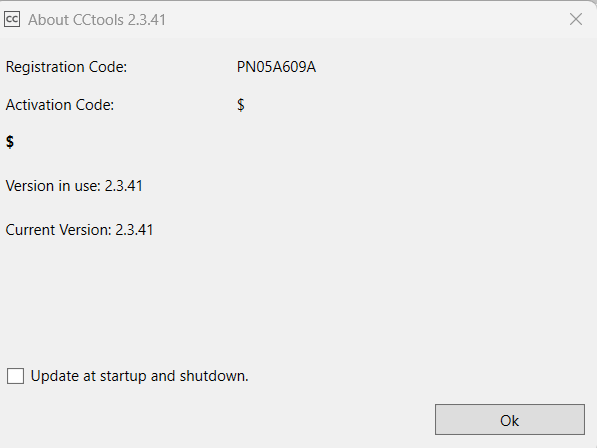
CCtools for Autodesk Revit 2.3.41
Final Verdict
CCtools for Revit is designed for Revit users who want to improve productivity and reduce the amount of time spent on repetitive BIM operations. Its biggest potential advantage is not necessarily adding more complexity to Revit, but helping users work more efficiently within the environment they already know.
For architects, engineers, BIM coordinators, and Revit specialists, even small workflow improvements can make a meaningful difference over the course of a project. The ability to streamline routine tasks can help users focus more on design, coordination, documentation, and project quality.
Like any Revit add-in, its value depends on the user’s workflow, project type, and specific requirements. However, professionals who regularly work with complex models and repetitive operations may find CCtools for Revit a useful addition to their BIM productivity toolkit.
If you are looking for a way to make your daily Autodesk Revit workflow more efficient, reduce repetitive manual work, and improve overall project productivity, exploring CCtools for Revit could be a practical next step. Evaluate its features against your current workflow, confirm compatibility with your Revit version, and test the tools that offer the greatest potential time savings for your projects.



Reviews
There are no reviews yet.