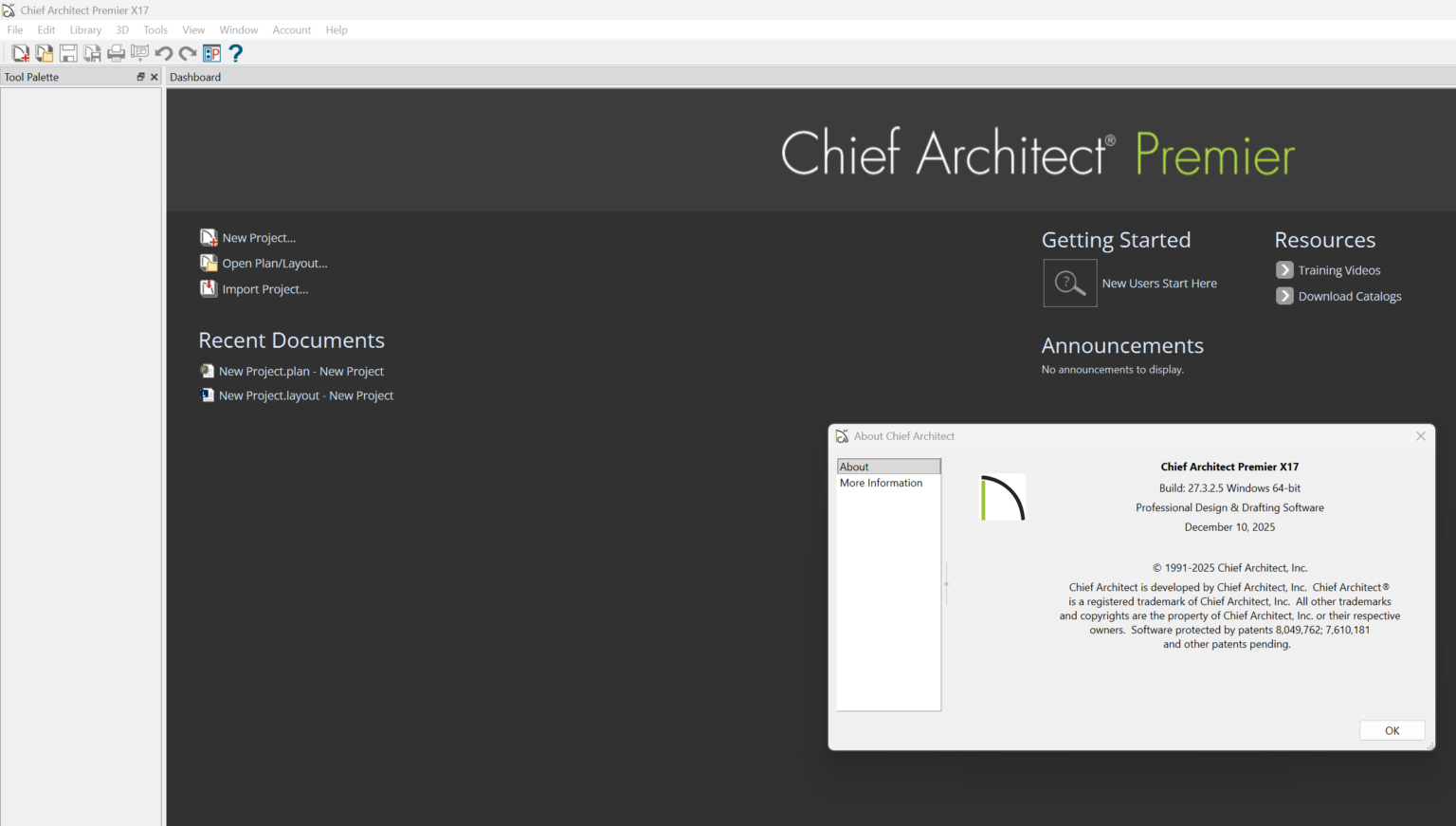
Description
Chief Architect Premier Build Latest Version Review – Professional Home Design and Architectural Software
Chief Architect Premier Build Latest Version: Quick Summary
Chief Architect Premier Build Latest Version continues to be one of the most powerful and respected architectural design solutions available for residential designers, architects, builders, remodelers, and interior design professionals. Known for its intelligent building tools, advanced 3D visualization capabilities, and automated construction documentation, this software helps users transform ideas into detailed architectural plans with impressive efficiency.
Whether you’re designing a custom home, remodeling an existing property, creating interior layouts, or producing professional construction drawings, Chief Architect Premier provides a complete workflow from concept development to final presentation. The latest build introduces enhanced performance, improved rendering capabilities, and refined design tools that make project execution faster and more accurate.
For professionals seeking a reliable Building Information Modeling (BIM) solution focused on residential architecture, Chief Architect Premier remains a leading choice in today’s competitive design software market.
Introduction to Chief Architect Premier Build Latest Version
The architecture and construction industries demand software that balances creativity with technical precision. Chief Architect Premier Build Latest Version was developed specifically to meet those needs by combining intelligent design automation with advanced drafting and visualization tools.
Unlike traditional CAD software that requires extensive manual drawing, Chief Architect uses architectural intelligence to automatically generate walls, roofs, floors, foundations, framing systems, and construction documents. This significantly reduces design time while maintaining professional accuracy.
The software is widely used by:
- Residential architects
- Home designers
- Interior designers
- Builders and contractors
- Remodeling specialists
- Construction professionals
- Design consultants
Its intuitive workflow allows professionals to focus more on design creativity and less on repetitive drafting tasks.
Key Features of Chief Architect Premier Build Latest Version
Intelligent Building Design Tools
One of the software’s biggest strengths is its automated building design engine.
Key capabilities include:
- Automatic roof generation
- Smart wall creation
- Automated floor systems
- Foundation generation
- Framing design tools
- Structural detailing
As users modify the design, related building elements update automatically, reducing manual corrections and potential errors.
Advanced 3D Visualization
Modern clients expect realistic project presentations before construction begins.
Chief Architect Premier provides:
- Real-time 3D visualization
- Physically based rendering
- Ray tracing technology
- Virtual walkthroughs
- 360-degree panoramic views
- Detailed landscape rendering
These visualization tools help clients understand designs more clearly and make faster decisions.
Professional Construction Documentation
Creating accurate construction documents is essential for project success.
The software offers:
- Automated elevations
- Building sections
- Site plans
- Construction drawings
- Material schedules
- Cost estimates
- Dimensioning tools
This allows architects and builders to produce professional documentation without extensive manual drafting.
Interior Design Capabilities
Beyond architectural design, Chief Architect Premier includes powerful interior design functionality.
Users can create:
- Kitchen layouts
- Bathroom designs
- Furniture arrangements
- Lighting plans
- Decorative concepts
- Material selections
The extensive object libraries make it easy to build highly realistic interior environments.
Extensive Object Libraries
The software comes with thousands of design elements.
Included libraries feature:
- Furniture
- Appliances
- Cabinets
- Doors
- Windows
- Fixtures
- Landscaping components
- Building materials
These resources help speed up design development while improving presentation quality.
Terrain and Landscape Design
Outdoor spaces play a crucial role in residential projects.
Chief Architect Premier supports:
- Terrain modeling
- Elevation adjustments
- Retaining walls
- Driveway design
- Garden planning
- Outdoor living spaces
- Landscaping visualization
This integrated approach ensures cohesive site and building design.
Practical Use Cases of Chief Architect Premier
Custom Home Design
A residential architect designing luxury custom homes can create complete project models, generate construction documents, and present realistic renderings to clients—all within a single platform.
The software’s automation significantly reduces drafting hours while improving project accuracy.
Home Renovation Projects
Remodeling professionals frequently use Chief Architect to:
- Capture existing conditions
- Design proposed changes
- Compare before-and-after layouts
- Generate permit drawings
- Present renovation concepts
This streamlines communication between designers, contractors, and homeowners.
Kitchen and Bath Design
Kitchen and bath specialists benefit from precise cabinet configuration tools and detailed material visualization features.
Clients can preview:
- Cabinet finishes
- Countertop materials
- Appliance placements
- Lighting arrangements
before any construction begins.
Residential Construction Planning
Builders use Chief Architect to generate:
- Framing plans
- Material takeoffs
- Construction documents
- Site plans
- Building schedules
These outputs help improve project planning and cost estimation.
Real Estate Development
Developers can create professional marketing presentations that showcase future residential communities using realistic renderings and virtual tours.
This helps secure investor confidence and accelerate property sales.
Real-World User Experience
Many professionals choose Chief Architect because it combines technical depth with practical usability.
A residential designer working on multiple projects each month can benefit from:
- Faster design revisions
- Improved client presentations
- Reduced drafting workload
- Better project visualization
- More accurate documentation
Users often report that the software shortens project timelines while helping clients make decisions earlier in the design process.
For firms handling custom homes and remodeling projects, this efficiency can lead to increased productivity and improved profitability.
Performance Analysis
Design Speed
Chief Architect Premier performs exceptionally well when creating residential architectural models.
Automated design tools eliminate many repetitive tasks commonly found in traditional CAD workflows.
Advantages
- Faster project creation
- Quick design modifications
- Reduced manual drafting
- Automatic model updates
This can significantly improve turnaround times for residential design firms.
Rendering Performance
The latest build includes enhanced rendering technology that delivers high-quality visual outputs.
Users can generate:
- Photorealistic images
- Interactive walkthroughs
- Marketing visuals
- Client presentations
Rendering speed largely depends on workstation specifications, but performance is generally strong on modern hardware.
Accuracy and Reliability
Chief Architect has built a reputation for producing highly accurate architectural documentation.
Its intelligent design engine helps maintain consistency between:
- Floor plans
- Elevations
- Sections
- Construction documents
- Material schedules
This reduces coordination errors and improves project quality.
Learning Curve
Although beginner-friendly compared to many professional BIM platforms, Chief Architect still contains advanced functionality.
New users may require time to master:
- Roof design tools
- Construction documentation
- Advanced rendering settings
- Terrain modeling
Fortunately, the software includes extensive training resources and tutorials.
SEO Benefits for Design Professionals
For professionals running architecture or design businesses, Chief Architect can indirectly support marketing efforts.
High-quality renderings generated by the software can be used for:
- Website portfolios
- Social media content
- Client presentations
- Project case studies
- Online marketing campaigns
Professional visuals often improve client engagement and strengthen brand credibility.
Pros and Cons
Pros
Comprehensive Design Platform
Combines architecture, interior design, landscaping, and construction documentation in one solution.
Powerful Automation
Automatically generates many building components and drawing views.
Excellent Visualization Tools
Produces professional-quality renderings and presentations.
Residential Design Focus
Specifically optimized for home design and remodeling workflows.
Extensive Content Libraries
Provides thousands of ready-to-use design objects and materials.
Accurate Construction Documentation
Generates professional drawings suitable for permitting and construction.
Cons
Premium Pricing
The software may represent a significant investment for small firms or independent designers.
Hardware Requirements
Advanced rendering features perform best on powerful workstations.
Learning Curve
Some advanced features require dedicated training and practice.
Residential Emphasis
Commercial architecture firms may prefer broader BIM platforms designed specifically for large-scale projects.
Pricing and Plans
Chief Architect typically offers multiple purchasing options depending on user needs and licensing preferences.
Available options may include:
- Professional licenses
- Subscription plans
- Software maintenance programs
- Upgrade paths for existing users
Pricing can vary based on version, region, and licensing structure. Businesses should review the latest offerings to determine the most suitable option for their workflow and budget.
Why Chief Architect Premier Remains a Leading Architectural Software Solution
Several factors contribute to the software’s continued popularity:
- Strong residential design capabilities
- Automated building modeling
- Professional-grade rendering tools
- Accurate construction documentation
- Reliable project workflows
- Consistent software updates
Its focus on practical residential architecture allows professionals to work more efficiently while maintaining high design standards.
For designers who regularly create homes, remodels, kitchens, bathrooms, and residential developments, Chief Architect Premier provides a specialized solution that addresses real-world project needs.
Chief Architect Premier x17 Develoepr
Chief Architect Premier x17 Build 27.3.2.5 Download
Final Verdict
Chief Architect Premier Build Latest Version stands out as one of the most capable residential architectural design software solutions available today. It successfully combines intelligent BIM functionality, automated drafting, advanced 3D visualization, and professional construction documentation within a single platform.
The software excels in custom home design, remodeling projects, interior design, and residential construction planning. Its automation features save significant time, while its rendering tools help professionals deliver impressive client presentations and marketing materials.
Although there is an initial learning curve and investment cost, the productivity gains, design accuracy, and professional output make it a worthwhile choice for serious design professionals.
If you’re looking for a powerful home design software, residential BIM solution, architectural drafting platform, or professional 3D home modeling application, Chief Architect Premier Build Latest Version deserves serious consideration. Explore its capabilities and see how it can help streamline your design workflow, improve project presentations, and elevate the quality of your architectural work.




Reviews
There are no reviews yet.