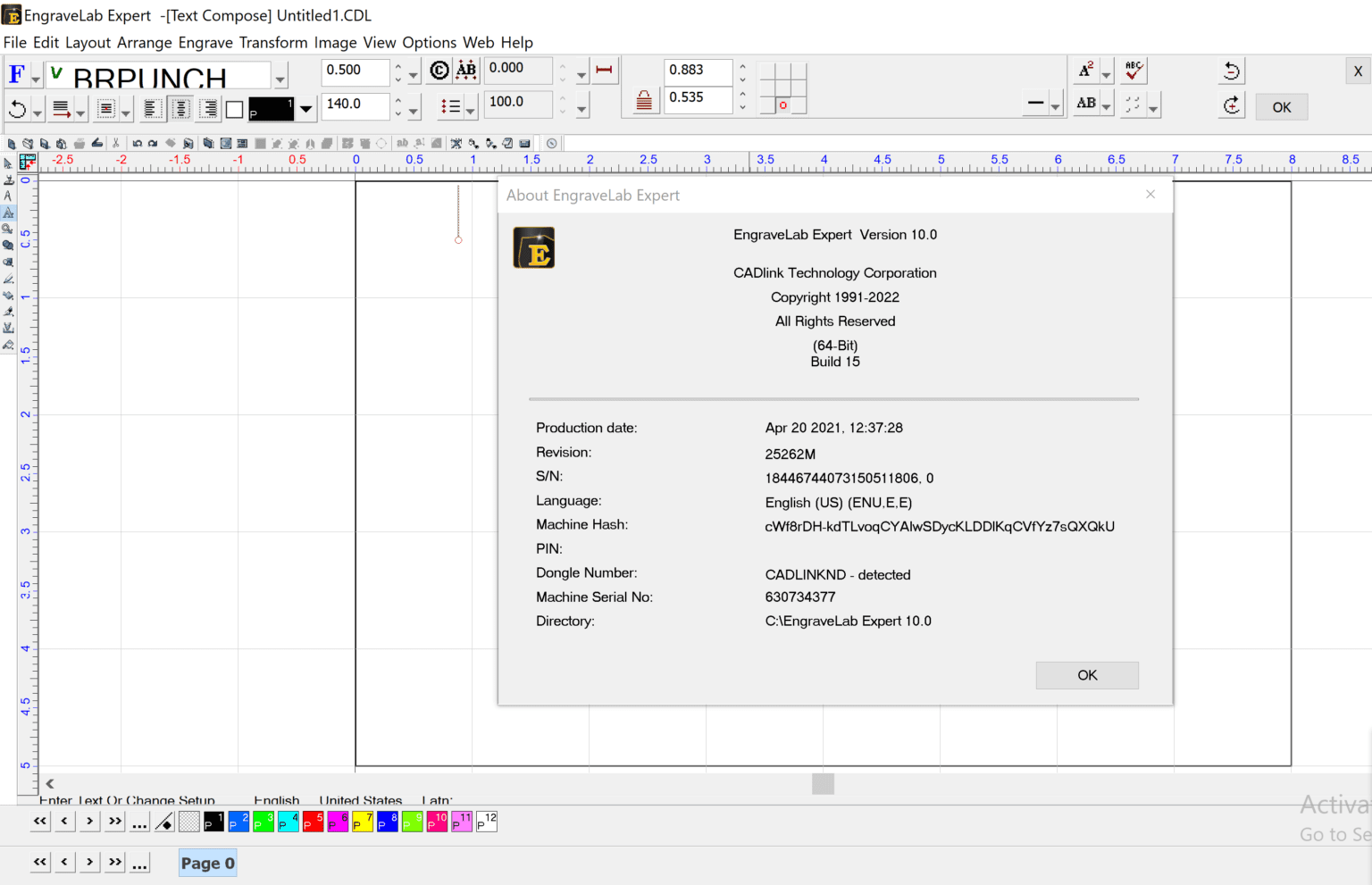
Description
EngraveLab Expert 10 – Professional Engraving & Signmaking Software for Precision Design Workflows
Summary (Industry)
EngraveLab Expert is a high-performance engraving and signmaking software designed for professionals who require precision, flexibility, and reliable production control in their daily design workflows. Built for industries such as CNC engraving, laser marking, rotary engraving, and vinyl cutting, it offers a complete environment for creating, editing, and producing detailed vector-based designs.
Unlike basic design tools, EngraveLab Expert focuses on production-ready output, meaning every feature is optimized for real manufacturing environments rather than just graphic creation. From signage workshops to industrial engraving units, it provides a bridge between creative design and machine-level execution with accuracy and efficiency.
Introduction
In modern fabrication and signage industries, precision software plays a critical role in ensuring production quality and consistency. EngraveLab Expert stands out as a dedicated engraving and signmaking solution tailored for professionals who work with CNC routers, laser engravers, and vinyl cutting machines.
This software is not just a design tool; it is a full production suite that integrates design creation, file preparation, toolpath control, and machine output in one ecosystem. Whether you are producing industrial labels, custom trophies, nameplates, or commercial signage, EngraveLab Expert helps streamline the entire workflow from concept to final output.
Its strength lies in combining vector design capabilities with machine-specific production tools, allowing users to maintain accuracy at every stage of the process.
Key Features
EngraveLab Expert is packed with production-focused tools that support both beginners in signmaking and experienced industrial operators.
1. Advanced Vector Design Tools
The software includes powerful vector editing capabilities for creating precise shapes, typography layouts, and complex designs. Users can import, modify, and optimize artwork for engraving or cutting operations.
2. Multi-Machine Compatibility
EngraveLab Expert supports a wide range of machines, including:
- Laser engravers
- CNC routers
- Rotary engraving systems
- Vinyl cutters
This flexibility makes it suitable for mixed-production environments.
3. TrueShape Nesting and Layout Optimization
The nesting feature helps reduce material waste by automatically arranging designs efficiently on the workspace. This is particularly useful in large-scale production settings where cost efficiency is critical.
4. Engraving Simulation and Preview
Before sending jobs to the machine, users can simulate toolpaths and preview engraving results. This reduces errors and ensures accurate production output.
5. Toolpath Control and Customization
Operators can define cutting depth, speed, and tool behavior for different materials such as acrylic, wood, metal, or plastic.
6. Barcode and Serial Number Generation
For industrial labeling and tracking, the software supports automated text generation, including serial numbers, barcodes, and variable data printing.
7. Raster-to-Vector Conversion
EngraveLab Expert can convert bitmap images into scalable vector formats, making it easier to use scanned logos or artwork in production.
8. Material Library Management
Users can store settings for different materials, ensuring consistent results across repeated production jobs.
Practical Use Cases
EngraveLab Expert is widely used across industries where precision marking and engraving are essential.
Signmaking Industry
Sign shops use it to create:
- Shopfront signage
- Directional boards
- Acrylic and metal signs
- LED signage layouts
The software ensures precise alignment and clean vector output for cutting machines.
Industrial Manufacturing
Manufacturers rely on EngraveLab Expert for:
- Machine labels
- Safety warnings
- Serial plates
- Equipment branding
Its ability to handle batch processing makes it ideal for repetitive production tasks.
Personalized Product Businesses
Small businesses use it for customized products such as:
- Engraved trophies and awards
- Personalized gifts
- Nameplates and tags
- Corporate branding items
CNC and Laser Workshops
CNC operators use the software for:
- 2D engraving patterns
- Toolpath optimization
- Material-specific cutting workflows
Laser engraving businesses benefit from precise control over marking depth and speed.
Performance Analysis
EngraveLab Expert is designed for stability and accuracy in demanding production environments. Its performance is particularly strong when handling vector-heavy files and multi-layer designs.
Speed and Responsiveness
The software performs efficiently even with complex layouts, ensuring minimal lag during design editing. This is important for workshops where time directly impacts production output.
Accuracy in Output
One of the strongest aspects is its precision in toolpath generation. The software ensures that what is designed on-screen matches the final engraved output with high fidelity.
Workflow Efficiency
By combining design, preview, and production tools in a single platform, EngraveLab Expert reduces the need for multiple software applications. This improves workflow efficiency and reduces operator errors.
System Stability
In long production cycles, stability is critical. The software is optimized to handle continuous job processing without frequent crashes or interruptions.
Pros and Cons
Pros
- Professional-grade engraving and signmaking features
- Supports multiple machine types and formats
- Strong vector editing and toolpath control
- Efficient nesting and material optimization
- Suitable for industrial and small business use
- Reliable performance in production environments
- Supports automation features like serial numbers and barcodes
Cons
- Learning curve for beginners unfamiliar with CAD or engraving workflows
- Requires compatible hardware for full functionality
- Interface may feel technical compared to basic design software
- Advanced features may require training for optimal use
Pricing & Plans
EngraveLab Expert is typically positioned as a professional-grade software solution, and pricing structures may vary depending on licensing type and distributor.
Common licensing models include:
- Single-user license for individual operators
- Multi-user or workshop licenses for production teams
- Enterprise licensing for large manufacturing setups
- Optional maintenance or upgrade plans for long-term updates
While it is not a casual consumer tool, its value is measured in production efficiency, material savings, and reduced design-to-output time.
Businesses often justify the investment through improved workflow speed and reduced production errors.
Real-World User Experience Perspective
In practical environments, users often highlight how EngraveLab Expert reduces dependency on multiple tools. Instead of switching between design software and machine control software, operators manage everything in one platform.
A typical workshop scenario involves importing a customer logo, adjusting vector paths, setting engraving depth based on material type, and sending the job directly to a CNC or laser machine. This streamlined process significantly reduces preparation time.
Users working in high-volume environments also appreciate batch processing capabilities, especially when producing hundreds of labels or tags with variable data.
Final Verdict
EngraveLab Expert is a professional engraving and signmaking solution built for users who prioritize precision, reliability, and production efficiency. It is not designed as a basic graphic design tool; instead, it serves as a complete production system for CNC, laser, and vinyl cutting workflows.
Its strength lies in bridging the gap between design and manufacturing, making it highly valuable for sign shops, industrial manufacturers, and custom product businesses.
While beginners may need time to adapt to its technical depth, the long-term benefits in productivity and accuracy make it a strong investment for serious production environments.
For businesses aiming to improve engraving precision, reduce material waste, and streamline workflow operations, EngraveLab Expert offers a dependable and professional-grade solution worth exploring.


Reviews
There are no reviews yet.