Description
Factory I/O Review 2026: The Ultimate 3D Factory Simulation Software for PLC Training and Industrial Automation
Factory I/O at a Glance
Factory I/O has become one of the most widely recognized industrial automation simulation platforms for engineers, automation students, PLC programmers, and training institutions. By combining realistic 3D factory environments with seamless integration into major PLC systems, the software offers an engaging and highly practical way to learn, test, and validate automation concepts without investing in expensive physical equipment.
Whether you’re an engineering student learning ladder logic, an industrial technician testing machine sequences, or a company training new operators, Factory IO delivers a safe and cost-effective environment for developing real-world automation skills.
Its intuitive drag-and-drop interface, extensive library of industrial components, and compatibility with leading control systems have helped Factory I/O establish itself as a preferred solution for modern Industry 4.0 education and industrial training.
Introduction to Factory I/O
Industrial automation continues to evolve rapidly, increasing demand for engineers and technicians who possess hands-on experience with programmable logic controllers (PLCs), sensors, conveyors, robotic systems, and production workflows.
Traditionally, gaining this experience required access to expensive industrial hardware and dedicated training facilities. However, Factory I/O changes that model by providing a virtual factory where users can build, operate, and troubleshoot industrial systems directly from their computer.
Developed specifically for automation education and engineering applications, Factory I/O allows users to create complete production lines in immersive 3D environments while interacting with actual PLC programs.
Instead of reading theory from textbooks, users can visualize moving conveyors, detect packages, activate cylinders, control robotic arms, and monitor industrial processes in real time.
The software bridges the gap between classroom learning and practical implementation, making automation concepts easier to understand and apply.
Key Features of Factory I/O
Factory I/O includes a wide range of capabilities designed for industrial automation professionals and learners alike.
1. Realistic 3D Factory Simulations
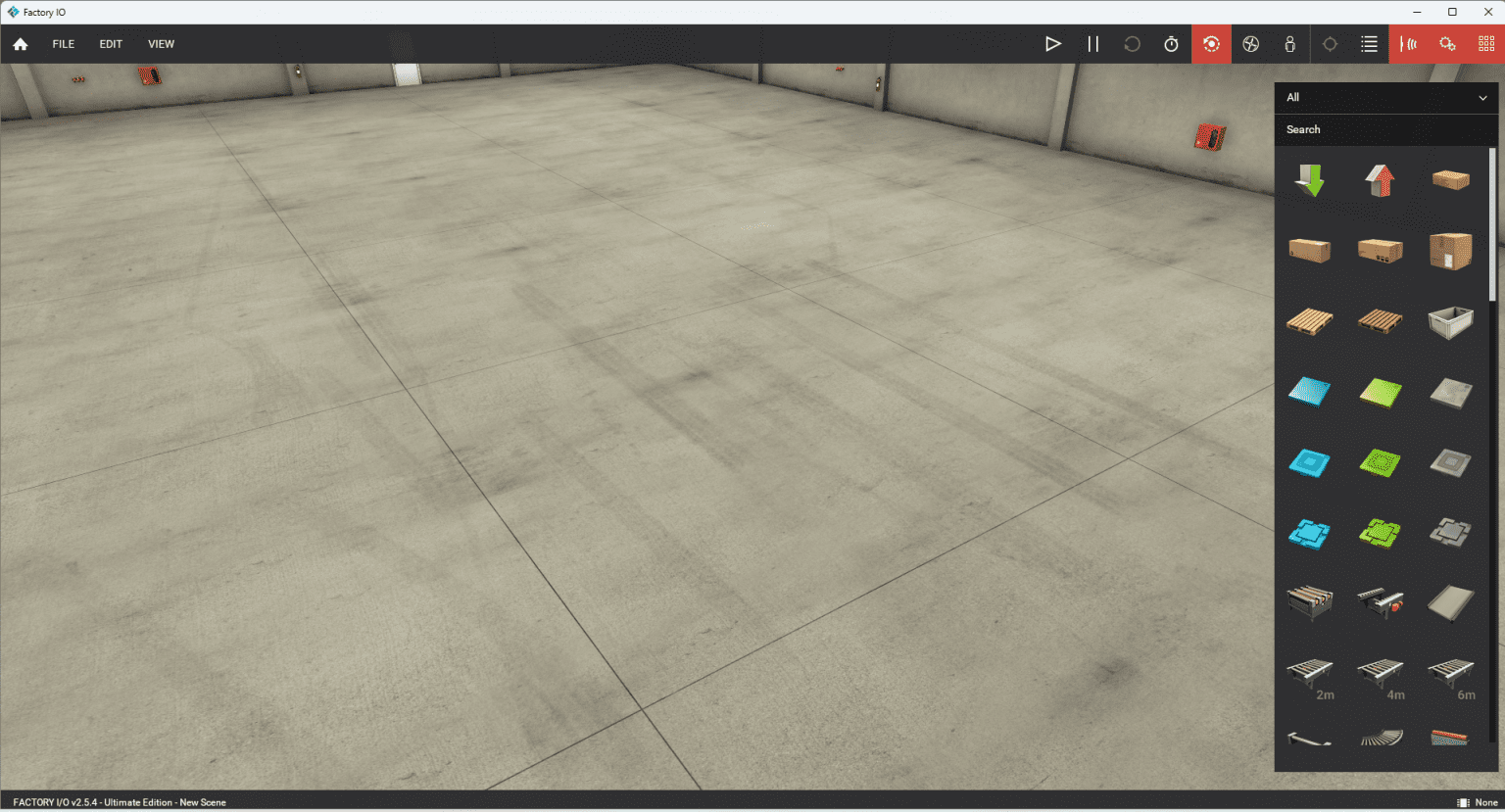
One of Factory I/O’s biggest strengths is its visually appealing simulation engine.
Users can build realistic manufacturing facilities containing:
- Conveyors
- Elevators
- Sorting stations
- Sensors
- Pneumatic cylinders
- Industrial robots
- Packaging systems
- Storage racks
- Processing stations
These environments closely resemble actual production facilities.
Watching products move through a virtual factory provides a much deeper understanding of automation logic than traditional diagrams.
2. PLC Connectivity
Factory I/O supports communication with many popular PLC platforms.
Supported technologies include:
- Siemens PLCs
- Allen-Bradley controllers
- Modbus TCP/IP
- OPC UA
- MQTT
- Beckhoff TwinCAT
- Codesys
- Ethernet/IP
- Productivity PLCs
This compatibility enables engineers to write programs inside their preferred PLC software and immediately observe how the virtual factory responds.
The ability to connect with real hardware significantly increases practical learning opportunities.
3. Drag-and-Drop Design Interface
Factory creation requires minimal setup.
Users simply drag industrial components into a scene and arrange them according to project requirements.
Benefits include:
- Faster project development
- Minimal learning curve
- Improved accessibility for beginners
- Rapid prototyping capabilities
Even first-time users can build functioning automation systems within hours.
4. Industrial Sensor Library
The software provides numerous industrial devices commonly used in manufacturing environments.
Examples include:
- Photoelectric sensors
- Push buttons
- Limit switches
- Encoders
- Proximity sensors
- Stack lights
- Motor drives
- Pneumatic actuators
Using these components helps learners become familiar with real industrial equipment.
5. Built-in Training Scenarios
Factory I/O comes with several preconfigured scenes that help users start immediately.
Popular exercises include:
- Pick-and-place operations
- Palletizing systems
- Traffic control simulations
- Batch processing
- Automated warehouses
- Conveyor sorting
These scenarios save time while providing structured learning experiences.
6. Industry 4.0 Support
Modern manufacturing increasingly relies on connected devices and smart factories.
Factory I/O incorporates technologies associated with Industry 4.0 initiatives, including:
- MQTT communication
- OPC UA integration
- Digital twin concepts
- Data exchange protocols
Students and engineers can explore emerging industrial networking standards without deploying costly infrastructure.
Practical Use Cases of Factory I/O
Factory I/O serves a diverse range of industries and educational settings.
Engineering Universities
Many universities use Factory I/O to enhance automation courses.
Instead of relying solely on lectures, instructors can assign practical exercises involving:
- Conveyor controls
- Sensor programming
- Sequential operations
- PLC troubleshooting
Students often report improved understanding after seeing their code operate within a dynamic 3D environment.
Technical Training Centers
Automation training centers frequently face budget limitations.
Purchasing multiple PLC stations can be expensive.
Factory I/O addresses this challenge by allowing trainees to practice using virtual equipment while sharing fewer physical controllers.
This approach significantly reduces hardware investment costs.
Manufacturing Companies
Manufacturers use Factory I/O for employee onboarding programs.
New technicians can safely learn machine operation procedures before interacting with production equipment.
Common training applications include:
- Startup procedures
- Alarm handling
- Safety interlocks
- Sequence validation
Mistakes made in simulation environments carry no financial consequences.
PLC Programmers
Experienced automation engineers use Factory I/O to test programs before field deployment.
Benefits include:
- Reduced commissioning time
- Faster debugging
- Improved program reliability
- Better visualization of machine behavior
Simulation testing often helps identify programming errors early in development cycles.
Research and Development Teams
Industrial R&D departments can experiment with process optimization strategies using Factory I/O.
Possible projects include:
- Warehouse automation studies
- Material handling improvements
- Robotic coordination
- Smart factory concepts
Virtual testing environments accelerate innovation while minimizing operational risks.
Real-World User Experience
A common challenge faced by automation students is understanding how ladder logic instructions influence physical equipment.
One engineering student shared that writing PLC code felt abstract until using Factory I/O.
After creating a virtual sorting station, the student could watch sensors detect packages, conveyors transport materials, and pneumatic actuators divert products into designated bins.
Seeing the entire process unfold visually transformed theoretical concepts into practical knowledge.
Similarly, an industrial automation consultant described Factory I/O as an effective client demonstration tool.
Instead of explaining machine sequences using static presentations, the consultant built interactive simulations that allowed customers to observe complete production workflows before implementation.
This visual approach improved communication and reduced misunderstandings during project discussions.
Performance Analysis
Factory I/O performs exceptionally well for most industrial simulation requirements.
Graphics Performance
The software offers smooth 3D rendering on modern systems.
Performance remains stable even when working with moderately complex scenes.
Users with dedicated graphics cards generally experience the best results.
Learning Curve
Factory I/O is relatively beginner-friendly.
Most users can become comfortable with basic functions after a few sessions.
The intuitive interface contributes to faster adoption.
Advanced users can explore sophisticated communication protocols and custom integrations over time.
Simulation Accuracy
Factory I/O effectively represents industrial processes.
Although it is not intended for highly detailed physics simulations, it provides realistic automation behavior sufficient for:
- PLC training
- Process validation
- Educational exercises
- Sequence testing
For automation-focused applications, its accuracy is more than adequate.
Integration Capabilities
One of Factory I/O’s strongest competitive advantages is broad connectivity support.
Integration with industry-standard PLC platforms ensures flexibility for various organizations and educational institutions.
This compatibility protects existing investments while expanding training possibilities.
Pros and Cons
Pros
- Highly realistic 3D industrial simulations
- Excellent PLC integration options
- Beginner-friendly interface
- Reduces hardware training costs
- Supports Industry 4.0 technologies
- Suitable for students and professionals
- Extensive component library
- Fast project setup
Cons
- Advanced scenes may require powerful computer hardware
- Full functionality may involve commercial licensing costs
- Limited applicability for non-automation engineering disciplines
- Complex networking configurations can take time to master
Pricing and Plans
Factory I/O is offered through commercial licensing options designed for individual users, educational institutions, and businesses.
Available licensing models may include:
- Educational licenses
- Individual professional licenses
- Corporate licenses
- Training center packages
Pricing structures can change over time depending on subscription models, maintenance agreements, and institutional requirements.
Organizations considering deployment should review current licensing details to determine the most suitable option for their automation training objectives.
Is Factory I/O Worth It?
Factory I/O provides substantial value for anyone involved in industrial automation education, PLC programming, or manufacturing training.
Its combination of realistic simulations, broad PLC compatibility, and intuitive scene-building tools creates a learning experience that closely mirrors real industrial environments.
Compared to investing in multiple physical training stations, Factory I/O offers a more flexible and cost-efficient alternative while maintaining strong educational effectiveness.
For professionals seeking a reliable PLC simulation software, universities modernizing automation labs, or companies building workforce training programs, Factory I/O represents a practical and future-ready investment.
Final Verdict
Factory I/O stands out as one of the best 3D factory simulation software solutions available today. It successfully transforms complex automation concepts into engaging, hands-on experiences that help users gain confidence and develop job-ready skills.
Its realistic environments, extensive industrial device library, and seamless integration with major PLC platforms make it an excellent choice for students, educators, system integrators, and manufacturing organizations alike.
If you’re looking to improve PLC programming skills, streamline automation training, or explore Industry 4.0 technologies in a safe virtual environment, Factory I/O is well worth exploring. Download a trial, build your first virtual production line, and experience firsthand how simulation can accelerate automation learning and project development.


Reviews
There are no reviews yet.