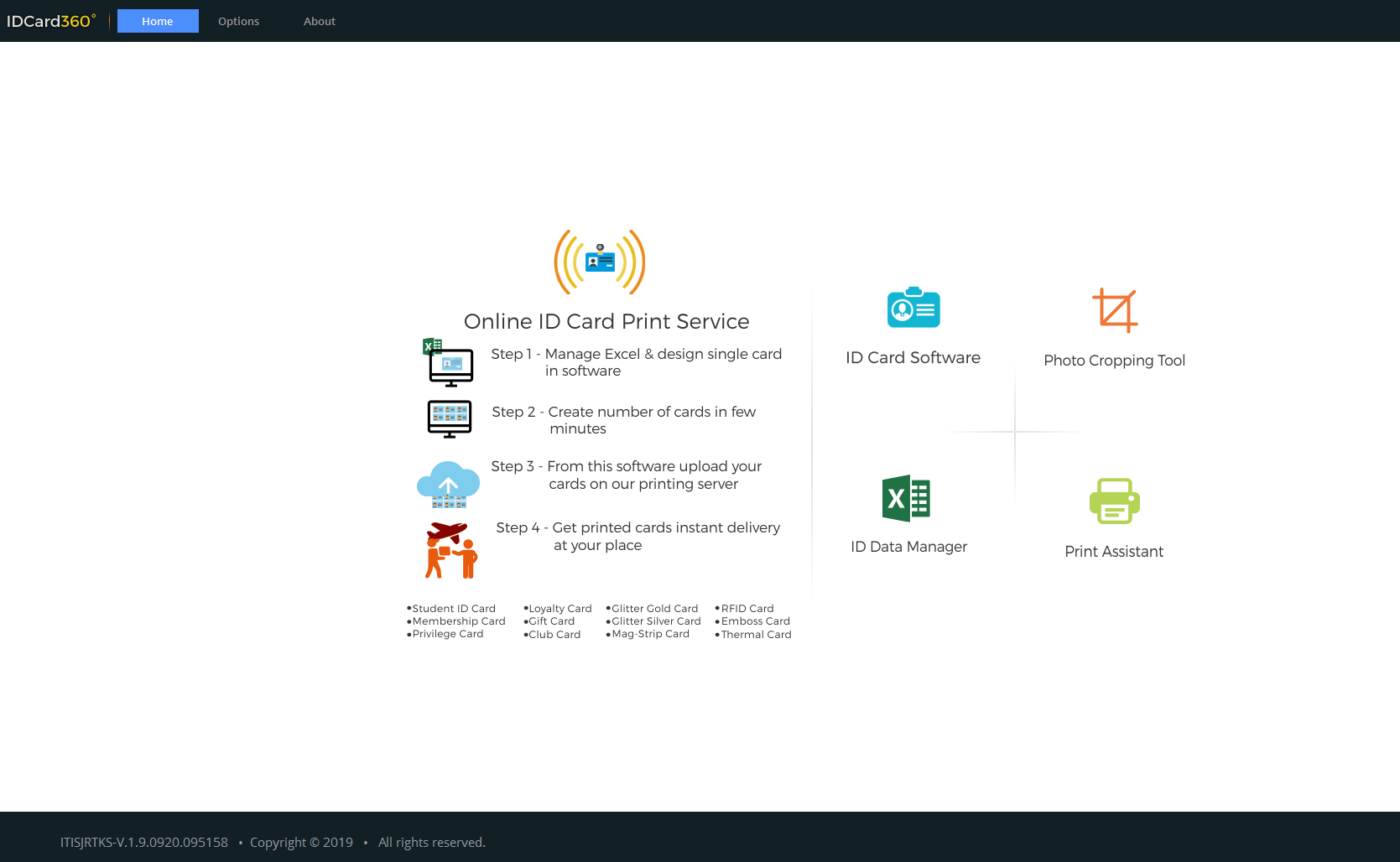
Description
IDCard360 Software Review: A Smart Solution for Professional ID Card Design and Printing
IDCard360 Software Review Summary
Creating professional IDCARD360 identification cards no longer requires expensive graphic design skills or complex desktop publishing software. IDCard360 is a specialized ID card design and printing solution that simplifies the entire process of creating employee badges, student IDs, membership cards, visitor passes, healthcare cards, and access credentials.
Designed for businesses, educational institutions, healthcare organizations, government departments, and event organizers, IDCard360 software combines an intuitive interface with powerful customization tools. Whether you’re printing a few cards or managing thousands of employee records, the software provides a reliable workflow that saves time while maintaining professional-quality results.
From customizable templates and barcode support to photo management and batch printing, IDCard360 offers the essential tools organizations need to produce secure and visually appealing identification cards. If you’re searching for an efficient ID card maker software that balances usability with advanced functionality, IDCard360 is certainly worth considering.
Introduction
Identification cards have become an essential part of modern organizations. They improve workplace security, simplify employee identification, enhance brand image, and streamline access control systems.
Traditional card creation methods often involve multiple software applications, manual editing, and repetitive printing tasks. This process not only consumes valuable time but also increases the possibility of errors.
IDCard360 software addresses these challenges by bringing card design, employee data management, photo handling, barcode generation, and printing into one unified platform.
Whether you’re managing a school with thousands of students or a small business with only a handful of employees, IDCard360 helps create professional-looking identification cards quickly and consistently.
Key Features of IDCard360
One of the strongest aspects of IDCard 360 software is its combination of simplicity and flexibility.
Professional Card Templates
The software includes a variety of professionally designed templates suitable for:
- Employee ID cards
- Student identification cards
- Membership cards
- Visitor badges
- Medical staff IDs
- Government employee cards
- Event accreditation passes
Users can customize every element to match their organization’s branding.
Drag-and-Drop Card Designer
The visual editor makes designing cards straightforward.
Users can easily add:
- Logos
- Employee photos
- Text fields
- Signatures
- QR codes
- Barcodes
- Background graphics
- Shapes and icons
No professional design experience is required.
Photo Capture and Management
Adding employee or student photos is simple.
The software typically supports:
- Importing existing images
- Webcam photo capture
- Automatic photo resizing
- Image cropping
- Brightness adjustments
This creates consistent-looking ID cards across the organization.
Barcode and QR Code Support
Modern organizations rely heavily on machine-readable identification.
IDCard360 supports:
- QR codes
- Code 39
- Code 128
- UPC
- EAN
- Other common barcode formats
These can integrate with attendance systems, access control, inventory management, or visitor tracking.
Database Integration
Rather than entering information repeatedly, organizations can import employee or student records directly from existing databases or spreadsheets.
Supported data sources often include:
- Excel files
- CSV files
- Internal databases
- Employee management systems
This significantly reduces manual work.
Batch Printing
One of the biggest productivity advantages is batch printing.
Instead of printing cards individually, organizations can generate hundreds or even thousands of cards simultaneously.
This feature is especially valuable during:
- New employee onboarding
- School admissions
- Conference registrations
- Membership renewals
Practical Use Cases
The flexibility of IDCard360 software makes it suitable for numerous industries.
Corporate Offices
Businesses use IDCard360 software to produce employee badges that improve workplace security and reinforce corporate branding.
Human resources departments can quickly issue cards for new hires while replacing lost cards within minutes.
Educational Institutions
Schools, colleges, and universities often manage thousands of students.
IDCard360 software simplifies:
- Student ID creation
- Faculty cards
- Library cards
- Examination IDs
- Campus access badges
Bulk printing capabilities save significant administrative time.
Healthcare Facilities
Hospitals and clinics require clear staff identification.
Medical organizations can produce:
- Doctor badges
- Nurse IDs
- Visitor passes
- Temporary staff credentials
- Volunteer identification cards
This improves patient confidence and workplace organization.
Government Organizations
Government offices frequently require standardized identification cards with enhanced security elements.
IDCard360 software supports consistent formatting while reducing administrative overhead.
Events and Conferences
Large events benefit greatly from quick badge generation.
Organizers can create:
- VIP passes
- Speaker badges
- Media credentials
- Staff IDs
- Visitor access cards
Last-minute registrations become much easier with instant card printing.
Performance Analysis
Performance is one area where IDCard360 software consistently delivers practical value.
The interface remains organized even when managing large databases.
Card templates load quickly, and editing tools respond smoothly without unnecessary complexity.
Batch printing performs efficiently for organizations producing hundreds of identification cards in one session.
Data import features minimize repetitive entry while reducing human error.
Photo handling is also efficient, automatically resizing images to fit card layouts without requiring external image editing software.
Another notable advantage is workflow consistency. Once a card template is finalized, organizations can reuse it repeatedly, ensuring every identification card follows the same professional branding standards.
For businesses that regularly issue new cards, this consistency can dramatically improve operational efficiency.
User Experience
One of the reasons many organizations appreciate IDCard360 software is its accessibility.
New users typically become comfortable with the interface after only a short learning period.
Navigation is logical, and commonly used functions are easily accessible.
Even staff members without graphic design experience can create polished identification cards using built-in templates.
For experienced administrators, advanced customization options provide additional flexibility without overwhelming beginners.
Overall, the balance between ease of use and professional functionality makes IDCard360 suitable for organizations of various sizes.
Pros & Cons
Pros
- Easy-to-use interface
- Professional card templates
- Fast batch printing
- Barcode and QR code support
- Database import capabilities
- Photo management tools
- Consistent branding across cards
- Suitable for businesses, schools, hospitals, and events
- Reduces manual data entry
- Saves time during large-scale card production
Cons
- Advanced security features may vary by edition
- Some organizations may require additional printer configuration
- Premium features may depend on licensing options
- Initial template setup may require planning for larger organizations
Pricing & Plans
Pricing for ID Card 360 software varies depending on the vendor, software edition, licensing model, and included features.
Common licensing options may include:
- Single-user license
- Business license
- Enterprise deployment
- Educational licensing
- Volume licensing for larger organizations
Some editions may also offer optional upgrades that include advanced database connectivity, enhanced security features, or expanded printing capabilities.
Organizations should evaluate their printing volume and workflow requirements before selecting the most suitable plan.
Why Businesses Choose IDCard360
Organizations increasingly prioritize efficiency, security, and professional branding.
IDCard 360 software addresses all three by simplifying identification card production while maintaining consistent quality.
Key reasons businesses choose the software include:
- Faster employee onboarding
- Improved workplace security
- Reduced administrative workload
- Professional-looking identification cards
- Reliable database integration
- Scalable card production
- Easy replacement of lost or damaged cards
These benefits make the software valuable for both small organizations and large enterprises.
Final Verdict
IDCard360 is a practical and dependable software solution for organizations that regularly create identification cards. Its combination of customizable templates, photo management, barcode support, database integration, and batch printing makes it suitable for businesses, educational institutions, healthcare providers, government agencies, and event organizers.
The software reduces manual work while helping maintain professional branding and consistent identification standards. Whether you need to issue a handful of employee badges or thousands of student IDs, ID Card360 provides the tools necessary to complete the task efficiently.
For organizations looking to streamline ID card creation, improve operational efficiency, and produce professional-quality identification cards, IDCard360 is a solution worth exploring. Evaluate the available edition that best matches your requirements and experience how a dedicated ID card management platform can simplify your entire identification workflow.




Reviews
There are no reviews yet.