Description
LightBurn Review: The Complete Laser Engraving and Cutting Software for Professionals and Hobbyists
LightBurn Review Summary
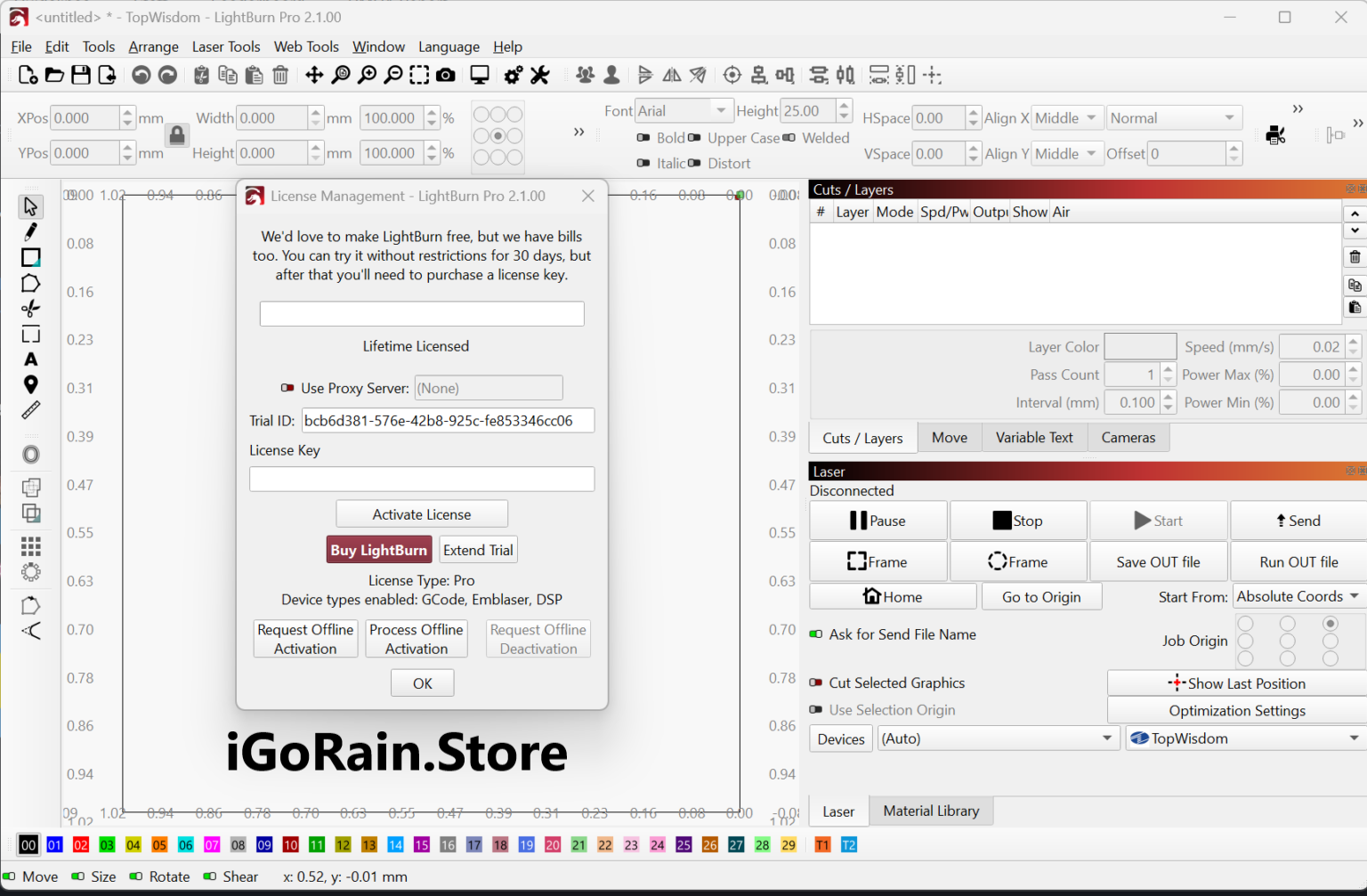
LightBurn has established itself as one of the most popular and powerful laser engraving and laser cutting software solutions available today. Whether you are a hobbyist creating personalized gifts, a small business owner producing custom products, or a professional manufacturer handling complex engraving projects, LightBurn offers an impressive combination of design, editing, and machine control tools in a single platform.
Unlike many laser software applications that require users to switch between multiple programs for designing and machine operation, LightBurn streamlines the entire workflow. From creating vector artwork and editing designs to controlling laser settings and managing production jobs, everything can be handled within one intuitive interface.
This comprehensive LightBurn review explores its features, real-world applications, performance, advantages, limitations, pricing options, and overall value to help determine whether it is the right laser engraving software for your needs.
Introduction to LightBurn
The laser engraving industry has experienced significant growth over the past decade. As laser machines become more affordable and accessible, users require software that is both powerful and easy to learn.
LightBurn was developed specifically for laser cutting and engraving workflows. It supports a wide range of laser controllers and machines, making it a versatile solution for users across different industries.
Whether you are engraving wood, acrylic, leather, glass, metal, or other materials, LightBurn provides the tools necessary to create professional-quality results efficiently.
One of the biggest reasons behind LightBurn’s popularity is its ability to serve both beginners and advanced users. New users appreciate the intuitive design, while experienced professionals value its advanced control options and production-oriented features.
Key Features of LightBurn
LightBurn offers a rich collection of tools designed specifically for laser engraving and cutting operations.
Comprehensive Design Tools
Users can create designs directly within the software without relying entirely on external graphic design applications.
Key design capabilities include:
- Vector drawing tools
- Shape creation tools
- Node editing
- Text creation and editing
- Image tracing
- Alignment tools
- Layer management
- Boolean operations
These features make it possible to develop complete projects from scratch inside LightBurn.
Advanced Laser Control
One of LightBurn’s strongest advantages is its machine control functionality.
Users can:
- Adjust power settings
- Configure speed parameters
- Set multiple passes
- Control engraving depth
- Preview laser paths
- Optimize cutting sequences
This level of control helps improve engraving quality while minimizing material waste.
Camera Integration
LightBurn supports camera systems that allow users to:
- Position designs accurately
- Align jobs visually
- Reduce setup errors
- Improve workflow efficiency
For businesses producing custom products, camera integration can significantly speed up daily operations.
Material Libraries
The software allows users to save material settings for future use.
Examples include:
- Wood engraving settings
- Acrylic cutting profiles
- Leather marking parameters
- Glass etching configurations
This feature eliminates repetitive setup tasks and ensures consistent results.
Image Processing Tools
Photo engraving is a popular application for laser machines.
LightBurn includes:
- Brightness adjustments
- Contrast control
- Dithering algorithms
- Grayscale optimization
- Image enhancement tools
These capabilities help convert ordinary photographs into high-quality laser engravings.
Multi-Layer Workflow
Projects can be organized using multiple layers, each with its own settings.
For example:
- Red layer for cutting
- Blue layer for engraving
- Green layer for scoring
This simplifies complex projects and improves production efficiency.
Practical Use Cases of LightBurn
LightBurn is used across a wide range of industries and creative applications.
Custom Gift Businesses
Many entrepreneurs use LightBurn to create personalized products such as:
- Engraved tumblers
- Wooden signs
- Keychains
- Photo plaques
- Customized jewelry
The software’s design flexibility allows businesses to quickly produce unique customer orders.
Sign Making
Sign makers frequently rely on LightBurn for:
- Business signage
- Directional signs
- Decorative wall art
- Event displays
The precision of the software helps achieve professional-grade results.
Educational Environments
Schools, colleges, and maker spaces use LightBurn to teach:
- Digital fabrication
- Product design
- Engineering concepts
- Manufacturing workflows
Its user-friendly interface makes it suitable for learning environments.
Manufacturing and Prototyping
Manufacturers utilize LightBurn for:
- Product prototypes
- Part marking
- Serial number engraving
- Component identification
The software’s reliability is particularly valuable in production settings.
Creative Art Projects
Artists often use LightBurn to create:
- Laser-cut artwork
- Decorative panels
- Home décor products
- Mixed-media designs
The software offers enough flexibility to support highly creative projects.
Real-World User Experience
Many users initially discover LightBurn after becoming frustrated with limited software bundled with their laser machines.
A common experience involves upgrading from basic laser software to LightBurn and immediately noticing improvements in workflow efficiency. Users often report that tasks that previously required multiple applications can now be completed inside a single environment.
Small business owners frequently mention reduced setup times, improved engraving quality, and better machine control. Hobbyists appreciate the extensive online learning resources and active community support available for troubleshooting and project inspiration.
For many laser users, LightBurn becomes the central hub of their entire production workflow.
Performance Analysis
Ease of Use
LightBurn strikes an excellent balance between accessibility and advanced functionality.
Beginners can start with basic engraving projects relatively quickly, while advanced users can leverage sophisticated tools for complex production jobs.
Rating: 9/10
Design Flexibility
The built-in design environment eliminates the need for constant switching between software applications.
Vector editing tools are powerful enough for many professional projects.
Rating: 9/10
Machine Compatibility
LightBurn supports numerous laser controllers and machines, making it one of the most versatile laser software solutions available.
Rating: 10/10
Workflow Efficiency
Features such as material libraries, layer management, and camera integration dramatically improve productivity.
Rating: 9.5/10
Stability and Reliability
The software is known for stable operation during both design and machine control tasks.
Regular updates continue to improve functionality and compatibility.
Rating: 9/10
Pros and Cons
Pros
- Intuitive and user-friendly interface
- Excellent laser machine compatibility
- Powerful built-in design tools
- Advanced engraving and cutting controls
- Camera integration support
- Material libraries for repeatable results
- Strong community support
- Frequent software updates
- Suitable for beginners and professionals
- Efficient workflow management
Cons
- Learning curve for advanced features
- Some camera setup processes may require adjustment
- Complex production workflows may take time to master
- Premium features may be unnecessary for casual users
Pricing and Plans
LightBurn is generally offered through a perpetual licensing model rather than a recurring monthly subscription.
License options typically vary depending on the laser controller type being used. Users can purchase a license that matches their machine requirements and gain access to ongoing updates during the included maintenance period.
Compared to many professional CAD and manufacturing software solutions, LightBurn delivers exceptional value for money due to its extensive capabilities and broad machine support.
Potential buyers should review the latest licensing options and compatibility requirements before purchasing.
Why LightBurn Stands Out from Competitors
Several factors differentiate LightBurn from alternative laser engraving software:
- All-in-one design and machine control platform
- Broad hardware compatibility
- Continuous feature development
- Strong user community
- Professional-grade workflow tools
- Affordable long-term ownership costs
Many competing solutions focus either on design or machine control. LightBurn successfully combines both areas into a single cohesive package.
This integrated approach helps users save time while maintaining high production quality.
Is LightBurn Worth It?
For most laser engraving and laser cutting users, the answer is yes.
Whether you operate a hobby workshop, run an Etsy business, manage a sign-making company, or oversee manufacturing operations, LightBurn provides tools that can significantly improve productivity and project quality.
The software’s flexibility allows it to scale with your experience level. Beginners can start with simple projects, while professionals can take advantage of advanced production features as their needs grow.
Its combination of performance, reliability, compatibility, and ease of use makes it one of the best laser engraving software solutions currently available.
Final Verdict
LightBurn has earned its reputation as a leading laser engraving and laser cutting software platform for good reason. It offers an exceptional balance of powerful design capabilities, advanced machine control, workflow efficiency, and user accessibility.
From personalized gifts and creative artwork to industrial marking and manufacturing applications, LightBurn provides the tools needed to produce professional results consistently.
If you are searching for reliable laser engraving software that can streamline your workflow, improve production accuracy, and support long-term growth, LightBurn is undoubtedly worth serious consideration.
Explore LightBurn’s capabilities, evaluate its compatibility with your laser equipment, and experience firsthand why it has become the preferred choice for countless laser professionals and enthusiasts worldwide.

Reviews
There are no reviews yet.