Description
Lighting Analysts, Inc. ElumTools Review – Advanced Lighting Analysis Directly Inside Revit
Quick Summary
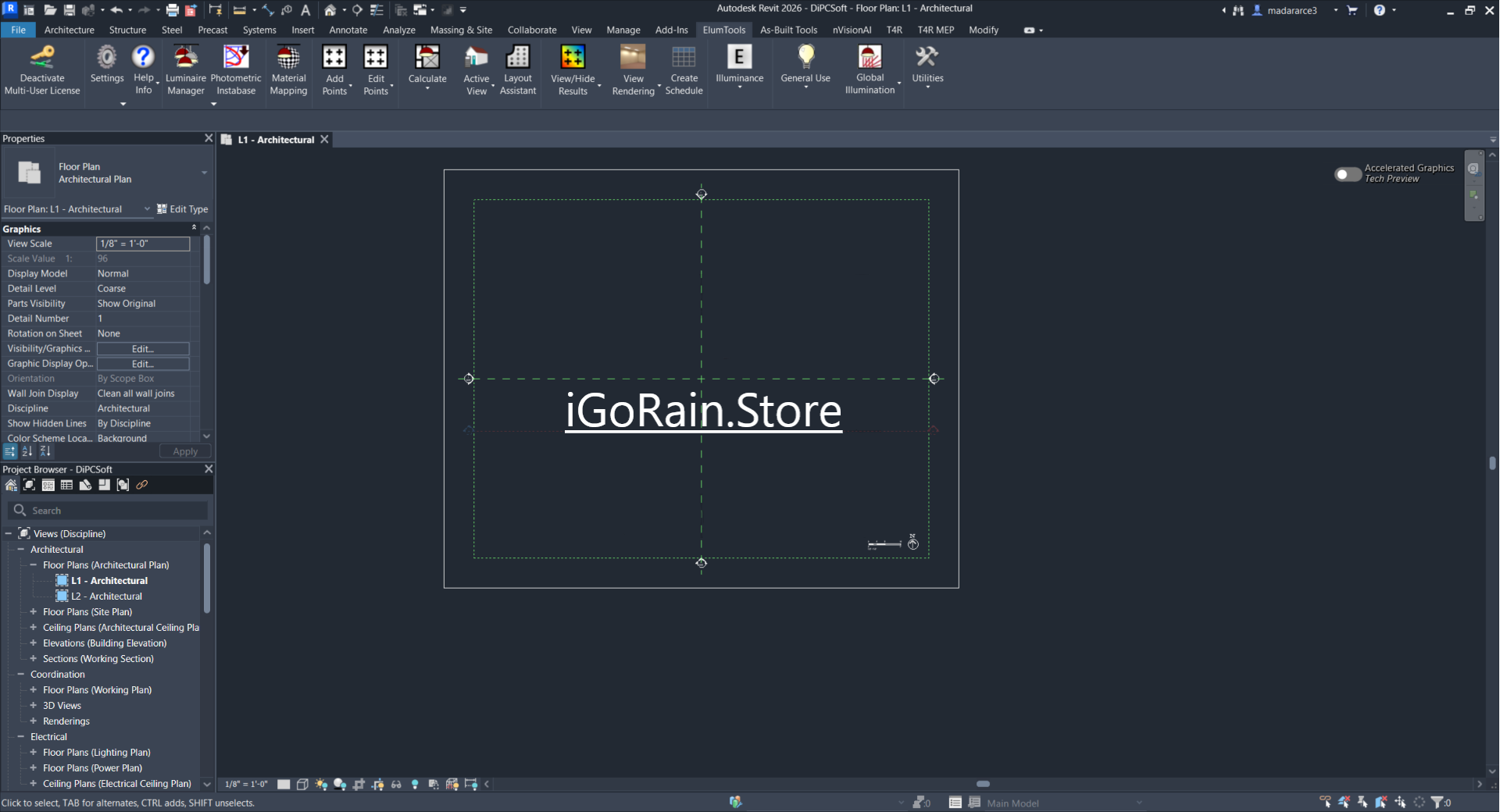
Lighting Analysts, Inc. ElumTools is a professional lighting calculation and analysis software designed specifically for Autodesk Revit users who need accurate illumination studies without leaving their BIM environment. By integrating directly into Revit, ElumTools enables architects, lighting designers, electrical engineers, and building consultants to perform advanced lighting simulations, daylighting evaluations, and photometric calculations within their existing workflow.
Unlike standalone lighting design applications that require constant model exports and imports, ElumTools streamlines the process by keeping all analysis data inside the Revit project. This integration reduces errors, improves collaboration, and helps project teams make informed lighting decisions earlier in the design process.
For professionals seeking a reliable BIM lighting analysis solution, ElumTools offers a combination of precision, efficiency, and practical usability that can significantly enhance project outcomes.
Introduction to Lighting Analysts, Inc. ElumTools
Modern building design demands more than visually appealing spaces. Architects and engineers must ensure that lighting systems meet performance requirements, energy standards, occupant comfort expectations, and regulatory guidelines.
This is where Lighting Analysts, Inc. ElumTools becomes particularly valuable.
Developed by Lighting Analysts, Inc., a company recognized for its expertise in lighting calculation technology, ElumTools brings professional-grade lighting analysis directly into Autodesk Revit. Instead of switching between multiple software platforms, users can model, calculate, and refine lighting designs within a single BIM workflow.
Whether designing an office tower, healthcare facility, educational institution, retail center, warehouse, or industrial complex, ElumTools provides detailed insights into lighting performance before construction begins.
The result is better-informed design decisions, fewer costly revisions, and improved project efficiency.
Key Features of Lighting Analysts, Inc. ElumTools
Native Revit Integration
One of the strongest advantages of ElumTools is its seamless integration with Autodesk Revit.
Users can:
- Perform lighting calculations directly in Revit
- Analyze illumination levels without exporting models
- Maintain BIM consistency throughout design development
- Update calculations as the model evolves
This eliminates workflow interruptions commonly associated with external lighting analysis tools.
Advanced Photometric Analysis
ElumTools supports detailed photometric calculations using manufacturer-provided lighting data.
Key capabilities include:
- Illuminance calculations
- Luminance evaluations
- Point-by-point analysis
- Lighting uniformity assessment
- Fixture performance validation
These calculations help designers verify whether lighting layouts meet project specifications and industry standards.
Daylighting Analysis
Natural light plays a major role in sustainable building design.
ElumTools helps teams evaluate:
- Daylight penetration
- Interior daylight performance
- Window placement effectiveness
- Daylight contribution to occupied spaces
- Energy-saving opportunities
This functionality is particularly beneficial for LEED-oriented and sustainability-focused projects.
Detailed Visualization Tools
Understanding numerical results becomes easier through visual representations.
ElumTools offers:
- Color-rendered analysis displays
- Illuminance contour maps
- False-color visualization
- Lighting distribution graphics
- Custom display settings
These tools allow stakeholders to quickly identify overlit and underlit areas.
Multiple Calculation Surfaces
Users can analyze illumination across various surfaces, including:
- Floors
- Walls
- Ceilings
- Work planes
- Custom analysis surfaces
This flexibility supports complex architectural and engineering requirements.
Extensive Luminaire Support
ElumTools works with industry-standard photometric files, allowing users to utilize data from leading lighting manufacturers.
Benefits include:
- Real-world fixture performance analysis
- Accurate lighting simulations
- Better fixture selection decisions
- Improved specification accuracy
Fast Iterative Design Testing
Lighting design often involves multiple revisions.
ElumTools enables designers to:
- Test alternative layouts
- Compare fixture options
- Evaluate design changes rapidly
- Optimize lighting performance efficiently
This iterative capability helps reduce design uncertainty.
Practical Use Cases
Commercial Office Buildings
A design team working on a corporate office may need to ensure proper illumination levels for employee productivity and comfort.
Using ElumTools, they can:
- Validate workstation lighting
- Reduce glare risks
- Optimize fixture placement
- Improve lighting uniformity
The result is a more comfortable and efficient workplace environment.
Educational Facilities
Schools and universities require balanced lighting to support learning environments.
ElumTools helps designers:
- Assess classroom lighting levels
- Improve visual comfort
- Meet educational lighting standards
- Enhance daylight utilization
This contributes to better learning conditions for students and faculty.
Healthcare Projects
Hospitals and healthcare facilities have strict lighting requirements.
ElumTools can be used to:
- Verify patient room lighting
- Evaluate clinical workspace illumination
- Support code compliance
- Improve occupant safety
Accurate analysis is especially important in critical care environments.
Retail Spaces
Retail success often depends on effective lighting design.
Designers can use ElumTools to:
- Highlight merchandise
- Improve customer experience
- Enhance store aesthetics
- Optimize energy usage
Better lighting can positively influence customer engagement and sales performance.
Industrial and Warehouse Facilities
Large industrial environments require careful planning to ensure operational safety.
ElumTools assists by:
- Evaluating warehouse lighting coverage
- Identifying dark zones
- Improving worker visibility
- Supporting safety compliance
These insights help create safer and more productive facilities.
Performance Analysis
Accuracy and Reliability
One of the most important considerations in lighting analysis software is calculation accuracy.
ElumTools leverages professional lighting calculation engines that provide dependable results suitable for real-world engineering applications.
Users consistently value its ability to generate detailed and trustworthy lighting performance data during the design phase.
Workflow Efficiency
Because ElumTools operates inside Revit, workflow efficiency improves significantly.
Compared to traditional workflows:
- Less model duplication is required
- Fewer export/import operations occur
- Design revisions are easier to manage
- Collaboration becomes smoother
Many BIM professionals report substantial time savings throughout project development.
Learning Curve
For experienced Revit users, ElumTools is generally approachable.
Users familiar with:
- Revit modeling
- BIM workflows
- Lighting design principles
can typically become productive relatively quickly.
However, advanced lighting analysis concepts may require additional learning for beginners.
Scalability
ElumTools performs effectively across various project sizes.
It is suitable for:
- Small commercial projects
- Educational buildings
- Healthcare facilities
- Large mixed-use developments
- Industrial complexes
This scalability makes it a practical investment for firms of different sizes.
Lighting Analysts, Inc. ElumTools Developer
Lighting Analysts, Inc. ElumTools 2026 Download
Benefits of Using Lighting Analysts, Inc. ElumTools
Organizations implementing ElumTools often experience several advantages.
Improved Design Quality
Accurate lighting analysis supports better design decisions throughout the project lifecycle.
Enhanced Collaboration
Since calculations occur within Revit, architects and engineers can work from a shared model.
Reduced Rework
Early detection of lighting issues helps prevent costly redesign efforts later.
Better Sustainability Outcomes
Daylighting analysis supports energy-efficient building strategies.
Increased Productivity
Integrated workflows eliminate many repetitive tasks associated with standalone analysis software.
Strong BIM Compatibility
ElumTools complements modern BIM-based project delivery methodologies.
Pros and Cons
Pros
- Direct integration with Autodesk Revit
- Professional-grade lighting calculations
- Supports daylighting analysis
- Reduces workflow disruptions
- Accurate photometric analysis
- Useful visualization tools
- Supports industry-standard lighting data
- Ideal for BIM-centered design teams
- Suitable for commercial and institutional projects
Cons
- Requires familiarity with Revit
- Advanced lighting concepts may require training
- Best value is achieved in BIM-driven environments
- Licensing costs may be significant for smaller organizations
Pricing & Plans
Lighting Analysts, Inc. typically offers ElumTools through commercial licensing models. Pricing may vary based on:
- License type
- Subscription structure
- Number of users
- Organizational requirements
- Autodesk Revit compatibility needs
Because pricing and licensing options can change over time, prospective buyers should verify current plans and available packages before purchasing.
Organizations evaluating lighting analysis software should consider both software costs and potential productivity gains when assessing return on investment.
Who Should Use ElumTools?
ElumTools is particularly well-suited for:
- Architects
- Lighting designers
- Electrical engineers
- BIM managers
- MEP consultants
- Building performance specialists
- Sustainable design professionals
- Engineering firms using Autodesk Revit
Firms that rely heavily on BIM workflows often gain the greatest benefit from the software’s integrated approach.
Final Verdict
Lighting Analysts, Inc. ElumTools stands out as one of the most practical and efficient lighting analysis solutions available for Autodesk Revit users. Its ability to perform accurate lighting calculations directly within the BIM environment eliminates many workflow inefficiencies that commonly affect traditional lighting design processes.
The software combines advanced photometric analysis, daylighting evaluation, detailed visualization tools, and seamless Revit integration into a single professional platform. Whether working on commercial offices, educational facilities, healthcare buildings, retail environments, or industrial projects, ElumTools provides the analytical depth needed to support confident design decisions.
For organizations seeking a reliable BIM lighting analysis software solution, ElumTools delivers a strong balance of accuracy, usability, and productivity.
If your design workflow depends on Autodesk Revit and you need professional lighting simulation capabilities, ElumTools is a solution worth exploring. Evaluating its features and integrating it into your BIM process can help improve lighting performance, streamline project delivery, and support higher-quality building designs from concept through completion.



Reviews
There are no reviews yet.