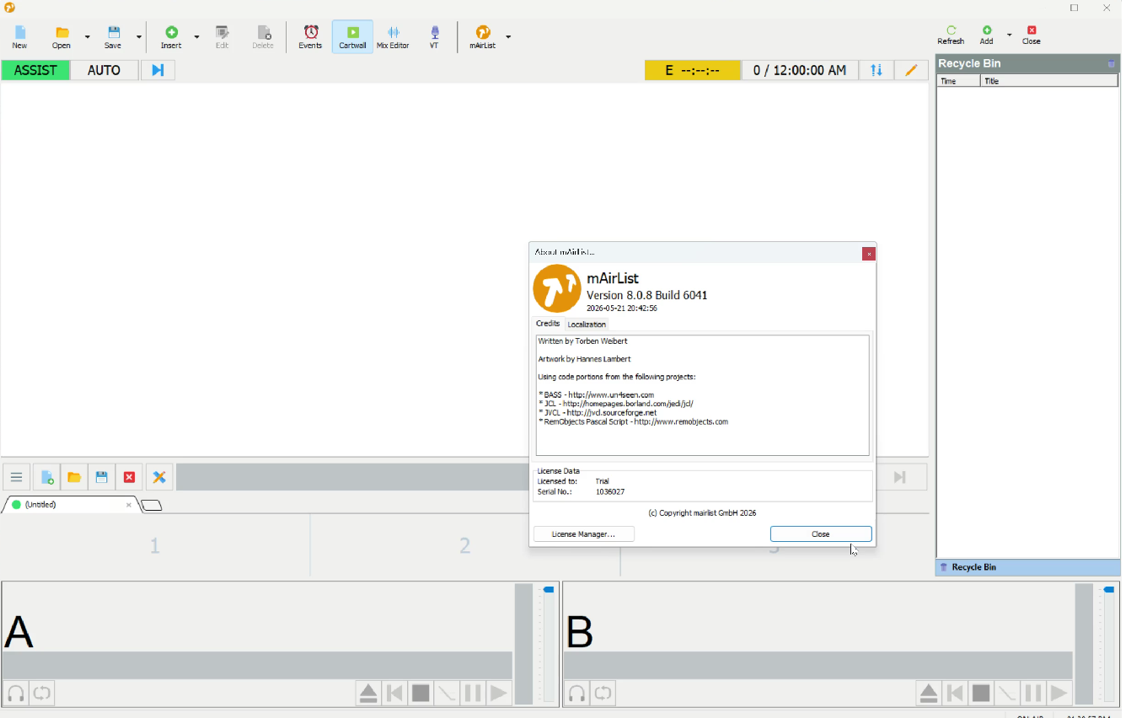
Description
mAirList Review 2026: The Professional Radio Automation Software for Broadcasters
mAirList Summary
If you’re searching for reliable radio automation software that combines stability, flexibility, and professional broadcasting tools, mAirList deserves serious attention. Designed for internet radio stations, FM broadcasters, community stations, and professional studios, mAirList offers an impressive collection of automation, live assist, scheduling, playlist management, and audio processing features.
Unlike many generic audio playback applications, mAirList focuses specifically on broadcasting workflows. Whether you’re operating a small online station or managing multiple commercial radio channels, the software provides dependable performance while remaining highly customizable.
In this comprehensive mAirList review, we’ll examine its features, real-world applications, performance, pricing, advantages, disadvantages, and whether it’s the right broadcasting solution for your station.
Introduction
Modern radio broadcasting has evolved far beyond manually playing music tracks. Today’s broadcasters require intelligent automation, seamless scheduling, reliable playout systems, advertising management, and uninterrupted 24/7 operation.
This is where mAirList excels.
Developed specifically for professional broadcasters, mAirList combines automation and live broadcasting into a single platform. The software helps radio stations create polished programming with minimal manual intervention while still allowing presenters to maintain complete control during live shows.
Whether you operate:
- Internet radio
- Community radio
- College radio
- Commercial FM stations
- Podcast streaming channels
- Internal corporate broadcasting
mAirList provides the professional tools needed to deliver consistent broadcasts around the clock.
Key Features of mAirList
Professional Radio Automation
The core strength of mAirList is its advanced automation engine.
Users can automate:
- Music playback
- Commercial breaks
- Station IDs
- News inserts
- Scheduled announcements
- Jingles
- Hour markers
- Live programming transitions
Automation ensures smooth broadcasting even when no operator is present.
Live Assist Mode
Many radio stations combine automation with live presenters.
mAirList includes Live Assist mode that allows hosts to:
- Trigger songs manually
- Play jingles instantly
- Queue requests
- Handle breaking news
- Manage interviews
- Adjust playlists on the fly
This flexibility makes broadcasts sound more natural while maintaining professional timing.
Playlist Management
Managing thousands of songs becomes easy with mAirList.
Features include:
- Smart playlist creation
- Drag-and-drop scheduling
- Category organization
- Rotation rules
- Artist separation
- Music clock support
- Automatic playlist generation
These tools help maintain balanced programming without repetitive content.
Multi-Player Interface
The software offers multiple independent audio players.
Broadcasters can simultaneously prepare:
- Songs
- Commercials
- Sound effects
- Voice tracks
- News clips
- Emergency announcements
This setup enables smooth transitions during live broadcasts.
Integrated Database
mAirList includes a powerful media database.
Users can organize:
- Audio files
- Metadata
- Categories
- Play history
- Artists
- Albums
- Commercial campaigns
Quick searching saves valuable production time.
Cartwall
The built-in Cartwall is especially useful for live presenters.
It provides instant access to:
- Station IDs
- Sound effects
- Jingles
- Intro music
- Sweepers
- Promo clips
Everything can be triggered with a single click.
Voice Tracking
Voice tracking helps stations sound live even when presenters are unavailable.
Broadcasters can:
- Record voice breaks
- Schedule announcements
- Create pre-recorded shows
- Produce overnight programming
Listeners enjoy a seamless experience without realizing the content was recorded earlier.
Remote Broadcasting Support
Many stations operate across multiple locations.
mAirList supports remote workflows that allow DJs and operators to contribute from different studios while maintaining centralized control.
Multiple Audio Format Support
The software supports numerous popular formats including:
- MP3
- WAV
- FLAC
- OGG
- AAC
This broad compatibility eliminates unnecessary file conversions.
Practical Use Cases
Internet Radio Stations
Independent broadcasters use mAirList to run fully automated online stations 24 hours a day.
Scheduling playlists weeks in advance reduces daily workload while ensuring uninterrupted streaming.
Commercial FM Broadcasters
Commercial stations benefit from:
- Scheduled advertising
- News automation
- Live assist
- Music rotation
- Reliable playout
These features improve operational efficiency while maintaining professional broadcast quality.
Community Radio
Volunteer-operated stations often have limited staffing.
mAirList helps automate overnight programming, allowing stations to remain on-air continuously without requiring operators around the clock.
Educational Institutions
Schools and universities frequently use radio broadcasting for student learning.
mAirList offers students hands-on experience with software used in professional broadcasting environments.
Podcast Networks
Content creators can organize scheduled podcast streams alongside music programming using automated playlists and voice tracking.
Emergency Broadcasting
During emergencies, operators can instantly interrupt programming to deliver urgent announcements, making mAirList valuable for public service broadcasting.
Performance Analysis
Performance is one of mAirList’s strongest selling points.
The software is designed specifically for long-running broadcast environments where stability is critical.
During continuous operation, users commonly report:
- Reliable 24/7 playback
- Minimal crashes
- Efficient resource usage
- Smooth playlist transitions
- Accurate scheduling
- Fast database performance
Even large music libraries remain responsive thanks to efficient database indexing.
Audio playback quality remains consistent with gapless transitions where appropriate, ensuring broadcasts sound polished and professional.
The interface may initially appear technical for beginners, but experienced broadcasters appreciate its extensive customization options.
Overall, mAirList delivers the level of reliability expected from professional radio automation software.
Benefits of Using mAirList
Using mAirList offers several practical advantages for broadcasters.
Saves Time
Automation significantly reduces repetitive manual tasks.
Improves Broadcast Consistency
Scheduled playlists maintain programming quality throughout the day.
Supports Business Growth
As stations expand, mAirList scales to support larger libraries, more users, and multiple broadcast channels.
Enhances Listener Experience
Professional transitions, balanced playlists, and reliable scheduling create a more enjoyable listening experience.
Flexible Configuration
The software adapts to different broadcasting styles rather than forcing users into rigid workflows.
Pros and Cons
Pros
- Professional-grade radio automation
- Reliable 24/7 broadcasting performance
- Excellent playlist management
- Powerful live assist features
- Voice tracking support
- Cartwall for instant playback
- Flexible customization options
- Supports multiple audio formats
- Suitable for internet and FM broadcasting
- Scalable for growing radio stations
Cons
- Learning curve for first-time broadcasters
- Advanced configuration may require technical knowledge
- Some premium capabilities depend on the selected license edition
- Interface prioritizes functionality over modern visual design
Pricing and Plans
mAirList offers multiple licensing options to accommodate different broadcasting needs.
Typical editions include:
- Home or personal broadcasting licenses
- Professional editions
- Commercial broadcasting licenses
- Enterprise-level solutions for larger operations
Pricing varies depending on the edition, number of players, automation requirements, and commercial usage.
Prospective buyers should evaluate their station size and workflow requirements before selecting a license to ensure they receive the features best suited to their operation.
Who Should Use mAirList?
mAirList is ideal for:
- Internet radio broadcasters
- Commercial FM stations
- Community radio organizations
- Campus radio stations
- Podcast broadcasters
- Audio production studios
- Religious broadcasters
- Corporate communication networks
Both small and large broadcasting operations can benefit from its flexible architecture.
Why mAirList Stands Out
What distinguishes mAirList from many competing radio automation platforms is its balance between professional capability and operational flexibility.
Instead of offering only basic playlist playback, it provides a complete broadcasting environment including:
- Automation
- Live assistance
- Scheduling
- Database management
- Voice tracking
- Cartwall
- Commercial handling
- Remote broadcasting support
This integrated approach reduces the need for multiple separate applications while improving workflow efficiency.
mAirlist Radio Automation Developer
Final Verdict
mAirList remains one of the most dependable radio automation software solutions available for professional broadcasters in 2026. Its combination of automation, live assist capabilities, advanced playlist management, voice tracking, and reliable long-term performance makes it an excellent investment for radio stations seeking a professional broadcasting platform.
Although new users may need some time to learn its extensive features, the software rewards that effort with exceptional flexibility and dependable operation. From small online radio stations to established commercial broadcasters, mAirList offers the tools needed to deliver high-quality broadcasts with confidence.
If your goal is to simplify station management, automate routine broadcasting tasks, and create a polished listening experience, mAirList is a solution well worth exploring. Evaluate the available licensing options, match them to your station’s requirements, and experience how a professional radio automation platform can improve your broadcasting workflow.




Reviews
There are no reviews yet.