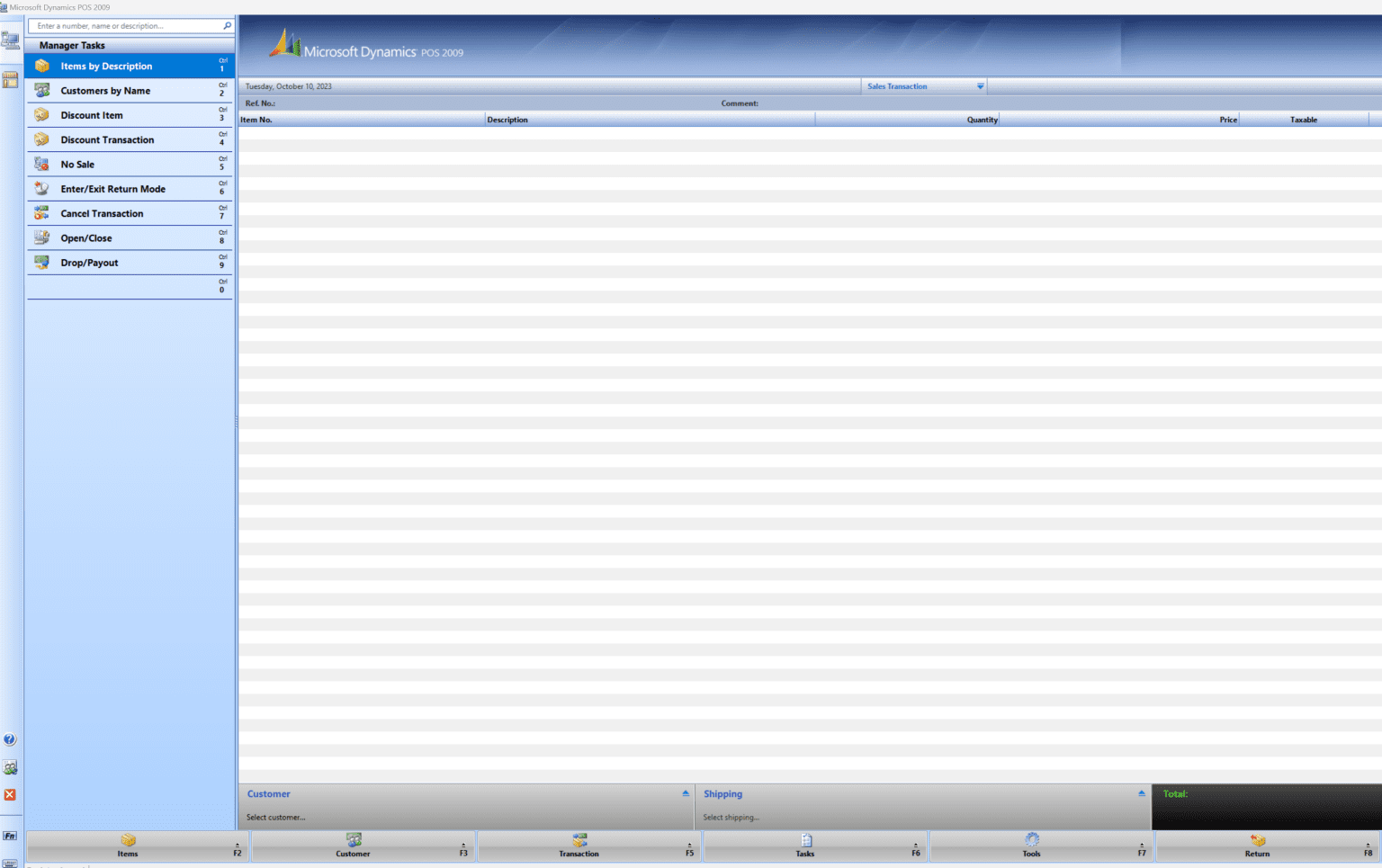
Description
Microsoft Dynamics POS Software Review: A Complete Retail Point-of-Sale Solution for Modern Businesses
Summary (Industry Overview)
Microsoft Dynamics POS, commonly delivered through Microsoft Dynamics 365 Commerce and Retail capabilities, is a powerful enterprise-grade point-of-sale solution designed for modern retail environments. It connects in-store operations with online commerce, inventory systems, customer data, and analytics within a unified ecosystem. Unlike traditional POS systems that only handle transactions, Microsoft Dynamics POS focuses on end-to-end retail intelligence—helping businesses streamline sales, improve customer experience, and optimize inventory across multiple channels.
From small retail chains scaling up to global enterprises managing thousands of transactions per day, this solution is widely recognized for its flexibility, cloud integration, and deep connection with Microsoft’s business applications ecosystem.
Introduction
In today’s competitive retail landscape, businesses need more than a cash register system. They need a connected platform that understands customer behavior, tracks inventory in real time, and integrates seamlessly with online and offline sales channels. This is where Microsoft Dynamics POS becomes a game-changer.
Built as part of Microsoft Dynamics 365 Commerce, the POS system empowers retailers with a unified commerce experience. Whether it is a physical store, an online shop, or a hybrid model, the system ensures consistency across all touchpoints.
What makes Microsoft Dynamics POS particularly valuable is its ability to unify operational data. Sales associates, store managers, and enterprise decision-makers all work from the same real-time information source, reducing errors and improving decision-making speed.
Key Features of Microsoft Dynamics POS
Microsoft Dynamics POS is not just a transaction processing tool. It is a full-featured retail management system designed for scalability and intelligence.
1. Unified Commerce Integration
- Connects physical stores with eCommerce platforms
- Synchronizes inventory in real time
- Provides a unified customer shopping experience across channels
2. Cloud-Based Architecture
- Hosted on Microsoft Azure
- Enables remote access and scalability
- Reduces dependency on on-premise infrastructure
3. Advanced Inventory Management
- Real-time stock tracking
- Automated stock alerts and replenishment suggestions
- Multi-store inventory visibility
4. Customer Relationship Management (CRM)
- Stores customer purchase history
- Enables personalized promotions and loyalty programs
- Helps build long-term customer engagement strategies
5. Intelligent Reporting and Analytics
- Built-in Power BI integration
- Sales performance dashboards
- Predictive insights for demand forecasting
6. Flexible Payment Processing
- Supports multiple payment methods
- Integration with digital wallets and card processors
- Secure and compliant transaction handling
7. Employee and Store Management
- Role-based access control
- Shift scheduling and performance tracking
- Sales associate productivity monitoring
8. Offline Mode Functionality
- Continues transactions during internet downtime
- Syncs data automatically when connection is restored
Practical Use Cases
Microsoft Dynamics POS is widely used across various retail industries. Its flexibility allows it to adapt to different business models.
1. Fashion and Apparel Retail
Clothing brands use Dynamics POS to manage seasonal inventory changes, track sizes and variants, and offer personalized promotions based on customer buying behavior.
2. Grocery and Supermarkets
Supermarkets rely on real-time inventory updates and fast checkout processing. The system helps manage high-volume transactions efficiently while maintaining stock accuracy.
3. Electronics Stores
Retailers selling electronics benefit from serial number tracking, warranty management, and bundled product sales.
4. Franchise Businesses
Franchise owners use centralized dashboards to monitor multiple store locations, ensuring consistent pricing and promotions across all outlets.
5. Omnichannel Retail Operations
Businesses operating both online and offline channels use Dynamics POS to synchronize customer data, allowing shoppers to buy online and pick up in-store seamlessly.
Performance Analysis
Microsoft Dynamics POS is designed for enterprise-level performance, and its architecture reflects that.
Speed and Responsiveness
The system is optimized for fast checkout experiences, even during peak sales hours. Transaction processing is smooth, minimizing customer wait times.
Scalability
Whether a business operates one store or hundreds globally, Dynamics POS scales without major infrastructure changes. Cloud deployment ensures that expansion does not disrupt operations.
Reliability
Built on Microsoft Azure, the system offers high availability and disaster recovery capabilities. This reduces downtime risk significantly compared to traditional POS systems.
Integration Strength
One of its strongest performance advantages is integration with other Microsoft tools:
- Dynamics 365 Finance and Supply Chain
- Microsoft Power Platform
- Azure AI and analytics tools
This ecosystem approach ensures that retail operations are not isolated but fully connected.
Pros and Cons
Pros
- Strong integration with Microsoft ecosystem
- Real-time data synchronization across channels
- Advanced analytics and reporting capabilities
- Highly scalable for enterprise growth
- Cloud-based accessibility and flexibility
- Supports omnichannel retail strategies
Cons
- Complex setup for small businesses
- Higher cost compared to basic POS systems
- Requires trained staff for full utilization
- Customization may require technical expertise
- Best value realized mainly in mid-to-large enterprises
Pricing and Plans
Microsoft Dynamics POS is typically not offered as a simple fixed-price software. Instead, it follows a modular, enterprise-based pricing model under Microsoft Dynamics 365 Commerce.
Pricing generally depends on:
- Number of users and devices
- Required modules (Commerce, Finance integration, etc.)
- Cloud storage and infrastructure usage
- Level of customization and support
Businesses often work with Microsoft partners to design a tailored implementation plan. This ensures that companies only pay for the features they actually need, making it flexible but less transparent compared to off-the-shelf POS tools.
Real-World User Experience
Retail businesses using Microsoft Dynamics POS often highlight the transformation in operational efficiency.
Store managers frequently report improved visibility into inventory, reducing both overstocking and stockouts. Sales teams benefit from faster checkout processes and access to customer purchase histories, which helps in offering more personalized recommendations.
On the enterprise level, executives gain a unified view of all retail operations. Instead of relying on separate systems for sales, inventory, and customer data, everything is centralized, making reporting and strategic planning significantly more accurate.
One common observation among users is that the learning curve can be steep initially. However, once teams adapt, the system becomes a central operational backbone that significantly improves retail performance.
Competitive Advantages in the Market
Compared to traditional POS systems, Microsoft Dynamics POS stands out due to its enterprise intelligence layer. While many POS systems focus only on billing and checkout, Dynamics integrates deeply into business operations.
Key differentiators include:
- Full integration with ERP systems
- AI-driven analytics capabilities
- Seamless omnichannel commerce support
- Strong security and compliance standards
This positions it not just as a POS tool but as a complete retail management platform.
Final Verdict
Microsoft Dynamics POS is a robust, enterprise-grade solution built for modern retail businesses that want to unify their operations across physical and digital channels. It is not a lightweight tool for simple billing needs; instead, it is a comprehensive ecosystem designed to manage sales, inventory, customers, and analytics in one place.
For businesses aiming to scale, improve customer experience, and gain real-time operational control, Microsoft Dynamics POS offers significant long-term value. However, it is best suited for organizations that are ready to invest in a structured digital transformation strategy.
Conclusion
If your retail business is moving toward omnichannel operations or struggling with disconnected sales and inventory systems, Microsoft Dynamics POS provides a strong foundation for growth. Its integration capabilities, intelligent insights, and enterprise scalability make it one of the most powerful POS solutions available in the market today.




Reviews
There are no reviews yet.