Description
MirrorOp eSolutions Software: A Reliable Wireless Screen Mirroring Solution for Classrooms, Businesses, and Presentations
MirrorOp eSolutions Summary
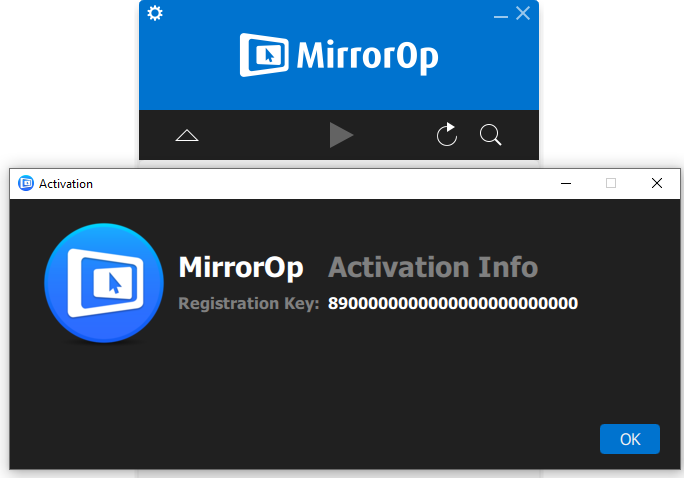
MirrorOp is a powerful wireless screen mirroring and presentation software designed to help users share their device screens without relying on cables or complicated hardware. Whether you’re a teacher delivering interactive lessons, a business professional presenting to clients, or an IT administrator managing multiple meeting rooms, MirrorOp offers a simple yet effective way to mirror screens across different devices and operating systems.
Unlike traditional screen sharing methods that require HDMI cables or expensive conferencing equipment, MirrorOp focuses on flexibility, allowing Windows, macOS, Android, and iOS devices to connect wirelessly to compatible receivers. With support for multiple users, cross-platform compatibility, and real-time screen sharing, MirrorOp has become a practical solution for educational institutions, corporate environments, and collaborative workspaces.
In this detailed MirrorOp review, we’ll explore its features, real-world applications, performance, advantages, limitations, and why it remains a trusted wireless presentation software for organizations looking to improve collaboration.
Introduction to MirrorOp
As workplaces and classrooms continue moving toward wireless technology, screen sharing has become an essential part of daily communication. Presenters no longer want to spend valuable time connecting cables, adjusting display settings, or troubleshooting compatibility issues.
MirrorOp addresses these challenges by providing an easy-to-use wireless screen mirroring platform that enables users to display content from their computers, smartphones, and tablets directly to supported displays.
The software is particularly valuable in environments where multiple people need to share content quickly without interrupting meetings or lessons.
Whether you’re displaying PowerPoint presentations, software demonstrations, educational videos, spreadsheets, design projects, or live applications, MirrorOp helps streamline the entire presentation process.
Key Features of MirrorOp
Wireless Screen Mirroring
MirrorOp eliminates the need for HDMI or VGA cables by allowing users to wirelessly project their screens over a local network.
This creates cleaner meeting rooms while reducing hardware setup time.
Cross-Platform Compatibility
One of MirrorOp’s biggest strengths is its support for multiple operating systems, including:
- Windows
- macOS
- Android
- iPhone and iPad (iOS)
This flexibility allows organizations with mixed-device environments to standardize their wireless presentation workflow.
Multi-User Presentation Support
MirrorOp enables multiple participants to connect to the same display system.
This feature proves especially useful during:
- Team meetings
- Classroom discussions
- Brainstorming sessions
- Technical demonstrations
- Project reviews
Users can switch presenters quickly without reconnecting hardware.
Easy Device Discovery
MirrorOp automatically detects compatible receivers connected to the same network.
Instead of manually configuring IP addresses, users can simply select the available display and begin presenting within seconds.
Low-Latency Screen Sharing
For presentations and collaborative work, responsive screen updates are essential.
MirrorOp minimizes lag, allowing smooth navigation through:
- Documents
- Web browsers
- Office applications
- Educational software
- Business dashboards
Secure Network Connectivity
Organizations often prioritize secure internal communications.
MirrorOp operates within local networks, reducing exposure to external internet-based sharing services while maintaining better control over device access.
Touchback Functionality
Some MirrorOp environments support touchback technology, allowing users to control the presenting computer directly from interactive displays.
This feature is particularly beneficial in:
- Interactive classrooms
- Training centers
- Digital whiteboards
- Conference rooms
Practical Use Cases
Education and Smart Classrooms
Educational institutions increasingly rely on wireless teaching tools.
Teachers can instantly mirror lecture slides, educational videos, diagrams, and interactive learning materials without interrupting class.
Students can also present assignments directly from their own devices, encouraging greater classroom participation.
Example:
A science teacher allows students to display experiment results directly from tablets onto the classroom projector without switching cables between devices.
Business Meetings
Modern businesses require efficient collaboration tools.
MirrorOp allows meeting participants to quickly share:
- Sales reports
- Financial dashboards
- Marketing presentations
- Product demonstrations
- Business analytics
This improves meeting flow while reducing technical interruptions.
Corporate Training
Training sessions often involve multiple instructors and presenters.
MirrorOp makes switching between presenters nearly effortless, keeping sessions organized and professional.
Universities
Professors can use MirrorOp across lecture halls where hundreds of students need clear, wireless content delivery.
Guest speakers can also connect quickly without requiring special adapters.
Healthcare
Hospitals and medical training facilities use wireless presentation software during educational sessions, internal meetings, and collaborative discussions where multiple professionals review reports or presentations together.
Technical Demonstrations
Software developers and IT professionals frequently demonstrate applications during workshops or client meetings.
MirrorOp enables smooth software walkthroughs without complicated display hardware.
User Experience
MirrorOp focuses on simplicity.
After installation, users generally experience a straightforward setup process.
The interface avoids unnecessary complexity, making it accessible even for users with limited technical knowledge.
Typical workflow includes:
- Launch the application
- Detect available receivers
- Select the desired display
- Start screen mirroring
This simplicity significantly reduces setup time before meetings or presentations.
Many organizations appreciate that employees require minimal training before using the software effectively.
Performance Analysis
Performance is one of the most important aspects of any wireless screen mirroring software.
MirrorOp generally delivers reliable performance when operating on stable local Wi-Fi networks.
Connection Stability
The software maintains dependable wireless connections during normal office and classroom presentations.
Network quality remains the biggest factor affecting performance.
Image Quality
MirrorOp preserves clear image quality suitable for:
- Office documents
- Presentation slides
- Spreadsheets
- Educational content
- Web browsing
Text remains readable while graphics maintain good clarity.
Presentation Responsiveness
Users typically experience responsive navigation when moving through slides or switching applications.
Mouse movement and screen updates remain smooth enough for most business and educational purposes.
Multi-Platform Performance
MirrorOp performs consistently across supported operating systems, allowing organizations to deploy a unified presentation solution regardless of employee device preferences.
Pros and Cons
Pros
- Simple wireless screen sharing
- Cross-platform device compatibility
- Easy installation and setup
- Clean and user-friendly interface
- Suitable for classrooms and meeting rooms
- Reduces cable clutter
- Supports collaborative presentations
- Reliable local network performance
- Professional presentation workflow
- Minimal learning curve
Cons
- Performance depends heavily on Wi-Fi quality
- Advanced collaboration features may vary depending on receiver hardware
- Primarily designed for local network environments
- High-motion video playback may not perform as smoothly as wired connections
Pricing and Plans
MirrorOp licensing varies depending on the deployment environment and compatible hardware solutions.
Organizations typically purchase licenses based on:
- Educational deployments
- Corporate installations
- Commercial presentation systems
- OEM hardware integrations
Because pricing may differ by implementation, organizations should review the licensing options that best match their infrastructure and usage requirements.
Why Businesses Choose MirrorOp
Businesses increasingly seek wireless collaboration tools that reduce complexity without sacrificing reliability.
MirrorOp provides several practical advantages:
- Faster meeting setup
- Improved collaboration
- Cleaner conference rooms
- Reduced cable management
- Better support for hybrid device environments
- Easier technology adoption across teams
These operational improvements help organizations save time while creating more engaging presentations.
SEO Highlights
MirrorOp is frequently searched alongside related terms such as:
- MirrorOp wireless screen mirroring software
- MirrorOp presentation software
- Wireless display software
- Screen sharing software for business
- Classroom presentation software
- Wireless projector software
- Cross-platform screen mirroring
- Enterprise wireless presentation solution
- Interactive classroom software
- Wireless collaboration platform
These related keywords reinforce MirrorOp’s position as a dependable solution for modern wireless presentations.
Final Verdict
MirrorOp continues to be a dependable wireless screen mirroring solution for organizations that value simplicity, flexibility, and efficient collaboration. Its ability to support multiple operating systems, minimize cable dependency, and enable quick presenter switching makes it a practical choice for classrooms, conference rooms, training centers, and collaborative workspaces.
While overall performance depends on the quality of the local network, MirrorOp delivers a smooth and user-friendly experience for everyday presentations, meetings, and educational activities. Its straightforward interface, reliable connectivity, and broad device compatibility make it an excellent option for businesses and institutions looking to modernize their presentation environments without adding unnecessary complexity.
If you’re searching for a reliable wireless presentation software that enhances collaboration, simplifies screen sharing, and supports a wide range of devices, MirrorOp is well worth exploring. Evaluate its features against your organization’s needs to determine how it can improve productivity, streamline presentations, and create a more connected meeting or learning experience.


Reviews
There are no reviews yet.