Description
ModPlus 436.580.717.2: The Complete CAD Productivity Toolkit for AutoCAD, BricsCAD, and nanoCAD
ModPlus Pro Summary
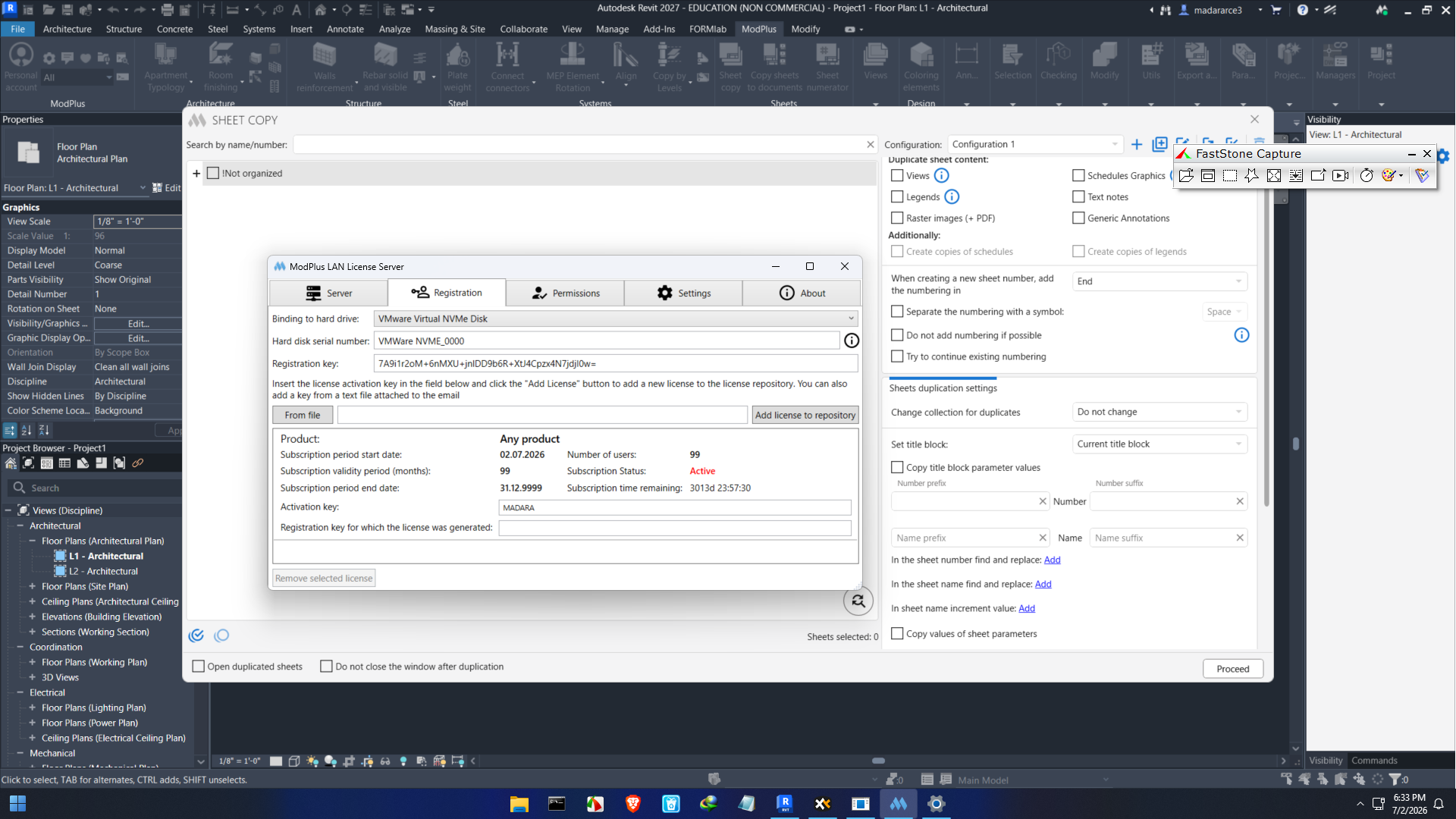
ModPlus is a professional CAD enhancement toolkit designed to improve productivity for engineers, architects, designers, and drafting professionals. Instead of replacing your existing CAD software, ModPlus expands its capabilities with dozens of practical tools that automate repetitive tasks, simplify drawing management, and speed up daily workflows.
Whether you’re creating construction drawings, preparing technical documentation, or managing complex engineering projects, ModPlus helps reduce manual effort while improving drawing accuracy and consistency. Its lightweight design, seamless integration, and time-saving utilities have made it a valuable addition for many CAD professionals.
If you’re searching for a reliable AutoCAD productivity plugin that enhances drafting efficiency without requiring a steep learning curve, ModPlus is worth considering.
Introduction
Every CAD professional understands that creating accurate technical drawings requires both precision and efficiency. While software like AutoCAD provides powerful drafting capabilities, many everyday tasks still involve repetitive manual work that consumes valuable time.
This is where ModPlus comes into play.
ModPlus is a collection of productivity tools developed specifically for CAD environments. Rather than introducing an entirely new workflow, it enhances the software you already use by adding practical commands that automate routine drafting operations.
From annotation management and dimension editing to drawing cleanup and object manipulation, ModPlus offers numerous utilities that simplify complex projects and eliminate unnecessary clicks.
Whether you’re an independent designer or part of a large engineering firm, ModPlus can significantly improve your drafting workflow.
Key Features of ModPlus
One of ModPlus’ greatest strengths is the wide variety of specialized CAD tools included within a single package.
Extensive Productivity Toolkit
ModPlus combines dozens of drafting utilities into one integrated solution.
Common features include:
- Drawing management
- Dimension editing
- Annotation tools
- Layer management
- Object alignment
- Block utilities
- Text editing
- Geometry creation
- Coordinate tools
- Batch processing
Instead of installing multiple plugins, users access everything from one organized interface.
Seamless CAD Integration
Unlike standalone drafting software, ModPlus works directly inside supported CAD applications.
Users can continue working within familiar environments while gaining additional commands that improve productivity.
This minimizes training time and allows teams to adopt ModPlus quickly.
Smart Annotation Tools
Technical documentation often requires consistent annotations.
ModPlus provides tools for:
- Automatic labeling
- Callout creation
- Text formatting
- Leader management
- Symbol insertion
- Annotation positioning
These features help maintain drawing consistency across large projects.
Advanced Object Editing
Editing multiple CAD objects manually can become time-consuming.
ModPlus offers tools for:
- Moving objects
- Rotating elements
- Aligning geometry
- Copying properties
- Scaling objects
- Batch editing
These commands reduce repetitive work significantly.
Layer Management
Organized layers are essential in professional CAD projects.
ModPlus simplifies layer handling through tools that help users:
- Create layers
- Rename layers
- Freeze or lock layers
- Change properties
- Clean unused layers
This keeps drawings organized and easier to manage.
Drawing Cleanup Utilities
Large projects often accumulate unnecessary objects.
ModPlus includes cleanup features that help remove:
- Duplicate entities
- Unused blocks
- Extra text
- Invalid objects
- Redundant geometry
Cleaner drawings also contribute to improved CAD performance.
Batch Processing Features
For companies handling multiple drawings daily, automation saves considerable time.
Batch utilities can process multiple files with minimal manual input, making repetitive operations much faster.
Practical Use Cases
ModPlus supports professionals across numerous industries.
Civil Engineering
Civil engineers use ModPlus to prepare infrastructure drawings, road layouts, drainage plans, and site documentation more efficiently.
Batch editing tools simplify revisions across multiple project files.
Architecture
Architects frequently manage complex floor plans containing extensive annotations.
ModPlus speeds up:
- Room labeling
- Dimension placement
- Sheet organization
- Object alignment
- Detail drawing preparation
Mechanical Design
Mechanical designers benefit from precision editing tools that reduce repetitive geometry modifications.
Tasks such as copying dimensions, editing annotations, and adjusting layouts become much faster.
Structural Engineering
Structural engineers often work with reinforcement drawings, steel detailing, and construction documentation.
ModPlus helps maintain consistency while reducing drafting time.
Surveying
Survey professionals can manage coordinate data, labels, symbols, and mapping elements with greater efficiency.
This reduces errors during documentation preparation.
Manufacturing Documentation
Manufacturing companies producing technical drawings for fabrication appreciate ModPlus’ ability to automate repetitive drafting operations.
This results in faster production documentation and improved consistency.
Real-World User Experience
Many CAD professionals initially install ModPlus to solve one specific drafting problem.
However, after becoming familiar with the available utilities, users often begin incorporating multiple tools into their daily workflow.
Instead of manually repeating hundreds of clicks during a project, many operations become single-command tasks.
New users typically find the interface straightforward since ModPlus follows standard CAD design principles.
Experienced AutoCAD users generally adapt quickly without requiring extensive training.
Companies managing multiple drafting projects often report improved consistency because standardized tools reduce variations between individual designers.
Performance Analysis
Performance is one of ModPlus’ strongest advantages.
Unlike resource-heavy applications, ModPlus operates as a lightweight extension that integrates smoothly with supported CAD software.
Speed
Commands execute quickly with minimal delay.
Routine drafting operations become noticeably faster.
Stability
ModPlus is widely recognized for stable performance during everyday drafting tasks.
When used with supported CAD versions, it integrates reliably into professional workflows.
Learning Curve
Most commands are intuitive.
Users familiar with AutoCAD or similar CAD platforms usually become productive after only a short period of use.
Productivity Improvements
Organizations using ModPlus often experience measurable improvements in drafting efficiency due to automation and reduced repetitive work.
Advantages of Using ModPlus
Several factors contribute to ModPlus’ popularity among CAD professionals.
Saves Significant Time
Automating repetitive drafting tasks allows users to complete projects faster.
Improves Drawing Accuracy
Standardized tools reduce manual editing mistakes.
Easy to Learn
Its interface closely follows familiar CAD workflows.
Excellent CAD Integration
No need to switch between multiple applications.
Large Collection of Tools
Users receive numerous productivity features within a single extension.
Suitable for Multiple Industries
Useful for:
- Architecture
- Engineering
- Construction
- Manufacturing
- Surveying
- Industrial design
Pros and Cons
Pros
- Comprehensive collection of CAD productivity tools
- Smooth integration with supported CAD platforms
- Easy installation and user-friendly interface
- Excellent drafting automation
- Saves substantial time on repetitive tasks
- Improves drawing organization
- Suitable for beginners and experienced professionals
- Regular feature improvements and updates
Cons
- Requires compatible CAD software
- Some advanced tools may take time to master
- Full feature set may be more than occasional users require
- Commercial licensing may not suit every hobbyist
Pricing and Plans
ModPlus is generally offered under commercial licensing suitable for both individual professionals and business organizations.
Available licensing options may vary depending on:
- Individual users
- Business licenses
- Professional teams
- Enterprise deployments
Since pricing structures can change over time, checking with the official software vendor or your software supplier is recommended for the latest licensing information.
Why Professionals Choose ModPlus
CAD professionals value tools that produce immediate productivity improvements without disrupting established workflows.
ModPlus succeeds because it focuses on solving real drafting problems rather than adding unnecessary complexity.
Instead of replacing existing software, it strengthens the capabilities already available within AutoCAD and compatible CAD platforms.
For organizations handling large drawing sets, the accumulated time savings from automated editing, annotation, and drawing management can become substantial over the course of a project.
Its practical approach makes it especially attractive for professionals who prioritize speed, consistency, and accuracy.
Who Should Use ModPlus?
ModPlus is an excellent solution for:
- Architects
- Civil engineers
- Structural engineers
- Mechanical designers
- CAD technicians
- Surveyors
- Construction professionals
- Manufacturing engineers
- Technical drafting teams
- Engineering consultants
Whether working independently or within a large organization, users who spend significant time Mod Plus 4 inside CAD software can benefit from its productivity enhancements.
ModPlus 436.580.717.2 Software
Final Verdict
ModPlus stands out as one of the most practical productivity toolkits available for CAD professionals seeking to streamline their drafting process. By integrating directly with supported CAD platforms, it enhances existing workflows without introducing unnecessary complexity. Its broad collection of automation tools, annotation utilities, layer management features, and object editing capabilities helps users complete projects faster while maintaining high standards of accuracy and consistency.
From architecture and civil engineering to manufacturing and surveying, ModPlus delivers real value across a wide range of technical disciplines. Whether you’re looking to reduce repetitive tasks, improve drawing organization, or boost overall efficiency, this toolkit provides a reliable and professional solution.
If your daily work involves AutoCAD or other compatible CAD software, exploring ModPlus could be a worthwhile investment that enhances productivity and simplifies even the most demanding drafting projects. By incorporating its automation features into your workflow, you can spend less time on repetitive editing and more time focusing on design quality, project accuracy, and successful project delivery.


Reviews
There are no reviews yet.