Description
OBD Auto Doctor Software Review: A Complete Diagnostic Solution for Modern Vehicle Owners
In today’s automotive world, vehicles are no longer purely mechanical systems—they are advanced computer-controlled machines. This shift has made diagnostics more complex, requiring software that can accurately interpret onboard data. One such widely used solution is OBD Auto Doctor, a professional-grade vehicle diagnostic software designed for both everyday car owners and automotive technicians.
OBD Auto Doctor allows users to connect their vehicle’s On-Board Diagnostics (OBD-II) system to a computer or mobile device and access real-time data, fault codes, and performance insights. Whether you are troubleshooting a check engine light or monitoring fuel efficiency, this tool provides an accessible yet powerful interface for understanding vehicle health.
This article explores OBD Auto Doctor in depth, covering its features, real-world applications, performance strengths, limitations, and overall value for users seeking reliable automotive diagnostic software.
Strong Summary (Industry Overview Style)
OBD Auto Doctor stands out as a versatile OBD-II diagnostic software that bridges the gap between professional automotive tools and consumer-friendly applications. It transforms complex engine data into understandable insights, helping users detect issues early, reduce repair costs, and improve vehicle performance. With support for multiple operating systems and a wide range of vehicles, it is a practical solution for mechanics, fleet managers, and car enthusiasts who want detailed control over vehicle diagnostics without relying entirely on workshop tools.
Introduction to OBD Auto Doctor
OBD Auto Doctor is built around the OBD-II standard, which is present in most vehicles manufactured after 1996. This software connects through a compatible OBD adapter and retrieves diagnostic trouble codes (DTCs), sensor data, and emissions-related information.
What makes it particularly useful is its balance between simplicity and technical depth. Beginners can easily read and clear engine codes, while advanced users can analyze live sensor data, freeze-frame information, and monitor emissions readiness.
In practical terms, it acts as a digital window into your vehicle’s internal systems.
Key Features of OBD Auto Doctor
OBD Auto Doctor offers a wide range of diagnostic capabilities designed to cover both basic and advanced automotive needs.
1. Real-Time Vehicle Data Monitoring
- Live engine RPM, speed, fuel trims, and coolant temperature
- Oxygen sensor readings and air intake data
- Continuous performance tracking
2. Diagnostic Trouble Code (DTC) Reading and Clearing
- Reads manufacturer-specific and generic fault codes
- Clears check engine light after issue resolution
- Provides clear explanations for error codes
3. Freeze Frame Data Analysis
- Captures vehicle conditions at the time of fault occurrence
- Helps identify root causes of intermittent issues
4. Emissions Readiness Check
- Displays whether a vehicle is ready for emissions testing
- Identifies incomplete system monitors
5. Fuel Efficiency Tracking
- Monitors consumption patterns over time
- Helps optimize driving behavior for better mileage
6. Multi-Platform Support
- Works on Windows, macOS, Android, and iOS
- Syncs across devices for flexible usage
7. Graphing and Data Visualization
- Converts raw data into readable graphs
- Helps detect performance anomalies quickly
These features make OBD Auto Doctor suitable for both personal vehicle care and professional diagnostics.
Practical Use Cases
OBD Auto Doctor is not limited to workshops or expert mechanics. Its usability extends across different types of users and scenarios.
1. Everyday Car Owners
A driver noticing a check engine light can quickly connect the software and identify whether the issue is minor (such as a loose gas cap) or serious (engine misfire or sensor failure). This prevents unnecessary trips to repair shops.
2. Automotive Technicians
Mechanics use the software for quick diagnostics before performing deeper mechanical inspections. It helps narrow down potential issues, saving time and improving service efficiency.
3. Used Car Buyers
Before purchasing a used vehicle, buyers can run a diagnostic scan to check for hidden engine problems or previous faults that may not be disclosed by the seller.
4. Fleet Management
Companies managing multiple vehicles can use OBD Auto Doctor to monitor fuel consumption, detect maintenance needs early, and reduce operational costs.
5. DIY Car Enthusiasts
Car enthusiasts use it to monitor performance modifications, track engine behavior, and experiment with efficiency tuning.
These real-world applications demonstrate its flexibility and value across different automotive needs.
Performance Analysis
From a performance standpoint, OBD Auto Doctor is optimized for responsiveness and accuracy. The software quickly communicates with compatible OBD-II adapters and retrieves data with minimal delay.
Strengths in Performance
- Fast scanning of diagnostic trouble codes
- Stable real-time data streaming
- Accurate sensor interpretation
- Lightweight system usage with minimal lag
Data Accuracy
The software relies on standardized OBD-II protocols, ensuring consistent and reliable readings across most vehicle brands. While it does not replace manufacturer-specific diagnostic tools, it performs exceptionally well for general diagnostics.
User Interface Experience
The interface is structured and easy to navigate. Data is presented in organized tabs, making it accessible even for users with limited technical knowledge.
Overall, performance remains one of its strongest advantages, especially for everyday diagnostic use.
Pros and Cons
Pros
- Easy to use for beginners and professionals
- Supports multiple platforms and devices
- Provides real-time engine monitoring
- Reads and clears diagnostic codes quickly
- Helps reduce unnecessary repair costs
- Useful for emissions and fuel tracking
Cons
- Requires separate OBD-II hardware adapter
- Limited advanced manufacturer-specific diagnostics
- Some features depend on vehicle compatibility
- Full functionality may require paid version
Despite a few limitations, the benefits far outweigh the drawbacks for most users.
Pricing and Plans
OBD Auto Doctor typically follows a tiered pricing structure depending on platform and feature access.
Common Plan Structure
- Free Version
- Basic code reading
- Limited live data access
- Simple diagnostics
- Standard Paid Version
- Full live data monitoring
- DTC clearing and advanced analysis
- Graphing and fuel tracking features
- Professional Version
- Advanced diagnostics tools
- Expanded data logging
- Better support for multi-vehicle usage
While pricing may vary depending on platform (Windows, mobile, etc.), the software is generally positioned as affordable compared to professional automotive scanners.
Practical Benefits for Users
Beyond features, OBD Auto Doctor delivers several tangible benefits that improve vehicle ownership experience:
- Early detection of mechanical issues
- Reduced dependence on expensive diagnostic services
- Better understanding of vehicle health
- Improved fuel efficiency through monitoring
- Increased confidence during long-distance travel
These benefits make it a valuable tool not just for mechanics but for anyone who owns a vehicle.
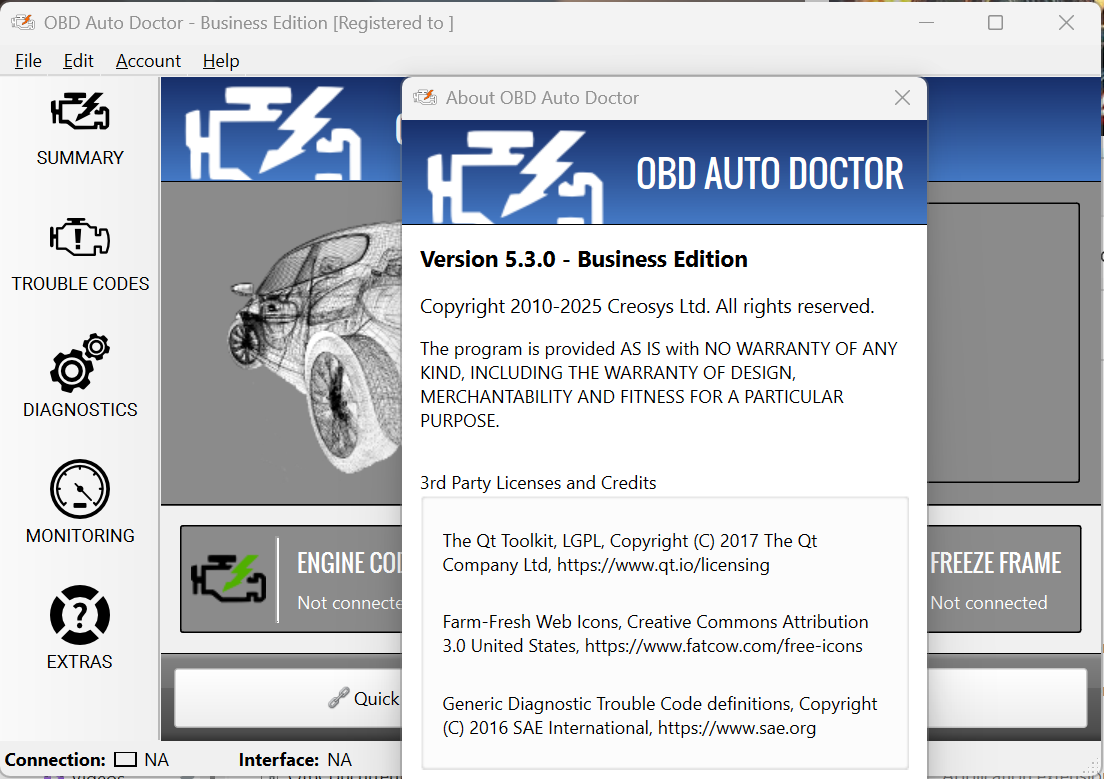
OBD Auto Doctor Business Edition 5.3.0
Final Verdict
OBD Auto Doctor is a reliable and practical OBD-II diagnostic solution that successfully combines professional-level insights with user-friendly design. It empowers users to understand their vehicle’s internal systems without requiring advanced technical knowledge.
While it may not fully replace high-end dealership diagnostic tools, it excels in everyday diagnostics, preventive maintenance, and performance monitoring. Its cross-platform compatibility and intuitive interface further enhance its appeal for a wide audience.
For car owners, technicians, and automotive enthusiasts looking for an affordable yet powerful diagnostic tool, OBD Auto Doctor offers strong value and dependable performance.
Conclusion
If you want to take control of your vehicle’s health and reduce uncertainty around engine warnings and performance issues, OBD Auto Doctor provides a practical and effective solution. Its ability to translate complex automotive data into clear, actionable insights makes it a smart addition to any driver’s toolkit.
Exploring this software can help you make more informed maintenance decisions, avoid unnecessary repair expenses, and keep your vehicle running efficiently over time.



Reviews
There are no reviews yet.