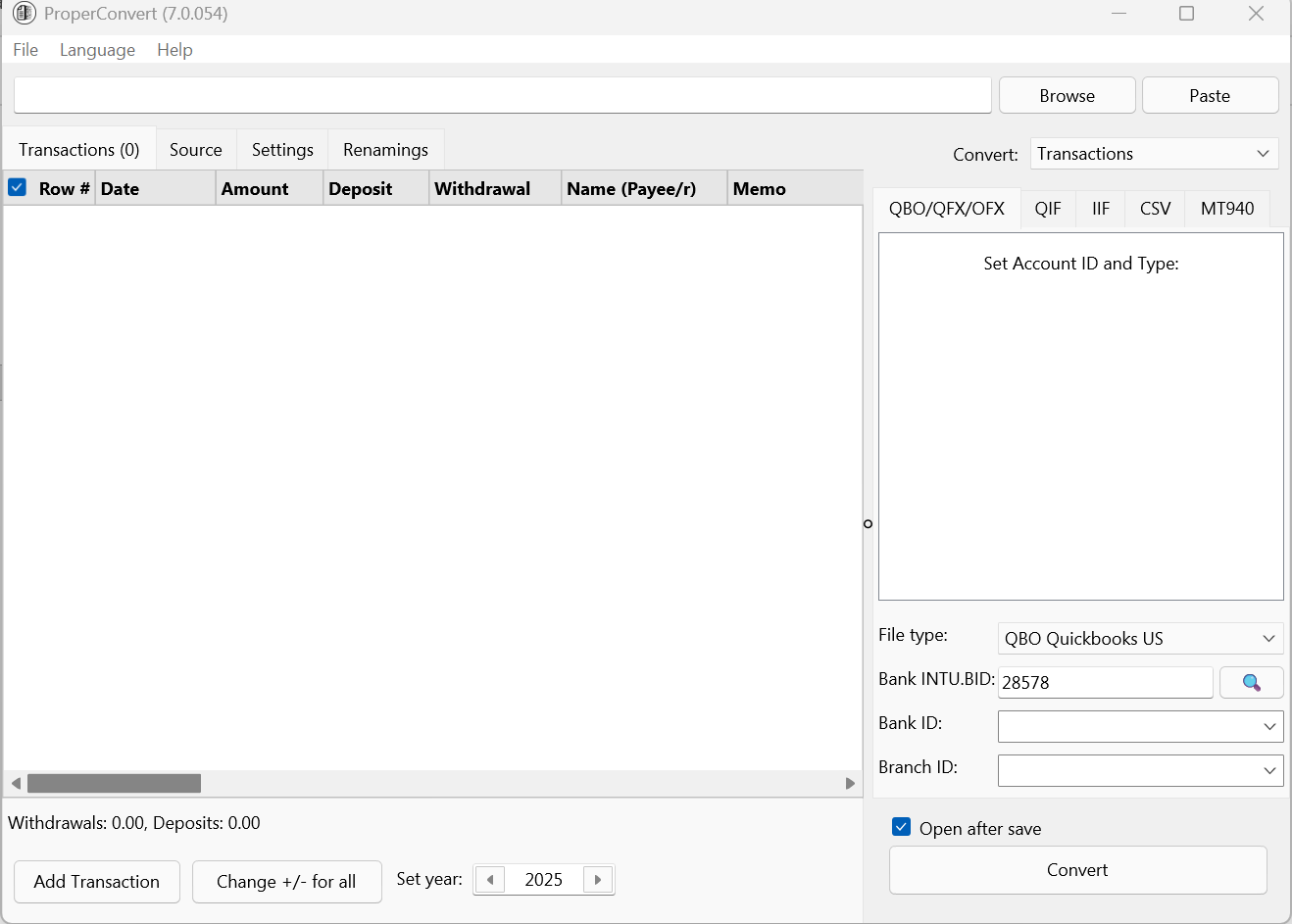
Description
ProperConvert 7 Software Review: A Reliable Data Conversion Solution for Modern Workflows
Strong Summary
ProperConvert is a versatile data conversion software designed to simplify complex file transformation tasks across multiple formats. Whether you are dealing with financial records, email data, document migrations, or structured datasets, ProperConvert offers a streamlined and accurate conversion process. It is built for professionals who need precision, speed, and consistency without dealing with technical complexity. In today’s data-driven environment, where seamless interoperability between platforms is essential, ProperConvert positions itself as a practical tool for both individual users and organizations seeking efficient data migration and conversion workflows.
Introduction
Businesses regularly move information between accounting tools, email clients, databases, spreadsheets, and cloud platforms. This is where ProperConvert 7 software becomes highly relevant.
ProperConvert 7 is designed as a specialized conversion utility that focuses on transforming data from one structured format to another without losing integrity. Unlike generic converters that often produce incomplete or inconsistent results, ProperConvert emphasizes accuracy and usability.
For accountants, analysts, IT professionals, and small business owners, data conversion is not just a technical task—it is part of daily operations. Improper conversion can lead to missing records, broken reports, or time-consuming manual corrections. ProperConvert aims to eliminate these issues by offering a dependable and structured conversion workflow.
Key Features of ProperConvert Software
ProperConvert includes a range of features that make it suitable for professional and business-grade use.
1. Multi-Format Conversion Support
Proper Convert supports a wide variety of file types and structured data formats. This includes financial data files, spreadsheets, and application-specific formats commonly used in accounting and enterprise systems.
2. High Accuracy Data Transformation
One of the core strengths of ProperConvert is its ability to preserve data integrity during conversion. It ensures that transactions, timestamps, categories, and metadata remain intact throughout the process.
3. User-Friendly Interface
The software is designed with simplicity in mind. Users do not need advanced technical knowledge to operate it. A guided workflow helps users import, configure, and export data with minimal effort.
4. Batch Processing Capability
ProperConvert allows batch conversion of multiple files at once. This is especially useful for organizations handling large datasets or historical records.
5. Custom Mapping Options
Users can define how specific fields should be converted or mapped between formats. This flexibility is essential for businesses with customized data structures.
6. Preview Before Conversion
A built-in preview feature helps users verify data before final conversion. This reduces errors and ensures that output matches expectations.
7. Secure Local Processing
ProperConvert typically processes data locally, minimizing the risk of sensitive information exposure during conversion.
Practical Use Cases
ProperConvert is widely applicable across multiple industries and professional scenarios. Its versatility makes it useful beyond basic file conversion tasks.
Accounting and Finance
Accountants often need to migrate financial data between systems such as spreadsheets and accounting software. ProperConvert simplifies conversion of transaction records, invoices, and reports without losing structural accuracy.
Business Data Migration
Companies transitioning from one software platform to another often face compatibility issues. ProperConvert helps migrate structured data smoothly, reducing downtime and operational disruption.
Email and Communication Data Conversion
In some workflows, archived email data needs to be transformed into accessible formats for compliance or reporting purposes. ProperConvert supports structured transformation of such data.
Data Analysis and Reporting
Analysts working with multiple data sources can use ProperConvert to standardize datasets before importing them into analytical tools. This improves consistency and reduces preprocessing time.
IT System Integration
IT teams often deal with legacy systems. ProperConvert helps bridge the gap between outdated formats and modern applications, enabling smoother integration.
Performance Analysis
When evaluating ProperConvert software, performance can be measured in terms of speed, accuracy, and reliability.
Speed and Efficiency
ProperConvert performs well in handling both small and large datasets. Batch processing significantly improves efficiency, especially for repetitive conversion tasks.
Accuracy of Conversion
The software prioritizes precision. Field mapping and structured conversion reduce the risk of data loss or corruption. This is particularly important for financial and business-critical data.
System Resource Usage
ProperConvert is generally optimized to run without consuming excessive system resources. This makes it suitable for regular desktop and office environments.
Stability During Large Conversions
One of the notable advantages is stability during high-volume conversions. Many users value that the software maintains consistent output even under heavy workloads.
Ease of Learning Curve
New users typically find the interface intuitive. The step-by-step process minimizes the need for training, which is beneficial for teams with varying technical skill levels.
Pros and Cons of ProperConvert
Pros
- Supports multiple structured data formats
- High accuracy in data conversion
- Simple and intuitive interface
- Batch processing for efficiency
- Custom field mapping options
- Suitable for professional and business use
- Reliable performance for large datasets
Cons
- Advanced customization may require learning for non-technical users
- Focused mainly on structured data conversion rather than multimedia formats
- Some enterprise-level integrations may require additional configuration
Pricing and Plans
ProperConvert pricing typically depends on the licensing model offered by the vendor. While exact pricing structures may vary, software in this category commonly includes:
Personal License
Designed for individual users who need occasional or small-scale conversion capabilities.
Professional License
Suitable for freelancers, accountants, and consultants handling regular data conversion tasks.
Business or Team License
Ideal for organizations that require multi-user access, batch processing, and higher volume data handling.
Enterprise Solutions
Some versions may include enterprise-level licensing with advanced support, integration options, and scalability features.
In most cases, users should evaluate their data volume, frequency of use, and integration needs before selecting a plan.
Real-World User Experience Perspective
From a practical standpoint, users often value ProperConvert for its reliability rather than unnecessary complexity. For example, an accounting professional working with multiple client files can quickly convert financial records into a standardized format without manually restructuring spreadsheets.
Similarly, a data analyst preparing monthly reports can consolidate data from different sources into a consistent structure, reducing preparation time and improving reporting accuracy.
In IT environments, ProperConvert becomes a bridge between legacy systems and modern applications. Instead of building custom scripts or relying on fragile manual processes, teams can use a structured conversion tool that reduces operational risk.
This real-world usability is what positions ProperConvert as more than just a utility—it becomes part of an efficient workflow system.
ProperConvert 7.0.054 Download
Final Verdict
ProperConvert stands out as a practical and dependable data conversion software solution for professionals who prioritize accuracy and efficiency. Its strength lies in simplifying complex conversion tasks while maintaining data integrity across multiple formats.
While it may not be a one-size-fits-all tool for every type of file conversion, it excels in structured data environments such as finance, business analytics, and system migration workflows. The combination of ease of use, batch processing, and reliable performance makes it a valuable addition to any professional toolkit.
For individuals and organizations looking to reduce manual data handling and improve workflow efficiency, ProperConvert offers a solid and trustworthy solution worth exploring.




Reviews
There are no reviews yet.