Description
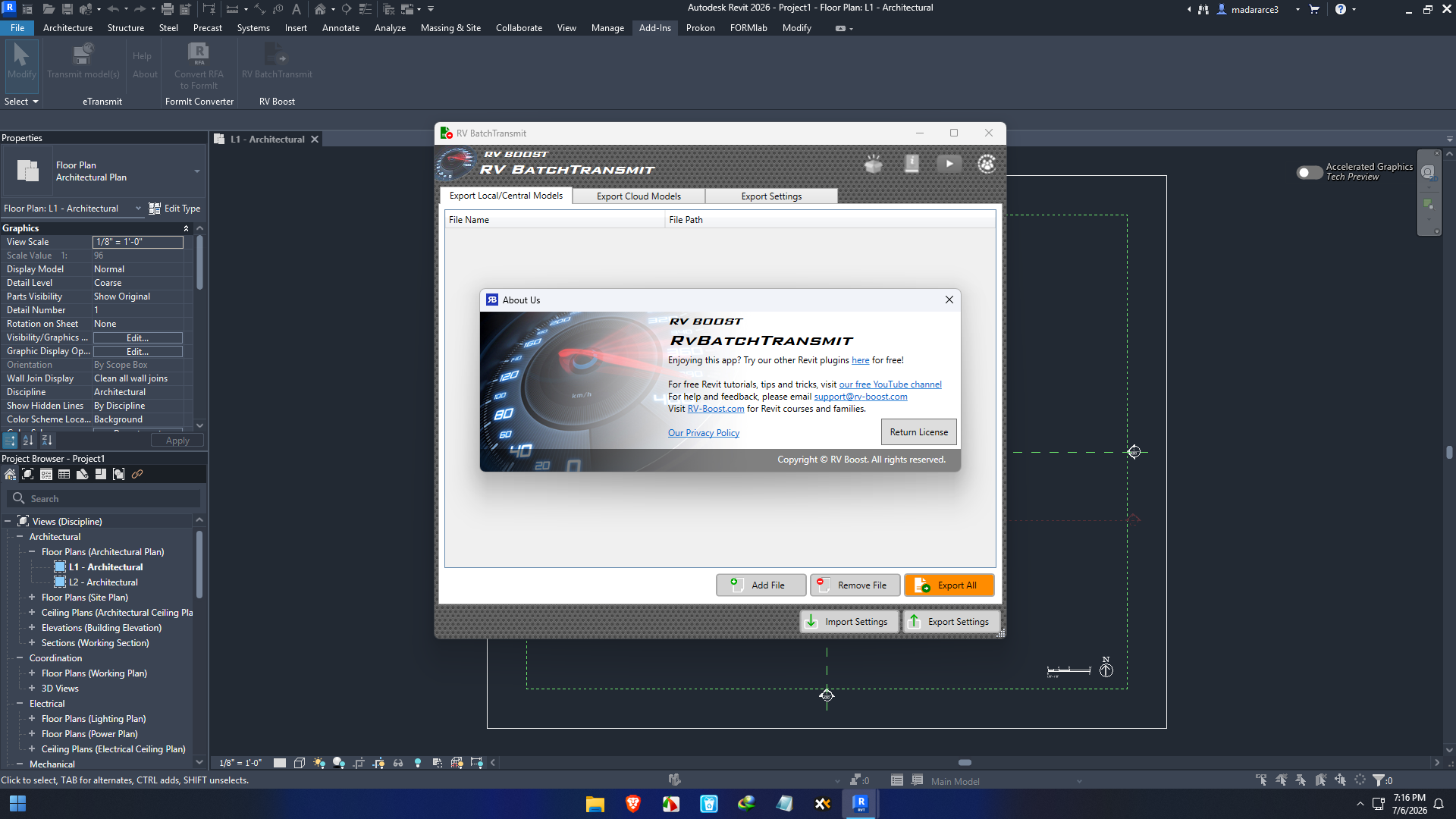
RV Boost RV BatchTransmit For Revit Review: The Smart Way to Share Complete Revit Projects
Summary
Managing Autodesk Revit projects often involves sharing large models with consultants, clients, contractors, and remote team members. However, transferring a project isn’t as simple as sending an RVT file. Missing linked models, CAD references, images, and supporting files can create frustrating delays and costly project errors.
RV Boost RV BatchTransmit For Revit is designed to solve this challenge by automating the process of collecting and packaging complete Revit project files. Instead of manually tracking every linked resource, users can transmit multiple Revit projects with all necessary dependencies in one streamlined workflow.
Whether you’re an architectural firm, structural engineer, BIM manager, or MEP consultant, RV Boost RV BatchTransmit For Revit simplifies project collaboration while reducing the risk of missing project data. Its automation capabilities save valuable time and improve project consistency across teams.
Introduction
Modern Building Information Modeling (BIM) projects involve far more than a single Revit file. Every project may include:
- Linked Revit models
- DWG references
- Image files
- IFC models
- PDF documentation
- Shared parameters
- Supporting project assets
As projects grow, manually packaging every dependency becomes increasingly difficult. Even experienced Revit users occasionally forget linked files, causing consultants to receive incomplete project packages.
This is where RV Boost RV BatchTransmit For Revit becomes an essential productivity tool.
Rather than transmitting projects one at a time, the software allows users to batch process multiple Revit files while automatically gathering required project resources. This reduces manual effort and helps ensure complete project delivery.
For firms managing dozens or even hundreds of Revit projects, this automation can significantly improve workflow efficiency.
Key Features of RV Boost RV BatchTransmit For Revit
Batch Processing Multiple Revit Projects
One of the software’s biggest strengths is its ability to process numerous Revit models simultaneously.
Instead of opening each project individually, users can:
- Select multiple Revit files
- Queue transmission jobs
- Process projects automatically
- Save considerable administrative time
Large architectural firms particularly benefit from this capability.
Automatic Collection of Linked Files
A Revit model rarely exists alone.
RV Boost RV BatchTransmit For Revit automatically gathers linked resources such as:
- Linked RVT files
- CAD references
- Images
- External resources
- Supporting project files
This minimizes the possibility of missing essential project components during collaboration.
Organized Project Packaging
The software creates clean, organized project folders that are easy to archive or share with external teams.
Benefits include:
- Better file organization
- Easier consultant coordination
- Faster project handovers
- Simplified document management
Reduced Manual Work
Instead of repeatedly searching folders for linked files, users can automate repetitive tasks.
This leads to:
- Faster project preparation
- Reduced human error
- Improved workflow consistency
- Better productivity
BIM Workflow Integration
RV Boost RV BatchTransmit For Revit integrates naturally into existing Revit-based BIM environments.
This makes it suitable for:
- Architectural firms
- Structural consultants
- MEP engineers
- BIM coordinators
- Construction companies
- Design-build teams
No major workflow changes are required.
Practical Use Cases
Architectural Design Firms
An architectural office may manage dozens of active commercial projects.
Before submitting milestone packages, every project needs:
- Revit models
- Linked files
- CAD references
- Images
- Supporting documentation
Instead of spending hours preparing each package, the team can automate the process using RV Boost RV BatchTransmit For Revit.
BIM Managers
BIM managers often oversee multiple disciplines working within the same project ecosystem.
Using batch transmission helps ensure:
- Consistent project packaging
- Complete linked resources
- Reliable consultant deliveries
- Standardized project archives
This improves quality control throughout the organization.
Engineering Consultants
Structural and MEP consultants frequently exchange Revit models with architects.
Receiving incomplete project files can delay coordination meetings and clash detection.
RV Boost RV BatchTransmit For Revit helps prevent these issues by ensuring all required files accompany each transmission.
Construction Teams
General contractors increasingly rely on coordinated BIM models.
When receiving updated project packages, complete file sets improve:
- Model review
- Quantity takeoffs
- Construction planning
- Coordination meetings
Reliable project transfers reduce confusion on active construction sites.
Remote Collaboration
Distributed project teams have become increasingly common.
Whether team members work from different cities or countries, transmitting complete Revit projects ensures everyone begins with identical project data.
This creates smoother collaboration across remote offices.
Performance Analysis
Performance is where RV Boost RV BatchTransmit For Revit truly demonstrates its value.
Rather than acting as another modeling plugin, it focuses on eliminating repetitive project management tasks.
Speed
Batch automation dramatically reduces preparation time for multiple Revit projects.
Instead of processing files individually, users can queue several jobs simultaneously.
Reliability
Automation minimizes one of the most common project-sharing problems:
Forgotten linked files.
Consistent packaging improves project reliability while reducing support requests from consultants.
Ease of Use
The software emphasizes workflow simplicity.
Users familiar with Revit can quickly incorporate the tool into existing BIM processes without extensive learning.
Productivity Improvements
Organizations managing many Revit projects often experience measurable productivity gains through automation.
Time previously spent searching folders and checking references can instead be invested in design work.
Scalability
Whether managing:
- Small residential projects
- Commercial developments
- Healthcare facilities
- Industrial plants
- Infrastructure projects
the software scales effectively across varying project sizes.
Real-World User Experience
Imagine an architecture firm preparing ten project submissions before the end of the week.
Previously, each project required:
- Opening Revit
- Finding linked models
- Copying CAD files
- Collecting images
- Organizing folders
- Double-checking completeness
Each project could easily consume 20–40 minutes.
With RV Boost RV BatchTransmit For Revit, much of this repetitive work becomes automated.
The BIM coordinator simply selects the required projects, initiates the batch process, and allows the software to organize everything efficiently.
Over weeks and months, these saved hours become significant productivity gains.
Benefits for Different Professionals
Architects
- Faster consultant coordination
- Easier project submissions
- Organized project archives
BIM Coordinators
- Standardized project packaging
- Reduced quality control issues
- Improved project consistency
Engineers
- Complete linked project delivery
- Fewer missing references
- Better interdisciplinary collaboration
Project Managers
- Reduced administrative workload
- Improved project communication
- Faster milestone deliveries
Design Firms
- Increased operational efficiency
- Better document management
- Scalable workflows for growing teams
Pros and Cons
Pros
- Automates repetitive Revit project transmission tasks
- Supports batch processing for multiple projects
- Collects linked project files automatically
- Improves collaboration between project teams
- Reduces missing reference errors
- Saves considerable administrative time
- Enhances BIM workflow efficiency
- Easy to integrate into existing Revit environments
Cons
- Primarily beneficial for organizations using Autodesk Revit
- Advanced features may require initial workflow planning
- Best suited for users managing multiple projects rather than occasional file transfers
Pricing & Plans
Pricing for RV Boost RV BatchTransmit For Revit may vary depending on licensing options, software version, and organizational requirements.
Potential buyers should verify:
- License type
- Version compatibility
- Business licensing
- Maintenance availability
- Technical support options
For firms regularly managing Revit projects, the productivity savings often justify the investment by reducing manual labor and minimizing project transmission errors.
Why RV Boost RV BatchTransmit For Revit Stands Out
Several Revit productivity tools focus on modeling improvements.
RV Boost RV BatchTransmit For Revit instead solves a practical workflow challenge that affects nearly every BIM team: sharing complete project data.
Its emphasis on automation, consistency, and project reliability makes it especially valuable for firms handling complex multidisciplinary projects.
Rather than replacing existing workflows, it enhances them by removing repetitive administrative work.
RV Boost RV BatchTransmit Developer
RV Boost RV BatchTransmit For Revit 2027
Final Verdict
RV Boost RV BatchTransmit For Revit is a practical productivity solution for professionals who regularly exchange Autodesk Revit projects. By automating batch transmissions and collecting linked project resources, it eliminates one of the most common causes of BIM collaboration problems—missing files.
Its strengths lie in workflow automation, organized project packaging, improved reliability, and significant time savings. Whether you’re an architect, BIM manager, engineer, or construction professional, this tool helps simplify project delivery while improving collaboration across teams.
If your organization frequently shares Revit models with consultants, contractors, or remote offices, RV Boost RV BatchTransmit For Revit is well worth exploring. Its ability to automate repetitive tasks, reduce manual errors, and streamline BIM project transfers can make day-to-day project management more efficient and dependable.


Reviews
There are no reviews yet.