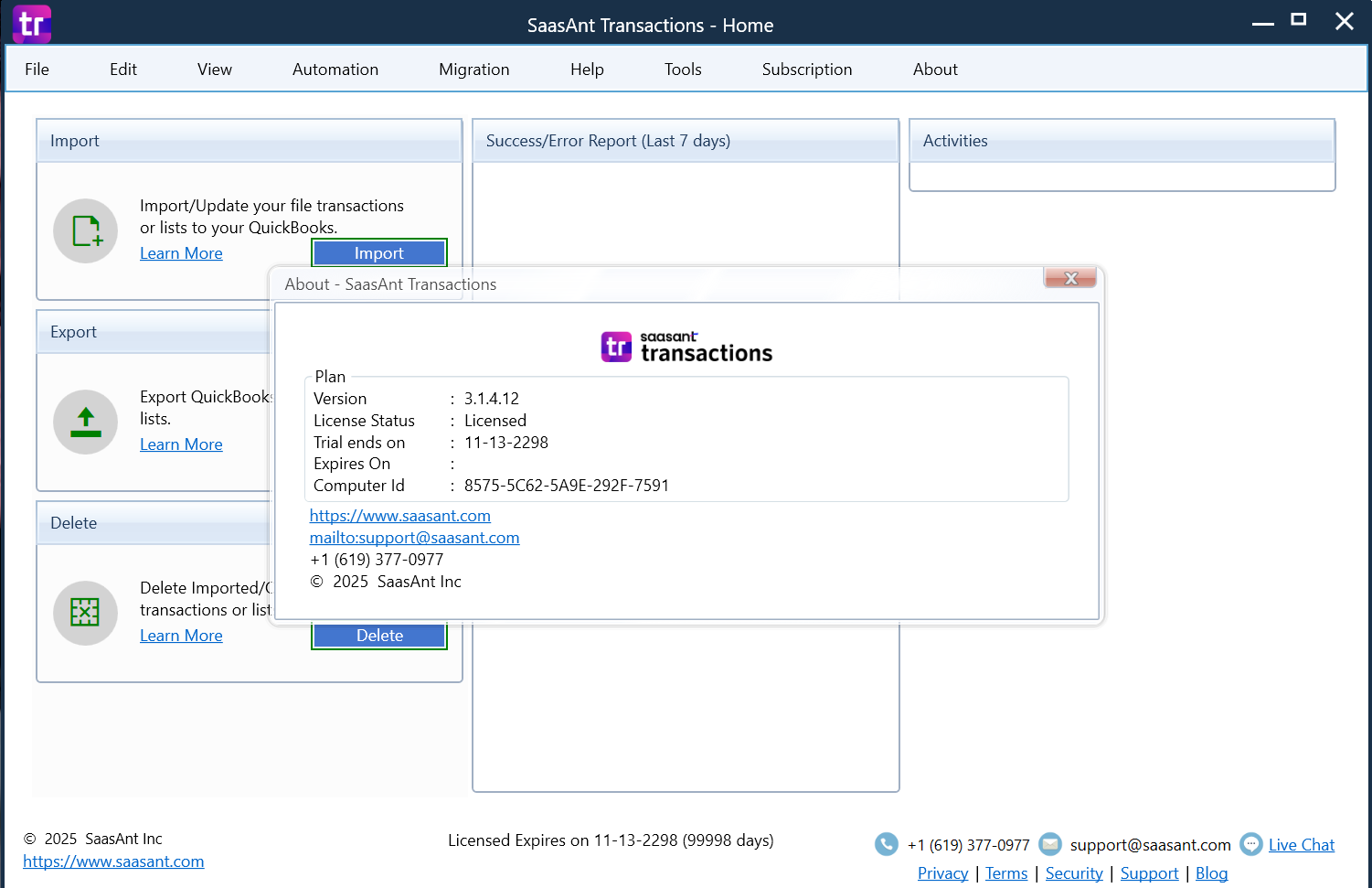
Description
SaasAnt Transactions 3.1.4.12: Simplify QuickBooks Data Imports, Exports, and Bulk Updates
Managing accounting data can quickly become overwhelming, especially for growing businesses processing hundreds or thousands of transactions each month. Manual data entry into QuickBooks often leads to errors, duplicate records, wasted hours, and unnecessary stress for finance teams.
SaaSAnt Transactions is designed to solve these challenges by providing a powerful automation platform for importing, exporting, deleting, and updating accounting records in QuickBooks. Whether you’re an accountant handling multiple clients, an eCommerce seller reconciling marketplace sales, or a business owner migrating historical financial data, SaaSAnt Transactions offers a practical and efficient way to streamline bookkeeping workflows.
This review explores its features, performance, real-world applications, pricing options, advantages, limitations, and whether it deserves a place in your accounting toolkit.
Introduction to SaasAnt Transactions 3.1.4.12
SaaSAnt Transactions is an accounting automation solution built primarily for QuickBooks users. The software helps businesses move financial data into and out of QuickBooks Online and QuickBooks Desktop without relying on manual entry.
The platform supports importing large volumes of transactions using spreadsheet files, making it especially valuable for companies dealing with external systems such as:
- E-commerce platforms
- CRM applications
- Payroll systems
- Inventory management software
- POS systems
- Third-party accounting applications
For accountants and finance professionals, SaaSAnt Transactions significantly reduces repetitive administrative tasks and improves overall bookkeeping efficiency.
Key Features of SaaSAnt Transactions
1. Bulk Transaction Import
One of the software’s biggest strengths is its ability to import thousands of accounting records simultaneously.
Supported imports include:
- Invoices
- Bills
- Journal Entries
- Credit Memos
- Sales Receipts
- Purchase Orders
- Estimates
- Payments
- Refunds
- Deposits
- Vendor Credits
- Expenses
Users can upload data from:
- CSV files
- Excel spreadsheets
- Text files
The system validates information before importing, helping prevent common accounting mistakes.
Benefits
- Saves hours of manual data entry
- Reduces human errors
- Accelerates monthly closing procedures
2. Export QuickBooks Data
Businesses often need to analyze accounting data outside QuickBooks.
SaaSAnt Transactions allows users to export:
- Customer records
- Vendor information
- Chart of accounts
- Transactions
- Inventory data
- Payments
Data exports can then be used for:
- Financial analysis
- Tax preparation
- Audit requirements
- Business reporting
- Migration projects
This functionality is particularly useful for companies working with external consultants and auditors.
3. Bulk Update and Modification Tools
Correcting accounting records manually can become frustrating when dealing with hundreds of entries.
SaaSAnt Transactions enables users to:
- Edit transactions in bulk
- Update customer details
- Modify invoice information
- Adjust account assignments
- Correct imported records
Instead of opening every transaction individually, businesses can make changes in minutes.
4. Delete Transactions Safely
Data cleanup is often necessary after migration projects or testing imports.
The software provides options to:
- Delete duplicate records
- Remove test entries
- Clean outdated transactions
- Reverse import mistakes
This feature is highly appreciated by accountants who frequently work with trial company files.
5. Advanced Mapping Capabilities
Data structures differ between software platforms.
SaaSAnt Transactions includes intelligent field mapping that helps users align imported data with QuickBooks requirements.
Features include:
- Auto-mapping suggestions
- Saved templates
- Custom field matching
- Flexible column assignments
These capabilities simplify recurring imports.
6. Error Detection and Validation
Accounting accuracy is critical.
Before processing imports, SaaSAnt Transactions performs validation checks.
Examples include:
- Missing customer names
- Invalid account references
- Incorrect date formats
- Duplicate transactions
- Empty mandatory fields
Errors are displayed clearly so users can fix issues before posting records.
7. Support for QuickBooks Online and Desktop
Compatibility remains one of the software’s strongest selling points.
Supported environments include:
QuickBooks Online
Ideal for:
- Small businesses
- Remote accounting teams
- Cloud-based companies
QuickBooks Desktop
Suitable for:
- Established organizations
- Legacy accounting environments
- Local accounting servers
This dual compatibility broadens its appeal significantly.
Practical Use Cases
Software reviews become more meaningful when examining real business scenarios.
Accounting Firms Managing Multiple Clients
Accounting professionals often receive spreadsheets from clients each month.
Without automation:
- Data entry consumes hours
- Mistakes increase
- Staff productivity decreases
With SaaSAnt Transactions:
Client spreadsheets can be uploaded quickly.
Benefits include:
- Faster bookkeeping
- Reduced workload
- Improved client satisfaction
- Higher staff efficiency
E-commerce Businesses
Online stores frequently sell products through multiple channels.
Examples include:
- Amazon
- Shopify
- Etsy
- WooCommerce
Sales reports typically need importing into QuickBooks.
SaaSAnt Transactions simplifies this process.
Instead of manually creating invoices, users can import thousands of sales transactions at once.
Result:
Bookkeepers spend less time entering information and more time analyzing profitability.
Historical Data Migration
Businesses migrating to QuickBooks often face challenges transferring years of accounting records.
Importing data manually is unrealistic.
SaaSAnt Transactions enables organizations to move:
- Historical invoices
- Vendor payments
- Expenses
- Customer balances
- Journal entries
Migration projects become more manageable and considerably faster.
Franchise Operations
Companies with multiple branches often consolidate accounting records.
The software helps finance departments:
- Standardize imports
- Merge data
- Maintain reporting consistency
- Simplify month-end processes
User Experience and Ease of Use
SaaSAnt Transactions is designed with finance professionals in mind.
The interface is straightforward.
Typical workflow:
Step 1
Prepare a spreadsheet.
Step 2
Upload the file.
Step 3
Map fields.
Step 4
Validate information.
Step 5
Import transactions.
Even users with limited technical expertise can usually understand the process after a few imports.
Saved templates further reduce setup time for recurring tasks.
Performance Analysis
Performance is an important consideration when evaluating accounting automation software.
Speed
Bulk imports are processed efficiently, even when handling large datasets.
Users commonly report significant reductions in bookkeeping time.
Tasks that previously required several hours may take only minutes.
Reliability
Validation checks minimize failed imports.
Error reporting is detailed and actionable.
This reduces troubleshooting efforts.
Scalability
The platform accommodates businesses ranging from startups to enterprises.
Whether importing fifty transactions or fifty thousand records, the software maintains stable performance.
Accuracy
Automated imports reduce risks associated with manual entry.
Improved accuracy contributes to better financial reporting.
Advantages of SaaSAnt Transactions
Several factors make the software appealing.
Major Benefits
Time Savings
Businesses can automate repetitive accounting activities.
Reduced Errors
Validation tools improve data quality.
QuickBooks Integration
Strong compatibility with both Online and Desktop editions.
Flexible Import Options
Support for Excel, CSV, and text files.
Bulk Editing
Modify multiple records simultaneously.
Migration Friendly
Excellent solution for accounting transitions.
Template Reusability
Recurring imports become easier over time.
Potential Limitations
No software is perfect.
Buyers should understand a few considerations.
Learning Curve
First-time users may need some time to understand field mapping.
Dependency on Spreadsheet Quality
Poorly structured spreadsheets can create validation errors.
Preparing clean data beforehand is recommended.
Primarily Focused on QuickBooks
Organizations using alternative accounting systems may find fewer integration options.
Pricing and Plans
SaaSAnt Transactions typically offers subscription-based pricing with multiple tiers designed to accommodate different usage requirements.
Pricing may vary depending on:
- Number of imports
- Monthly transaction volume
- QuickBooks version
- Business size
Businesses interested in deployment should review the latest plans to identify the most suitable option for their accounting needs.
Potential buyers should also evaluate whether free trials or demonstration options are available before making a long-term commitment.
How SaaSAnt Transactions Compares to Manual Bookkeeping
| Feature | Manual Entry | SaaSAnt Transactions |
|---|---|---|
| Import Speed | Slow | Fast |
| Bulk Updates | Difficult | Easy |
| Error Detection | Limited | Advanced |
| Scalability | Poor | Excellent |
| Data Migration | Time-consuming | Streamlined |
| Productivity | Moderate | High |
The comparison clearly demonstrates why automation tools are increasingly becoming essential for modern accounting teams.
Is SaaSAnt Transactions Worth It?
For businesses heavily invested in QuickBooks, SaaSAnt Transactions can provide substantial value.
It addresses some of the most common bookkeeping pain points:
- Repetitive data entry
- Migration challenges
- Transaction corrections
- Large-scale imports
- Financial data exports
Accounting professionals, consultants, and growing businesses are likely to see immediate productivity gains.
Companies handling complex transaction volumes may recover their software investment quickly through labor savings alone.
SaasAnt Transactions Developer
Final Verdict
SaaSAnt Transactions stands out as a practical accounting automation solution for QuickBooks users seeking faster, more accurate ways to manage financial data. Its robust import capabilities, bulk editing tools, validation checks, and support for both QuickBooks Online and Desktop make it a strong choice for accountants, bookkeepers, eCommerce businesses, and finance departments.
While there is a slight learning curve for new users, the long-term benefits in efficiency, data accuracy, and time savings can be significant. Businesses looking to reduce manual bookkeeping tasks, simplify data migration projects, and improve accounting workflows should seriously consider SaaSAnt Transactions as part of their financial management toolkit.
If your organization spends too much time importing spreadsheets or correcting accounting entries, exploring SaaSAnt Transactions could be an effective step toward a more streamlined and productive bookkeeping process.



Reviews
There are no reviews yet.