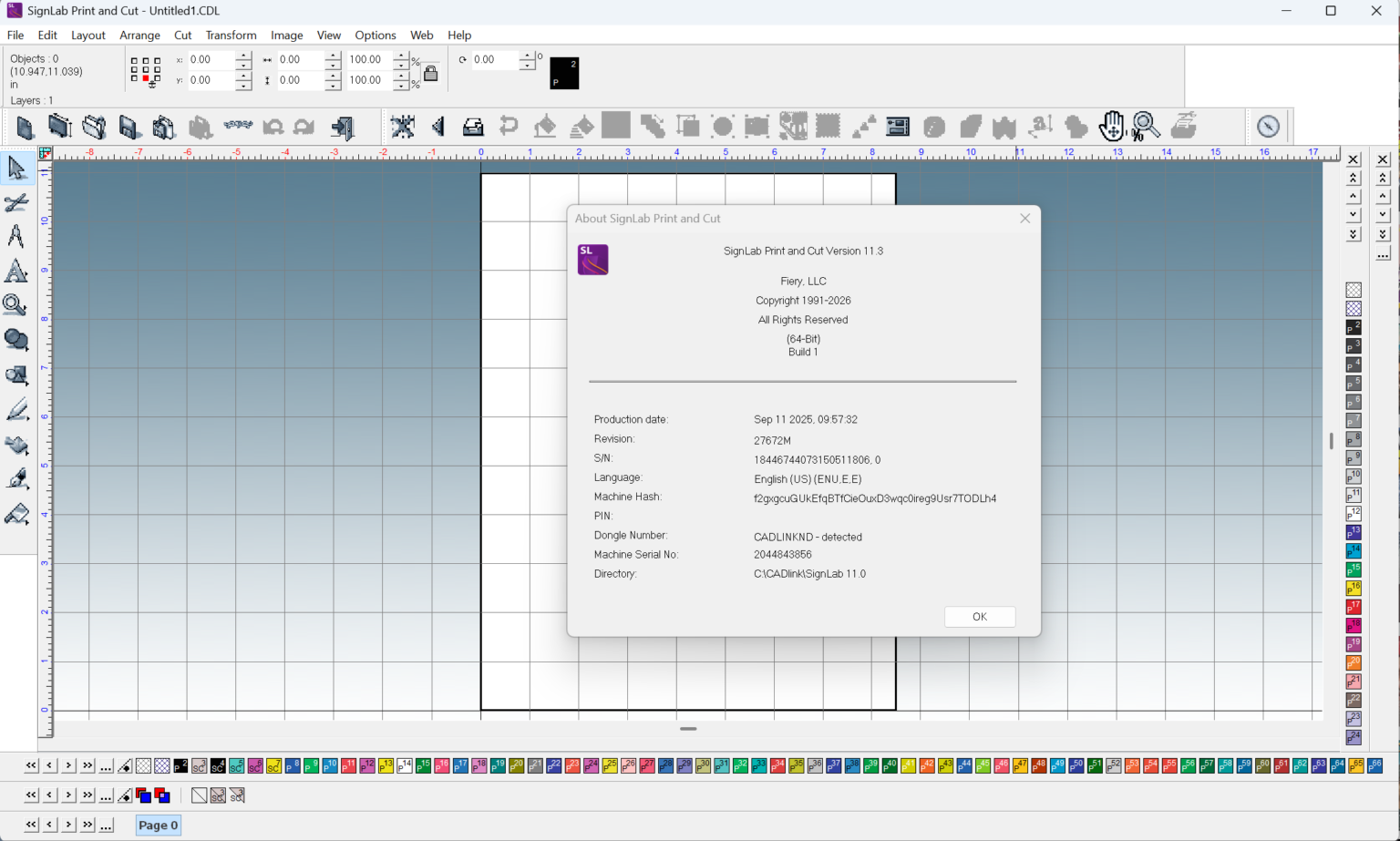
Description
SignLab Print and Cut Software Review: Professional Sign-Making and Cutting Workflow Optimization
Strong Summary
SignLab Print and Cut is a specialized design and production software built for professionals working in the signage, print, and graphics industry. It bridges the gap between creative design and production accuracy by combining layout creation, RIP (Raster Image Processing) control, and vinyl cutting automation in a unified workflow. This makes it a valuable solution for print shops, sign makers, and large-format production environments where precision and efficiency directly impact profitability.
What sets SignLab Print and Cut apart is its ability to streamline the entire print-and-cut process—from initial design to final output—while minimizing errors, reducing material waste, and improving production speed. Whether used for vinyl decals, vehicle wraps, banners, or complex signage projects, it offers a structured, professional-grade workflow designed for real-world production demands.
Introduction
In the modern signage and printing industry, businesses require more than just design tools. They need production-focused software that ensures accuracy from digital artwork to physical output. SignLab Print and Cut is developed precisely for this purpose.
Unlike generic design applications, this software is engineered for print shops and sign-making environments where precision cutting and color accuracy are critical. It integrates design capabilities with advanced print-and-cut automation, allowing users to manage everything within a single ecosystem.
For professionals working with vinyl cutters, large-format printers, and digital print systems, SignLab Print and Cut offers a reliable production pipeline that reduces manual intervention and improves workflow consistency.
Key Features
SignLab Print and Cut includes a wide range of tools tailored for production-grade environments. Below are the most important features that define its value.
1. Integrated Print and Cut Workflow
The software synchronizes printing and contour cutting in a single process. This eliminates the need for separate design and cutting software, reducing alignment errors and saving production time.
2. Advanced Vector Design Tools
Users can create or edit vector graphics with precision tools designed for signage production. This includes node editing, path adjustments, and shape manipulation optimized for cut-line accuracy.
3. RIP and Print Management
Built-in RIP functionality allows users to control color output, ink density, resolution, and printer settings. This ensures consistent and professional print quality across different media types.
4. Automatic Contour Cutting
SignLab automatically generates cut paths around printed graphics. This is essential for stickers, labels, decals, and complex contour-based designs.
5. Device Compatibility
The software supports a wide range of printers and vinyl cutters, making it suitable for diverse production environments. This flexibility helps businesses integrate it into existing hardware setups.
6. Color Management System
Accurate color reproduction is essential in branding work. SignLab includes tools for ICC profile management and color calibration, ensuring consistent output across multiple devices.
7. Nesting and Material Optimization
The nesting feature arranges designs efficiently on media sheets, reducing waste and optimizing material usage—an important cost-saving function for print businesses.
8. Layer Control and Registration Marks
Layer-based design control and registration marks improve alignment accuracy during print-and-cut operations, especially for multi-stage production jobs.
Practical Use Cases
SignLab Print and Cut is widely used in commercial and industrial production environments. Its flexibility makes it suitable for several applications.
1. Signage Production Companies
Sign makers use the software to produce storefront signs, illuminated panels, directional signs, and promotional boards. The integrated workflow reduces production delays and improves output consistency.
2. Vehicle Wrap and Graphics Shops
For vehicle branding, precision is essential. SignLab ensures accurate contour cutting and color matching, making it ideal for full and partial vehicle wraps.
3. Sticker and Label Manufacturing
Businesses producing stickers, labels, and decals rely on automatic contour cutting and nesting features to produce large batches efficiently.
4. Large-Format Printing Businesses
From banners to exhibition graphics, SignLab supports large-scale print workflows that require accurate color reproduction and material optimization.
5. Custom Print Shops
Small businesses offering personalized printing services benefit from its easy workflow integration and ability to handle diverse job types without switching software.
Performance Analysis
When evaluated from a production standpoint, SignLab Print and Cut performs as a stable and workflow-efficient solution.
Workflow Efficiency
One of its strongest advantages is the reduction of steps required to move from design to final output. By combining design, RIP, and cutting functions, it significantly reduces operator workload.
Accuracy and Precision
The contour cutting system is highly accurate, especially when registration marks are properly aligned. This minimizes reprints and material wastage.
Speed and Processing
The software handles complex vector files and large print jobs effectively, although performance may vary depending on system hardware specifications.
Learning Curve
While not overly complex, beginners may need time to understand its production-focused interface. However, once learned, it becomes a highly efficient tool for daily operations.
Stability in Production Environments
In continuous production settings, SignLab is generally reliable and designed to handle repetitive workflows without frequent interruptions.
Pros and Cons
Pros
- Fully integrated print and cut workflow
- Strong contour cutting accuracy
- Professional RIP and color management tools
- Supports multiple printers and cutters
- Efficient material nesting reduces waste
- Suitable for high-volume production environments
- Designed specifically for signage industry workflows
Cons
- Learning curve for beginners unfamiliar with RIP software
- Requires capable hardware for large or complex projects
- Interface may feel technical compared to general design software
- Licensing cost may be high for small startups
Pricing and Plans
SignLab Print and Cut is typically offered through licensed software packages rather than subscription-based consumer models. Pricing can vary depending on the version, features included, and regional distributor policies.
Common licensing structures include:
- Standard license for basic print-and-cut functionality
- Advanced editions with expanded RIP and automation tools
- Professional packages for industrial-scale production environments
Some vendors may also offer upgrade paths, allowing users to scale features as their business grows.
For businesses evaluating cost, it is important to consider not just the software price but also the long-term savings from reduced material waste, faster production cycles, and improved accuracy.
SignLab Print and Cut Developer
SignLab Print and Cut 11.3 Download
Final Verdict
SignLab Print and Cut stands out as a dedicated production tool built for professionals in the signage and printing industry. It is not just a design application but a complete workflow solution that connects creative output with manufacturing precision.
Its strongest advantage lies in its ability to unify design, printing, and cutting into a single streamlined process. For businesses handling frequent print-and-cut jobs, this integration can significantly improve efficiency and reduce operational errors.
While it may require an initial learning investment and suitable hardware to perform at its best, the long-term benefits in productivity, accuracy, and material optimization make it a strong contender in the professional signage software space.
For print shops, signage companies, and production studios looking to improve workflow reliability and output quality, SignLab Print and Cut remains a practical and industry-focused choice worth serious consideration.
Reviews
There are no reviews yet.