Description
SmartPLS Professional Review: Advanced PLS-SEM Software for Researchers, Academics, and Business Analysts
SmartPLS Professional has become one of the most trusted software solutions for Partial Least Squares Structural Equation Modeling (PLS-SEM). Whether you’re conducting academic research, validating theoretical models, analyzing customer satisfaction, or performing business intelligence studies, SmartPLS Professional offers an intuitive platform that combines powerful statistical analysis with a user-friendly interface.
Unlike traditional statistical software that often requires extensive coding knowledge, SmartPLS Professional simplifies complex structural equation modeling through an interactive drag-and-drop environment. Researchers, PhD students, universities, consultants, and market analysts appreciate its ability to transform raw datasets into meaningful insights while maintaining scientific rigor.
In this comprehensive SmartPLS 4.1 Professional review, we’ll explore its features, practical applications, performance, advantages, limitations, pricing information, and why it continues to be one of the leading PLS-SEM software solutions available today.
Introduction
Modern research relies heavily on statistical modeling to validate hypotheses and understand relationships between variables. From business management and psychology to healthcare, marketing, education, and social sciences, researchers increasingly depend on advanced data analysis tools to produce reliable results.
This is where SmartPLS Professional excels.
Designed specifically for Partial Least Squares Structural Equation Modeling (PLS-SEM), SmartPLS Professional enables users to evaluate complex models, measure latent constructs, test relationships, and generate publication-quality statistical outputs without requiring advanced programming skills.
Its balance between ease of use and analytical depth has made it a preferred solution among universities, corporate research departments, consulting firms, and independent analysts worldwide.
Key Features of SmartPLS Professional
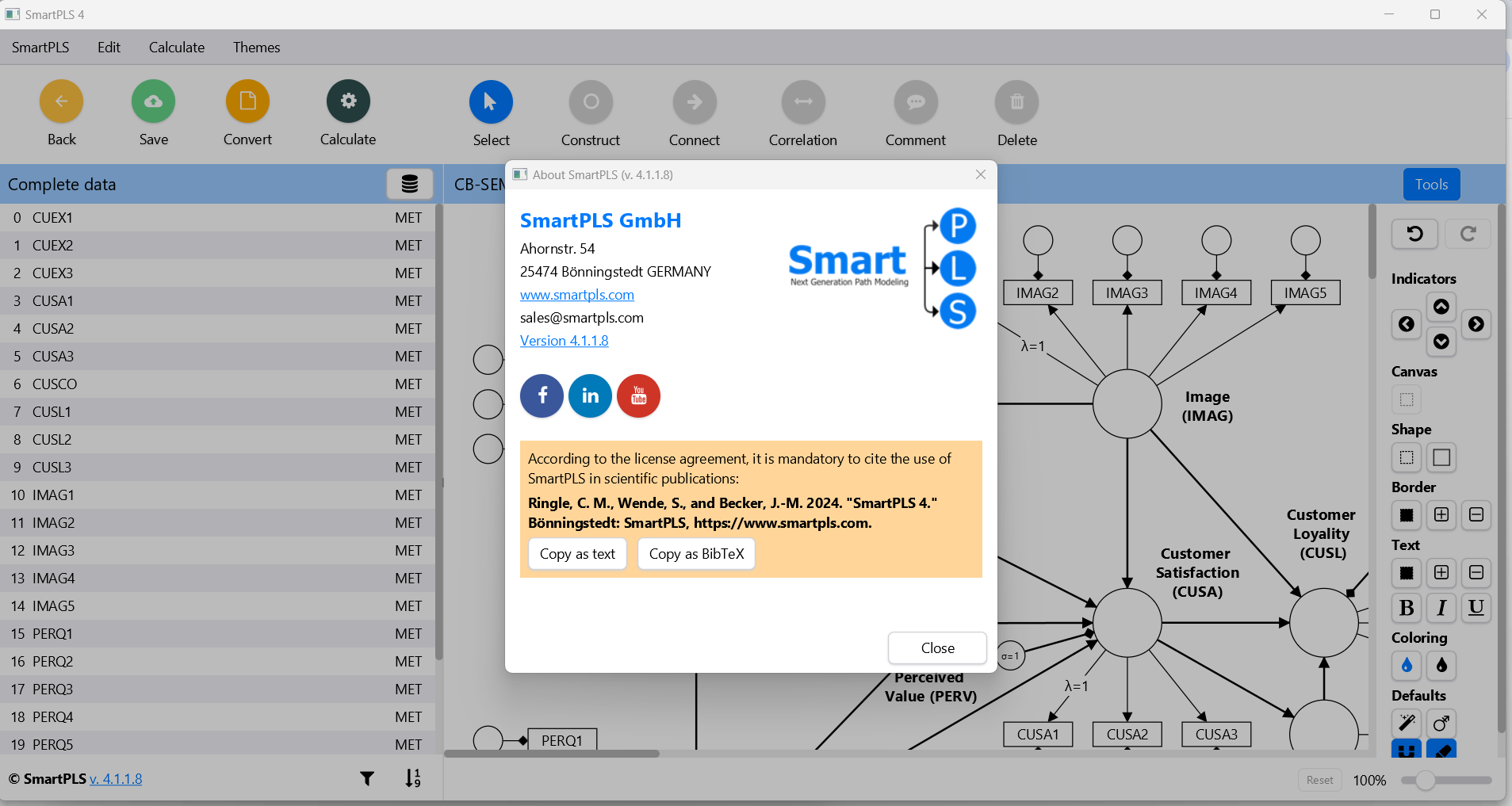
Visual Drag-and-Drop Model Builder
One of the software’s biggest strengths is its graphical interface.
Instead of writing complicated statistical commands, users simply create constructs, connect variables, and design structural models visually.
Benefits include:
- Faster model creation
- Easier understanding of relationships
- Minimal learning curve
- Better workflow for beginners
Advanced PLS-SEM Analysis
SmartPLS Professional provides comprehensive tools for:
- Structural Equation Modeling
- Measurement model assessment
- Path coefficient analysis
- Reliability testing
- Validity assessment
- Model fit evaluation
Researchers can perform sophisticated statistical analyses without switching between multiple applications.
Bootstrapping Analysis
Bootstrapping plays a critical role in validating research models.
SmartPLS Professional includes advanced bootstrapping capabilities for:
- Significance testing
- Confidence intervals
- Hypothesis testing
- Path significance
These tools increase confidence in research findings and improve publication quality.
Mediation and Moderation Analysis
Many modern research projects investigate indirect relationships.
SmartPLS Professional simplifies:
- Mediation effects
- Moderation testing
- Interaction effects
- Conditional relationships
These features are especially valuable in marketing, psychology, organizational behavior, and management research.
Multi-Group Analysis (MGA)
Researchers often compare multiple demographic or organizational groups.
Examples include:
- Male vs Female
- Public vs Private organizations
- Different countries
- Customer segments
- Student populations
SmartPLS Professional makes these comparisons straightforward.
Higher-Order Construct Modeling
Complex theoretical frameworks frequently include higher-order constructs.
The software supports:
- Reflective models
- Formative models
- Hierarchical component models
- Repeated indicator approach
This flexibility makes it suitable for advanced academic research.
Comprehensive Reporting
Generating professional reports is simple.
Outputs include:
- Tables
- Charts
- Path diagrams
- Statistical summaries
- Reliability indicators
- Validity metrics
These reports are ideal for dissertations, journal publications, and business presentations.
Practical Use Cases
SmartPLS Professional serves a wide range of industries and research disciplines.
Academic Research
Universities worldwide use SmartPLS Professional for:
- Master’s theses
- PhD dissertations
- Faculty research
- Scientific publications
- Conference papers
Researchers appreciate the software’s ability to meet rigorous academic standards.
Marketing Research
Marketing professionals analyze:
- Customer satisfaction
- Brand loyalty
- Purchase intention
- Consumer behavior
- Digital marketing effectiveness
PLS-SEM helps reveal hidden relationships between marketing variables.
Business Analytics
Organizations use SmartPLS Professional to evaluate:
- Employee engagement
- Organizational performance
- Innovation capability
- Leadership effectiveness
- Strategic management
Managers gain valuable insights for decision-making.
Healthcare Research
Healthcare researchers investigate:
- Patient satisfaction
- Healthcare quality
- Treatment adoption
- Medical technology acceptance
- Public health behavior
The software handles complex healthcare datasets efficiently.
Education Studies
Educational researchers frequently analyze:
- Student motivation
- Online learning
- Academic performance
- Teacher effectiveness
- Educational technology adoption
PLS-SEM is particularly useful when studying latent variables in education.
Information Systems Research
Technology researchers evaluate:
- User acceptance
- Software adoption
- Digital transformation
- Information quality
- System usability
SmartPLS Professional has become one of the standard tools within information systems research.
Real-World User Experience
Imagine a PhD candidate investigating how online learning quality affects student satisfaction and academic performance.
The research includes:
- 500 survey responses
- Multiple latent variables
- Several mediating effects
- Moderating influence of digital literacy
Using SmartPLS Professional, the researcher imports survey data, creates the structural model visually, performs bootstrapping, evaluates reliability, validates constructs, and generates publication-ready outputs within a single environment.
Instead of spending weeks learning statistical syntax, the researcher focuses on interpreting meaningful findings and completing the dissertation more efficiently.
This practical workflow explains why SmartPLS Professional has become a favorite among graduate students and experienced researchers alike.
Performance Analysis
User Interface
The interface is clean, modern, and organized.
Even users with limited statistical software experience can quickly understand the workflow.
Model construction feels intuitive and efficient.
Processing Speed
SmartPLS Professional processes datasets efficiently.
Typical analyses such as:
- Bootstrapping
- Blindfolding
- PLS Algorithm
- Multi-group analysis
complete relatively quickly depending on dataset size and system performance.
Learning Curve
Compared to many statistical packages, SmartPLS Professional is beginner-friendly.
Users familiar with research methodology usually become productive after only a few practice sessions.
Extensive documentation and logical workflows further reduce the learning curve.
Stability
The software performs reliably across both small and large research projects.
Large survey datasets containing thousands of observations can typically be analyzed without significant performance issues when used on modern hardware.
Pros and Cons
Pros
- Easy-to-use graphical interface
- Powerful PLS-SEM capabilities
- Excellent bootstrapping features
- Comprehensive validity and reliability testing
- Strong reporting tools
- Supports mediation and moderation analysis
- Suitable for beginners and advanced researchers
- Frequently used in academic publications
- Professional visualization of structural models
- Regular software improvements and feature updates
Cons
- Primarily focused on PLS-SEM rather than general statistical analysis
- Some advanced research techniques may require additional statistical software
- Professional licensing may be expensive for individual users
- Beginners still need a solid understanding of research methodology to interpret results accurately
Pricing & Plans
SmartPLS Professional generally offers several licensing options designed for different user groups.
These may include:
- Student licenses
- Academic licenses
- Professional licenses
- Institutional or university licenses
- Enterprise licensing
Available plans and pricing can vary over time depending on the edition, subscription model, and regional availability. Users should review the latest licensing details before purchasing to ensure they select the option that best fits their research or organizational needs.
Why Researchers Choose SmartPLS Professional
Several factors distinguish SmartPLS Professional from many competing statistical tools.
It successfully balances:
- Ease of use
- Statistical accuracy
- Advanced modeling capabilities
- High-quality visualizations
- Research-focused workflow
Because of this balance, it has become a preferred solution across universities, research institutes, consulting firms, and corporate analytics departments.
Whether you’re publishing academic papers or analyzing customer experience data, SmartPLS Professional provides an efficient environment for producing reliable statistical insights.
Final Verdict
SmartPLS Professional stands out as one of the most capable and user-friendly solutions for Partial Least Squares Structural Equation Modeling. It combines advanced analytical capabilities with an intuitive visual interface, making it accessible to both newcomers and experienced researchers. From validating theoretical models and testing complex relationships to producing publication-ready reports, the software delivers a streamlined workflow that saves time without compromising analytical quality.
Its strengths in bootstrapping, mediation and moderation analysis, multi-group comparisons, and higher-order construct modeling make it a valuable asset for academic institutions, business analysts, consultants, and research professionals alike.
If you’re looking for reliable PLS-SEM software that simplifies complex statistical modeling while maintaining professional-grade accuracy, SmartPLS Professional is well worth exploring. Evaluate its features, choose the licensing option that suits your needs, and see how it can enhance your research projects, improve decision-making, and help you produce credible, data-driven results.




Reviews
There are no reviews yet.