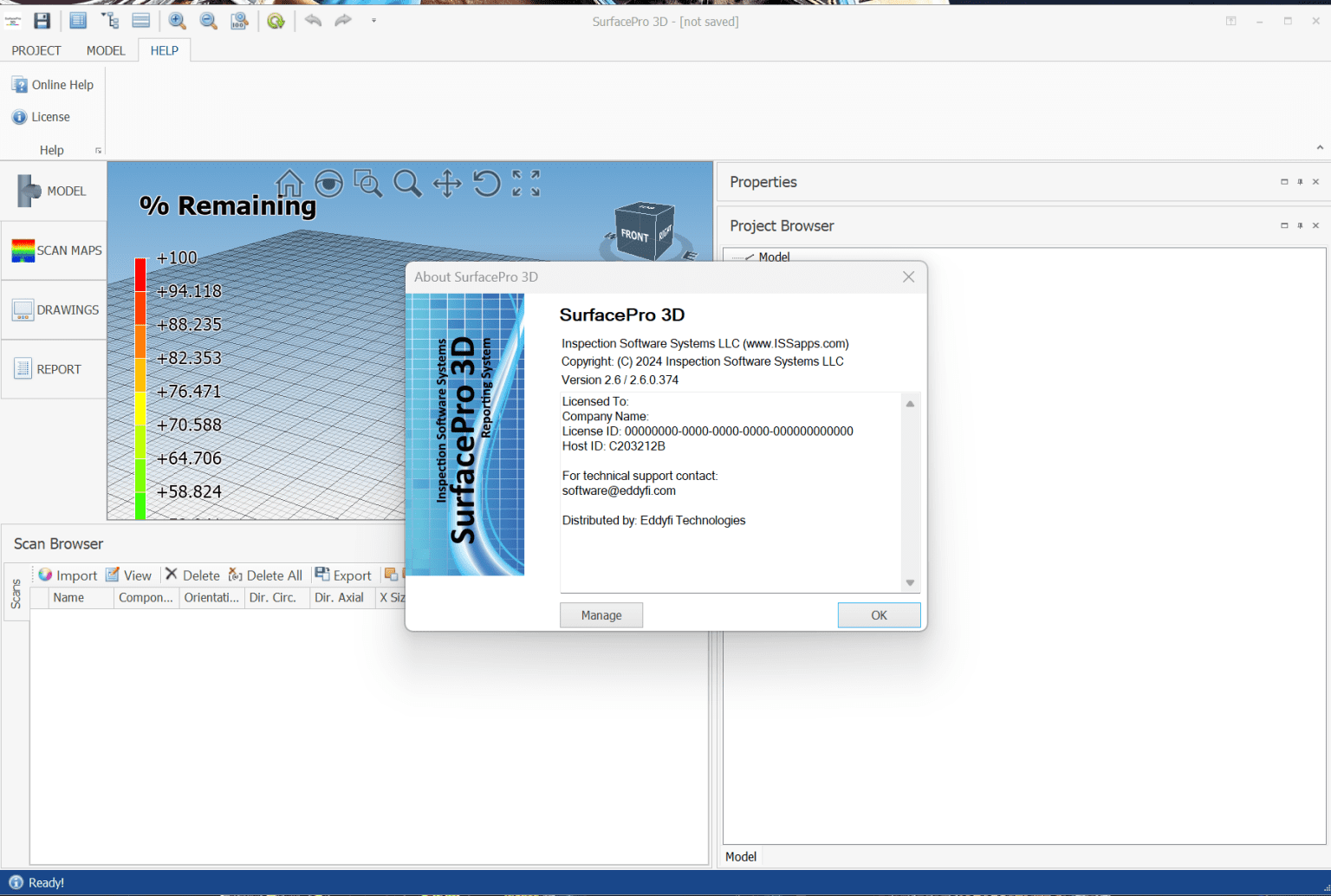
Description
SurfacePro 3D Review 2026: Advanced Surface Modeling and Reverse Engineering Software for Professionals
SurfacePro 3D has earned recognition among engineers, manufacturers, designers, and metrology professionals looking for powerful surface reconstruction and reverse engineering tools. Designed to transform scanned point cloud data into precise CAD-ready models, the software provides a practical bridge between physical objects and digital design workflows.
For companies involved in product development, quality inspection, mold design, or industrial manufacturing, SurfacePro 3D offers a streamlined environment that reduces manual modeling efforts while improving accuracy. Its combination of surface fitting capabilities, mesh processing tools, and CAD integration makes it particularly valuable for organizations seeking faster turnaround times without sacrificing engineering precision.
This review explores SurfacePro 3D’s features, practical applications, performance, strengths, limitations, and overall value to help professionals determine whether it fits their workflow requirements.
Introduction
Modern manufacturing increasingly relies on digitization. Whether recreating legacy parts, optimizing prototypes, inspecting manufactured components, or building customized products, engineers often need a reliable method for converting physical objects into editable digital models.
This is where SurfacePro 3D software becomes highly useful.
SurfacePro 3D is designed primarily for:
- Reverse engineering
- Surface reconstruction
- Point cloud processing
- Mesh optimization
- CAD model generation
- Quality inspection workflows
Instead of spending countless hours manually rebuilding complex geometries, users can leverage SurfacePro 3D to automate many of these processes, allowing teams to focus more on design improvements and less on repetitive modeling tasks.
For industries where dimensional accuracy directly affects product quality, software like SurfacePro 3D can significantly improve productivity.
Key Features of SurfacePro 3D
SurfacePro 3D includes a broad range of tools aimed at engineers and advanced CAD users.
1. Point Cloud Processing
One of the software’s core strengths lies in handling large datasets generated by modern 3D scanners.
Users can:
- Import scanned point clouds
- Remove noise
- Fill missing data
- Align multiple scans
- Simplify oversized datasets
This capability ensures cleaner data before moving into reconstruction stages.
Benefits
- Faster data preparation
- Reduced modeling errors
- Improved surface accuracy
2. Mesh Editing Tools
Raw scan data often contains imperfections.
SurfacePro 3D provides tools for:
- Hole filling
- Mesh smoothing
- Triangle optimization
- Boundary correction
- Defect removal
Engineers can repair problematic scans without needing separate third-party applications.
This creates a more efficient reverse engineering workflow.
3. Surface Reconstruction
Surface creation is arguably the most important aspect of reverse engineering software.
SurfacePro 3D supports:
Automatic surface generation
Ideal for organic geometries.
Semi-automatic workflows
Allows engineers to maintain control over critical areas.
Manual surface fitting
Useful for highly precise industrial components.
Generated surfaces can often be exported into CAD systems for further refinement.
4. Feature Recognition
The software identifies geometric features such as:
- Cylinders
- Planes
- Cones
- Holes
- Fillets
- Symmetrical structures
Automatic recognition reduces the time needed to recreate mechanical components.
For manufacturers dealing with repetitive parts, this feature can save many hours during product development.
5. CAD Integration
SurfacePro 3D integrates with common engineering workflows.
Supported exports may include:
- STEP
- IGES
- STL
- OBJ
- Parasolid formats
Compatibility with popular CAD environments allows engineers to continue editing models after reconstruction.
This interoperability is particularly useful in collaborative engineering environments.
6. Inspection and Comparison Tools
Quality control teams can compare scanned objects against nominal CAD models.
Inspection capabilities include:
- Deviation mapping
- Dimensional analysis
- Color-coded tolerance displays
- Surface variation reports
Manufacturers benefit from quicker validation procedures and improved production consistency.
Practical Use Cases of SurfacePro 3D
Software reviews become more valuable when discussing actual business scenarios.
Here are several situations where SurfacePro 3D demonstrates practical value.
Reverse Engineering Legacy Components
Many industries still depend on equipment manufactured decades ago.
Documentation may be incomplete or unavailable.
Engineers can:
Scan the component.
Import scan data into SurfacePro 3D.
Generate editable CAD surfaces.
Modify designs.
Produce replacement parts.
This process reduces dependency on outdated blueprints.
Product Redesign
Companies frequently update existing products to improve performance.
Examples include:
Consumer electronics
Medical devices
Industrial tools
Automotive components
SurfacePro 3D helps designers capture existing geometries and use them as a foundation for new concepts.
Mold and Tool Manufacturing
Toolmakers often require exact digital replicas.
Using SurfacePro 3D, manufacturers can:
Digitize molds.
Correct wear damage.
Rebuild lost sections.
Improve tooling accuracy.
This contributes to lower production costs and reduced downtime.
Medical Applications
Healthcare professionals increasingly rely on customized solutions.
Examples include:
Orthopedic devices
Prosthetics
Dental models
Patient-specific implants
Accurate surface reconstruction enables better fitting designs and improved patient outcomes.
Cultural Heritage Preservation
Museums and restoration specialists use 3D technologies to preserve artifacts.
SurfacePro 3D assists with:
Digital archiving
Object reconstruction
Historical documentation
Virtual exhibitions
This application demonstrates the software’s versatility beyond industrial sectors.
Real-World User Experience
Engineering professionals typically evaluate software based on efficiency gains.
Users often appreciate SurfacePro 3D because it addresses common bottlenecks associated with scan-to-CAD projects.
One manufacturing engineer working with turbine components may previously spend several days rebuilding surfaces manually.
By implementing automated reconstruction workflows, those projects could potentially be reduced to a matter of hours.
Similarly, a product design consultancy handling multiple client prototypes each month may find that integrated mesh editing tools eliminate the need for additional repair software.
The result is a more centralized workflow.
Teams can complete projects faster while maintaining acceptable tolerance levels.
Another frequently cited advantage is the ability to process complex organic shapes that traditional CAD software struggles to model efficiently.
For industries managing intricate geometries, this capability becomes increasingly valuable.
Performance Analysis
Performance is a major consideration when evaluating professional 3D software.
SurfacePro 3D generally performs well when handling moderately large datasets.
Several factors influence overall experience.
Processing Speed
Performance depends heavily on hardware specifications.
Recommended configurations typically include:
Multi-core processors
High-performance GPUs
32 GB or more RAM
SSD storage
Systems meeting these requirements usually experience smoother operations.
Reconstruction Accuracy
Surface fitting algorithms provide highly detailed results.
Advantages include:
Reduced geometric deviation
Improved CAD compatibility
Better dimensional consistency
Accurate reconstructions are particularly important in aerospace and automotive applications.
Stability
Users working on extensive engineering projects require dependable software.
SurfacePro 3D generally offers:
Reliable project management
Consistent export capabilities
Stable handling of complex meshes
Like many professional engineering platforms, occasional performance slowdowns may occur when processing exceptionally dense scans.
However, optimized hardware significantly mitigates these concerns.
SurfacePro 3D Pros and Cons
Pros
Excellent Reverse Engineering Capabilities
Powerful scan-to-CAD functionality streamlines reconstruction workflows.
Advanced Surface Modeling
Supports detailed and accurate surface creation.
Integrated Mesh Repair Tools
Reduces reliance on external applications.
Broad CAD Compatibility
Facilitates collaboration across engineering departments.
Useful Inspection Features
Supports manufacturing quality assurance initiatives.
Flexible Workflow Options
Suitable for both automated and manual reconstruction methods.
Cons
Learning Curve
New users may require training to master advanced features.
Hardware Demands
Large projects perform best on modern workstations.
Professional-Oriented Interface
Casual users may find certain engineering functions overwhelming.
Licensing Costs
Pricing may be a consideration for smaller organizations depending on deployment requirements.
Pricing and Plans
SurfacePro 3D pricing structures may vary based on:
- License type
- Subscription options
- Industry requirements
- Technical support packages
- Enterprise deployment needs
Organizations interested in implementation should consult authorized vendors or official sales representatives to obtain the latest pricing details and available licensing models.
Businesses evaluating return on investment should consider potential savings generated through:
- Reduced design time
- Faster inspections
- Lower outsourcing expenses
- Improved manufacturing efficiency
For many engineering firms, productivity improvements often justify software investments over time.
Who Should Use SurfacePro 3D?
SurfacePro 3D is particularly well suited for:
Mechanical Engineers
Needing precise reconstruction capabilities.
Product Designers
Seeking efficient redesign workflows.
Quality Control Specialists
Conducting dimensional inspections.
Toolmakers
Repairing or modifying molds.
Medical Device Manufacturers
Producing patient-specific products.
Research Institutions
Analyzing complex geometries.
Organizations engaged in digital manufacturing initiatives may find the software especially beneficial.
Final Verdict
SurfacePro 3D stands out as a capable reverse engineering and surface reconstruction platform designed for professionals who require precision, efficiency, and seamless integration into modern CAD environments.
Its strengths lie in advanced surface generation, robust mesh editing, point cloud processing, and inspection capabilities that help engineers transition from physical objects to production-ready digital models with minimal friction. While newcomers may face an initial learning curve and hardware requirements can be demanding, the software offers meaningful productivity gains for businesses handling frequent scan-to-CAD projects.
For engineering teams, manufacturers, and designers seeking a dependable solution for reverse engineering workflows, SurfacePro 3D is worth exploring. Evaluating its capabilities through a demonstration, trial version, or consultation with a licensing partner can help determine how effectively it aligns with your organization’s digital design and manufacturing objectives.



Reviews
There are no reviews yet.