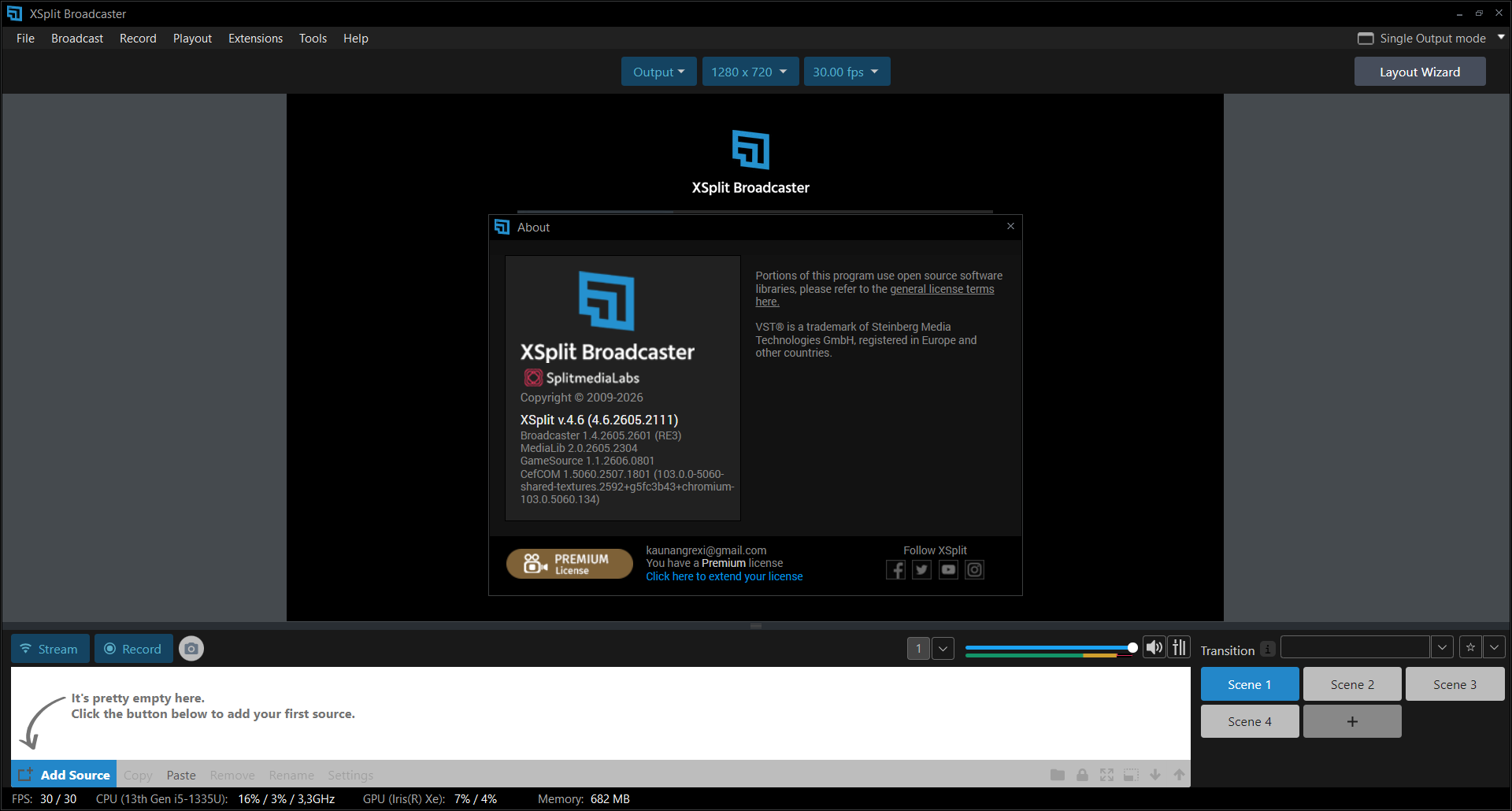
Description
XSplit Broadcaster Review: A Professional Live Streaming & Recording Software for Content Creators
XSplit Broadcaster Review Summary
If you’re searching for reliable live streaming and screen recording software that balances professional-grade features with ease of use, XSplit Broadcaster deserves serious consideration. Built for streamers, gamers, educators, businesses, and content creators, this software offers a polished broadcasting experience without requiring extensive technical knowledge.
Whether you’re streaming gameplay on popular platforms, hosting webinars, recording tutorials, or creating professional presentations, XSplit Broadcaster provides an intuitive interface combined with powerful customization tools. From scene management to high-quality video encoding, it simplifies the broadcasting process while delivering impressive performance.
This review explores everything you need to know about XSplit Broadcaster, including its features, real-world applications, performance, advantages, limitations, pricing, and why it continues to be a trusted choice among creators.
Introduction
The demand for high-quality live streaming and video content has grown rapidly across industries. Gamers broadcast gameplay to global audiences, businesses conduct virtual events, educators teach online classes, and creators produce engaging content for multiple platforms.
To achieve professional results, creators need dependable broadcasting software that offers flexibility, stability, and powerful production tools. XSplit Broadcaster has established itself as one of the leading live streaming and video production solutions by providing an easy-to-use interface combined with advanced broadcasting capabilities.
Unlike complicated broadcasting software that requires extensive configuration, XSplit Broadcaster allows beginners to get started quickly while offering experienced users the customization they expect.
Whether you’re launching your first livestream or managing complex multi-scene productions, XSplit Broadcaster helps create polished, professional broadcasts.
Key Features of XSplit Broadcaster
Intuitive User Interface
One of the biggest strengths of XSplit Broadcaster is its clean and organized interface. New users can quickly understand how scenes, sources, and layouts work without spending hours learning complicated workflows.
The drag-and-drop design makes arranging cameras, overlays, gameplay, presentations, and media incredibly simple.
Professional Scene Management
Creating multiple scenes allows broadcasters to switch instantly between different layouts during live broadcasts.
Examples include:
- Starting Soon screen
- Gameplay view
- Face camera
- Full-screen presentation
- Interview layout
- Ending screen
This flexibility creates more engaging and professional productions.
High-Quality Live Streaming
XSplit Broadcaster supports high-definition streaming with excellent video quality while maintaining stable performance.
Users can broadcast content such as:
- Gaming streams
- Educational lessons
- Business webinars
- Product launches
- Virtual conferences
- Live interviews
Its encoding options help optimize stream quality based on available hardware.
Built-In Screen Recording
Besides live streaming, XSplit Broadcaster functions as a capable screen recording application.
Users can record:
- Software tutorials
- Product demonstrations
- Gameplay videos
- Training materials
- Online meetings
- Educational lectures
Recorded videos maintain excellent visual quality suitable for editing and publishing.
Multiple Source Support
Broadcasters can combine various media sources into a single production.
Supported sources include:
- Webcam
- Game capture
- Desktop capture
- Images
- Videos
- Browser sources
- Presentation slides
- Audio devices
- External capture cards
This flexibility makes professional production much easier.
Audio Controls
Good audio quality is essential for successful streaming.
XSplit Broadcaster includes tools for:
- Multiple microphone inputs
- Audio mixing
- Volume balancing
- Noise management
- Independent source control
These features help create clear, professional broadcasts.
Plugin and Extension Support
Users can extend functionality through plugins and integrations that enhance workflow and production quality.
Additional tools allow creators to customize broadcasts according to their specific needs.
Practical Use Cases
Gaming Live Streams
Gamers remain one of the largest user groups for XSplit Broadcaster.
A typical gaming setup may include:
- Gameplay capture
- Face camera
- Live chat overlay
- Donation alerts
- Subscriber notifications
- Sponsor graphics
Scene switching keeps streams engaging without interrupting gameplay.
Online Education
Teachers and trainers use XSplit Broadcaster for interactive online lessons.
Examples include:
- Screen sharing
- Webcam instruction
- PowerPoint presentations
- Whiteboard demonstrations
- Software training
- Remote classrooms
The ability to combine multiple media sources improves learning experiences.
Business Presentations
Modern businesses frequently host online meetings, webinars, and product launches.
XSplit Broadcaster helps companies produce professional presentations by combining:
- Company branding
- Presenter webcam
- Presentation slides
- Product demonstrations
- Live screen sharing
The result is a polished presentation suitable for clients and stakeholders.
Content Creation
YouTube creators and video producers often use XSplit Broadcaster to record high-quality videos.
Common recording projects include:
- Product reviews
- Tutorials
- Educational videos
- Software demonstrations
- Tech walkthroughs
High-quality recordings reduce editing time later.
Corporate Training
Organizations creating employee training materials benefit from XSplit Broadcaster’s recording capabilities.
Training sessions become easier to produce using:
- Screen capture
- Webcam instruction
- Voice narration
- Interactive demonstrations
This creates reusable learning resources for teams.
Performance Analysis
Performance is one of the most important considerations for broadcasting software.
XSplit Broadcaster performs well on modern systems by utilizing available CPU and GPU resources efficiently.
Stability
Long streaming sessions remain stable when running on recommended hardware.
Users generally experience:
- Minimal crashes
- Reliable broadcasting
- Consistent recording quality
- Smooth scene switching
This reliability is essential during important live events.
Video Quality
XSplit Broadcaster delivers sharp, high-definition video suitable for professional streaming.
Proper bitrate and encoding settings allow creators to produce visually impressive broadcasts while balancing system performance.
Resource Usage
Like any professional broadcasting software, XSplit Broadcaster requires adequate hardware for optimal performance.
Systems with dedicated graphics cards perform especially well during:
- High-resolution recording
- Multiple scene production
- Webcam overlays
- Live encoding
Users with modern gaming PCs or creator workstations typically enjoy smooth operation.
Workflow Efficiency
One area where XSplit Broadcaster stands out is workflow efficiency.
Tasks that normally require complicated setup become straightforward through:
- Drag-and-drop editing
- Scene templates
- Quick source management
- Easy transitions
- Organized interface
This allows creators to spend more time producing content rather than troubleshooting software.
User Experience
Many users appreciate XSplit Broadcaster because it removes much of the complexity associated with professional streaming.
A new content creator can install the software, connect a webcam and microphone, create a few scenes, and begin streaming within a relatively short time.
Experienced broadcasters benefit from advanced production controls without sacrificing usability.
Businesses value its reliability during presentations, while educators appreciate the straightforward recording tools.
Overall, the software provides a balanced experience suitable for beginners and professionals alike.
Pros and Cons
Pros
- Easy-to-use interface
- Professional broadcasting features
- Excellent scene management
- High-quality screen recording
- Reliable live streaming performance
- Flexible media source support
- Suitable for gaming, business, and education
- Frequent updates and improvements
- Clean workflow for beginners
- Advanced options for experienced users
Cons
- Some advanced features require a paid license
- Higher-quality streaming benefits from modern hardware
- Beginners may still need time to learn advanced production techniques
- Performance depends on system specifications during demanding broadcasts
Pricing and Plans
XSplit Broadcaster offers multiple licensing options designed for different types of users.
Depending on the current offerings, plans may include:
- Free version with limited functionality
- Premium subscription
- Multi-month licenses
- Annual plans
- Lifetime licensing (when available through official promotions)
Paid versions unlock additional professional features, remove certain limitations, and provide enhanced production capabilities.
Pricing may change over time, so users should verify the latest plans before purchasing.
Why Choose XSplit Broadcaster?
There are many live streaming software options available today, yet XSplit Broadcaster continues to maintain a strong reputation because it combines usability with professional functionality.
It is especially valuable for users who need:
- Professional livestream production
- Reliable screen recording software
- Webinar broadcasting
- Gaming streaming software
- Educational video creation
- Business presentation tools
- High-definition video recording
- Flexible scene management
Its balance between simplicity and advanced features makes it suitable for creators at every experience level.
Final Verdict
XSplit Broadcaster remains one of the most capable live streaming and recording solutions available for creators, educators, businesses, and gamers. Its combination of professional broadcasting tools, intuitive interface, dependable performance, and flexible scene management makes it an excellent investment for anyone producing live or recorded video content.
While beginners will appreciate its user-friendly design, experienced creators will find enough advanced functionality to build polished, high-quality productions. From gaming streams and online classes to corporate webinars and video tutorials, X Split Broadcaster adapts to a wide range of creative and professional workflows.
If you’re looking for dependable live streaming software that delivers excellent video quality, efficient workflow, and professional production capabilities, XSplit Broadcaster is a strong choice worth exploring. Try it for your next livestream or recording project and experience how it can simplify content creation while helping you produce engaging, high-quality broadcasts.



Reviews
There are no reviews yet.