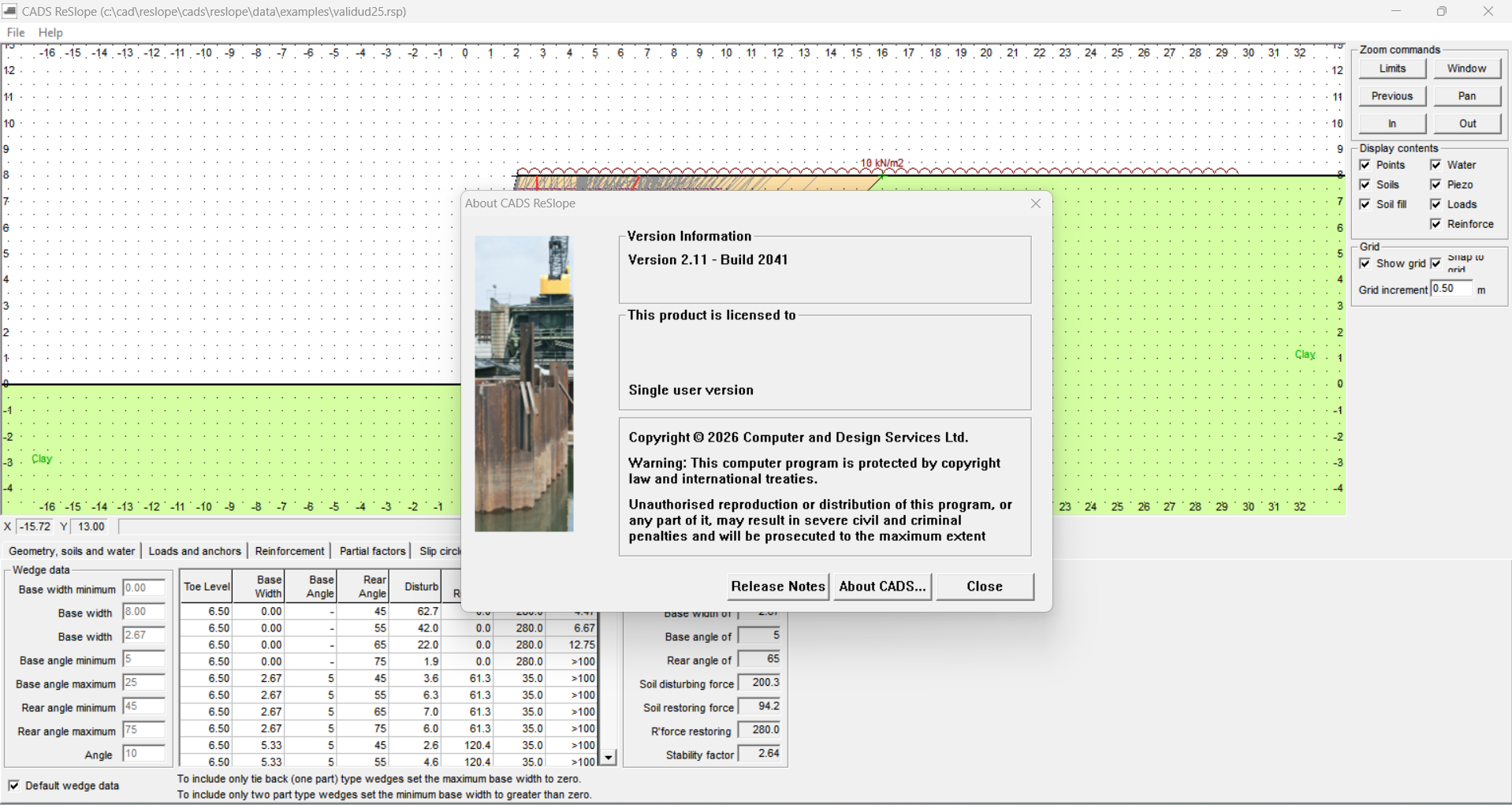
Description
CADS ReSlope: Complete Software Review for Slope Stability, Earthworks, and Geotechnical Design
Summary
CADS ReSlope is a specialized engineering software solution designed to help professionals analyze and design slopes, retaining arrangements, and earthwork-related problems with a more structured and efficient workflow. For engineers who regularly deal with embankments, cut slopes, reinforced slopes, or geotechnical design challenges, software such as ReSlope can reduce repetitive calculations and make design evaluation easier to manage.
In practical engineering work, slope design is rarely just about drawing a profile and selecting an angle. Engineers need to consider soil conditions, geometry, loading, groundwater, reinforcement, stability requirements, and design assumptions. CADS ReSlope brings these considerations into a dedicated design environment, helping users evaluate slope behavior and make informed engineering decisions.
What makes a specialized slope design program valuable is the ability to move beyond basic manual calculations. Instead of repeatedly rebuilding spreadsheets or checking individual calculations, engineers can establish a design model, adjust parameters, assess stability, and compare alternatives within a consistent workflow.
For civil engineers, geotechnical consultants, contractors, and infrastructure professionals, CADS ReSlope can therefore serve as a practical tool for improving productivity while supporting more systematic slope design and assessment.
Introduction
Slope stability is one of those engineering challenges where seemingly small changes can have a significant effect on the final design. A minor adjustment to slope geometry, soil properties, groundwater conditions, surcharge loading, or reinforcement can change the stability of an earth structure.
Traditionally, engineers may use spreadsheets, hand calculations, drawings, and several separate tools to investigate these conditions. Although these methods can work, they can become time-consuming when a project requires multiple design alternatives.
This is where CADS ReSlope becomes useful.
The software is intended for professionals working with slope and earth-retaining design problems. Its purpose is to provide a dedicated environment for setting up slope geometry, defining relevant design parameters, evaluating stability, and producing engineering information that can support project decisions.
For someone new to slope design software, the biggest advantage is not simply automation. It is the ability to organize a complex engineering problem into a repeatable workflow.
What Is CADS ReSlope?
CADS ReSlope is a geotechnical and civil engineering software solution focused on slope-related design and analysis.
It can be particularly relevant to projects involving:
- Earth slopes
- Embankments
- Cuttings
- Reinforced slopes
- Retaining earth structures
- Infrastructure earthworks
- Road and site development
- Geotechnical stability assessments
Rather than treating slope calculations as isolated mathematical exercises, a dedicated program allows engineers to create a model and investigate how different parameters affect the design.
This becomes especially valuable during the design-development stage when an engineer may need to answer questions such as:
- Is the proposed slope geometry stable?
- What happens if the slope angle changes?
- How do soil parameters influence stability?
- What effect does additional loading have?
- Would reinforcement improve the design?
- Which design alternative provides an acceptable balance between safety and construction practicality?
These are the types of questions that make slope analysis software useful in real engineering environments.
Key Features of CADS ReSlope
1. Dedicated Slope Design Environment
One of the primary benefits of ReSlope is its specialized focus. Instead of adapting a general-purpose calculation platform for slope work, engineers can work within an environment designed around slope-related engineering problems.
This can make the overall workflow more intuitive for professionals who frequently perform geotechnical calculations.
2. Slope Geometry Evaluation
Slope geometry is fundamental to stability.
Engineers can investigate different slope configurations and evaluate how changes to the geometry influence the design. This is particularly useful when comparing a steep design against a flatter alternative.
In a real project, this can help engineers consider both stability and construction requirements instead of focusing on only one factor.
3. Soil and Engineering Parameters
Slope analysis depends heavily on appropriate soil properties and engineering assumptions.
A professional workflow requires consideration of parameters associated with the materials involved in the analysis. By organizing these inputs within a dedicated model, engineers can more easily review assumptions and evaluate alternative scenarios.
This is particularly helpful when site investigation information changes during a project.
4. Stability Assessment
Slope stability is at the heart of the software’s purpose.
A well-structured analysis workflow allows engineers to investigate potential instability and understand whether a proposed configuration requires modification.
Rather than relying on a single calculation, engineers can test different combinations of geometry, materials, loads, and other relevant assumptions.
5. Reinforced Slope Design
For projects where conventional slope geometry is insufficient, reinforcement can provide another design option.
Reinforced slope analysis can be useful for infrastructure projects where available land is limited and engineers need to achieve a steeper face while maintaining an appropriate level of stability.
This can be particularly relevant to road corridors, embankments, and constrained construction sites.
6. Design Comparison
Engineering rarely involves designing only one option.
A practical advantage of software-based analysis is the ability to investigate alternatives. Engineers can compare different slope angles, soil conditions, loading arrangements, or reinforcement approaches before settling on a final concept.
This supports value engineering and can potentially reduce unnecessary earthworks.
7. Engineering Documentation
Another important consideration is communication.
Slope designs need to be reviewed by project managers, consultants, contractors, and other engineering professionals. Clear calculation results and organized engineering documentation can make the review process easier.
Practical Use Cases
Road and Highway Projects
Road construction frequently involves cuttings and embankments. When terrain changes significantly, engineers must determine suitable slope arrangements while considering stability, drainage, construction space, and long-term performance.
CADS ReSlope can be useful during preliminary and detailed design stages for evaluating these earthwork conditions.
Building and Site Development
Large developments can involve significant changes in ground levels. Site engineers may need to create cut slopes, embankments, or reinforced earth structures.
A dedicated slope analysis workflow can help assess alternative site grading strategies before construction begins.
Embankment Design
Railways, highways, flood protection works, and other infrastructure can require large earth embankments.
Engineers need to consider the interaction between embankment geometry, soil characteristics, loading, and stability. Software-based analysis can make repeated evaluation more manageable.
Retaining and Reinforced Earth Solutions
Where available land is restricted, simply flattening a slope may not be practical.
Reinforcement and engineered earth solutions can provide alternatives. ReSlope can be valuable when engineers need to investigate these options as part of a broader slope design process.
Consulting Engineering
For consultants, efficiency matters.
A consultant may work on several projects with different soil conditions and geometries during the same week. A structured software workflow can reduce repetitive manual work and help engineers maintain consistency between projects.
Performance Analysis
The real performance of any engineering software should be judged by more than how quickly it produces a result.
For CADS ReSlope, the strongest benefit is workflow efficiency.
An engineer can establish a model, adjust design assumptions, examine the resulting stability behavior, and compare alternatives without rebuilding the entire analysis from scratch each time.
This becomes particularly useful during design optimization.
For example, imagine a road project where the initial slope arrangement requires a large amount of excavation. Instead of accepting the first design, an engineer can investigate whether a different geometry or reinforcement strategy can achieve the required stability with less excavation.
That type of iterative design process is where specialized software can provide significant practical value.
However, users should remember that engineering software does not replace engineering judgment. The quality of the output depends on the quality of the input data, assumptions, soil investigation, groundwater information, loading conditions, and design methodology.
A professional should always review results rather than treating software-generated values as automatically correct.
User Experience and Workflow
For an experienced civil or geotechnical engineer, the biggest appeal of CADS ReSlope is likely its engineering-focused workflow.
Instead of spending excessive time creating custom spreadsheets, users can concentrate more on the engineering problem itself.
A typical workflow may involve:
- Defining the project and slope geometry.
- Establishing relevant soil and material parameters.
- Applying appropriate loading and design assumptions.
- Evaluating slope stability.
- Testing alternative configurations.
- Reviewing the results.
- Refining the design where necessary.
- Preparing engineering documentation for project review.
This workflow encourages a more systematic approach to slope design.
For junior engineers, the software can also provide a useful framework for understanding how different variables influence slope behavior, provided that the underlying engineering principles are properly understood.
Pros and Cons
Pros
- Specialized environment for slope-related engineering
- Useful for civil and geotechnical design workflows
- Supports investigation of different slope configurations
- Can reduce repetitive manual calculations
- Helpful for comparing design alternatives
- Relevant to embankments, cuttings, and reinforced slope projects
- Can improve consistency in engineering workflows
- Useful for professional design documentation and review
Cons
- Requires appropriate geotechnical knowledge
- Results depend heavily on accurate input data
- May be more specialized than necessary for occasional users
- Engineers still need to independently verify critical results
- Advanced geotechnical projects may require additional analysis tools
Pricing and Plans
The availability, licensing structure, and pricing of CADS ReSlope can vary depending on the software edition, licensing arrangement, region, and current vendor offerings.
For professional engineering software, it is important to confirm the current licensing terms before purchasing. Businesses should also consider whether the license model fits their workflow, particularly if multiple engineers need access to the software.
For companies, the real value should not be measured only by the purchase price. Time saved during repeated slope analysis, design revisions, documentation, and alternative evaluation can also contribute significantly to the overall return on investment.
Who Should Use CADS ReSlope?
CADS ReSlope can be a strong choice for professionals who regularly work with slope stability and earthwork design.
It may be particularly useful for:
- Civil engineers
- Geotechnical engineers
- Structural and infrastructure consultants
- Highway and railway designers
- Site development engineers
- Earthworks contractors
- Engineering consultants
- Students and engineers learning slope design principles
It is less compelling for users who rarely perform slope-related calculations and only need basic drafting or general civil design functionality.
CADS ReSlope 2.11 Build 2041 Dowload
Final Verdict
CADS ReSlope stands out as a focused engineering solution for professionals who need to evaluate slope and earthwork-related design problems in a structured way.
Its biggest advantage is the ability to turn what can become a repetitive calculation process into a more organized design workflow. Engineers can examine slope geometry, consider material and loading conditions, evaluate stability, and investigate alternative solutions without relying entirely on manually maintained calculation systems.
For real-world infrastructure and construction projects, that flexibility can be valuable. A flatter slope may improve stability but require more land. A steeper slope may save space but introduce additional design considerations. Reinforcement may provide another alternative. Having a dedicated environment for evaluating these options helps engineers make better-informed decisions.
The software should still be treated as an engineering tool rather than an automatic decision-maker. Accurate site information, sensible assumptions, appropriate design methods, and professional review remain essential.




Reviews
There are no reviews yet.