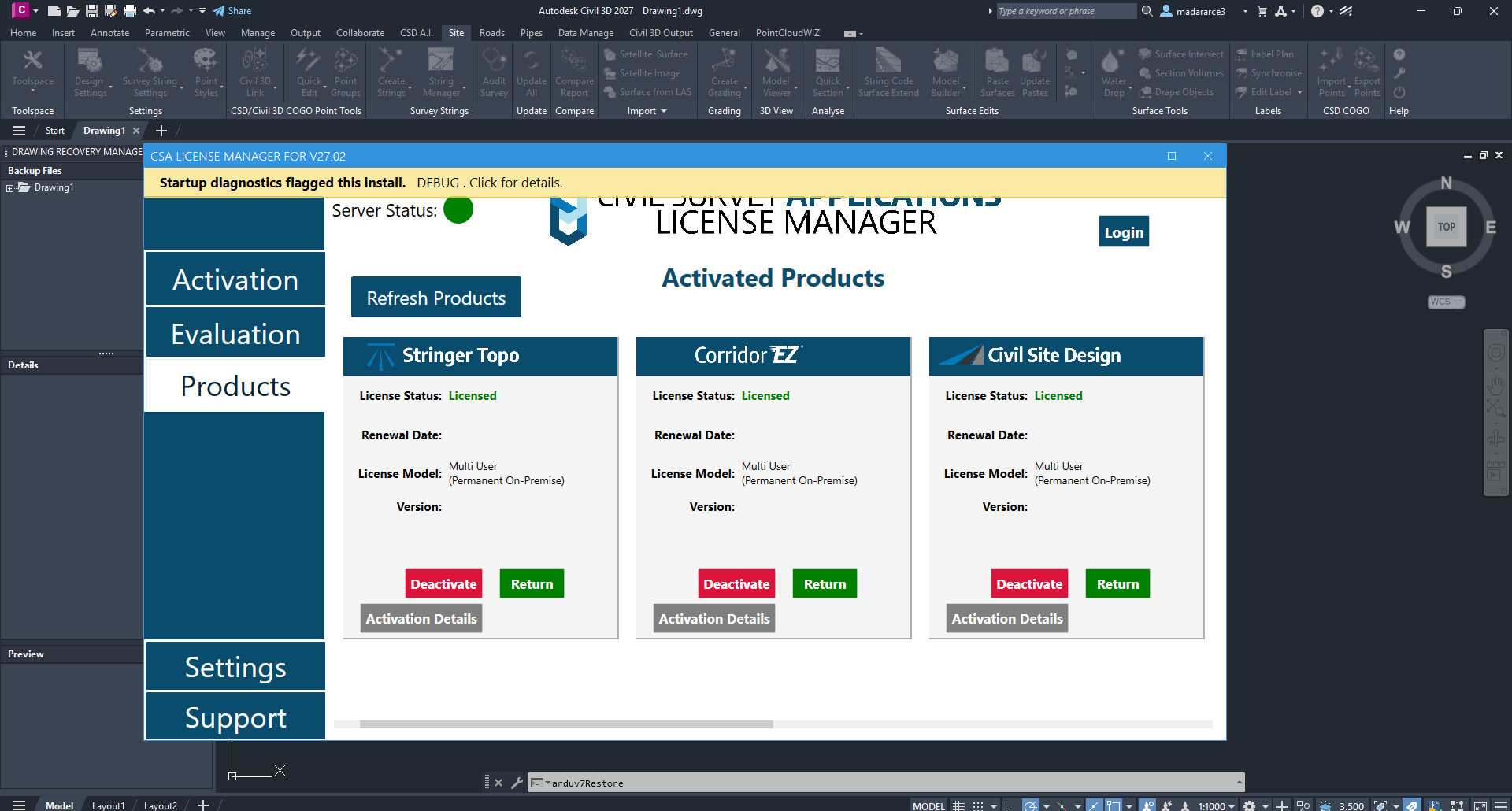
Description
Civil Site Design for AutoCAD 2027: Features, Benefits, Uses, and Pricing
Civil Site Design for AutoCAD is a specialized civil engineering design solution that helps engineers, surveyors, and land development professionals streamline site grading, road design, stormwater planning, and subdivision development within an AutoCAD-based environment. By combining civil design tools with familiar drafting workflows, the software helps users manage complex engineering projects without relying entirely on manual calculations and repetitive drawing tasks.
For professionals working on residential subdivisions, commercial developments, access roads, parking lots, and infrastructure projects, Civil Site Design offers practical tools for creating terrain models, designing road alignments, generating grading plans, and preparing engineering documentation. Its integrated approach can improve design consistency, simplify revisions, and support a more organized project workflow.
One of its main advantages is the ability to work with design data rather than treating every drawing as a collection of disconnected lines. Changes to alignments, levels, surfaces, or other supported design parameters can be incorporated into the broader civil design process. This is particularly useful when project requirements change during development.
Whether you are an independent civil engineer, a land development consultant, or part of a multidisciplinary engineering team, Civil Site Design for AutoCAD is worth considering if you need a practical solution for detailed site engineering and infrastructure design.
Introduction to Civil Site Design for AutoCAD
Civil engineering design involves several connected tasks, including analyzing existing ground conditions, planning road geometry, calculating earthworks, designing surface drainage, and preparing construction drawings. Managing these tasks through separate tools and manual calculations can make projects harder to coordinate.
Civil Site Design is developed to address these challenges by providing civil engineering design capabilities within supported CAD environments. Its workflow is particularly relevant to professionals who already use AutoCAD for drafting and technical documentation.
Consider a typical land development project. An engineer receives a survey containing existing ground levels, boundaries, and natural features. The project requires an internal road network, building platforms, parking areas, and a drainage strategy. Each element must fit the site conditions while meeting applicable design requirements.
Without a coordinated design environment, revisions to road levels or building locations can trigger numerous manual updates. Civil Site Design helps organize these connected engineering tasks through dedicated design tools and data-driven workflows.
The result is a more structured approach to site development, where engineers can evaluate design alternatives, manage changes, and prepare the technical information needed for project delivery.
It is important to understand that the software supports engineering work rather than replacing professional judgment. Engineers remain responsible for verifying calculations, applying the correct local standards, and ensuring that the final design satisfies project-specific requirements.
Key Features of Civil Site Design for AutoCAD
1. Surface Modeling and Terrain Analysis
Understanding the existing terrain is essential before designing roads, building platforms, or drainage systems.
Civil Site Design supports terrain-based workflows that help engineers work with existing and proposed ground surfaces. Survey information and elevation data can be used to develop a digital representation of site conditions, subject to the quality and format of the available input data.
These surfaces provide a foundation for evaluating slopes, planning earthworks, and understanding how proposed construction will interact with the surrounding landscape.
For example, when designing a commercial property on uneven ground, an engineer can use terrain information to identify areas that require cutting or filling. This supports more informed decisions about site levels and grading strategies.
2. Road and Alignment Design
Road design is an important part of residential subdivisions, industrial developments, and commercial access projects.
Civil Site Design provides tools for developing road alignments and associated design elements within supported CAD workflows. Engineers can work with horizontal alignment, vertical geometry, road profiles, and cross-sections according to the project’s requirements and the software’s available functionality.
These capabilities help designers assess how road geometry responds to terrain conditions and design constraints.
For instance, a subdivision engineer can develop an internal road layout, review its vertical profile, and coordinate proposed levels with adjoining lots. When changes are necessary, a structured design model can make revisions easier to manage than disconnected manual drawings.
The exact design options available depend on the installed version and supported CAD platform.
3. Site Grading and Level Design
Site grading determines how land is shaped to accommodate buildings, roads, parking areas, landscaped spaces, and drainage requirements.
Civil Site Design helps engineers develop proposed surface levels and grading arrangements for different areas of a project. This can be especially useful when a site contains several building platforms, access routes, and transitions between existing and proposed terrain.
A well-coordinated grading design can help reduce unnecessary earthworks, improve surface drainage, and support practical construction planning.
Designers should still verify proposed slopes, accessibility requirements, retaining conditions, and drainage behavior before approving a grading layout.
4. Stormwater and Drainage Design
Stormwater management is an important consideration in almost every land development project. Poor drainage can cause ponding, erosion, infrastructure damage, and problems for neighboring properties.
Civil Site Design supports drainage-related engineering workflows, depending on the available modules and configuration. These workflows can help designers coordinate site levels and drainage infrastructure with the wider development plan.
For example, a parking area may require carefully designed surface falls so runoff moves toward suitable collection points. Road grades and lot levels must also work together to prevent unwanted water accumulation.
By coordinating grading and drainage design, engineers can evaluate the relationship between surface geometry and the proposed drainage arrangement.
Final drainage calculations, hydraulic assumptions, and regulatory compliance should always be checked against the applicable engineering standards.
5. Earthworks Calculations
Earthworks are often a major cost component in construction projects. Excessive excavation or imported fill can increase project expenses and complicate construction scheduling.
Civil Site Design supports earthworks-related workflows that help engineers evaluate differences between existing and proposed ground surfaces. Depending on the project configuration, these calculations can assist with estimating cut-and-fill quantities and reviewing alternative site layouts.
Imagine a development where several building platforms must be established across sloping terrain. Comparing alternative platform levels can help the design team understand how different options affect earthworks requirements.
Accurate results depend on reliable survey data, suitable surface models, appropriate calculation settings, and verification of the resulting quantities.
6. Cross-Sections, Profiles, and Documentation
Civil engineering projects require more than a workable design model. Engineers must also communicate the design through drawings, profiles, sections, schedules, and construction documentation.
Civil Site Design helps generate and manage design documentation associated with supported road and site engineering workflows.
This can reduce the need to recreate technical information manually whenever a design changes. It also helps teams coordinate their drawings with the underlying engineering model.
Before adopting the software, users should confirm that the available reporting and drawing tools meet their organization’s documentation standards and client requirements.
7. AutoCAD-Based Workflow
A significant consideration for prospective users is compatibility with an existing CAD environment.
Civil Site Design is intended for civil engineering work within supported CAD platforms, including relevant AutoCAD-based configurations. This can be attractive to teams that already rely on CAD drafting and want more specialized engineering functionality.
However, compatibility should not be assumed across every AutoCAD release or operating environment. Users should verify the supported software version, licensing conditions, system requirements, and any required companion applications before installation.
Practical Use Cases of Civil Site Design
Residential Subdivision Development
Residential subdivisions involve roads, property boundaries, building lots, drainage systems, and connections to existing infrastructure.
Civil Site Design can help engineers coordinate road geometry, lot grading, proposed surfaces, and related earthworks calculations. A coordinated workflow can make it easier to evaluate how changes to road levels affect adjoining properties.
Commercial and Industrial Sites
Commercial developments often require building platforms, parking areas, loading zones, access roads, and coordinated drainage.
Engineers can use site grading and terrain modeling tools to organize proposed levels and assess the relationship between these elements. This is particularly valuable when the project has limited space or significant changes in ground elevation.
Road and Access Design
Road designers must consider horizontal alignment, vertical profiles, cross-sections, and connections to surrounding infrastructure.
Civil Site Design can support these tasks within suitable project configurations, helping engineers organize road geometry and prepare the associated design information.
Earthworks Planning
Contractors and consultants need reliable estimates of excavation and filling quantities before construction begins.
By comparing existing and proposed surfaces, engineers can evaluate grading alternatives and investigate opportunities to reduce unnecessary earthworks. These estimates should be reviewed alongside geotechnical conditions, construction methods, and site constraints.
Engineering Consultancies
Small and medium-sized civil engineering consultancies often need to complete multiple projects while maintaining consistent documentation.
A coordinated civil design environment can reduce repetitive drafting and help staff follow more consistent procedures. The actual benefit depends on project complexity, team experience, and the quality of the firm’s existing workflows.
Performance Analysis
Civil Site Design for AutoCAD is best evaluated through its impact on design productivity, model coordination, and engineering workflow management.
Design efficiency: Specialized tools for grading, road geometry, and surface modeling can reduce repetitive manual drafting. The time saved will depend on the complexity of the project and how effectively the team uses the available features.
Design coordination: Working with connected design information can help engineers manage revisions across related elements. This is particularly useful when changes affect multiple roads, surfaces, or site levels.
Calculation reliability: Digital terrain models and earthworks tools can support consistent calculations, provided that the input data and modeling assumptions are correct. Independent checks remain essential for critical engineering quantities.
Project scalability: The software can be useful for projects ranging from individual site developments to more complex subdivision layouts. Performance on larger projects will also depend on hardware, drawing complexity, data quality, and CAD configuration.
Learning curve: Users with existing AutoCAD experience may find the drafting environment familiar. However, road geometry, terrain modeling, grading workflows, and drainage design require additional civil engineering knowledge.
For a meaningful evaluation, test the software with a representative project rather than relying solely on general feature descriptions. Compare the time required to produce a design, update revisions, check quantities, and prepare construction documentation.
Pros and Cons of Civil Site Design for AutoCAD
Pros
- Specialized tools for civil engineering and land development.
- Supports terrain modeling and proposed surface workflows.
- Helps coordinate road alignments, profiles, and cross-sections.
- Provides site grading and earthworks design capabilities.
- Supports drainage-related workflows in suitable configurations.
- Helps organize engineering drawings and design documentation.
- Can complement existing AutoCAD-based drafting processes.
- May reduce repetitive manual work on projects with frequent revisions.
Cons
- Requires a supported CAD environment and compatible software configuration.
- Advanced civil engineering workflows can take time to learn.
- Specialized features and modules may depend on the purchased edition.
- Accurate results require reliable survey data and appropriate engineering assumptions.
- Complex projects may require capable hardware and careful model management.
- It does not eliminate the need for engineering verification or regulatory compliance checks.
Pricing and Plans
Civil Site Design pricing can vary according to the license type, subscription duration, region, supported CAD platform, and additional modules or services.
Because current commercial terms can change, a fixed price should not be assumed without confirming the applicable license offer.
When evaluating a license, consider the following factors:
- License duration: Determine whether the available option is a subscription or another licensing arrangement.
- CAD compatibility: Confirm that the license supports your installed AutoCAD version or other intended CAD platform.
- Included functionality: Check whether road design, grading, drainage, earthworks, and reporting tools are included in the selected edition.
- Updates and support: Review the terms for software updates, technical support, and maintenance.
- Commercial use: Confirm that the license permits your intended professional or business use.
For individual engineers, the most suitable option may be a license that covers their essential design tasks. Engineering firms should also evaluate how many team members need access and whether the licensing arrangement supports their collaboration requirements.
A sensible purchasing decision should consider not only the license cost but also training, implementation time, compatibility, and the potential reduction in repetitive engineering work.
Civil Site Design for AutoCAD Developer
Civil Site Design for AutoCAD 2027 27.2.190.0 Download
Final Verdict
Civil Site Design for AutoCAD is a capable option for civil engineering professionals who need dedicated tools for site development, road design, grading, terrain modeling, and earthworks analysis within a supported CAD environment.
Its primary advantage is the ability to bring multiple civil design tasks into a more coordinated workflow. Rather than treating every road, surface, and grading plan as an isolated drawing, engineers can work with structured design information that supports revisions and technical documentation.
Before purchasing, verify the supported CAD version, available modules, licensing terms, and system requirements. If possible, evaluate the software using a real project involving terrain data, road geometry, grading, or earthworks calculations.
For professionals looking to improve civil design organization and reduce repetitive drafting tasks, Civil Site Design for AutoCAD is worth exploring. Assess its features against your daily engineering requirements, test a representative workflow, and choose the edition that best supports your projects and long-term design goals.




Reviews
There are no reviews yet.