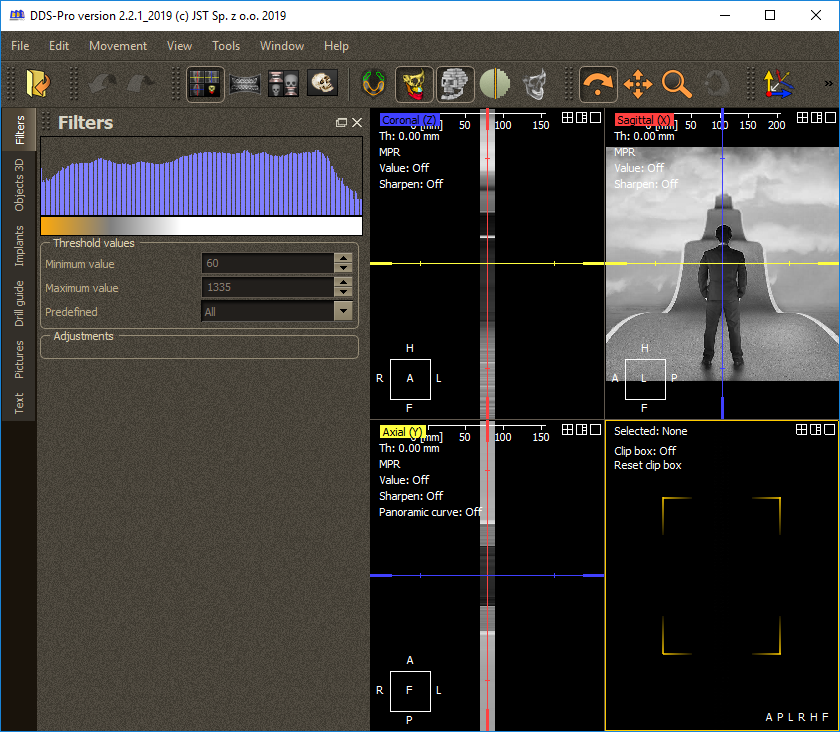
Description
DDS Pro Review: A Comprehensive CAD Solution for Precision Design and Professional Drafting
When it comes to creating accurate technical drawings and engineering designs, professionals need software that combines precision, efficiency, and reliability. DDS Pro has established itself as a capable CAD solution designed to simplify complex drafting workflows while delivering the tools required for architectural, engineering, and technical documentation.
Whether you’re an architect preparing construction plans, an engineer producing detailed layouts, or a designer working on technical projects, DDS Pro offers an intuitive environment that helps streamline the entire design process. With advanced drafting capabilities, customizable workflows, and support for professional documentation, it provides a practical solution for businesses and independent professionals alike.
In this comprehensive DDS Pro review, we’ll explore its features, performance, practical applications, advantages, limitations, pricing information, and why it remains a valuable choice for technical design professionals.
Introduction to DDS Pro
DDS Pro is a professional Computer-Aided Design (CAD) software developed for engineers, architects, technical designers, and drafting professionals who require precise drawing capabilities. The software focuses on improving productivity while maintaining high drafting accuracy across various industries.
Unlike basic drafting applications, DDS Pro offers a complete toolkit for creating technical drawings, floor plans, mechanical layouts, electrical documentation, construction plans, and engineering diagrams.
Its user-friendly interface minimizes the learning curve while still offering advanced functionality that experienced CAD users expect from professional drafting software.
For companies handling multiple projects simultaneously, DDS Pro helps maintain consistency across documentation while reducing manual work through automation tools and reusable design components.
Key Features of DDS Pro
DDS Pro includes a wide range of professional drafting tools designed to increase productivity and improve design accuracy.
Advanced 2D Drafting Tools
The software provides comprehensive drafting capabilities including:
- Line and polyline creation
- Smart dimensioning
- Object snapping
- Layer management
- Hatch patterns
- Annotation tools
- Precision measurement
These features allow designers to produce clean and highly accurate technical drawings.
Intelligent Layer Management
Managing complex projects becomes significantly easier with DDS Pro’s organized layer system.
Users can:
- Separate architectural elements
- Hide or lock layers
- Apply custom colors
- Improve drawing readability
- Simplify project revisions
Large construction drawings remain organized even after multiple revisions.
Professional Annotation Tools
Documentation quality often determines project success.
DDS Pro provides:
- Smart text editing
- Automatic labeling
- Dimension styles
- Symbols library
- Callout tools
- Revision notes
These tools ensure every drawing remains easy to understand for contractors, engineers, and clients.
Reusable Blocks and Templates
Instead of recreating common design elements repeatedly, DDS Pro allows users to save reusable components.
Examples include:
- Doors
- Windows
- Electrical symbols
- Mechanical components
- Furniture layouts
- Standard title blocks
This significantly speeds up repetitive drafting work.
Precision Drawing Engine
Accuracy is one of DDS Pro’s strongest qualities.
The software supports:
- Exact coordinate input
- Grid snapping
- Object alignment
- Geometric constraints
- Accurate scaling
These capabilities reduce design errors and improve documentation quality.
Flexible File Compatibility
DDS Pro supports common CAD workflows by allowing users to import and export multiple drawing formats.
This makes collaboration easier with clients, consultants, contractors, and external engineering teams working in different CAD environments.
Printing and Plotting
Producing professional construction documents is straightforward thanks to built-in plotting features.
Users can configure:
- Print layouts
- Multiple paper sizes
- Scale settings
- Plot styles
- Batch printing
This helps ensure consistent documentation across projects.
Practical Use Cases of DDS Pro
DDS Pro serves professionals across numerous technical industries.
Architectural Drafting
Architects use DDS Pro for:
- Residential floor plans
- Commercial building layouts
- Elevations
- Sections
- Site plans
- Renovation projects
The software helps convert design concepts into professional construction documentation.
Civil Engineering
Civil engineers can prepare:
- Infrastructure drawings
- Utility layouts
- Road designs
- Drainage systems
- Site development plans
Its precision drafting tools help minimize costly field errors.
Mechanical Engineering
Mechanical designers benefit from:
- Equipment layouts
- Machine components
- Fabrication drawings
- Manufacturing documentation
- Assembly diagrams
Detailed dimensioning improves manufacturing accuracy.
Electrical Design
Electrical professionals use DDS Pro for:
- Wiring layouts
- Circuit documentation
- Panel schedules
- Lighting plans
- Equipment placement
Well-organized documentation simplifies installation and maintenance.
Interior Design
Interior designers create:
- Space planning
- Furniture layouts
- Office designs
- Retail floor plans
- Hospitality interiors
Accurate layouts improve communication with contractors and clients.
Educational Institutions
Engineering colleges and technical training centers often require CAD software for teaching drafting principles.
DDS Pro provides an accessible environment for learning professional drafting techniques.
Real-World User Experience
Imagine a small engineering consultancy handling multiple construction projects each month.
Before using DDS Pro, engineers spent hours manually updating drawings whenever clients requested revisions.
After adopting DDS Pro:
- Drawing templates reduced repetitive work.
- Layer management simplified complex plans.
- Annotation tools improved documentation quality.
- Standard blocks accelerated project completion.
- Revision management became much easier.
The result was improved productivity, fewer documentation errors, and faster project delivery.
This practical efficiency makes DDS Pro especially valuable for growing engineering firms.
Performance Analysis
Performance plays an important role in any professional CAD environment.
DDS Pro performs well in several important areas.
Speed
The software opens projects quickly and remains responsive during typical drafting tasks.
Navigation across drawings feels smooth, even when working with medium to large project files.
Stability
Professional users appreciate reliable software.
DDS Pro generally delivers stable performance during extended design sessions, reducing workflow interruptions.
Accuracy
One of DDS Pro’s biggest strengths is drafting precision.
Accurate dimensions, snapping, and measurement tools help maintain engineering-quality documentation.
Learning Curve
Users familiar with CAD software can usually become productive relatively quickly.
Beginners may require some initial training, but the interface remains logical and organized.
Productivity
Several built-in automation features improve overall efficiency:
- Reusable templates
- Symbol libraries
- Layer management
- Smart dimensions
- Standard annotations
These reduce repetitive manual work across projects.
Benefits of Using DDS Pro
Organizations adopting DDS Pro often experience several advantages.
Increased Productivity
Automation tools reduce drafting time while improving consistency.
Better Documentation
Professional annotation tools produce clear construction documents.
Improved Accuracy
Precision drafting minimizes design mistakes.
Easier Collaboration
Compatible file formats simplify communication with project partners.
Organized Workflows
Layer management keeps large projects manageable.
Cost Savings
Reduced drafting time can lower overall project costs.
Pros and Cons
Pros
- Professional CAD drafting environment
- Accurate drawing tools
- User-friendly interface
- Excellent layer management
- Reusable templates and blocks
- Strong annotation features
- Reliable documentation workflow
- Suitable for architecture and engineering projects
- Good performance with medium to large drawings
- Improves drafting productivity
Cons
- Advanced features may require training for beginners
- Some specialized industry tools may depend on specific workflows
- Large enterprise projects may require powerful hardware
- Pricing details may vary depending on licensing options
Pricing & Plans
DDS Pro pricing may differ based on:
- License type
- Commercial or educational use
- Number of users
- Subscription or perpetual licensing
- Regional availability
Organizations interested in deploying DDS Pro should evaluate the available licensing options that best match their team size, project requirements, and long-term workflow needs.
Who Should Use DDS Pro?
DDS Pro is well suited for:
- Architects
- Civil engineers
- Mechanical engineers
- Electrical engineers
- Interior designers
- Construction companies
- Engineering consultants
- Technical drafting professionals
- Educational institutions
- Design firms
Its balance of usability and professional functionality makes it suitable for both experienced CAD professionals and organizations looking to standardize their drafting processes.
DDS Pro vs Traditional Drafting Methods
Compared to manual drafting, DDS Pro offers significant improvements:
| Feature | DDS Pro | Traditional Drafting |
|---|---|---|
| Drawing Accuracy | Excellent | Moderate |
| Revision Speed | Very Fast | Time-consuming |
| Reusable Templates | Yes | No |
| Layer Organization | Yes | Limited |
| Documentation Quality | Professional | Manual |
| Collaboration | Easy | More Difficult |
| Productivity | High | Lower |
These advantages make DDS Pro a practical investment for professionals seeking greater efficiency and consistency.
Why DDS Pro Stands Out
The CAD software market offers many options, but DDS Pro distinguishes itself through its combination of precision, ease of use, and workflow-focused features.
Instead of overwhelming users with unnecessary complexity, it emphasizes the tools professionals rely on every day. From intelligent layer organization and reusable design components to accurate dimensioning and dependable plotting, DDS Pro supports efficient project delivery without sacrificing quality.
For firms managing architectural, engineering, or construction documentation, this balance of functionality and usability makes DDS Pro a dependable addition to the design workflow.
Final Verdict
DDS Pro is a reliable and capable CAD drafting solution built for professionals who demand precision, efficiency, and well-organized documentation. Its comprehensive drafting tools, intelligent layer management, reusable templates, and professional annotation features help streamline everything from architectural plans to engineering drawings.
Whether you’re designing buildings, creating mechanical layouts, preparing electrical documentation, or managing technical drafting projects, DDS Pro provides the flexibility and accuracy needed to produce high-quality results. Its practical workflow enhancements and dependable performance make it a valuable choice for individuals, design firms, engineering consultants, and construction professionals alike.
If you’re looking for a professional CAD application that improves drafting speed, reduces repetitive work, and supports accurate technical documentation, DDS Pro is well worth exploring as part of your design toolkit.




Reviews
There are no reviews yet.