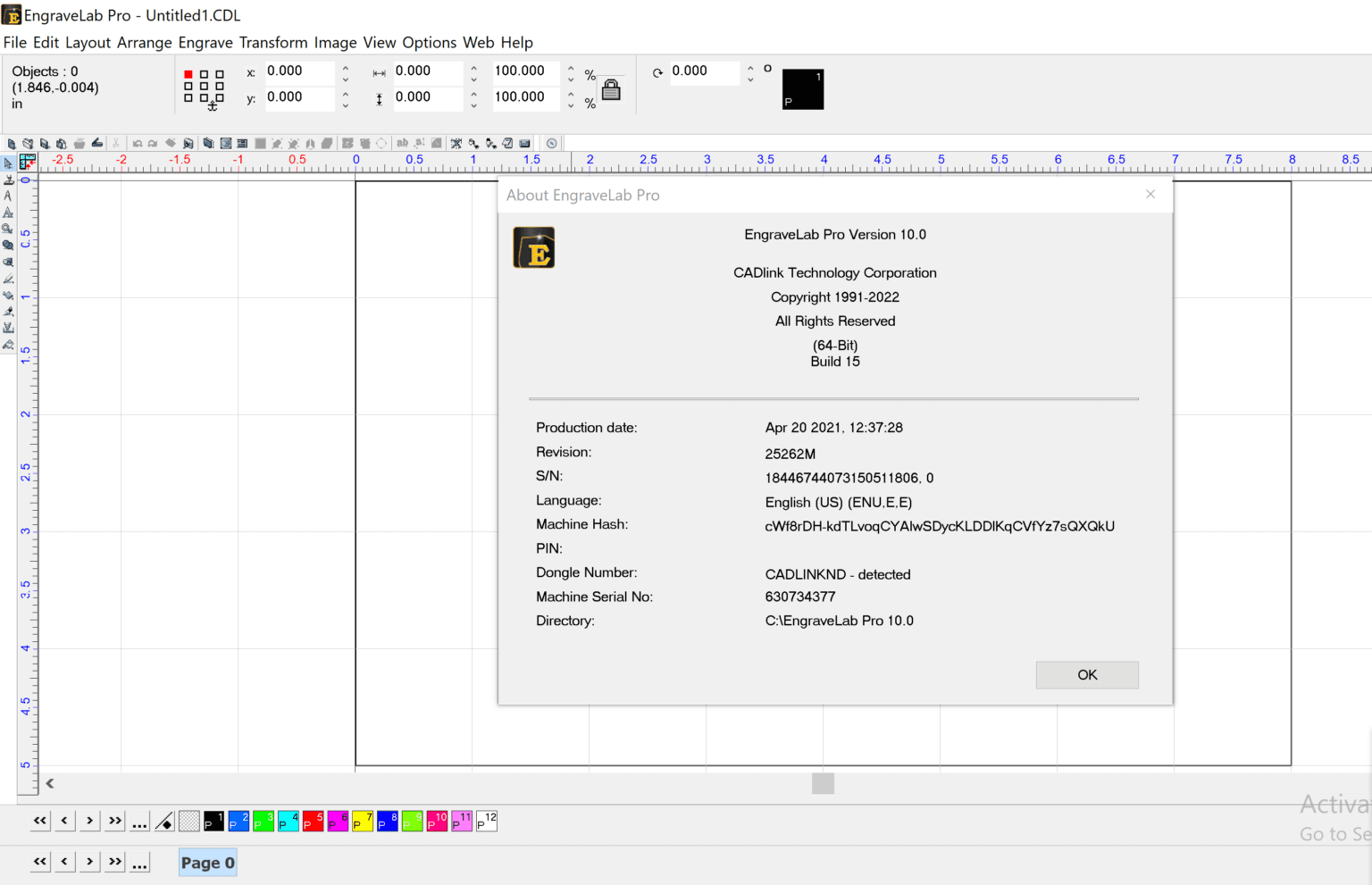
Description
EngraveLab Pro Software Review: Advanced Engraving Design Solution for Precision Workflow
Summary
EngraveLab Pro is a professional-grade engraving and vector design software built for users who demand accuracy, speed, and flexibility in production environments. Designed for signage makers, engraving professionals, CNC operators, and customization businesses, it streamlines the entire workflow from concept to output. With its powerful vector editing tools, precision layout controls, and compatibility with engraving and cutting machines, EngraveLab Pro positions itself as a reliable solution for both small workshops and industrial-scale production. This review explores its real-world performance, key features, usability, and overall value for professionals looking to enhance productivity in engraving and design operations.
Introduction
Engraving and precision cutting industries require software that goes beyond basic design tools. EngraveLab Pro is developed specifically for this niche, offering a focused environment for creating detailed engravings, sign layouts, and production-ready vector files. Unlike general-purpose graphic design software, it prioritizes accuracy, machine compatibility, and workflow efficiency.
Businesses involved in laser engraving, CNC routing, vinyl cutting, trophy customization, industrial labeling, and signage production often require tight control over design parameters. EngraveLab Pro addresses these needs with a structured interface and production-oriented toolset that reduces manual adjustments and improves output consistency.
Whether you are running a small personalization shop or managing a full-scale production facility, EngraveLab Pro provides a scalable solution that adapts to different levels of workload and technical requirements.
Key Features of EngraveLab Pro
Advanced Vector Editing Tools
EngraveLab Pro offers precise vector drawing and editing capabilities, allowing users to create clean and scalable artwork. Users can modify nodes, adjust curves, and refine shapes for engraving accuracy.
Laser and CNC Compatibility
One of the strongest advantages of EngraveLab Pro is its seamless integration with laser engraving machines, CNC routers, and cutting devices. It supports industry-standard file formats and direct machine communication.
Text Handling and Typography Controls
The software includes powerful text manipulation tools. Users can convert text into engraving-ready paths, adjust spacing, apply arcs, and manage multi-line layouts for plaques, awards, and signage.
Material and Layer Management
EngraveLab Pro allows users to organize designs into layers, making it easier to separate cutting, engraving, and marking operations. This is essential for multi-step production workflows.
Automatic Toolpath Generation
The software helps automate toolpath creation, reducing manual configuration. This ensures accuracy in depth control and cutting paths for CNC and laser machines.
Design Nesting and Optimization
To reduce material waste, EngraveLab Pro includes nesting features that efficiently arrange multiple objects on a single sheet or workspace.
Import and Export Flexibility
It supports a wide range of file formats including SVG, DXF, AI, and other industry-standard vector formats, making it easy to integrate with other design software.
Real-Time Preview and Simulation
Users can preview engraving results before sending files to machines, reducing errors and production waste.
Practical Use Cases
Signage and Branding Industry
EngraveLab Pro is widely used in sign-making businesses for creating shop signs, acrylic boards, metal plaques, and illuminated signage layouts. Its precision tools ensure clean and professional results.
Personalization and Gift Businesses
Custom engraving shops use the software for creating personalized items such as trophies, awards, keychains, and decorative items. The text tools are particularly useful for engraving names and messages.
Industrial Labeling and Tag Production
Factories and industrial units use EngraveLab Pro for producing durable labels, serial plates, and identification tags that require high precision and durability.
CNC Routing and Manufacturing
Manufacturers rely on its toolpath accuracy to control CNC machines for cutting wood, plastic, and metal components. The software helps reduce errors in mass production.
Laser Engraving Workshops
Laser engraving professionals benefit from its direct machine compatibility and ability to handle complex vector designs with high precision.
Educational and Training Institutes
Technical institutes use EngraveLab Pro to teach students CNC programming, vector design principles, and production workflows.
Performance Analysis
Speed and Efficiency
EngraveLab Pro is optimized for handling complex vector files without significant performance drops. Even detailed designs with multiple layers remain manageable.
Accuracy in Output
Precision is one of its strongest aspects. The software ensures that designs translate accurately from screen to machine output, which is essential for industrial applications.
Workflow Optimization
The step-by-step workflow reduces unnecessary complexity. Users can design, preview, and send jobs to machines without switching between multiple applications.
System Stability
In production environments, stability is critical. EngraveLab Pro performs reliably during long production runs, minimizing crashes or interruptions.
Learning Curve
While the software is powerful, beginners may require some time to fully understand its toolset. However, structured workflows and intuitive design reduce the complexity over time.
Pros and Cons
Pros
- Highly accurate engraving and vector design tools
- Strong compatibility with CNC and laser machines
- Efficient toolpath and workflow automation
- Supports multiple industry-standard file formats
- Effective layer and material management system
- Suitable for both small businesses and industrial production
Cons
- Requires initial learning time for new users
- Interface may feel technical for beginners from graphic design backgrounds
- Advanced features may not be fully utilized in very small-scale operations
- System requirements may be higher compared to basic design software
Pricing and Plans
EngraveLab Pro is typically offered through licensed versions that may vary depending on distributor, region, and included modules. Pricing structures often depend on whether the user requires basic engraving functionality or advanced CNC and industrial production features.
Common licensing options may include:
- Standard License for small engraving businesses
- Professional License for advanced CNC and laser operations
- Enterprise or Industrial License for large-scale production environments
Some providers may also offer upgrades or add-on modules for specialized toolpath generation, automation features, or machine-specific integration.
Final Verdict
EngraveLab Pro stands out as a dedicated engraving and vector production software built for professional environments where precision and efficiency matter. Unlike general design tools, it is purpose-built for CNC, laser engraving, and industrial cutting workflows, making it a valuable asset for businesses that rely on consistent production quality.
Its combination of advanced vector editing, machine compatibility, and workflow optimization makes it suitable for both growing workshops and established manufacturing units. While it may require some initial learning, the long-term productivity benefits outweigh the setup effort.
For businesses focused on engraving, signage, personalization, or CNC manufacturing, EngraveLab Pro offers a dependable and scalable solution that supports both creative design and technical production needs.
Conclusion
EngraveLab Pro is more than just design software; it is a production-focused tool built to bridge the gap between digital design and physical output. Its precision-driven environment, compatibility with industrial machines, and structured workflow make it a strong choice for professionals aiming to improve efficiency and output quality.
For users seeking to upgrade their engraving and CNC design capabilities, exploring EngraveLab Pro can be a practical step toward improving production accuracy, reducing waste, and enhancing overall workflow performance.



Reviews
There are no reviews yet.