Description
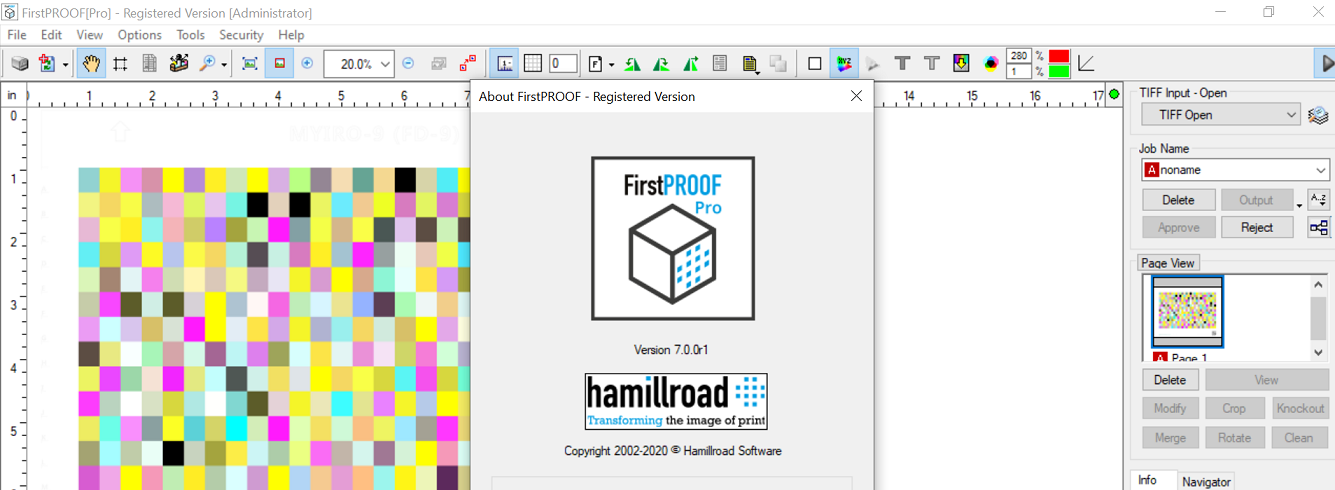
FirstPROOF Pro 7.0: A Professional Prepress Solution for Accurate PDF Proofing and Print Quality Control
In modern printing and publishing, even the smallest production error can lead to expensive reprints, delayed deadlines, and dissatisfied clients. That’s why prepress verification has become an essential part of every professional print workflow. FirstPROOF Pro is designed to eliminate these costly mistakes by providing comprehensive PDF proofing, preflight analysis, and print-ready validation before files reach production.
Whether you’re managing a commercial printing business, digital print shop, publishing house, packaging company, or graphic design studio, FirstPROOF Pro offers advanced tools that help ensure every document meets professional printing standards. From color accuracy and font verification to image resolution checks and print compliance, the software simplifies quality control while improving efficiency across the production pipeline.
If you’re searching for reliable PDF proofing software, professional prepress verification software, or a print quality assurance solution, FirstPROOF Pro deserves serious consideration.
Introduction
Today’s print industry demands speed without sacrificing quality. Customers expect flawless results regardless of whether they’re ordering business cards, magazines, brochures, labels, books, or large-format graphics.
Unfortunately, manual proof checking often leads to overlooked issues such as:
- Missing fonts
- Incorrect image resolution
- RGB instead of CMYK colors
- Bleed problems
- Transparency errors
- Incorrect page sizes
- Broken links
- Print compatibility issues
FirstPROOF Pro addresses these challenges through automated preflight analysis and intelligent PDF verification tools that detect potential printing problems before production begins.
Instead of discovering mistakes after printing thousands of copies, operators can fix issues in minutes during prepress preparation.
Key Features of FirstPROOF Pro
Advanced PDF Preflight Analysis
One of the strongest capabilities of FirstPROOF Pro is its comprehensive PDF inspection engine.
The software automatically analyzes every aspect of incoming PDF files to ensure they meet print production standards.
It checks for:
- Font embedding
- Image resolution
- Color spaces
- Transparency
- Overprint settings
- Bleed areas
- Trim sizes
- PDF compatibility
- Layers
- Compression quality
This significantly reduces manual inspection time.
Professional Color Verification
Color consistency is critical in commercial printing.
FirstPROOF Pro helps identify:
- RGB images
- Spot color problems
- CMYK inconsistencies
- ICC profile issues
- Black generation problems
- Color conversion risks
This helps maintain predictable print output across different printing devices.
High-Resolution Image Inspection
Low-quality images remain one of the biggest causes of poor print results.
FirstPROOF Pro automatically detects:
- Low DPI graphics
- Pixelated images
- Excessive image compression
- Missing graphics
- Embedded image problems
Designers receive immediate feedback before printing begins.
Font Management
Missing fonts can completely alter document layouts.
FirstPROOF Pro verifies:
- Embedded fonts
- Missing fonts
- Font substitutions
- Unsupported font formats
- Encoding problems
This prevents unexpected layout shifts during production.
Bleed and Trim Verification
Incorrect bleed settings often result in white edges after trimming.
The software automatically checks:
- Safe margins
- Bleed dimensions
- Crop marks
- Trim boxes
- Media size
This improves production accuracy for brochures, packaging, catalogs, and marketing materials.
Batch Processing
Large printing companies frequently receive hundreds of PDF files every day.
Instead of checking every file individually, FirstPROOF Pro supports automated batch processing.
Benefits include:
- Faster workflows
- Consistent quality control
- Reduced manual effort
- Increased productivity
Automated Reporting
After every inspection, FirstPROOF Pro generates detailed reports that clearly explain detected issues.
Reports include:
- Error summaries
- Warning notifications
- Recommendations
- File statistics
- Validation status
These reports simplify communication between designers, clients, and production teams.
Practical Use Cases
Commercial Printing Companies
Commercial printers often process hundreds of customer files daily.
FirstPROOF Pro verifies every file before production, helping reduce waste and costly reprints.
Digital Print Shops
Quick-turnaround digital printing requires fast approval workflows.
Automated proofing enables operators to identify issues within seconds instead of manually reviewing each document.
Publishing Houses
Publishers managing books, magazines, newspapers, and journals benefit from automated quality assurance before large print runs.
The software ensures layout consistency throughout lengthy publications.
Packaging Manufacturers
Packaging artwork typically includes:
- Spot colors
- Die lines
- Bleed areas
- Barcodes
- High-resolution graphics
FirstPROOF Pro helps verify these critical production elements before manufacturing begins.
Marketing Agencies
Creative agencies produce marketing collateral for multiple clients.
The software helps verify print readiness before delivering files to commercial printers, reducing client revisions and improving confidence.
Graphic Design Studios
Freelance designers and creative studios can use FirstPROOF Pro as a final quality checkpoint before project delivery.
This adds professionalism while reducing printing errors.
Performance Analysis
FirstPROOF Pro performs exceptionally well in production environments where accuracy matters more than speed alone.
The software processes PDF files efficiently while maintaining thorough inspection capabilities.
Workflow Efficiency
Compared to manual proof checking, automated validation dramatically shortens prepress preparation time.
Many production teams report spending significantly less time reviewing customer files.
Reliability
The software consistently identifies common print production issues that are often overlooked during manual inspections.
Its automated rule-based validation improves consistency across multiple operators.
User Interface
Despite offering professional functionality, the interface remains organized and approachable.
Navigation is logical, allowing experienced prepress technicians to work efficiently while enabling new users to become productive with minimal training.
Scalability
Whether processing a few client files each week or thousands of production documents daily, FirstPROOF Pro scales well with business growth.
Benefits of Using FirstPROOF Pro
Organizations implementing FirstPROOF Pro often experience measurable improvements, including:
- Reduced printing errors
- Lower production costs
- Faster job approvals
- Better customer satisfaction
- Improved workflow consistency
- Less manual checking
- Increased production efficiency
- Higher print quality
- Reduced reprint expenses
- Better communication between departments
These advantages make the software a valuable investment for print-focused businesses.
User Experience
Many professionals appreciate that FirstPROOF Pro fits naturally into existing print production workflows.
Instead of replacing current design or RIP software, it acts as a quality control layer that catches problems before they become expensive.
Designers appreciate receiving clear error reports.
Print operators enjoy faster job preparation.
Managers benefit from fewer customer complaints and lower operational costs.
For organizations handling large volumes of print work, these improvements translate into meaningful productivity gains over time.
Pros and Cons
Pros
- Comprehensive PDF preflight verification
- Professional print quality analysis
- Excellent font management tools
- Advanced color checking
- Batch processing capabilities
- Automated reporting
- User-friendly interface
- Improves production accuracy
- Reduces costly print errors
- Suitable for commercial print environments
Cons
- Primarily designed for professional printing workflows
- Advanced features may require some familiarity with prepress concepts
- Pricing details may require contacting the vendor or an authorized reseller
Pricing & Plans
Pricing for FirstPROOF Pro may vary depending on licensing type, deployment options, and organizational requirements.
Businesses interested in implementing the software should evaluate:
- Single-user licenses
- Multi-user licenses
- Enterprise deployment options
- Maintenance and support availability
- Software update policies
Requesting a personalized quotation is often the best approach for organizations with specific production needs.
Why FirstPROOF Pro Stands Out
Several prepress applications offer PDF validation, but FirstPROOF Pro distinguishes itself by combining comprehensive analysis, automated workflows, and practical reporting in a single solution.
Its ability to detect production issues before printing helps reduce waste, improve efficiency, and maintain consistent output quality. Rather than relying solely on manual inspections, print professionals can build a more dependable quality assurance process that scales with growing workloads.
For businesses where accuracy, turnaround time, and customer satisfaction are critical, this software provides a reliable foundation for professional prepress operations.
Final Verdict
FirstPROOF Pro is a powerful and dependable prepress verification solution that helps printing professionals deliver accurate, high-quality results while minimizing costly production errors. Its advanced PDF proofing, automated preflight analysis, color verification, font validation, and batch processing capabilities make it an excellent choice for commercial printers, publishers, packaging manufacturers, and design agencies.
By integrating FirstPROOF Pro into your workflow, you can improve quality control, streamline production, and reduce the risk of expensive reprints. Whether you’re managing a small print shop or a large-scale printing operation, the software offers the tools needed to produce print-ready files with confidence.
If you’re looking for a professional PDF proofing solution, prepress quality control software, or an efficient print workflow verification tool, FirstPROOF Pro is well worth exploring to strengthen your production process and deliver consistently reliable print results.

Reviews
There are no reviews yet.