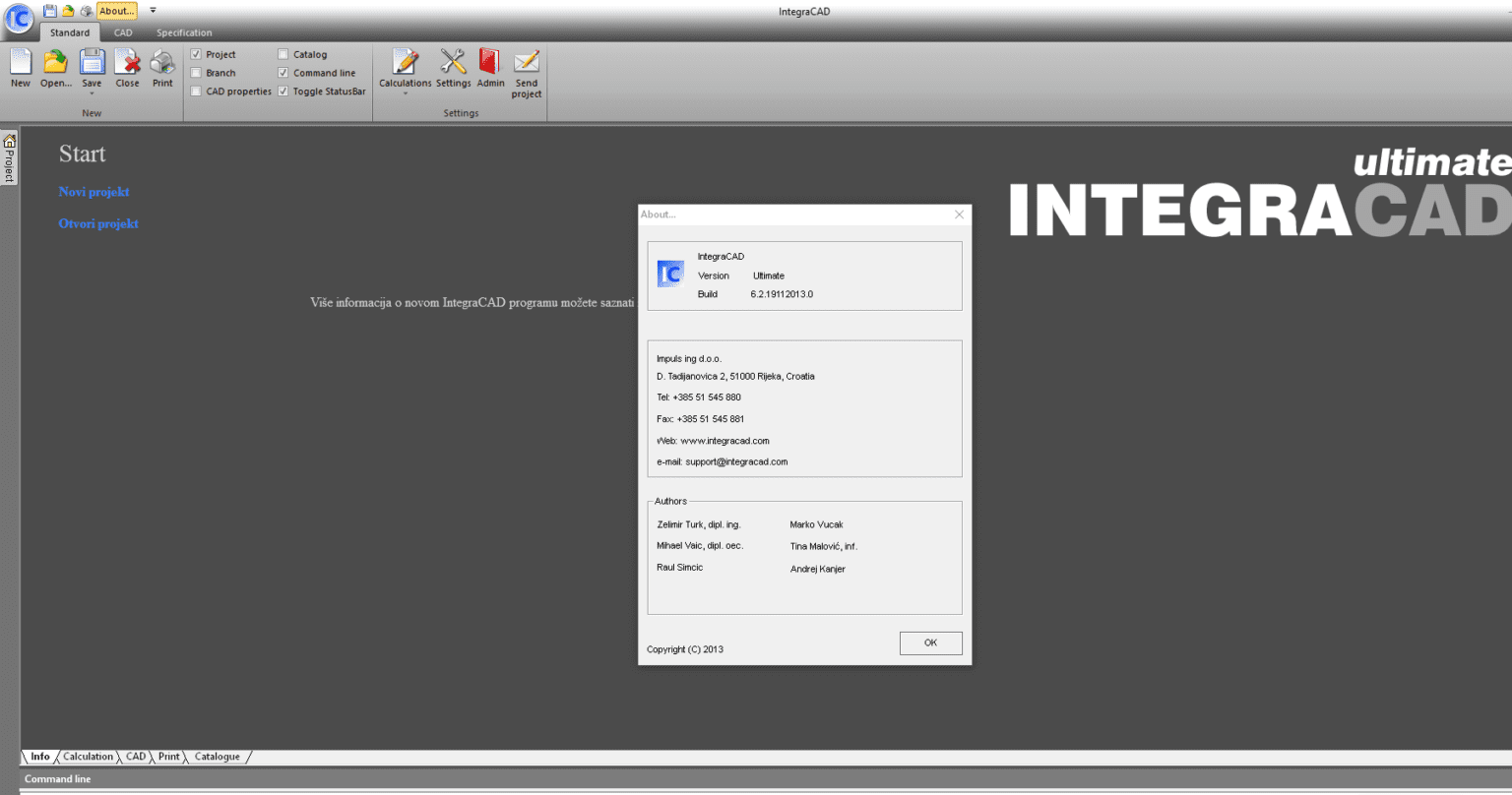
Description
IntegraCAD Ultimte Software Review: A Comprehensive CAD Solution for Modern Design Professionals
Summary
IntegraCAD Ultimte positions itself as a next-generation CAD software designed to streamline architectural drafting, mechanical modeling, and engineering design workflows within a unified platform. Built for professionals who demand precision, scalability, and efficiency, it combines advanced 2D drafting tools with robust 3D modeling capabilities. In an industry where accuracy and speed determine project success, IntegraCAD Ultimte offers a structured design environment that reduces manual effort while improving output quality. This review explores its capabilities, real-world applications, performance strengths, and limitations to help designers and engineers make an informed decision.
Introduction
Computer-aided design software has become an essential part of architecture, engineering, manufacturing, and product development industries. As projects grow more complex, professionals require tools that not only support precision drafting but also enable collaboration, simulation, and rapid iteration.
IntegraCAD Ultimte enters this competitive space as an integrated CAD solution designed to bridge the gap between traditional drafting systems and modern digital engineering workflows. It aims to provide a unified workspace where architects, mechanical engineers, and industrial designers can work without switching between multiple applications.
Unlike basic drafting tools, IntegraCAD Ultimte focuses on delivering a professional-grade environment with advanced modeling capabilities, parametric design support, and compatibility with industry-standard file formats.
Key Features of IntegraCAD Ultimte
IntegraCAD Ultimte is built around a feature-rich ecosystem that supports both beginners and advanced users. Below are its most important capabilities:
1. Advanced 2D Drafting Tools
The software offers precise drafting tools that allow users to create detailed technical drawings with accuracy. Features include grid snapping, dimension control, layer management, and customizable templates.
2. High-Performance 3D Modeling Engine
IntegraCAD Ultimte includes a powerful 3D modeling engine that supports solid, surface, and mesh modeling. This enables designers to visualize concepts in realistic environments before production.
3. Parametric Design Support
Parametric constraints allow users to define relationships between design elements. When one parameter changes, the entire model updates automatically, reducing repetitive manual adjustments.
4. Cross-Platform File Compatibility
The software supports popular CAD file formats, making it easier to import and export designs between different systems. This is particularly useful in collaborative engineering environments.
5. Intelligent Layer Management System
Layer organization is simplified through a structured management system that improves workflow clarity in large-scale projects.
6. Rendering and Visualization Tools
IntegraCAD Ultimte includes built-in rendering capabilities that help transform technical models into realistic visual presentations, useful for client approvals and design validation.
7. Automation and Macro Tools
Repetitive tasks can be automated using scripting and macro features, increasing productivity for professional users handling large project volumes.
8. Measurement and Analysis Tools
The software provides precise measurement tools that ensure design accuracy, including angle calculation, volume estimation, and material usage analysis.
Practical Use Cases
IntegraCAD Ultimte is designed for versatility across multiple industries. Its adaptability makes it suitable for various professional applications.
Architectural Design
Architects use IntegraCAD Ultimte for building floor plans, structural layouts, and 3D building visualization. The software helps in creating accurate spatial designs and presenting realistic architectural concepts.
Mechanical Engineering
Mechanical engineers benefit from its precision modeling tools to design machine components, assemblies, and mechanical systems. Parametric modeling helps in quickly adjusting part specifications.
Civil Engineering Projects
For infrastructure development such as roads, bridges, and urban planning, IntegraCAD Ultimte provides tools for terrain modeling, structural analysis, and blueprint drafting.
Product Design and Manufacturing
Industrial designers use it to prototype consumer products, test design variations, and prepare models for manufacturing processes like CNC machining or 3D printing.
Interior Design Visualization
Interior designers can create realistic room layouts, furniture arrangements, and lighting simulations to present design concepts to clients.
Performance Analysis
Performance plays a critical role in CAD software, especially when handling large and complex models. IntegraCAD Ultimte is designed with optimization in mind, focusing on stability and responsiveness.
System Efficiency
The software manages system resources efficiently, ensuring smooth operation even during high-detail rendering or multi-layer editing tasks.
Rendering Speed
Rendering performance is optimized to reduce waiting times during visualization processes. While highly detailed scenes may require additional processing time, overall performance remains consistent.
Stability in Large Projects
IntegraCAD Ultimte demonstrates strong stability when handling large-scale engineering files. Crashes and slowdowns are minimized through optimized memory management.
Learning Curve
Although feature-rich, the interface is structured logically. Beginners may require some time to adapt, but professional users will appreciate the depth and flexibility offered.
Collaboration Efficiency
File compatibility and export options make collaboration across teams smoother. However, real-time cloud collaboration features may depend on additional configurations or integrations.
Pros and Cons of IntegraCAD Ultimte
Pros
- Comprehensive 2D and 3D design environment in one platform
- Strong parametric modeling capabilities
- High compatibility with industry-standard CAD file formats
- Efficient performance for medium to large projects
- Advanced visualization and rendering tools
- Suitable for multiple industries including architecture and engineering
- Automation tools that improve workflow efficiency
Cons
- Learning curve can be challenging for beginners
- High system requirements for optimal performance
- Advanced features may require training for full utilization
- Limited cloud-based collaboration features compared to some competitors
Pricing and Plans
Pricing for IntegraCAD Ultimte typically follows a tiered licensing model based on user requirements and organizational scale. While exact pricing may vary depending on distribution channels or licensing agreements, the common structure includes:
Single User License
Designed for individual professionals such as freelance architects or engineers. It provides full access to core CAD features and modeling tools.
Professional License
Suitable for small to mid-sized teams requiring collaborative project handling and extended feature access, including advanced rendering and automation tools.
Enterprise License
Tailored for large organizations, engineering firms, and manufacturing companies. This plan often includes multi-user deployment, priority support, and customization options.
Some versions may also offer trial access, allowing users to explore functionality before committing to a purchase.
Real-World User Experience Perspective
Professionals who integrate IntegraCAD Ultimte into their workflow often highlight its ability to consolidate multiple design functions into a single platform. Instead of switching between drafting software, rendering tools, and analysis applications, users can complete most tasks within one environment.
Architectural firms appreciate its precision in structural planning and presentation-ready outputs. Mechanical engineers value the parametric flexibility, which significantly reduces redesign time. Meanwhile, product designers find the 3D modeling tools effective for rapid prototyping and iteration.
However, teams transitioning from simpler CAD tools may initially face adjustment challenges, particularly when dealing with advanced modeling functions or scripting tools. Once mastered, productivity improvements become more noticeable.
Final Verdict
IntegraCAD Ultimte stands out as a capable and versatile CAD solution designed for professionals who require both precision and flexibility in their design workflows. It successfully combines essential drafting tools with advanced 3D modeling and parametric design features, making it suitable for a wide range of industries including architecture, engineering, manufacturing, and product development.
While it may require time to fully master, the long-term benefits in productivity, design accuracy, and workflow efficiency make it a strong contender in the CAD software market. Organizations seeking an all-in-one design platform with scalable capabilities will find it particularly valuable.
For professionals aiming to streamline their design process and improve output quality, exploring IntegraCAD Ultimte can be a strategic step toward more efficient and modernized engineering workflows.




Reviews
There are no reviews yet.