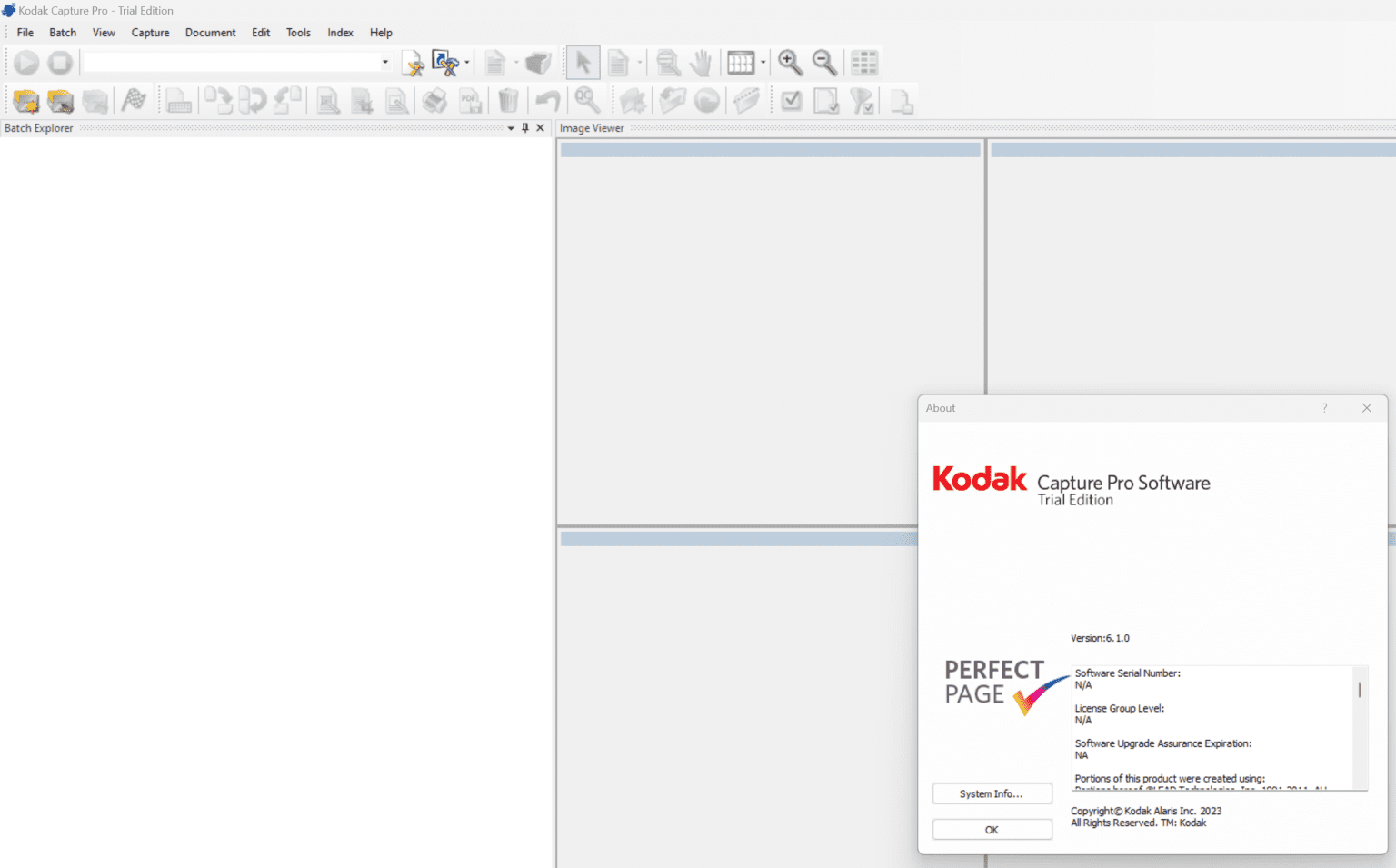
Description
Kodak Capture Pro Software Review 2026: Advanced Document Capture for High-Volume Workflows
Strong Summary
Kodak Capture Pro Software is a professional-grade document capture and scanning solution designed for organizations that handle large volumes of paper-based or digital documents. Built for speed, accuracy, and automation, it helps businesses convert physical documents into searchable, structured digital files with minimal manual effort. In this review, we explore how Kodak Capture Pro Software improves document workflow efficiency, reduces operational bottlenecks, and enhances data accuracy across industries such as healthcare, finance, government, and enterprise document management environments.
Introduction
In today’s data-driven business environment, efficient document management is no longer optional. Organizations are constantly dealing with invoices, contracts, forms, patient records, and compliance documents that need to be digitized quickly and accurately. This is where Kodak Capture Pro Software stands out as a powerful document scanning and capture solution.
Unlike basic scanning tools, Kodak Capture Pro Software is designed for enterprise-level workloads. It integrates advanced image processing, automated indexing, batch scanning, and data extraction features that significantly reduce manual document handling.
For businesses looking to streamline document workflows, improve compliance, and reduce storage costs, this software provides a reliable and scalable solution.
Key Features of Kodak Capture Pro Software
Kodak Capture Pro Software includes a wide range of features tailored for professional document capture environments.
1. High-Speed Batch Scanning
The software supports high-volume batch scanning, allowing users to process thousands of pages efficiently without interruption. This makes it ideal for organizations with continuous document inflow.
2. Advanced Image Processing
It includes intelligent image enhancement tools such as:
- Automatic deskewing
- Noise removal
- Blank page detection
- Color dropout
These features ensure clean, readable digital files.
3. Powerful Indexing and Data Capture
One of the strongest capabilities is automated indexing. Users can extract metadata from documents using:
- OCR (Optical Character Recognition)
- Barcode recognition
- Zone-based data extraction
4. Seamless Integration
Kodak Capture Pro Software integrates with enterprise content management (ECM) systems, cloud storage platforms, and databases, making workflow automation smoother.
5. Custom Workflow Configuration
Users can design customized workflows for different document types, reducing manual classification efforts and improving consistency.
6. Multi-Format Output Support
The software supports multiple output formats such as PDF, TIFF, and searchable PDF, ensuring compatibility with various business systems.
7. Error Detection and Quality Control
Built-in validation tools help detect missing pages, poor scans, or misfeeds, improving document accuracy and reliability.
Practical Use Cases
Kodak Capture Pro Software is widely used across industries where document processing is critical.
Healthcare Industry
Hospitals and clinics use it to digitize patient records, lab reports, and insurance documents. The software ensures fast retrieval and secure storage of sensitive data.
Banking and Finance
Financial institutions rely on it for processing loan applications, account opening forms, and compliance documents. Automation reduces processing time and improves accuracy.
Government Organizations
Government offices use the software for digitizing citizen records, tax documents, and administrative forms, ensuring better transparency and data accessibility.
Legal Sector
Law firms use it to manage case files, contracts, and evidence documents. Searchable indexing helps lawyers quickly locate critical information.
Education Institutions
Universities and schools use it for student records, admission forms, and examination documents, streamlining administrative tasks.
Performance Analysis
Kodak Capture Pro Software is known for its stability and speed in high-demand environments. Performance is one of its strongest advantages.
Speed and Efficiency
The software is optimized for batch processing, enabling rapid scanning without compromising image quality. Even large document stacks are processed efficiently.
Accuracy of Data Capture
OCR and barcode recognition technologies ensure high accuracy in extracting and indexing data. This reduces manual errors significantly.
System Stability
Even under heavy workloads, the software remains stable, making it suitable for enterprise deployment.
Workflow Automation
Automation features reduce dependency on manual intervention, improving productivity and reducing operational costs.
User Experience
Although it is a professional-grade tool, the interface is structured logically. Users with basic training can operate it effectively, while advanced users can configure detailed workflows.
Pros and Cons
Pros
- Highly efficient batch scanning capability
- Advanced OCR and barcode recognition
- Strong integration with enterprise systems
- Excellent image processing tools
- Reliable performance in high-volume environments
- Customizable workflows for different business needs
- Supports multiple file formats and indexing methods
Cons
- Requires initial training for full utilization
- Not ideal for small-scale or casual users
- Licensing cost may be high for small businesses
- Advanced features may feel complex for beginners
Pricing and Plans
Kodak Capture Pro Software is typically offered under enterprise licensing models. Pricing may vary based on:
- Number of licenses required
- Feature set and edition type
- Volume of document processing needs
- Integration requirements with existing systems
In most cases, organizations purchase customized licensing packages rather than standard retail pricing.
While it may not be the cheapest option in the document capture market, its value is justified through automation, speed, and long-term operational savings.
Businesses should evaluate total cost of ownership rather than just upfront licensing cost, especially when considering reduced labor effort and improved workflow efficiency.
Practical Benefits in Real-World Scenarios
Organizations that implement Kodak Capture Pro Software often experience measurable improvements in efficiency and accuracy.
- Document processing time is significantly reduced through automation
- Manual data entry errors are minimized
- Retrieval of archived documents becomes faster and more reliable
- Compliance with regulatory requirements becomes easier
- Operational workflows become more standardized
For example, a finance department handling thousands of invoices weekly can automate sorting, indexing, and storage, reducing processing time from hours to minutes.
Final Verdict
Kodak Capture Pro Software is a powerful and reliable solution for organizations that require advanced document capture and workflow automation. It is not designed for casual use but rather for businesses that demand precision, speed, and scalability in document processing.
Its combination of batch scanning, intelligent OCR, and workflow customization makes it a strong choice for industries dealing with high document volumes. While it may require an initial learning curve and investment, the long-term efficiency gains are substantial.
For enterprises aiming to modernize document management systems and reduce manual workload, Kodak Capture Pro Software remains a trusted and proven solution.
Kodak Capture Pro Software Developer
Kodak Capture Pro Software 6.1.0
Conclusion
If your organization handles large-scale document processing and needs a dependable system to digitize, organize, and automate workflows, Kodak Capture Pro Software offers a professional-grade solution that delivers consistent results. Its advanced capture technology and automation capabilities can transform traditional paper-based operations into efficient digital workflows.
Exploring Kodak Capture Pro Software can be a strategic step toward improving productivity, reducing operational costs, and building a more streamlined document management system for the future.


Reviews
There are no reviews yet.