Description
Relief Maker Pro Review 2026: Professional Relief Design Software for CNC Carving and 3D Engraving
Relief Maker Pro Review Summary
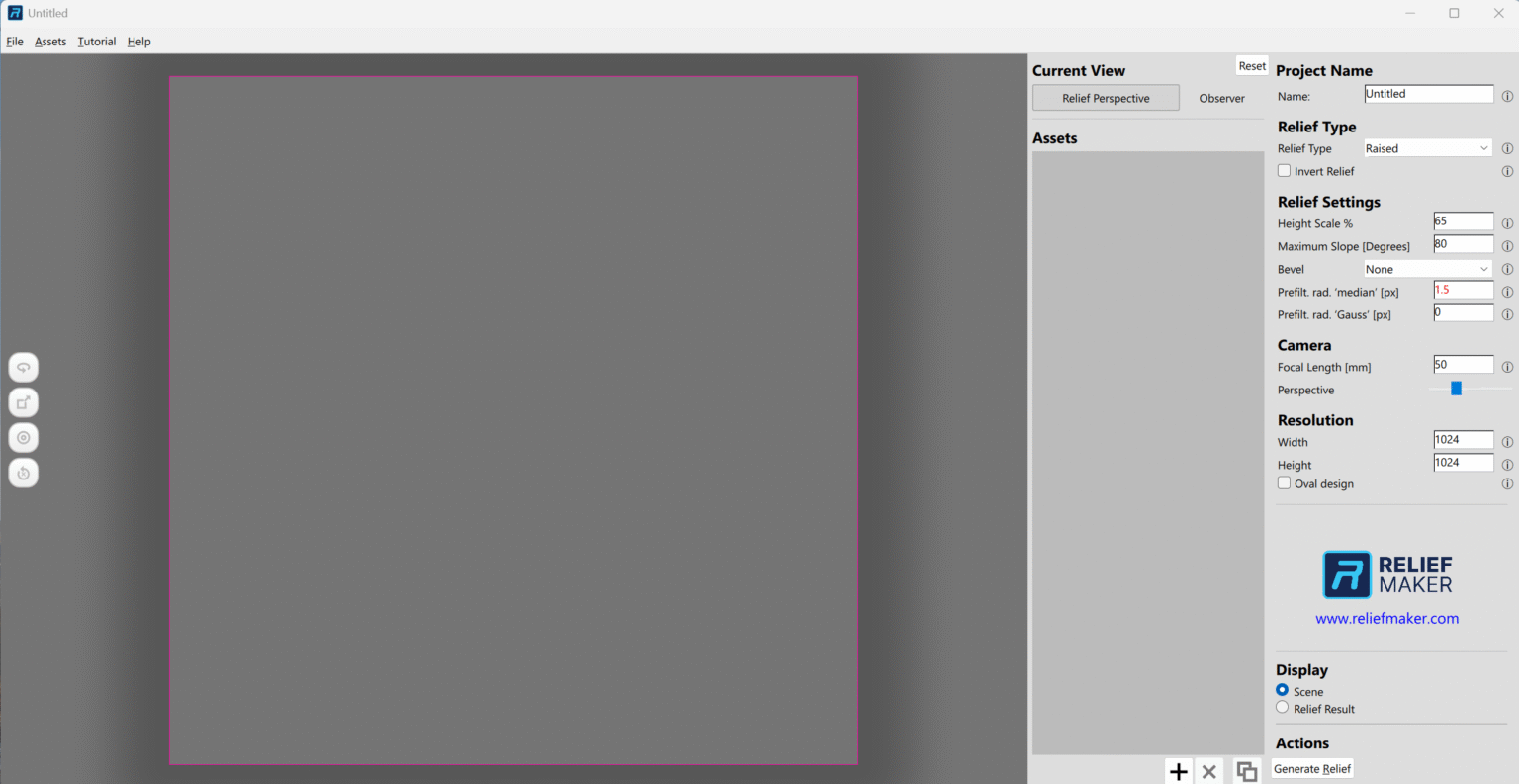
Relief Maker Pro is a specialized 3D relief modeling software designed for woodworkers, sign makers, CNC enthusiasts, and digital artists who need an efficient way to create high-quality bas-relief designs. Unlike complex CAD applications that often require extensive training, Relief Maker Pro focuses on transforming images, grayscale artwork, and vector graphics into detailed relief models suitable for carving, engraving, and CNC machining.
For professionals producing decorative panels, custom furniture components, artistic carvings, or personalized gifts, Relief Maker Pro offers a streamlined workflow that significantly reduces design time while maintaining impressive levels of detail. Its balance of accessibility and functionality makes it an appealing solution for both hobbyists and small production workshops.
This review explores Relief Maker Pro’s capabilities, practical applications, strengths, limitations, and overall value for users seeking reliable relief design software.
Introduction
Creating realistic 3D reliefs traditionally demanded years of sculpting experience or mastery of sophisticated modeling platforms. For many craftsmen, CNC operators, and engraving businesses, that learning curve can slow down projects and increase production costs.
Relief Maker Pro was developed to bridge this gap.
The software enables users to generate artistic relief models from photographs, clipart, grayscale images, and imported graphics. Instead of manually sculpting every detail, users can automate significant portions of the workflow while retaining control over depth, texture, and surface refinement.
Whether producing carved cabinet doors, decorative wall panels, commemorative plaques, or custom signage, Relief Maker Pro helps users move from concept to machine-ready designs much faster.
As demand for personalized woodworking and CNC projects continues to grow, software solutions that simplify relief generation have become increasingly valuable.
Key Features of Relief Maker Pro
1. Image-to-Relief Conversion
One of the software’s most attractive features is its ability to convert 2D images into 3D relief models.
Users can import:
- JPG images
- PNG files
- BMP graphics
- Grayscale artwork
- Digital illustrations
The software analyzes image brightness levels and translates them into varying depths, producing an embossed or carved appearance.
This functionality is especially useful for:
- Portrait carvings
- Decorative medallions
- Memorial plaques
- Artistic wall décor
Many users appreciate how quickly a simple photograph can become a machinable relief.
2. Relief Editing Tools
After generating a relief, designers can modify and enhance the model using built-in editing functions.
Editing capabilities include:
Height adjustment
Control carving depth precisely.
Surface smoothing
Remove rough transitions.
Texture refinement
Improve overall detail quality.
Local modifications
Edit specific areas independently.
Detail enhancement
Accentuate facial features, ornaments, and patterns.
These tools provide flexibility for users who want greater artistic control without learning advanced sculpting software.
3. Layer-Based Workflow
Relief Maker Pro supports layered design methodologies.
Benefits include:
- Non-destructive editing
- Better project organization
- Easier revisions
- Faster experimentation
For complex decorative projects involving multiple components, layer management simplifies the design process considerably.
4. Support for CNC Manufacturing
The software is designed with manufacturing workflows in mind.
Export options often support formats compatible with CNC routing software and machining applications.
Common uses include:
- Wood carving
- Stone engraving
- Foam cutting
- Mold creation
- Sign production
By generating machine-friendly models, Relief Maker Pro reduces preparation time before toolpath generation.
5. User-Friendly Interface
One challenge many relief artists face is the overwhelming complexity of traditional CAD systems.
Relief Maker Pro offers a more approachable environment.
Users frequently mention:
- Logical menus
- Intuitive controls
- Minimal setup requirements
- Faster learning process
Beginners can often start producing basic reliefs within a few hours.
Experienced operators also benefit from shorter project turnaround times.
Practical Use Cases
Relief Maker Pro serves multiple industries and creative disciplines.
Custom Woodworking Businesses
Woodworkers frequently use relief designs to create premium decorative products.
Examples include:
- Fireplace mantels
- Cabinet inserts
- Furniture embellishments
- Door panels
- Decorative trim
A small woodworking company can design unique relief patterns internally rather than outsourcing artistic modeling work.
This reduces expenses while increasing profit margins.
CNC Sign Shops
Sign makers often seek distinctive visual elements that separate their products from competitors.
Relief Maker Pro enables creation of:
- Family crests
- Corporate logos
- Decorative borders
- Historical emblems
- Architectural motifs
These additions can transform standard signage into high-value custom pieces.
Personalized Gift Manufacturing
The market for personalized gifts continues to expand.
Businesses can use Relief Maker Pro for producing:
- Portrait carvings
- Memorial keepsakes
- Anniversary plaques
- Religious artwork
- Wedding gifts
Customers tend to appreciate products that combine craftsmanship with sentimental value.
The software helps businesses meet this demand efficiently.
Hobby CNC Users
Many CNC enthusiasts enjoy creating projects for home decoration or gifts.
Examples include:
- Wildlife carvings
- Landscape scenes
- Family photographs
- Decorative clocks
- Artistic plaques
Relief Maker Pro provides hobbyists with professional-looking results without requiring years of digital sculpting experience.
Educational Institutions
Schools and technical training centers can also benefit from relief creation software.
Students studying:
- Industrial design
- Manufacturing technology
- Digital fabrication
- Artistic woodworking
can explore relief modeling concepts in a practical and accessible environment.
Real-World User Experience
One of the strongest aspects of Relief Maker Pro is its ability to simplify tasks that would otherwise demand substantial manual effort.
Consider a small woodworking studio specializing in custom furniture.
A customer requests a carved portrait for a cabinet centerpiece.
Without dedicated relief software, the artist might spend days sculpting the design manually.
Using Relief Maker Pro, the process becomes more manageable:
Step 1:
Import the customer’s photograph.
Step 2:
Generate an initial relief.
Step 3:
Adjust carving depth.
Step 4:
Smooth surfaces.
Step 5:
Enhance facial features.
Step 6:
Export the model for CNC machining.
Instead of several days, the design may be completed within hours.
This efficiency allows businesses to accept more projects and improve customer turnaround times.
Many users value software that helps increase production capacity without sacrificing artistic quality.
Performance Analysis
Processing Speed
Relief generation generally occurs relatively quickly depending on image complexity.
Simple projects process rapidly.
Highly detailed models may require additional computing resources.
Stability
Users working with moderate-size projects typically experience dependable performance.
Project complexity and workstation specifications can influence responsiveness.
Systems equipped with:
- Dedicated graphics hardware
- Modern processors
- Sufficient RAM
usually provide the best experience.
Output Quality
Relief Maker Pro is capable of producing highly detailed relief surfaces.
Factors influencing final quality include:
- Source image resolution
- Editing techniques
- Material selection
- CNC tooling strategy
Users who invest time refining designs often achieve impressive carved results suitable for commercial production.
Learning Curve
Compared with advanced sculpting software packages, Relief Maker Pro is generally easier to learn.
Advantages include:
- Straightforward interface
- Guided workflows
- Familiar image editing concepts
This accessibility makes it attractive for users transitioning from basic graphic design tools.
Pros and Cons
Pros
Fast image-to-relief conversion
Speeds up project development considerably.
Beginner-friendly interface
Accessible to non-CAD users.
Suitable for CNC workflows
Supports practical manufacturing applications.
Useful editing capabilities
Provides artistic flexibility.
Reduces outsourcing costs
Businesses can create designs internally.
Versatile applications
Applicable across woodworking, signage, gifts, and decorative manufacturing.
Cons
Limited advanced sculpting tools
Professional digital sculptors may require additional software.
Dependent on source image quality
Poor images often generate less impressive reliefs.
Complex artistic projects may need manual refinement
Automatic generation does not always eliminate the need for editing.
Hardware performance matters
Large projects benefit from modern computer systems.
Pricing and Plans
Relief Maker Pro licensing options may vary depending on software versions, distributors, and promotional offers.
Potential buyers should verify the latest information regarding:
- Perpetual licenses
- Upgrade policies
- Technical support
- Maintenance agreements
- Educational discounts
Evaluating licensing terms before purchasing can help businesses select the most suitable package for their production requirements.
Who Should Use Relief Maker Pro?
Relief Maker Pro is particularly well-suited for:
CNC woodworkers
Professionals seeking efficient decorative carving workflows.
Sign manufacturers
Businesses producing premium engraved signage.
Furniture makers
Companies adding artistic details to custom products.
Hobby machinists
Enthusiasts wanting professional-looking relief designs.
Gift businesses
Shops specializing in personalized engraved items.
Educational users
Training centers teaching digital fabrication techniques.
Final Verdict
Relief Maker Pro successfully addresses a niche but increasingly important area of digital manufacturing: creating detailed 3D relief artwork quickly and efficiently.
Its ability to transform ordinary images into machinable relief models makes it a valuable tool for woodworkers, CNC operators, sign makers, and creative entrepreneurs looking to expand their design capabilities. While highly specialized sculptors may still prefer dedicated modeling platforms for extremely intricate projects, Relief Maker Pro offers an excellent balance between usability, speed, and production readiness.
For businesses aiming to reduce design time, improve customization options, and deliver visually impressive carved products, Relief Maker Pro is worth serious consideration. Exploring its features and testing it within your workflow can help determine whether it aligns with your artistic goals and manufacturing needs, potentially opening new opportunities for custom production and creative growth.

Reviews
There are no reviews yet.